DFD6361-Maintenance.pdf - 第252页
C-40 AXIS OPER A TION screen - Photoi nterrupt er status indic ation area The description of the photointerrupter status indication area of the AX I S OPERA TOIN screen is a s follows: [Screen] [1] [2] [3] [4] [5] [6] [7…
C-39
Procedures for axis sensor check (Continued)
Step No. Do This
1
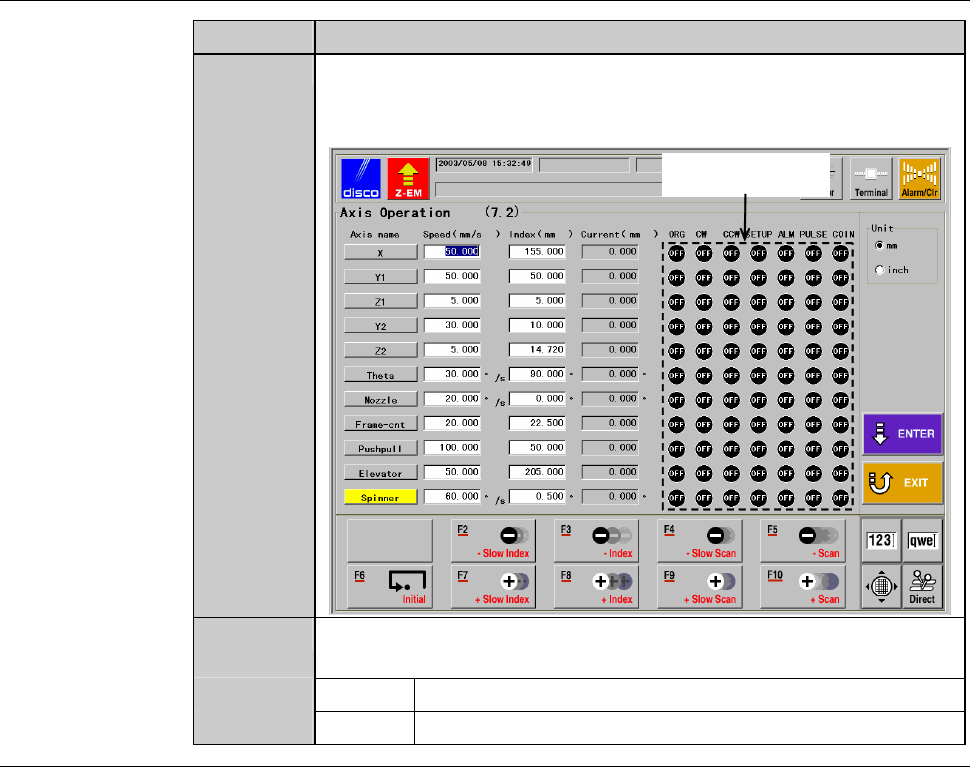
From the ENGINEERING MAINTENANCE screen [screen 7.0],
press the <F2> button.
- The AXIS OPERATION screen then appears.
Photointerrupter
status indication area
2
In the right-hand part of the AXIS OPERATION screen, the
current status of the photointerrupters of each axis are indicated.
ON The photointerrupter is ON.
OFF The photointerrupter is OFF.
C-40
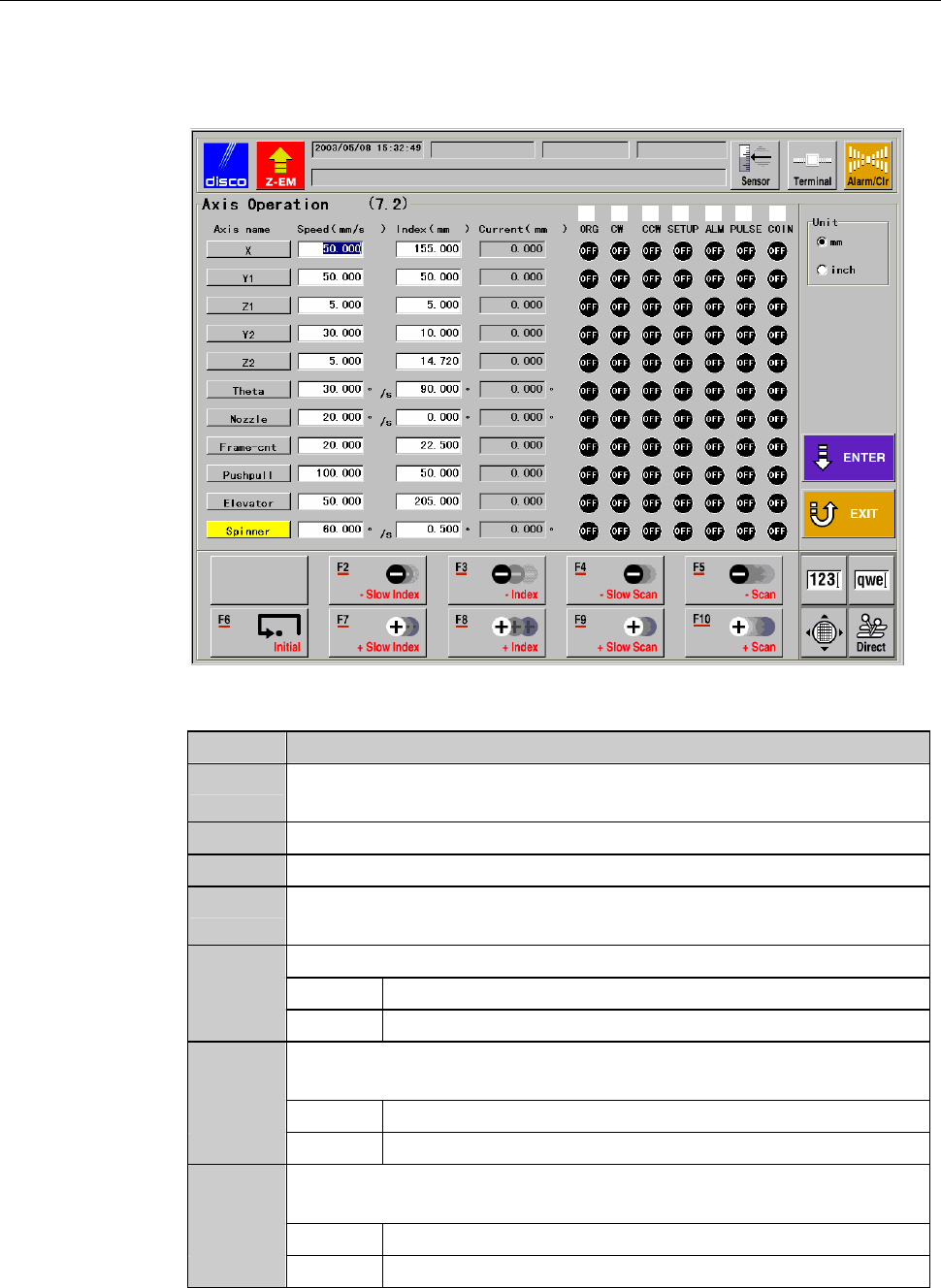
AXIS OPERATION screen - Photointerrupter status indication area
The description of the photointerrupter status indication area of theAXIS
OPERATOIN screen is as follows:
[Screen]
[1] [2] [3] [4] [5] [6] [7]
[Setting Item]
Item No. Descriptions
[1]
Shows ON or OFF to indicate the origin position sensor operation
status.
[2]
Shows ON or OFF to indicate the CW sensor operation status.
[3]
Shows ON or OFF to indicate the CCW sensor operation status.
[4]
Indicates whether the setup signal is ON or OFF (Z1- and Z2-
axis).
[5]
Indicates the axis alarm motor driver status.
ON Abnormal
OFF Normal
[6]
Shows ON or OFF to indicate whether the pulse output is being
generated (the axis is operating) or not.
ON Axis in motion
OFF Axis stopped
[7]
Indicates whether the COIN signal (positioning completion signal)
is ON or OFF.
ON The axis reaches the target position.
OFF The axis has not reached the target position.

C-41
AXIS OPERATION screen - Photointerrupter status indication area (Continued)
[Function Button]
See the section 3 of this chapter, [Axis Operation Check].