DFD6361-Maintenance.pdf - 第261页
C-49 SET DATE & TIME dialog box The description of SET DATE & TIME dialog box is as follows: [Screen] [1] [2] [3] [4] [5] [Setting Ite m] Item No. Description s [1] Indicates the curre nt date and time. [2] Input…
C-48
USER DEFINE DATA screen [screen 7.4] (Continued)
[Setting Item]
Item No. Descriptions
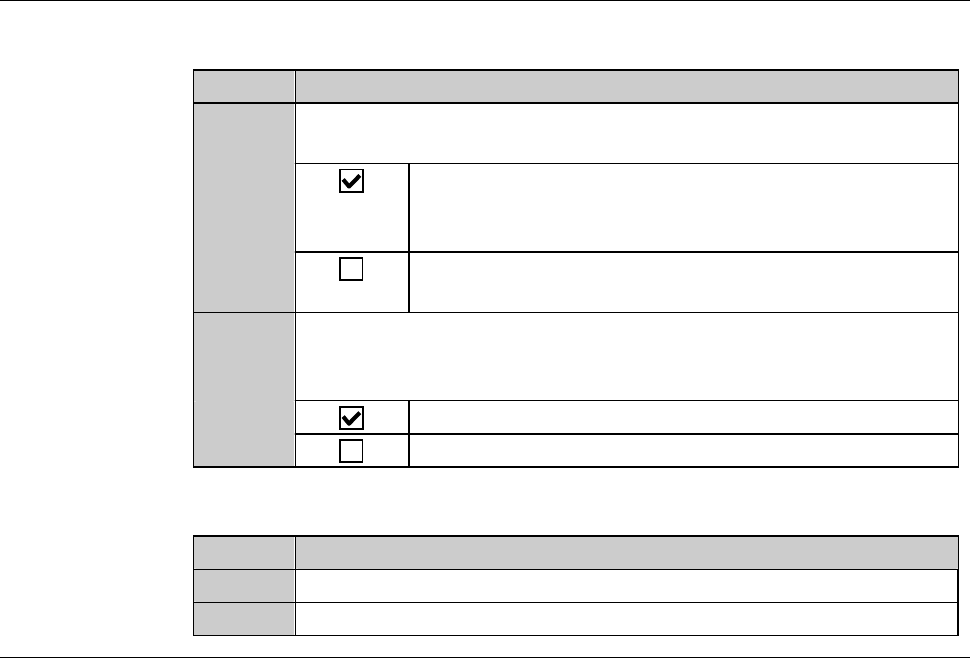
[23]
Specify whether the CRT shows a camera image (target check and
street check) during kerf check.
Displays the camera image derived from kerf check.
The throughput is slightly lowered because it takes
some time for the CRT to display the camera image.
Dose not display the camera image derived from kerf
check.
[24]
During a full automation operation using a two-tier cassette,
specify whether to make an operator call when the last workpiece
of the first cassette returns to its original cassette slot.
Makes an operator call.
Does not make an operator call.
[Function button]
Press To
F5
Call up the SET DATE & TIME dialog box.
F10
Call up the USER SPECIAL screen [screen 7.4.10].
C-49
SET DATE & TIME dialog box
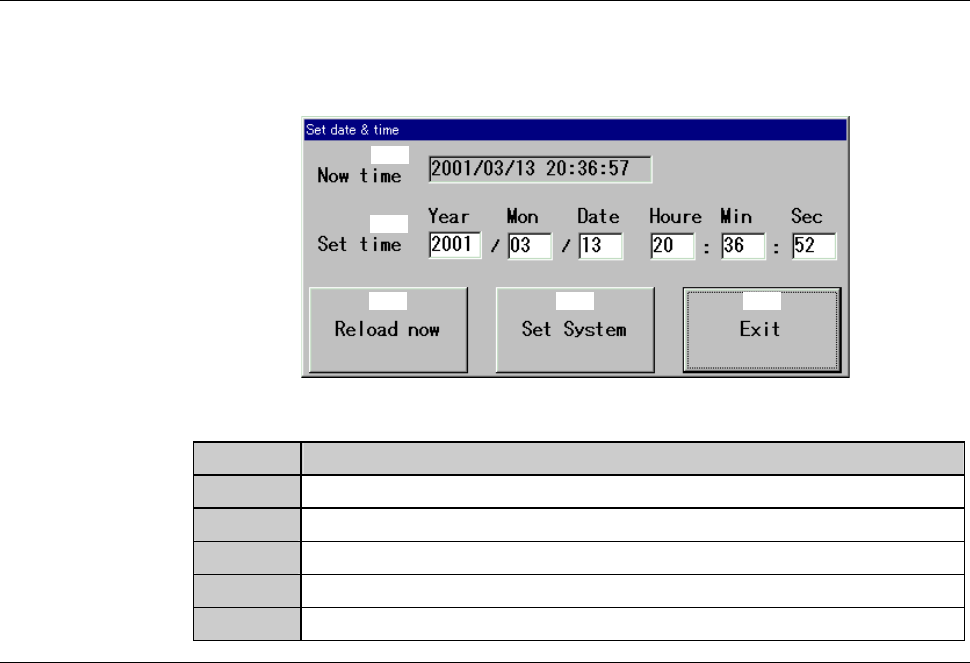
The description of SET DATE & TIME dialog box is as follows:
[Screen]
[1]
[2]
[3] [4] [5]
[Setting Item]
Item No. Descriptions
[1]
Indicates the current date and time.
[2]
Input the date and time to set.
[3]
Sets the current date and time as "Set Time".
[4]
Registers the date and time entered as "Set Time".
[5]
Close the SET DATE & TIME dialog box.
C-50
6. Device Data Maintenance
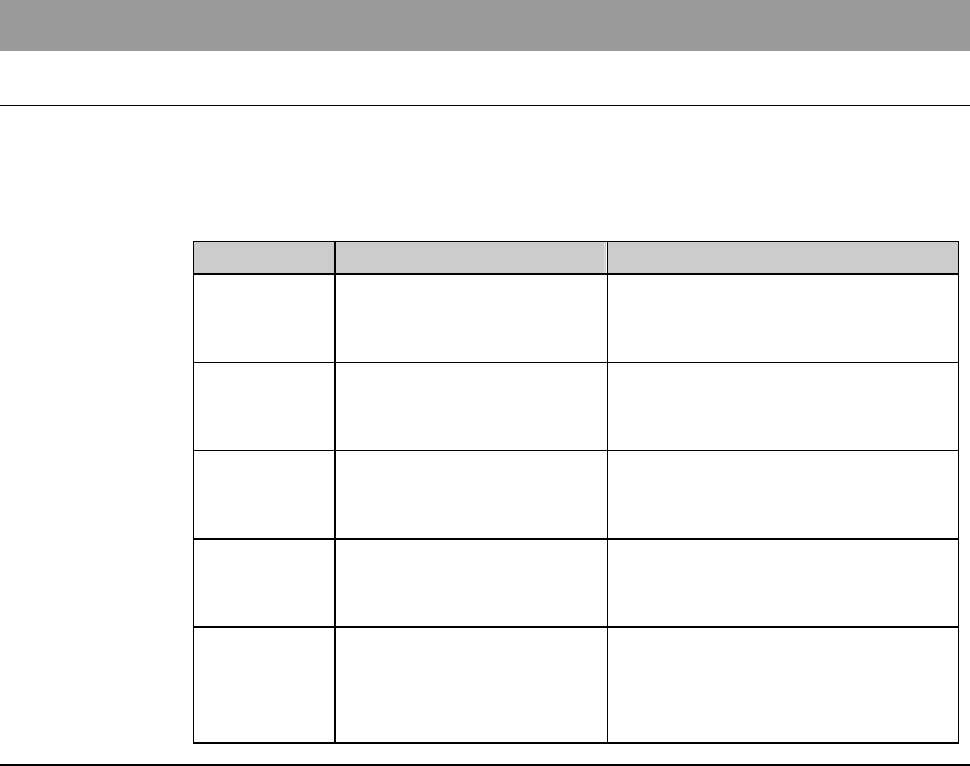
About device data maintenance
On the DEVICE DATA MAINTENANCE screen, you can delete or move a
particular device data, or delete or rename designated directories. On this
screen, it is also possible to change the values of all the device data stored in a
designate directory by setting item, through a simple operation.
Section No. Title Contents
6-1 Deleting Device Data - Procedures for deleting device
data on DEVICE DATA
MAITENENANCE screen
6-2 Moving Device Data - Procedures for moving device
data on DEVICE DATA
MAITENENANCE screen
6-3 Deleting Directories - Procedures for deleting
directories on DEVICE DATA
MAITENENANCE screen
6-4 Renaming Directories - Procedures for renaming
directories on DEVICE DATA
MAITENENANCE screen
6-5 Changing Values of
Device Data
- Procedures for changing setting
values in device data on
DEVICE DATA
MAITENENANCE screen