DFD6361-Maintenance.pdf - 第267页
C-55 Procedur es for dele ting di rectories (C ontinued) Step No. Do This 7 When t he <OK> button i s pressed, t he direct ory select ed at [ 2] will be delete d. - The screen display returns to the root director y…
C-54
6-3. Deleting Directories
Procedures for deleting directories
CAUTION
Once you delete a directory, all the device data stored in the
directory will be erased. And it is impossible to restore these deleted
device data.
Therefore, before making deletion of a directory, make sure that the
device data stored there are no longer necessary.
Step No.
Do This
1
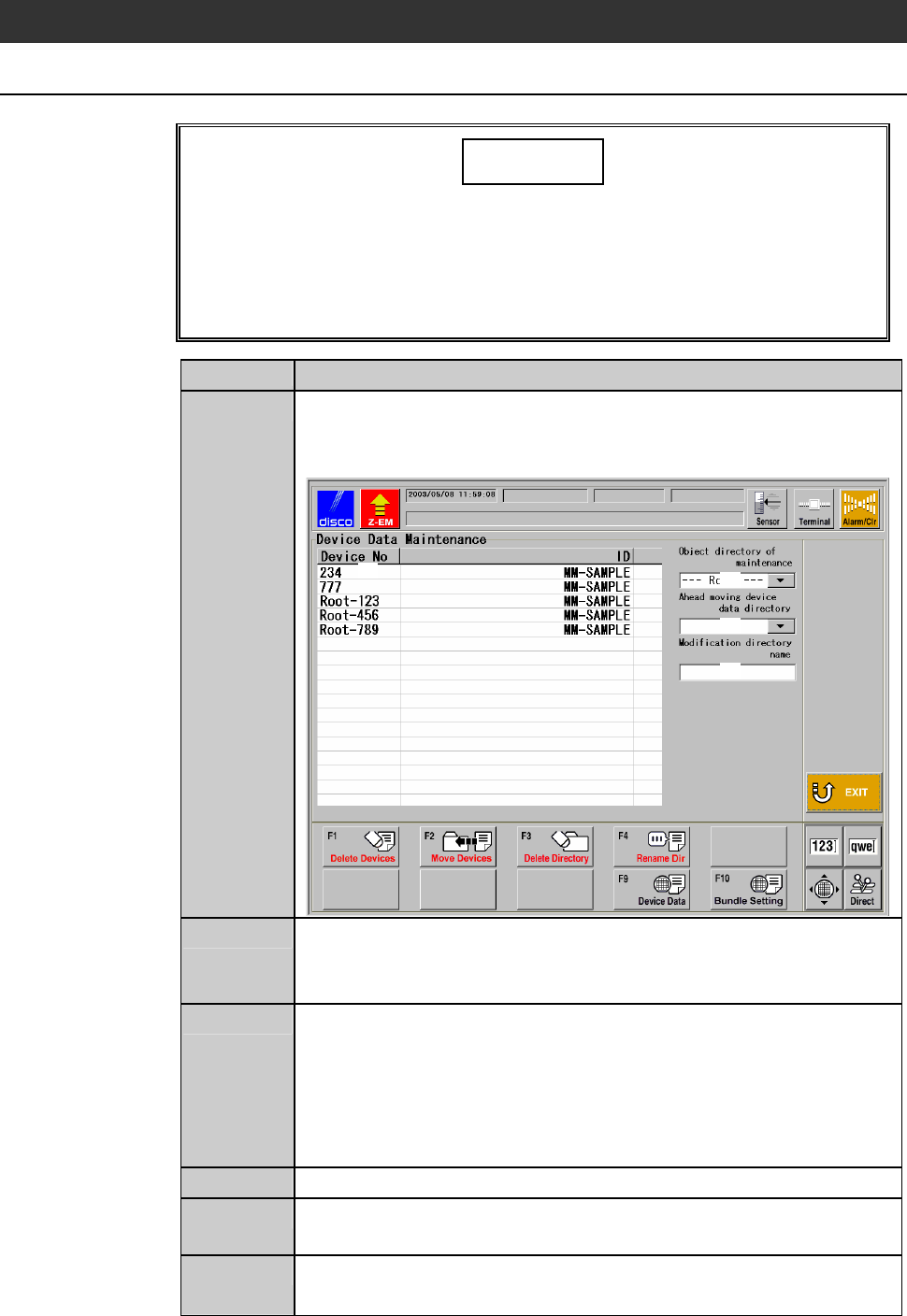
Press the <F6> button on the ENGINEERING MAINTENANCE
screen [screen 7.0].
- The DEVICE DATA MAINTENANCE screen is called up.
[1]
[3]
[2]
[4]
2
At [2], specify the directory to delete.
- The device data stored in the directory are displayed in the area
[1].
3
Make sure that the device data displayed in [1] are no longer
necessary.
- If you press the <F9> button after selecting the device data No.,
you can see the contents of the device data. If you press the
<EXIT> button after checking them, the screen returns to the
DEVICE DATA MAINTENANCE screen.
4
Press the <F3> button.
5
The message, "Directory [2] is deleted. All the data in a directory
is deleted. Is it all right?" is displayed.
6
If you agree to delete them, press the <OK> button.
- If you want to abandon, press the <Cancel> button.
C-55
Procedures for deleting directories (Continued)
Step No.
Do This
7
When the <OK> button is pressed, the directory selected at [2]
will be deleted.
- The screen display returns to the root directory.
- When the <Cancel> button is pressed, the screen returns to the
DEVICE DATA MAINTENANCE screen.
C-56
6-4. Renaming Directories
Procedures for renaming directories
Step No.
Do This
1
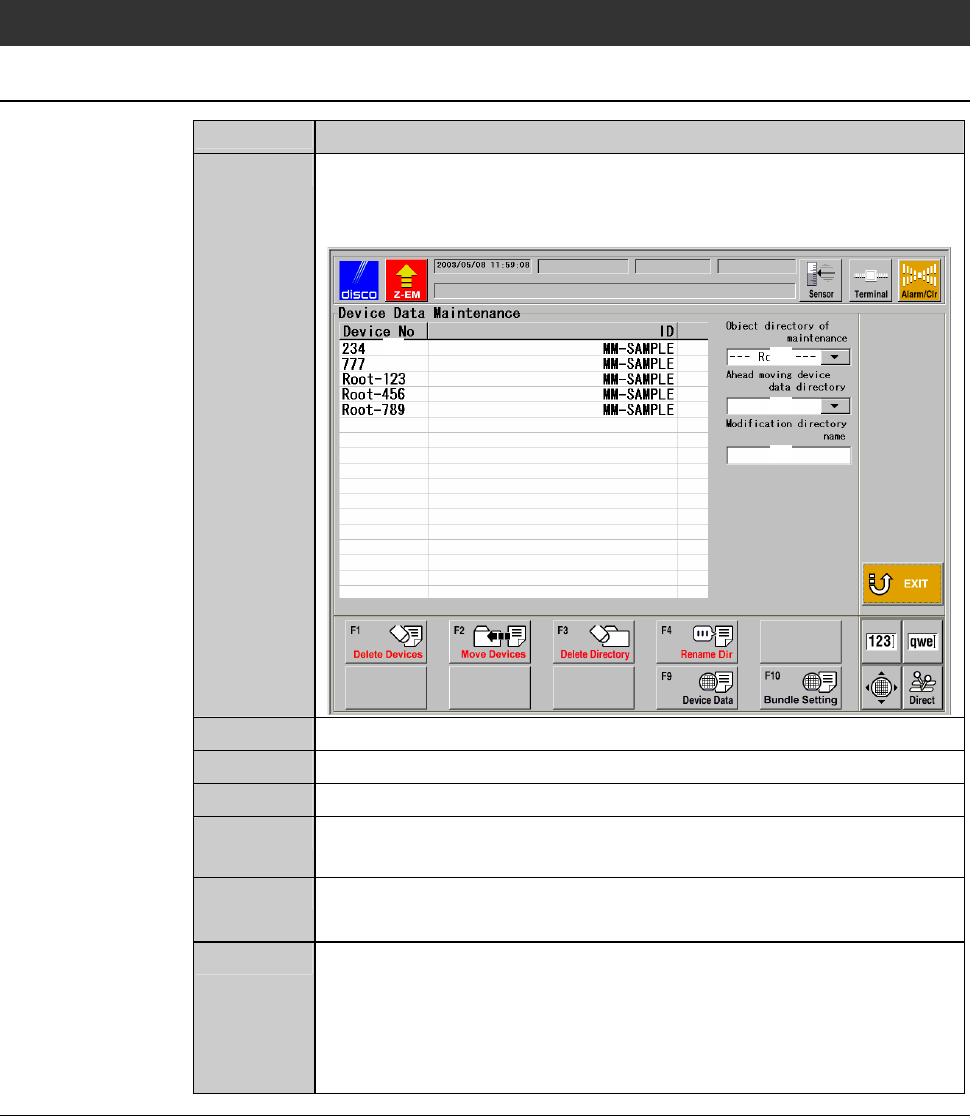
Press the <F6> button on the ENGINEERING MAINTENANCE
screen [screen 7.0].
- The DEVICE DATA MAINTENANCE screen is called up.
[1]
[3]
[2]
[4]
2
At [2], specify the directory to rename.
3
At [4], enter the new directory name.
4
Press the <F4> button.
5
The message, "The directory name [2] is changed into [4]. Is it
all right?" is displayed.
6
If you agree to change them, press the <OK> button.
- If you want to abandon, press the <Cancel> button.
7
When the <OK> button is pressed, the name of the directory
specified at [2] will be changed to the new one typed at [4].
- The screen display returns to the root directory.
- When the <Cancel> button is pressed, the screen returns to the
DEVICE DATA MAINTENANCE screen.