DFD6361-Maintenance.pdf - 第268页
C-56 6-4. Re naming Dire ctories Procedur es for rena ming dir ectories Step No. Do This 1 Press the <F6> button on t he ENGINEERING MAINTENANCE screen [scr een 7.0]. - The DEVICE DATA MA INTENANCE screen is called…
C-55
Procedures for deleting directories (Continued)
Step No.
Do This
7
When the <OK> button is pressed, the directory selected at [2]
will be deleted.
- The screen display returns to the root directory.
- When the <Cancel> button is pressed, the screen returns to the
DEVICE DATA MAINTENANCE screen.
C-56
6-4. Renaming Directories
Procedures for renaming directories
Step No.
Do This
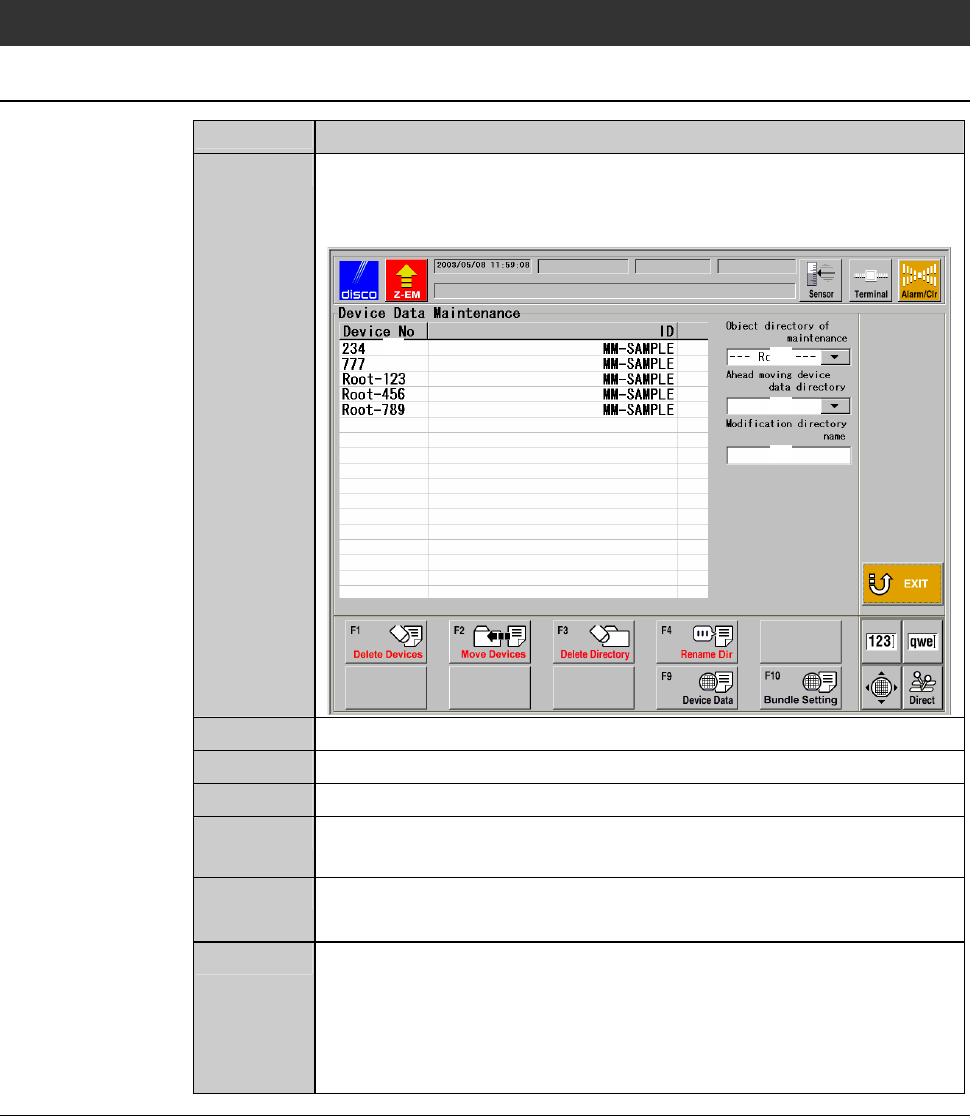
1
Press the <F6> button on the ENGINEERING MAINTENANCE
screen [screen 7.0].
- The DEVICE DATA MAINTENANCE screen is called up.
[1]
[3]
[2]
[4]
2
At [2], specify the directory to rename.
3
At [4], enter the new directory name.
4
Press the <F4> button.
5
The message, "The directory name [2] is changed into [4]. Is it
all right?" is displayed.
6
If you agree to change them, press the <OK> button.
- If you want to abandon, press the <Cancel> button.
7
When the <OK> button is pressed, the name of the directory
specified at [2] will be changed to the new one typed at [4].
- The screen display returns to the root directory.
- When the <Cancel> button is pressed, the screen returns to the
DEVICE DATA MAINTENANCE screen.
C-57
6-5. Changing Values of Device Data
Procedures for changing values of device data
Using the DEVICE DATA CHANGE screen, you can change the setting
values of all the device data stored in a designated directory by setting item,
through a simple operation. Moreover, you can even change the values of all
the device data saved in the machine's memory, if you select the root directory
and make a check ( ) at the column of [All device data are modified].
CAUTION
If you change setting values using the DEVICE DATA CHANGE
screen, this change will be applied to all the device data stored in a
designated directory. If you select the root directory and make a
check ( ) at the column of [All device data are modified], the change
will be prevailed to all the device data recorded in the machine's
memory.
Therefore, before changing any setting value, carefully check that
both the change and the new value is correct.
Step No.
Do This
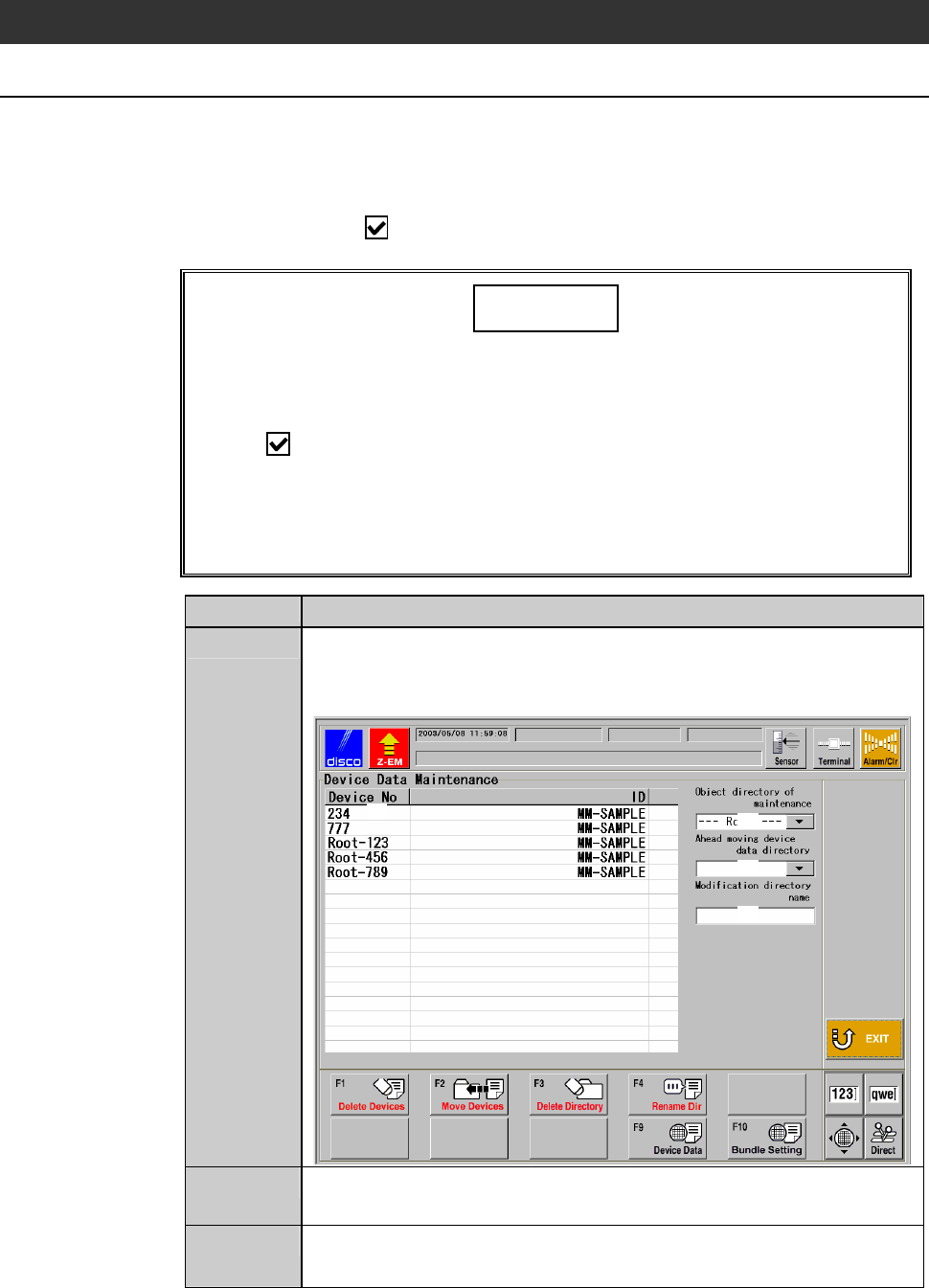
1
Press the <F6> button on the ENGINEERING MAINTENANCE
screen [screen 7.0].
- The DEVICE DATA MAINTENANCE screen is called up.
[1]
[3]
[2]
[4]
2
At [2], specify the directory where you want to change values of
the device data.
3
Press the <F10> button.
- The password input screen is displayed.