DFD6361-Maintenance.pdf - 第276页
C-64 7. Maintenance Scheduler About M aintenance Sc heduler The Maintenance Scheduler enabl es you to preset the schedule fo r replacement of p arts and peri odic maintenan ce, an d effect an ope rator call when the spe …
C-63
Device data whose settings cannot be modified
Settings of the following device data cannot be modified.
Device Data No. Device Data
000 MM-SAMPLE
111 INCH-SAMPLE
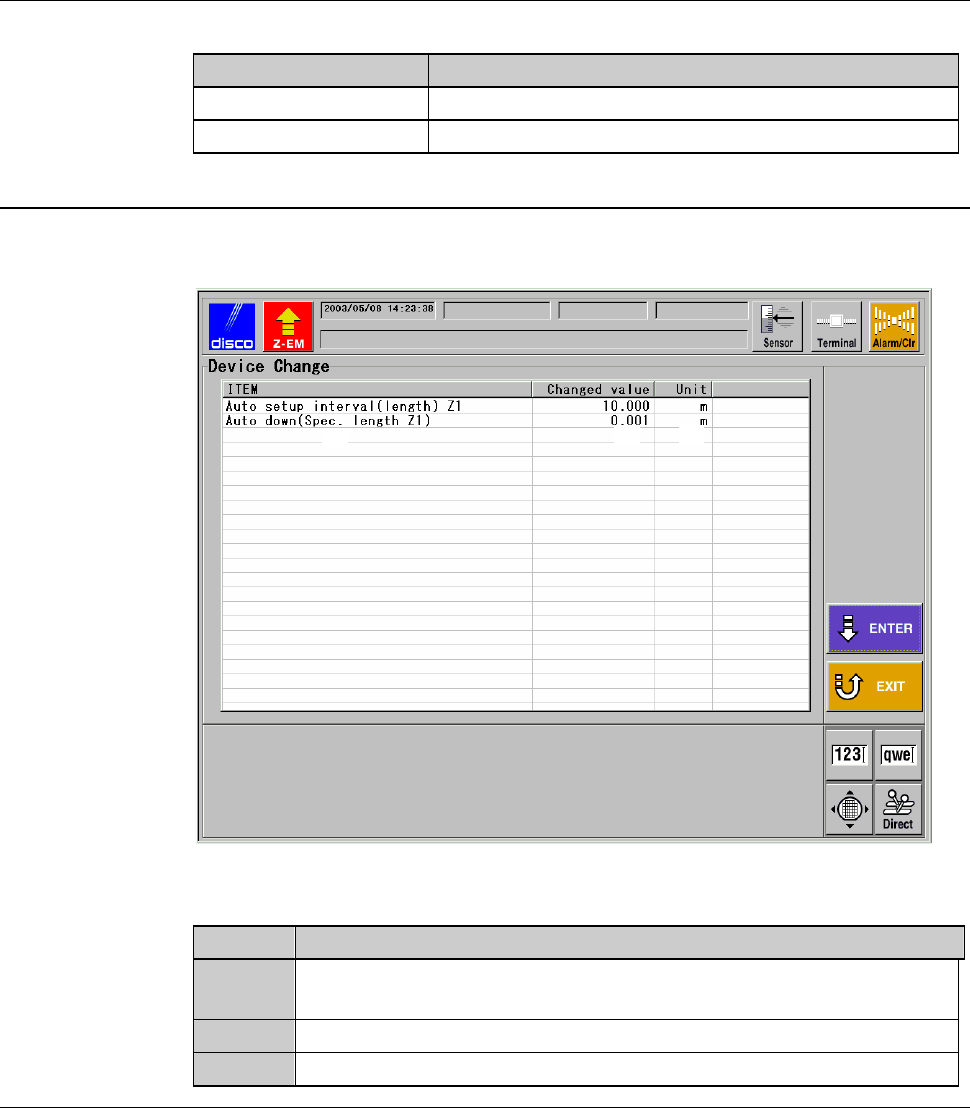
DEVICE DATA CHANGE screen - confirmation
[Screen]
[1]
[2]
[3]
[Setting Item]
Item No. Descriptions
[1]
Lists the items to which new values were entered in the DEVICE
DATA CHANGE screen (for setting).
[2]
Indicates the new values set for the item displayed at [1].
[3]
Indicates the unit of the values of the item [1].
C-64
7. Maintenance Scheduler
About Maintenance Scheduler
The Maintenance Scheduler enables you to preset the schedule for
replacement of parts and periodic maintenance, and effect an operator call
when the specified maintenance date comes.
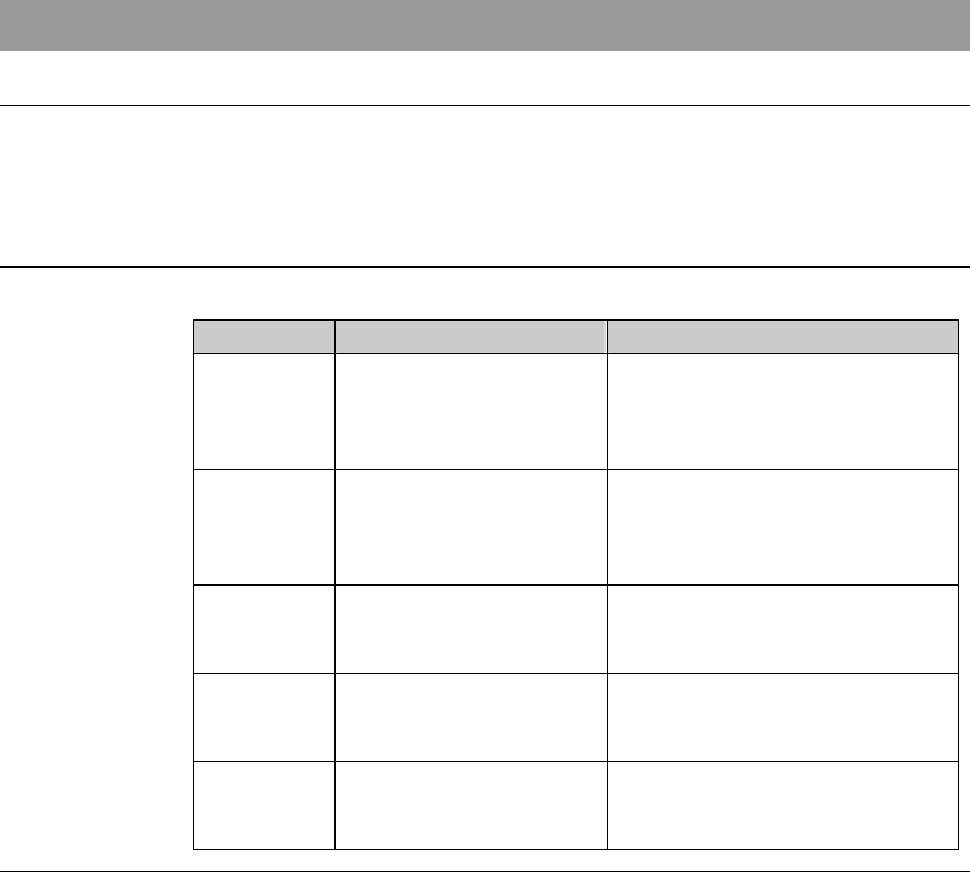
Summary of this section
This section explains about the ways to use the Maintenance Scheduler.
Section No. Title Contents
7-1 Calling up the
MAINTENANCE
SCHEDULER Screen
- Procedures to call up the
MAINTENANCE
SCHEDULER screen and on-
screen items
7-2 Updating LAST MENT
DATE
- Procedures to update "LAST
MENT DATE" of the
MAINTENANCE
SCHEDULER screen
7-3 Changing DAYS SET - Procedures to change "DAYS
SET" of the MAINTENANCE
SCHEDULER screen
7-4 Changing the
Maintenance ITEM
- Procedures to add the new
"ITEM" at the MAINTENANCE
SCHEDULER screen
7-5 Deleting the Maintenance
ITEM
- Procedures to delete an "ITEM"
of the MAINTENANCE
SCHEDULER screen
C-65
7-1. Calling up the
MAINTENANCE SCHEDULER Screen
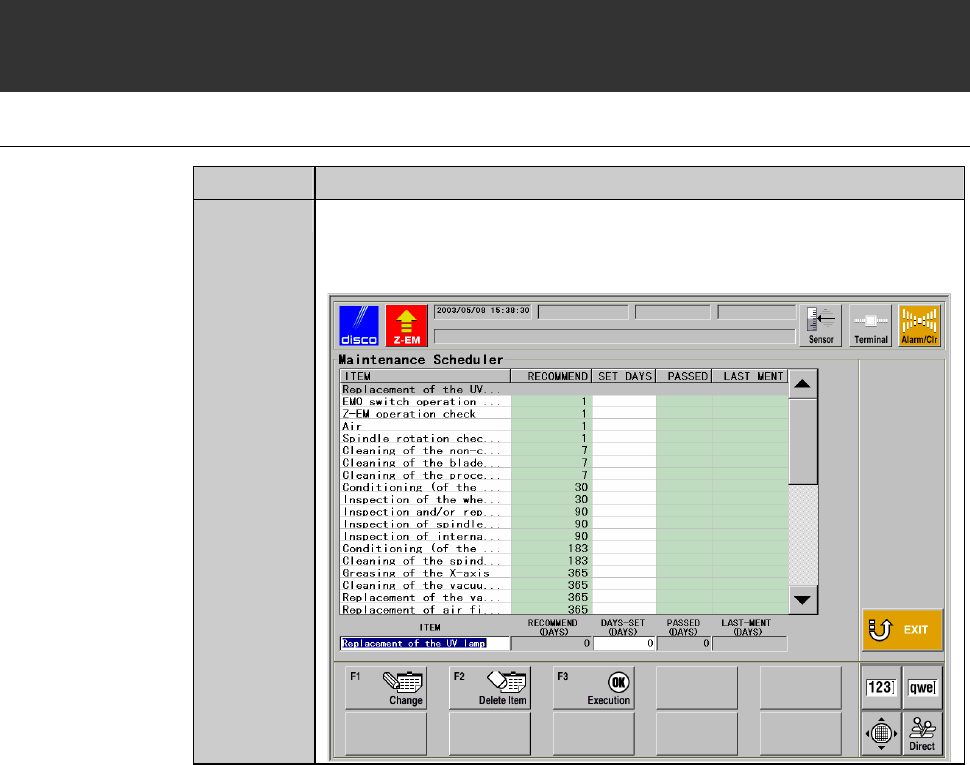
Procedures for calling up the MAINTENANCE SCHEDULER screen
Step No. Do This
1
Press the <F7> button from the ENGINEERING
MAINTENANCE screen [screen 7.0].
- The MAINTENANCE SCHEDULER screen then appears.