DFD6361-Maintenance.pdf - 第393页
D-108 A0533 : Alignm ent time l imit over . Error c ode A0533 Message Alignm ent time lim it over . W hat wa s detected The error was disp layed wh en the alig nment tim e was excee ded the v alue specified in the c olum…
D-107
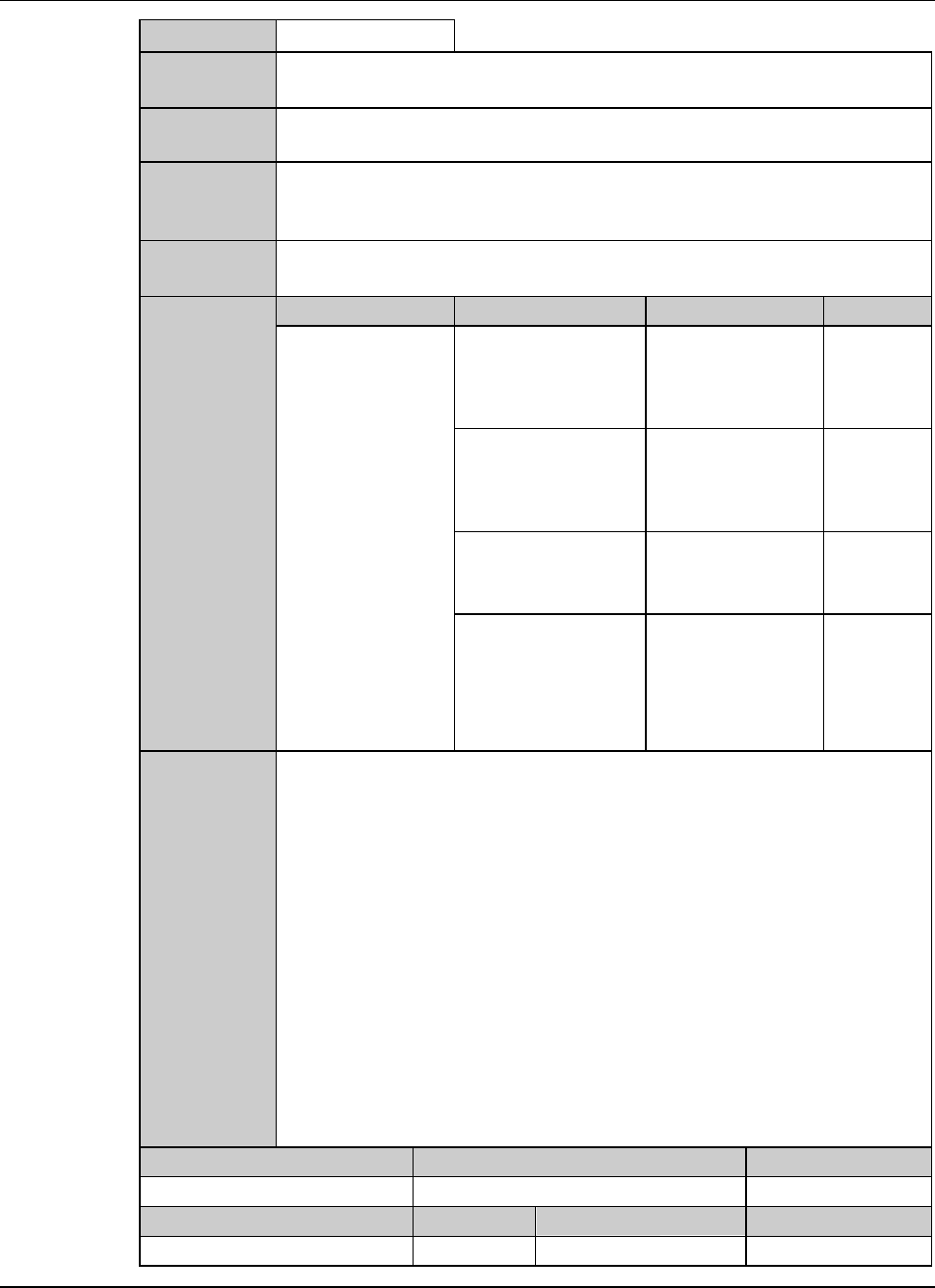
A0532 : Not found micro target.
Error code
A0532
Message
Not found micro target.
What was
detected
Error display is made if the teach-entered pattern was not found on the
workpiece in the micro search operation of auto alignment.
During what
operation it
occurred
During auto alignment operation.
State after
detection
Auto alignment operation is temporarily halted.
Phenomenon Probable causes Remedy Reference
What to do
The error occurs
frequently.
Thedevicedata
setting for doing the
operation is
incorrect.
Change the device
data.
The variation on the
workpiece front side
is large.
Contact your sales
representative at
the nearest DISCO
Service Office.
The micro target is
improper.
Conduct teaching
again.
The rotation axis is
not in alignment.
Effect rotation axis
alignment.
Recovery
(1) Cancel the alarm, and then the ERROR RECOVERY (ALIGNMENT)
screen is displayed.
(2) Perform the error recovery steps indicated on the screen.
Maintenance level Maintenance personnel level Hazard level
Measuring equipment used Tools Replacement parts Protective gear
D-108
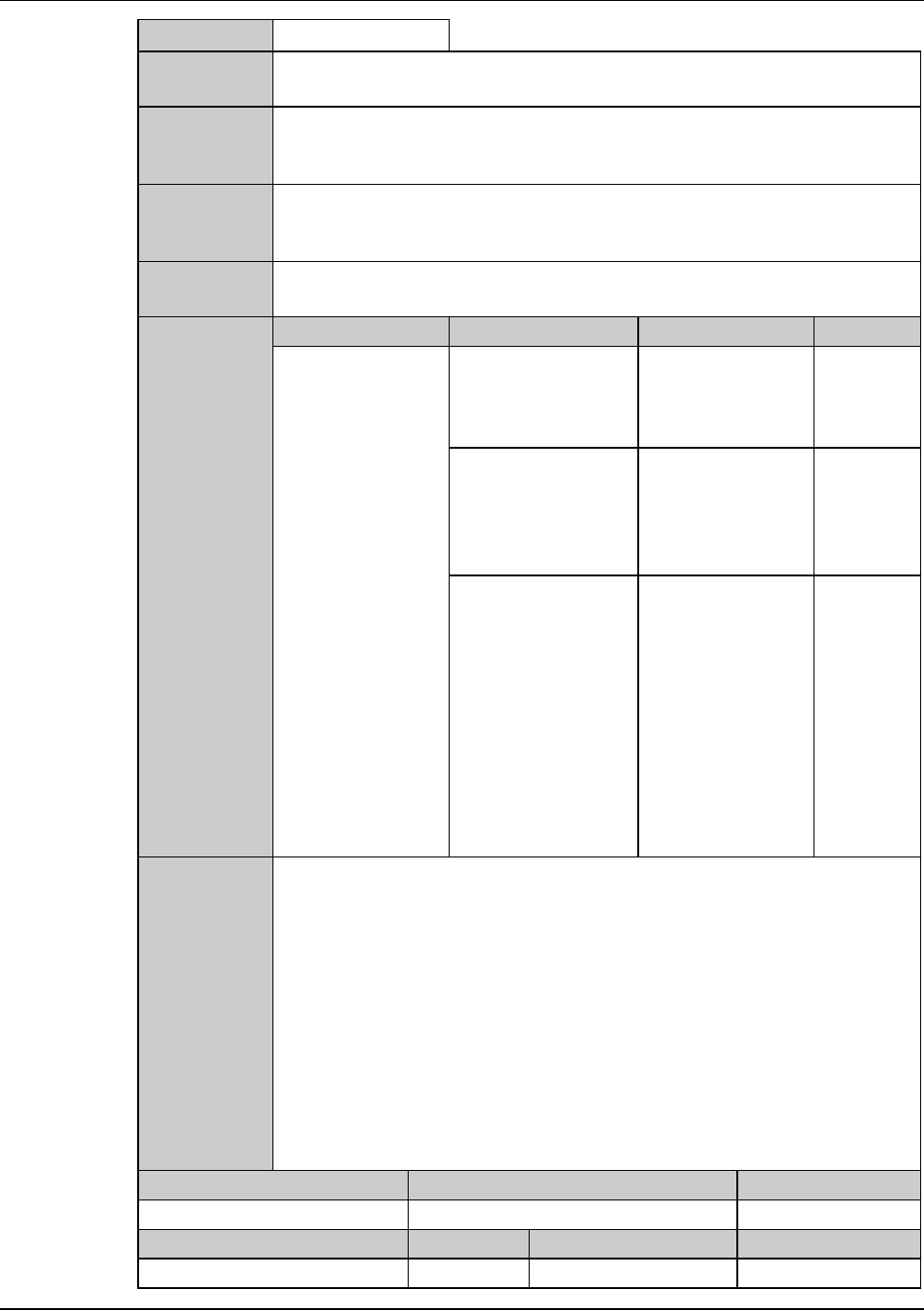
A0533 :Alignment time limit over.
Error code
A0533
Message
Alignment time limit over.
What was
detected
The error was displayed when the alignment time was exceeded the value
specified in the column <TIME OUT> on the ALIGNMENT DATA screen
[screen 3.1.3].
During what
operation it
occurred
During auto alignment operation.
State after
detection
Auto alignment operation is discontinued.
Phenomenon Probable causes Remedy Reference
What to do
The error occurs
frequently.
Thedevicedata
setting for doing the
operation is
incorrect.
Change the device
data.
The workpiece
attachment to the
frame is displaced
more than 5° in the θ
direction.
Reattach the
workpiece with the
attachment
precision of 5° or
less.
The value specified
in the column
<TIME OUT> on the
ALIGNMENT
DATA screen [screen
3.1.3] is too short.
Correct the value
specified in the
column <TIME
OUT> on the
ALIGNMENT
DATA screen
[screen 3.1.3].
Recovery
(1) Cancel the alarm, then the ERROR RECOVERY (ALIGNMENT)
screen is displayed.
(2) Perform the error recovery steps indicated on the screen.
Maintenance level Maintenance personnel level Hazard level
Measuring equipment used Tools Replacement parts Protective gear
D-109
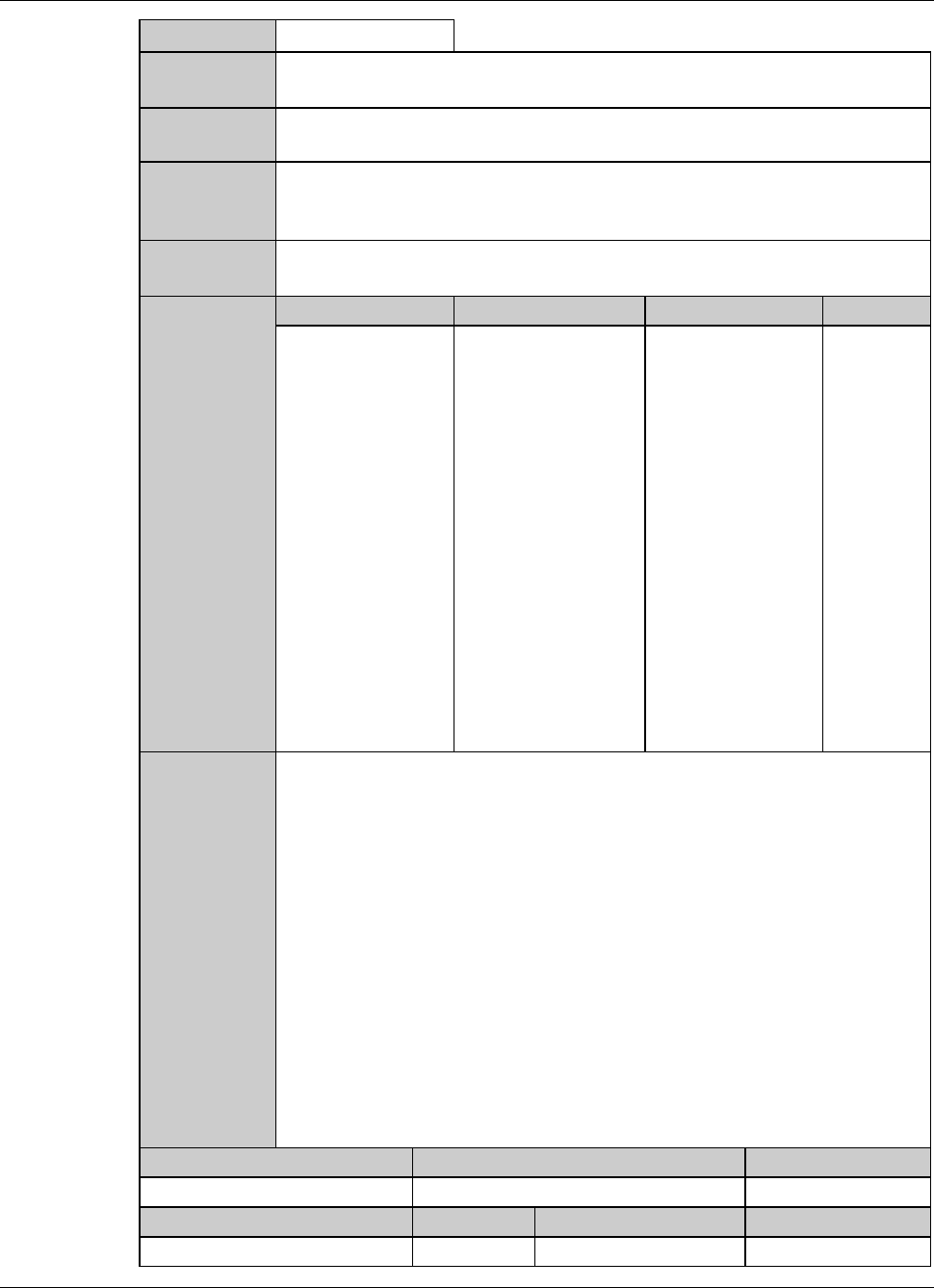
A0534 : Not found index check target.
Error code
A0534
Message
Not found index check target.
What was
detected
Error display is done if the pattern is not found during index checkout after
alignment.
During what
operation it
occurred
During auto alignment operation.
State after
detection
Auto alignment operation is temporarily halted.
Phenomenon Probable causes Remedy Reference
What to do
The error occurs
frequently.
The workpiece is
partially soiled.
Perform the manual
alignment and then
continue machining
the workpiece.
Recovery
(1) Cancel the alarm, then the ERROR RECOVERY (ALIGNMENT)
screen is displayed.
(2) Perform the error recovery steps indicated on the screen.
Maintenance level Maintenance personnel level Hazard level
Measuring equipment used Tools Replacement parts Protective gear