DFD6361-Maintenance.pdf - 第416页
D-131 K0048 : C ould not find kerf c enter. Error c ode K0048 Optional accessor y Message Could not find k erf center. W hat wa s detected This e rror occur s if the kerf cent er is no t recogniz ed in the kerf check con…
D-130
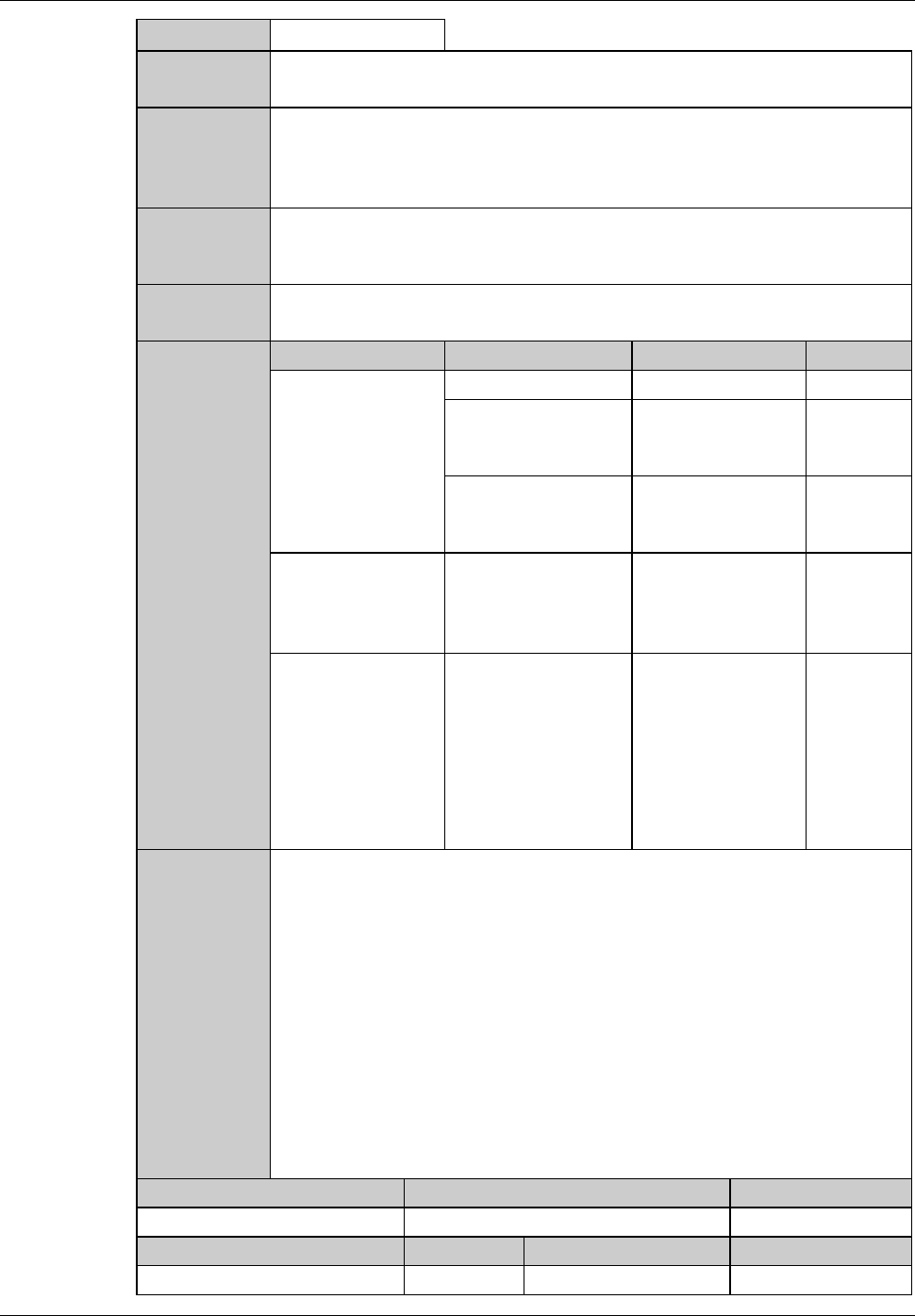
K0047 : Kerf check: Too wide. (Include chipping)
Error code
K0047
Message
Kerf check: Too wide. (include chipping)
What was
detected
This error occurs if the recognized kerf width, including the maximum
chipping on both kerf ends, is greater than the permissible value specified in
the column <KERF WIDTH (INCLUDE CHIPPING)> on the KERF
CHECK DATA screen [screen 3.1.8].
During what
operation it
occurred
During kerf check function execution.
State after
detection
The kerf check process stops.
The X-axis waits below the microscope (comes a temporary halt).
Phenomenon Probable causes Remedy Reference
What to do
The blade is chipped. Replace the blade.
The screen
indicates that there
is large chipping.
The wheel mount or
flange end face is in
poor condition.
Perform
conditioning.
The blade end and
lateral surfaces are in
poor condition.
Do precutting
again.
The screen
indicates that there
is a test pattern next
to the kerf line.
The test pattern is
recognized as
chipping.
Change the check
position to exclude
the test pattern.
The error occurs
frequently.
The value in the
column <KERF
WIDTH (INCLUDE
CHIPPING)> on the
KERF CHECK
DATA screen
[screen 3.1.8] is too
small.
Correct the value of
the column <KERF
WIDTH
(INCLUDE
CHIPPING)> on
the KERF CHECK
DATA screen
[screen 3.1.8].
Recovery
(1) Cancel the alarm, then the ERROR RECOVERY (KERF CHECK)
screen is displayed.
(2) Perform the error recovery steps indicated on the screen.
Maintenance level Maintenance personnel level Hazard level
Measuring equipment used Tools Replacement parts Protective gear
D-131
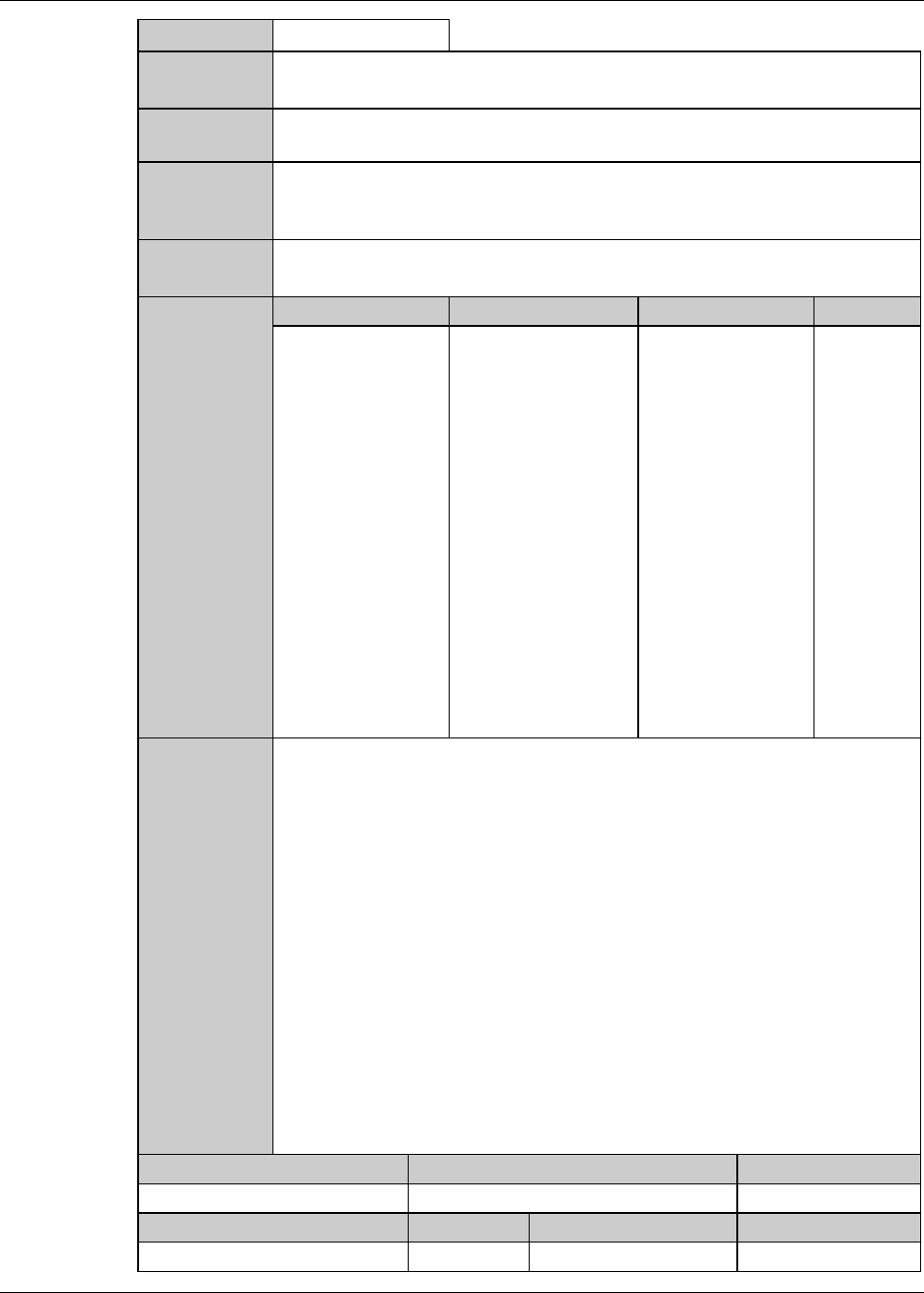
K0048 : Could not find kerf center.
Error code
K0048 Optional accessory
Message
Could not find kerf center.
What was
detected
This error occurs if the kerf center is not recognized in the kerf check
conducted with reference to the hairline center.
During what
operation it
occurred
During kerf check function execution.
State after
detection
The kerf check process stops.
The X-axis waits below the microscope (comes a temporary halt).
Phenomenon Probable causes Remedy Reference
What to do
The screen
indicates that the
kerf line is narrow.
The light intensity is
so low that the kerf
looks narrow.
Correct the kerf
line light intensity
setting.
Recovery
(1) Cancel the alarm, then the ERROR RECOVERY (KERF CHECK)
screen is displayed.
(2) Perform the error recovery steps indicated on the screen.
Maintenance level Maintenance personnel level Hazard level
Measuring equipment used Tools Replacement parts Protective gear
D-132
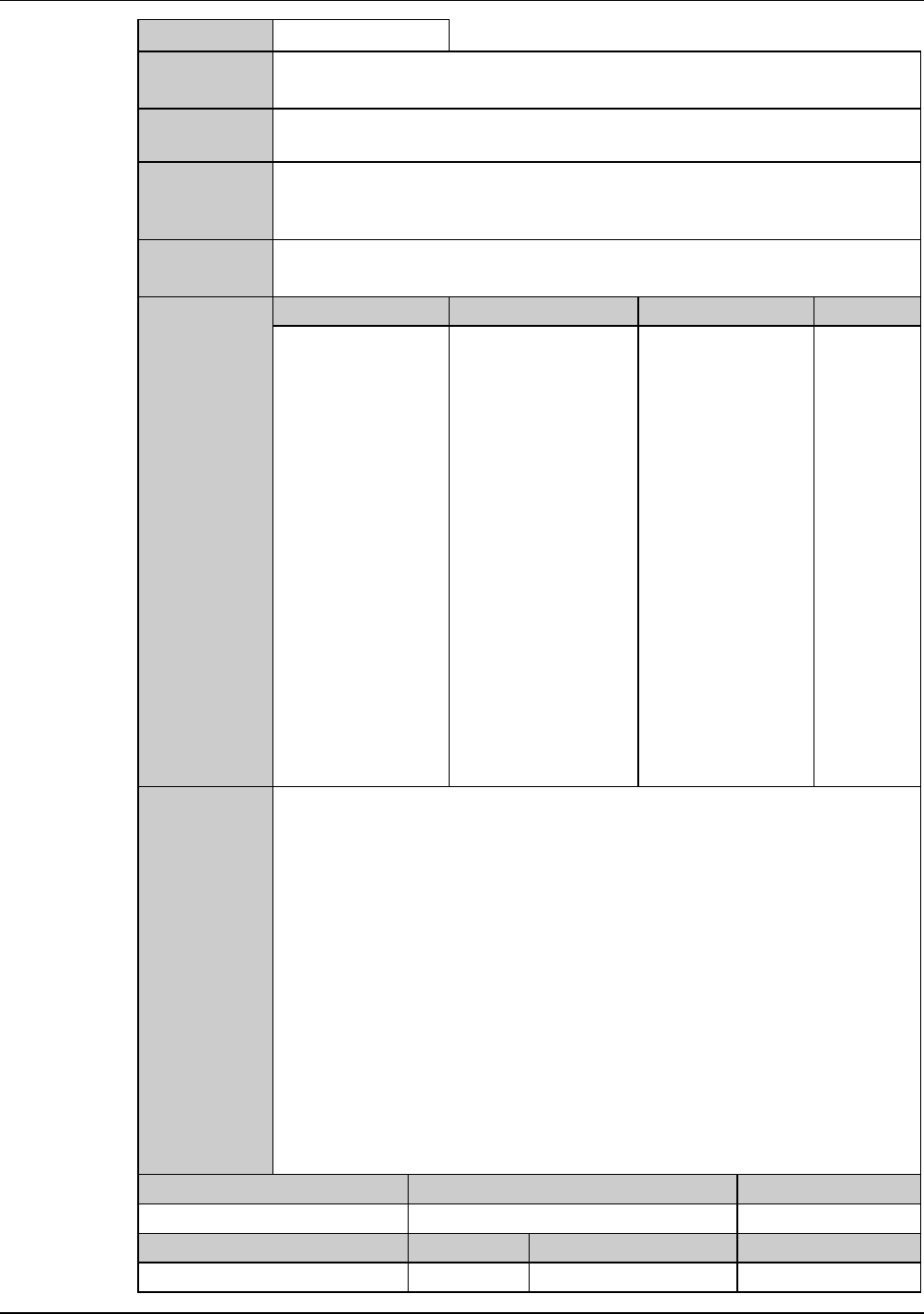
K0049 : Kerf center position error.
Error code
K0049 Optional accessory
Message
Kerf center position error.
What was
detected
The street adjustment position is abnormal in kerf center alignment.
During what
operation it
occurred
During kerf center alignment.
State after
detection
The kerf center alignment will stop.
The X-axis waits under the microscope (comes a temporary halt).
Phenomenon Probable causes Remedy Reference
What to do
The target on the
screen is hard to
see.
It is possible that the
target is
misidentified due to
excess or deficiency
of light intensity.
Adjust the light
intensity.
Recovery
(1) Cancel the alarm, then the ERROR RECOVERY (ALIGNMENT)
screen is displayed.
(2) Perform the error recovery steps indicated on the screen.
Maintenance level Maintenance personnel level Hazard level
Measuring equipment used Tools Replacement parts Protective gear