DFD6361-Maintenance.pdf - 第446页
E-10 1-1-3. Cl eaning t he non-cont act setup sens or w it h abrasiv es [Optional acce ssory] Before clea ning Have on hand the followi ng items for cleaning the non-contact setup s ensor using abrasives. Abrasives [opti…
E-9
Procedure for cleaning of the non-contact setup sensor (Continued)
Step No. Do This
(Continued from the previous section)
1
Open the splash cover.
2
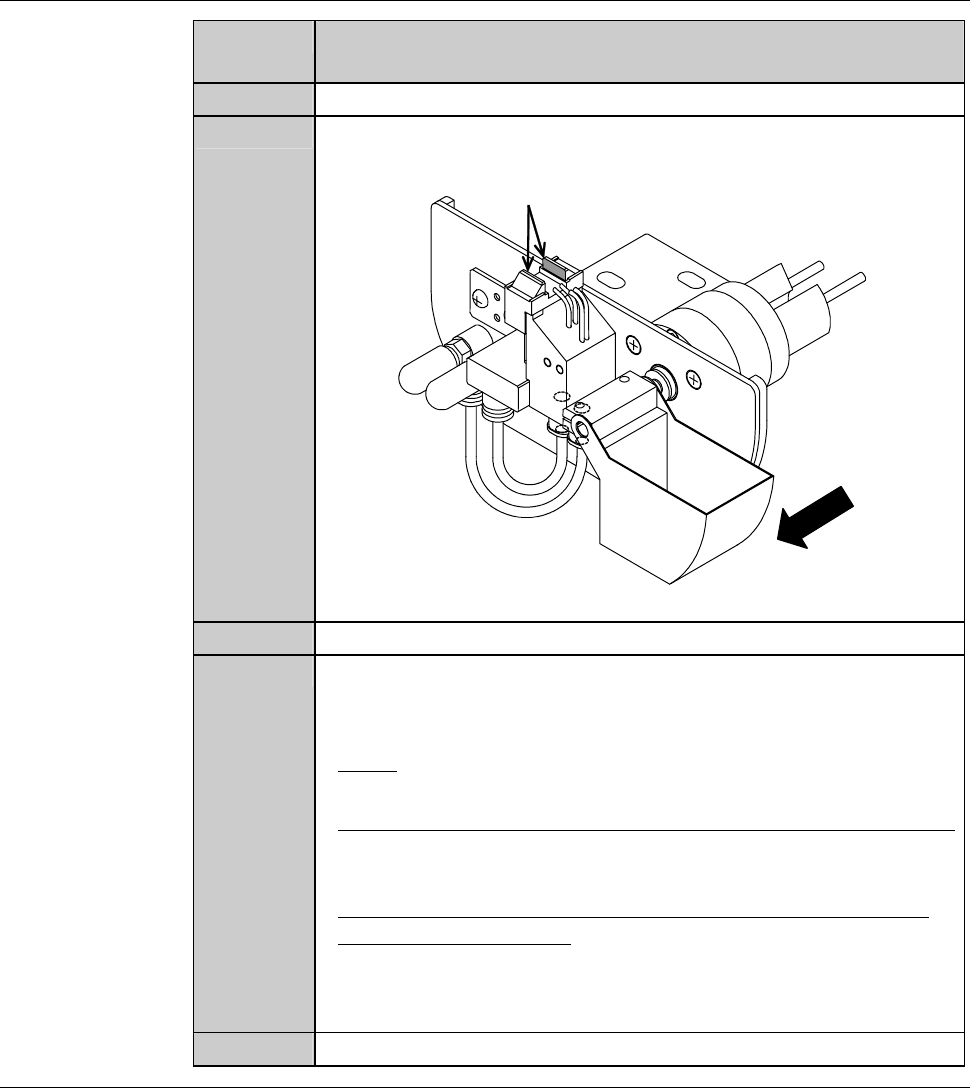
Using a cotton swab moistened with alcohol, wipe off any soiling
on the detection surface of the non-contact setup sensor.
ÿ
Detection surface
Front
3
With an air-injection gun, blow air on the detection surface.
4
After cleaning, check whether the voltage level reading on the
NCS SENSOR CLEANING screen [screen 4.8] is within a range
of 100 ± 2% (4.90 to 5.10 V).
- If not;
Repeat cleaning of the step No. 2 to 3 of this table.
- When using the abrasives for non-contact setup sensor cleaning;
See the section 1-1-3 of this chapter, [Cleaning the non-contact
setup amplifier with abrasives].
- When the voltage level does not come within this range, even
after repeating cleaning;
Adjust the non-contact setup amplifier.
See the section 1-1-4 of this chapter, [Adjusting the non-contact
setup amplifier].
5
Close the splash cover.
Continued in the next section.
E-10
1-1-3. Cleaning the non-contact setup sensor with abrasives
[Optional accessory]
Before cleaning
Have on hand the following items for cleaning the non-contact setup sensor
using abrasives.
Abrasives [optional accessory] (Part No AKFEF-PA)
Cotton swab
Procedures for cleaning the non-contact setup sensor with abrasives
CAUTION
Do not apply the abrasives to the area other than the detection
surface.
If you use the abrasives to the area other than the detection surface,
adhesive come off and the non-contact setup sensor may be
damaged.
NOTICE
Do not use the abrasives other than the one designated by Disco.
Otherwise, the non-contact setup sensor may be damaged.
Step No.
Do This
(Continued from the previous section)
1
Verify that the protecting water from the non-contact setup block
stops.
- If not;
Press <F1> button to stop the protecting water.
2
Verify that air at the non-contact setup sensor section stops.
- If not;
Press <F2> button to stop air.
3
Moisten the cotton swab with water.
4
Apply the abrasives on the moistened cotton swab.
E-11
Procedures for cleaning the non-contact setup sensor with abrasives (Continued)
Step No.
Do This
5
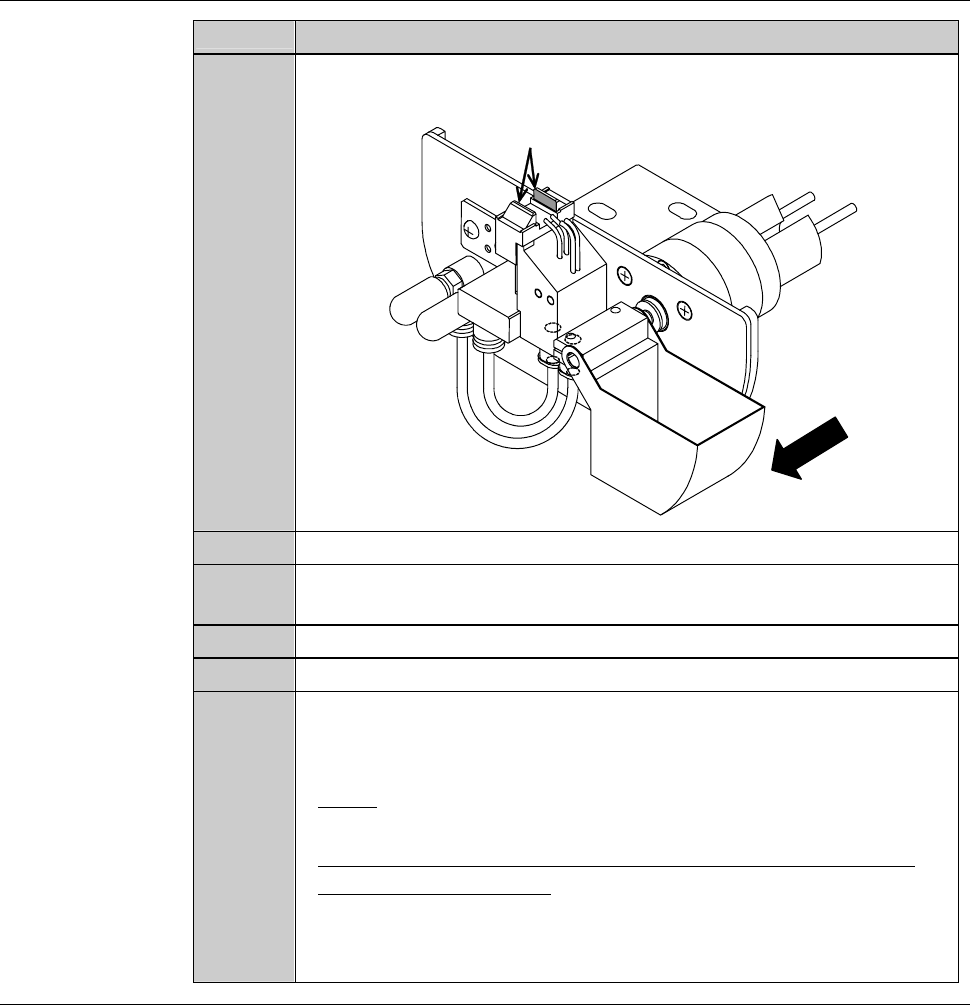
Scrub the detection surface with the cotton swab having abrasives
a few times.
ÿ
Detection surface
Front
6
Press the <F1> button to turn ON the protecting water.
7
Using the new cotton swab having no abrasives, rinse the abrasives
on the detection surface.
8
Press the <F1> button to turn OFF the protecting water.
9
Press the <F2> button to turn ON air.
10
After cleaning, check whether the voltage level reading on the
NCS SENSOR CLEANING screen is within a range of 100 ± 2%
(4.90 to 5.10 V).
- If not;
Repeat cleaning of step No. 1 through 9 of this table.
- When the voltage level does not come within this range, even
after repeating cleaning;
Adjust the non-contact setup amplifier.
See the section 1-1-4 of this chapter, [Adjusting the non-contact
setup amplifier].
Continued in the next section.