DFD6361-Maintenance.pdf - 第450页
E-14 Procedur e for adjus ting the n on-contact s etup ampli fier (Conti nued) Step No. Do This (Continued from the previous section) 1 Make sure that NCS S ENSOR CLEANING screen [ screen 4.8] is displaye d. - When it is…
E-13
Procedures for adjusting the non-contact setup amplifier
WARNING
- The adjustment procedure set forth in this section is to be
performed with the outer covers removed while the machine is
energized. There is drive sections near the section to be adjusted.
If the machine unexpectedly operates, your hands or fingers may
be caught. Ensure that no person other than the maintenance
personnel touches the machine during adjustment.
- If you keep the arm section cover closed after moving the axes, you
have to perform the adjustment operation with the interlock system
released. Since there is a driving section near your working section,
if the interlock system is canceled, your hands or arms may be
caught or amputated due to unexpected machine operation.
After you move the axes, be sure to open the splash cover in order
to activate the interlock of the cover.
CAUTION
When you perform maintenance with the outer cover removed,
observe the following precaution. If you stand the removed outer
cover against the machine, you may receive injury by the cover if it is
toppled by the earthquake or like that.
After taking off the outer cover for maintenance purposes, store it
sufficiently away from the working area.
CAUTION
If you don't use the amplifier adjustment driver designed specifically
for this use when you turn the sensitivity regulation dial, the dial may
be damaged or broken.
Ensure to use the amplifier adjustment driver (black resin).
NOTICE
If the area to perform the amplifier adjustment is dark depending on
the environmental conditions, confirm the amplifier location with a
flashlight or the like to ensure proper regulation.
E-14
Procedure for adjusting the non-contact setup amplifier (Continued)
Step No. Do This
(Continued from the previous section)
1
Make sure that NCS SENSOR CLEANING screen [screen 4.8] is
displayed.
- When it is not ;
See the section 1-1-1 of this chapter, [Calling up the NCS
SENSOR CLEANING screen [screen 4.8]].
2
Open the splash cover.
- The interlock system is actuated.
3
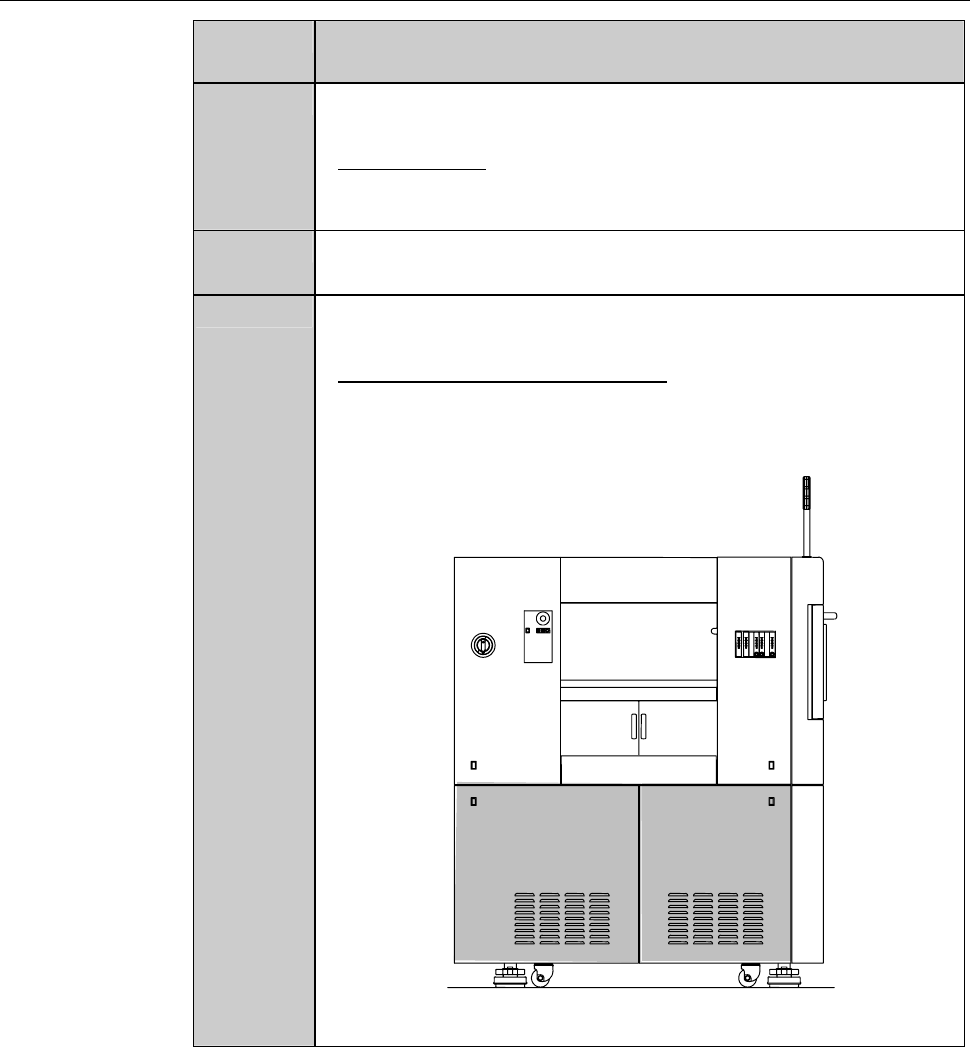
Remove the cover [H] and [I]. Then store it sufficiently away
from the working area.
- For the cover removal procedures,
see the section B-2-1, [Removing the Machine Outer Cover
and Status Indicator] of Installation Manual.
ÿ
LEFT SIDE
[H] [I]
E-15
Procedure for adjusting the non-contact setup amplifier (Continued)
Step No. Do This
4
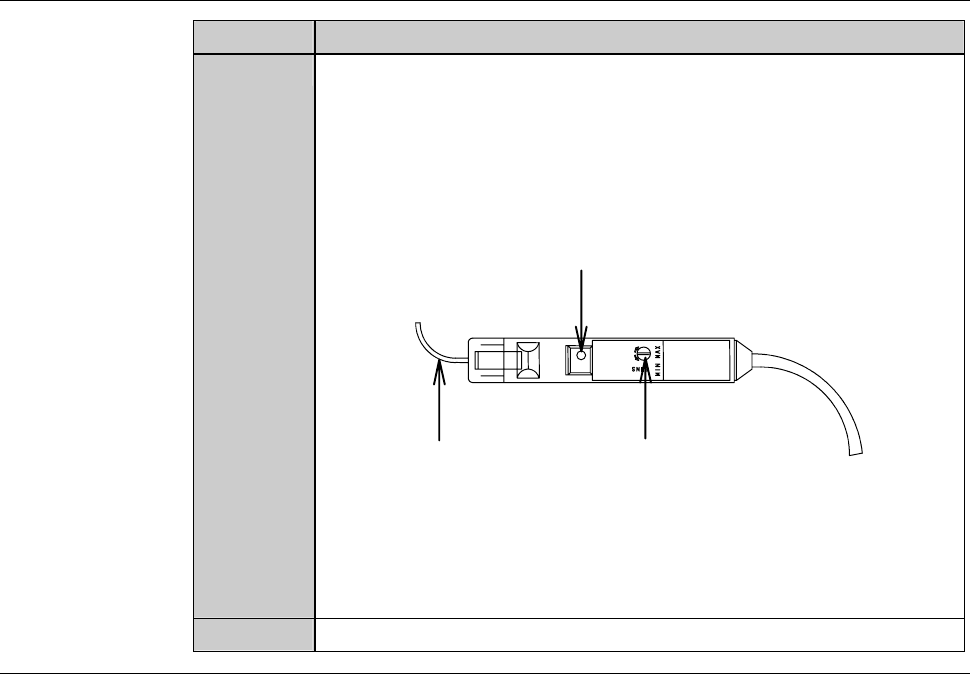
Turn the sensitivity regulation dial of the amplifier with the
amplifier adjustment driver so that the voltage level reading on
the NCS SENSOR CLEANING screen [screen 4.8] comes within
a range of 100 ± 2% (4.90 to 5.10 V).
- Turn the sensitivity regulation dial clockwise to increase the
sensitivity.
Fiber
Sensitivity reguration dial
Power indication lamp
- If the sensor voltage level does not come within the range of
100 ± 2% (4.90 to 5.10 V) even after setting the sensitivity
regulation dial at MAX, the fiber may be bent or the amplifier is
broken down.
In such cases, contact your nearest DISCO office.
5
Reinstall the cover [H] and [I].
Continued in the next section.