DFD6361-Maintenance.pdf - 第456页
E-20 1-2-2. Cl eaning t he blade br eakage detector sensor Procedur es for cl eanin g the bla de break age detect or sens or CAUTION - The fiber o f the bl ade breakag e det ector is made of plast ic. If t he fiber i s b…
E-19
Procedures for removing the blade breakage detector (Continued)
The procedures described below takes the wheel cover of the spindle 1 for
example.
Step No. Do This
1
Press the <System Initial> button to effect system initialization.
2
From outside of the splash cover, visually make sure that the
spindle is completely stopped.
3
Turn OFF the wheel coolant water supply.
4
Press the <Wheel Cover> button to open the wheel cover with
the BLADE BREAKAGE DETECTOR ADJUSTMENT screen
[screen 4.2].
5
Open the splash cover.
6
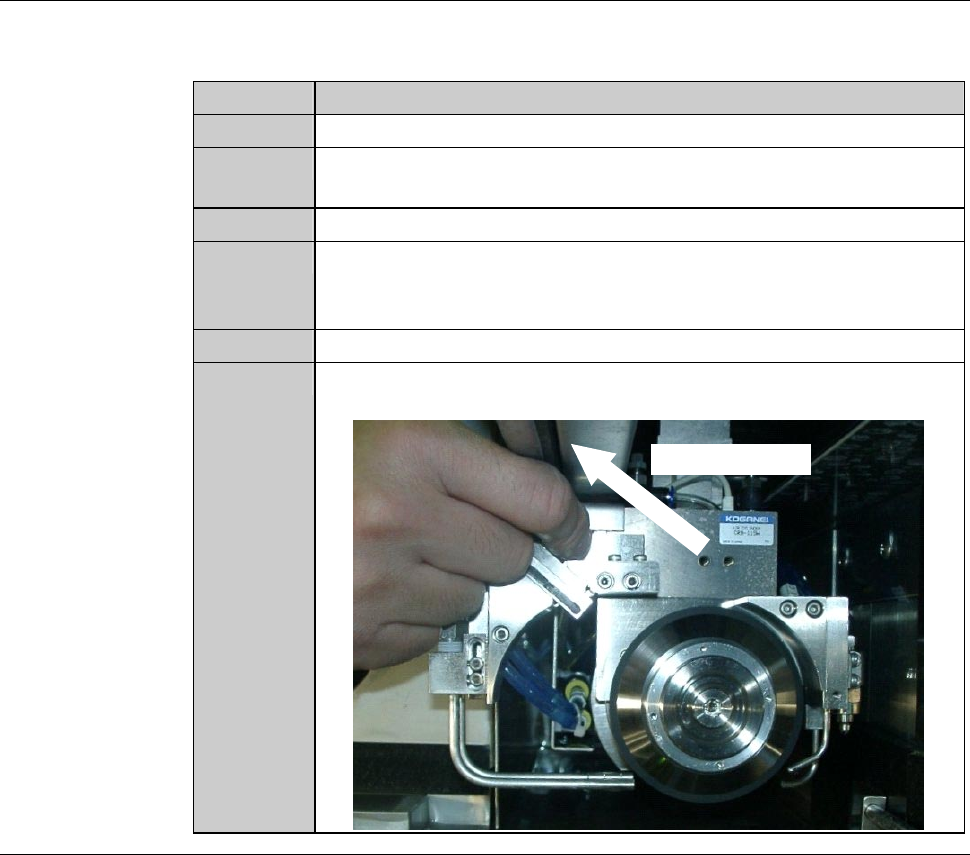
While pushing down the release lever, slide the blade breakage
detector to remove it from the wheel cover.
Sliding direction
Continued in the next section.
E-20
1-2-2. Cleaning the blade breakage detector sensor
Procedures for cleaning the blade breakage detector sensor
CAUTION
- The fiber of the blade breakage detector is made of plastic. If the
fiber is broken when it is bent, the blade breakage detector does not
function.
In cleaning the sensor section, use care not to bend the fiber.
- If the maximum sensitivity of the blade breakage detector is set at
100%, a malfunction may occur in the detector.
Adjust the maximum sensitivity so that it comes between or equal to
90% and 99%.
Step No. Do This
(Continued from the previous section)
1
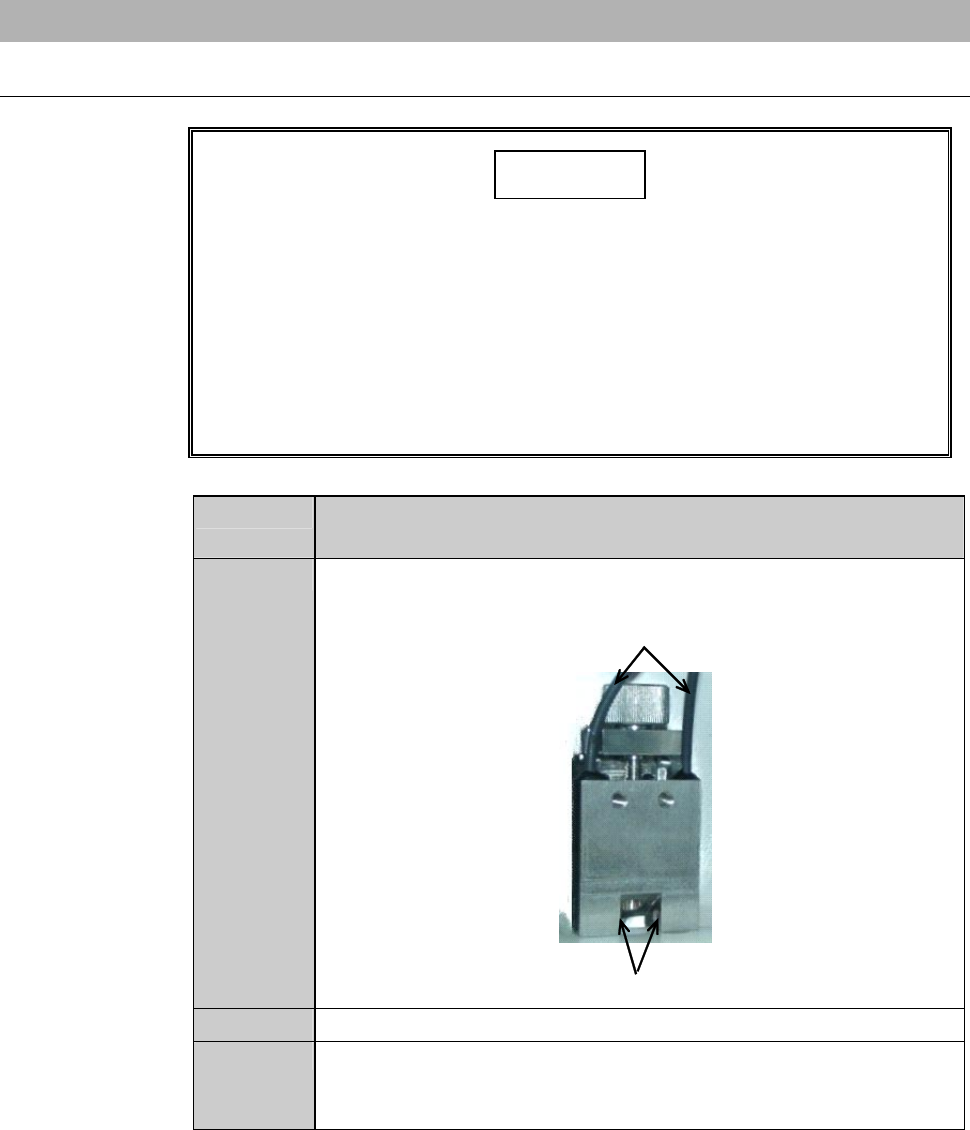
With a cotton swab moistened with alcohol, wipe the blade
breakage detector sensor sapphire glass surface clean.
ÿ
Fiber cable
Sapphire glass
2
Place the blade breakage detector back to its original position.
3
Rotate the adjustment knob clockwise until the sensor block
reaches the upper end. Then restore the lever of the blade
breakage detector sensor to its normal position.
E-21
Procedures for cleaning the blade breakage detector sensor
Step No. Do This
4
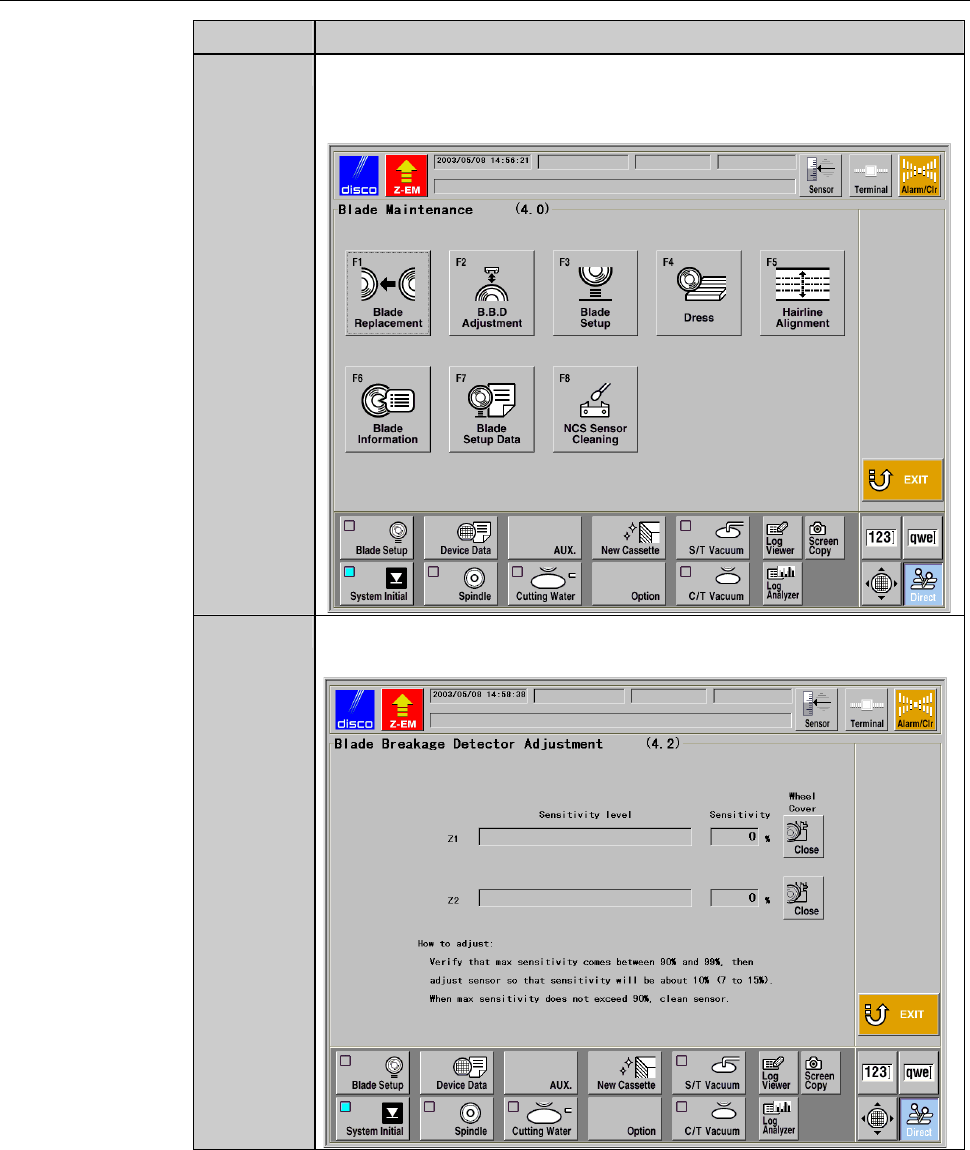
From the MAIN MENU screen [screen 0.0], press the <F4>
button to call up the BLADE MAINTENANCE screen
[screen 4.0].
5
Press the <F2> button to call up the BLADE BREAKAGE
DETECTOR ADJUSTMENT screen [screen 4.2].