DFD6361-Maintenance.pdf - 第76页
B-4 1-1. Removin g the chuck table Procedur es for re moving the c huck table Step No. Do This 1 Execute setup. - For the setup procedure; See the section B-7, [Setup] of the Operation Manual. 2 Press the <Sy stem Ini…
B-3
Operation flow
The procedure for replacing the chuck table consists of the following steps.
1-1 Removing the chuck table
1-2 Mounting the chuck table
Before operation
Have on hand the following items for replacement of the chuck table.
Alcohol
Lint-free cloth
B-4
1-1. Removing the chuck table
Procedures for removing the chuck table
Step No. Do This
1
Execute setup.
- For the setup procedure;
See the section B-7, [Setup] of the Operation Manual.
2
Press the <System Initial> button to effect system initialization.
3
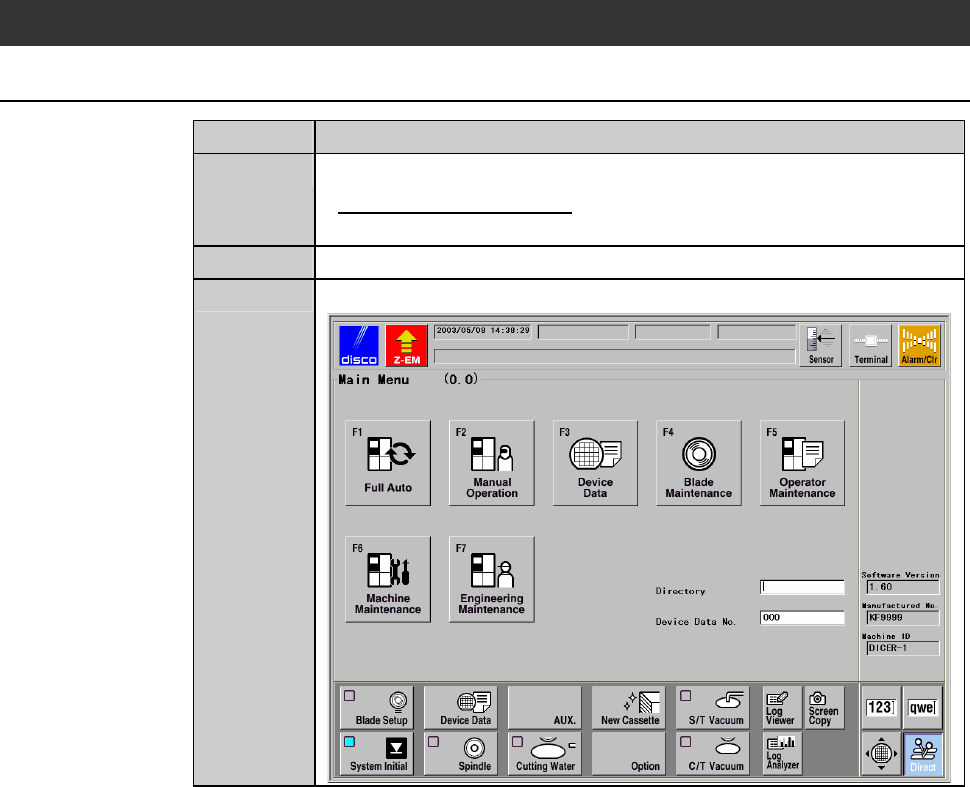
Call up the MAIN MENU screen [screen 0.0].
B-5
Procedures for removing the chuck table (Continued)
Step No. Do This
4
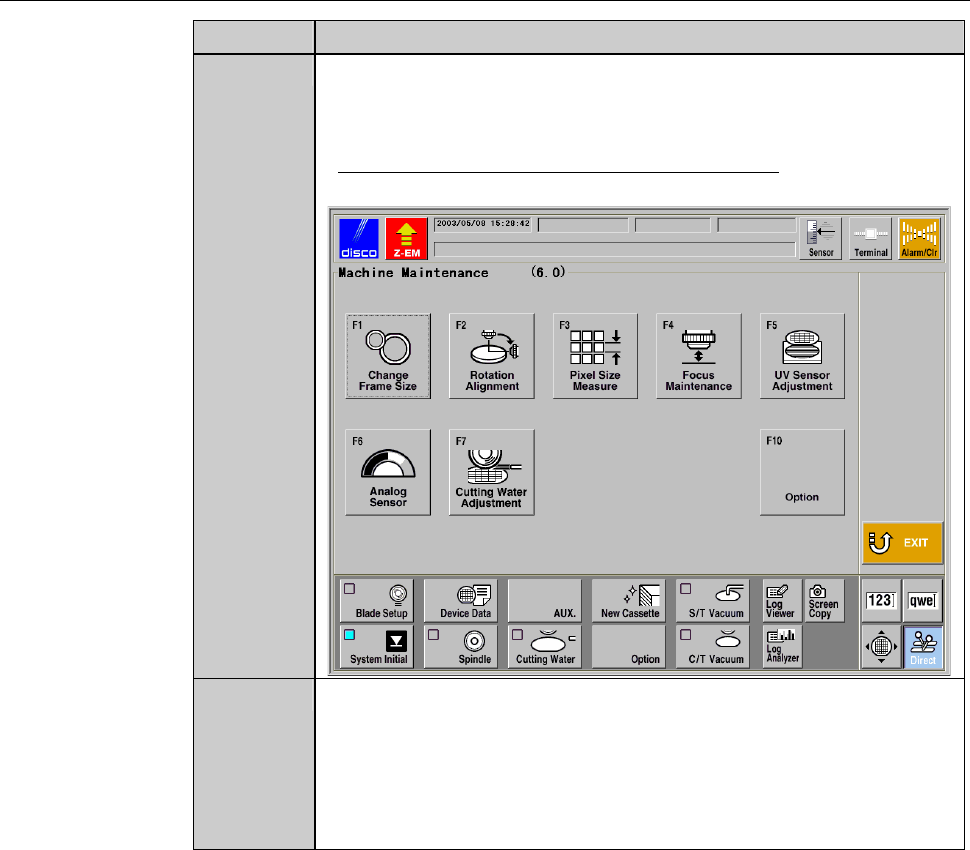
Press the <F6> button to call up MACHINE MAINTENANCE
screen [screen 6.0].
- User password input is required to call up this screen.
- For the MACHINE MAINTENANCE screen,
see the section B-6-1 of the Data Maintenance Manual.
5
Make sure that both the spindle rotation and the wheel coolant
water come to a complete stop.
- If the spindle still rotates,
press the <Spindle> button to stop its rotation.
- If the wheel coolant water is still supplied,
press the <Cut Water> button to stop is supply.