DFD6361-Maintenance.pdf - 第79页
B-7 1-2. Mounting the chuck table Procedur es for mounti ng the c huck table Step No. Do This (Continued from the previous section) 1 With a lint-free cloth moistened with alcohol, clean the chuck table to be insta lled …
B-6
Procedures for removing the chuck table (Continued)
Step No. Do This
6
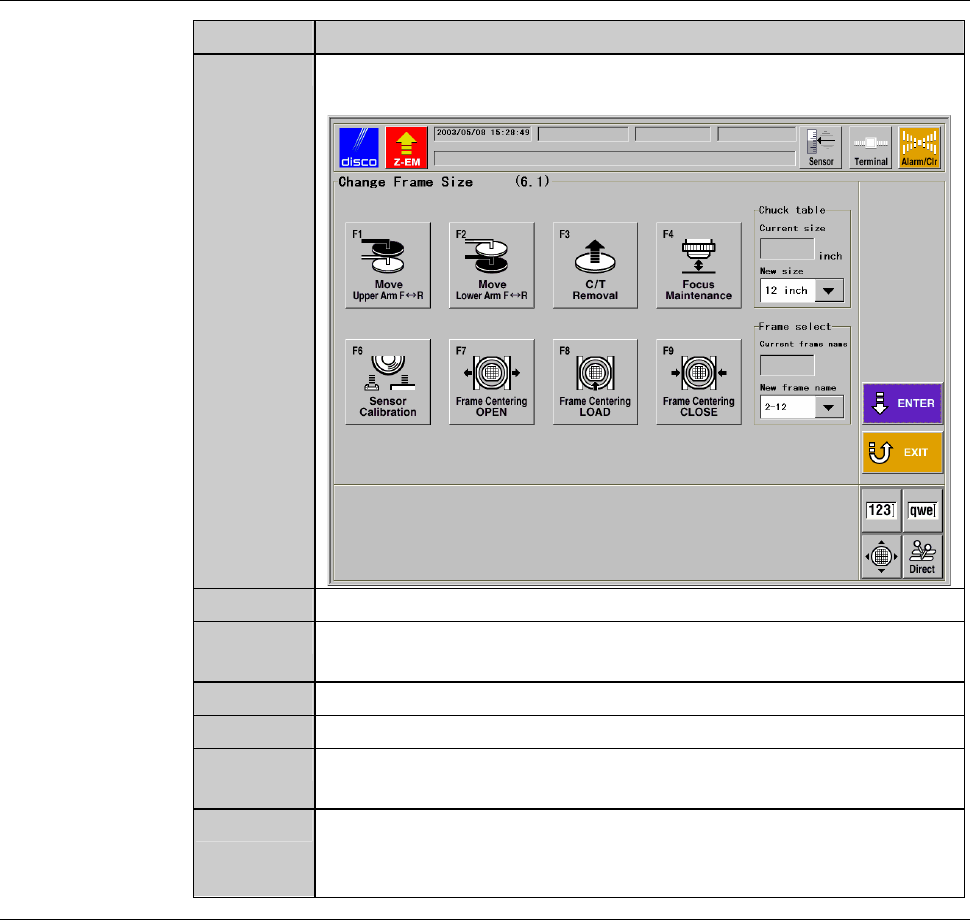
Press the <F1> button to call up CHANGE FRAME SIZE screen
[screen 6.1].
ÿ
G0102 PressENTERtowritedata.
8
2-8-1
7
Press the <F3> button to turn OFF the chuck table vacuum.
8
Press the Disco's logo button at the upper left corner of the screen
in order to lock up the touch panel.
9
Open the front arm section cover.
10
Remove the chuck table.
11
With a lint-free cloth moistened with alcohol, clean the removed
chuck table.
12
Enclose the cleaned chuck table in the packing material which
was supplied at the time of machine delivery, and then store the
chuck table.
Continued in the next section.
B-7
1-2. Mounting the chuck table
Procedures for mounting the chuck table
Step No. Do This
(Continued from the previous section)
1
With a lint-free cloth moistened with alcohol, clean the chuck
table to be installed and the table base.
2
Check the position of the notch on the side of the chuck table.
3
Set the chuck table on the table base so that the notch points the
front of the machine.
- When the chuck table is properly placed, the protrusion of the
chuck table backside mates with the hole of the table base.
4
Press the <Close> button to release lock of the touch panel.
5
Turn ON the vacuum system by pressing the <F3> button to
secure the chuck table.
6
Close the front arm section cover.
7
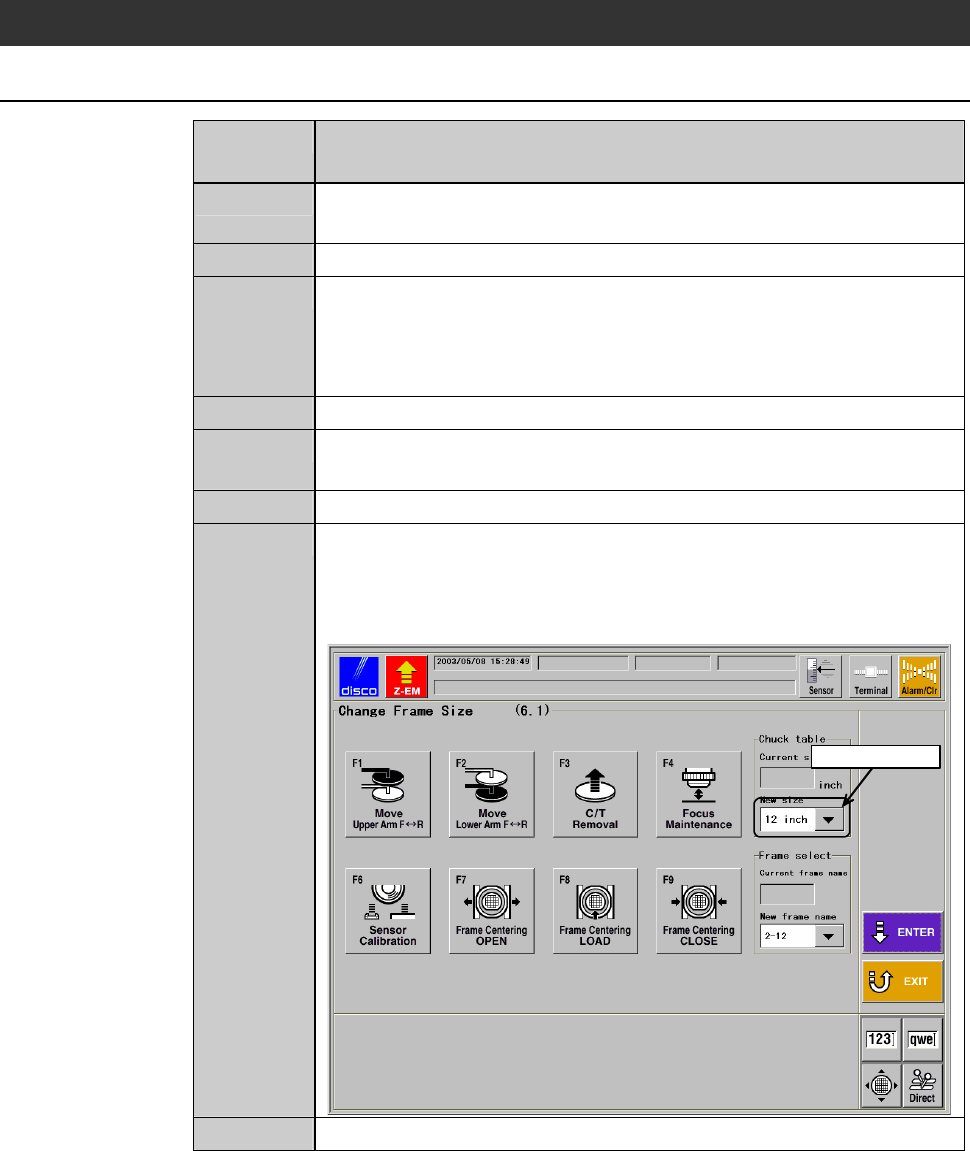
Enter the size of the installed chuck table in C/T (chuck table
size) column of CHANGE FRAME SIZE screen [screen 6.1].
- In the example screen shown below, 12-inch chuck table is
used.
ÿ
Select data here
G0102 PressENTERtowritedata.
8
2-8-1
8
Press the <ENTER> button to finalize the data.
B-8
Procedures for mounting the chuck table (Continued)
Step No. Do This
9
Execute the setup process.
- For the standard machine; Execute the contact setup.
- For the machine incorporated with the non-contact setup
[optional accessory]; Execute the sensor calibration setup.
- About setup;
See the section B-7, [Setup] of the Operation Manual.
10
Execute the focus maintenance.
- About focus maintenance;
See the section B-6-5 of the Data Maintenance Manual.
11
Press the <System Initial> button to effect system initialization.