00194385-01.pdf - 第26页
Installation of retaining clamp f or lifting axis/alignment of spindle/check of gear fixing for spindle, MT C2 06/2004 Edition 26 : Remove the me tal rail on b oth sides . 2 2 : Remove the two lowe r cove r plat es on bo…
Installation of retaining clamp for lifting axis/alignment of spindle/check of gear fixing for spindle, MTC2
06/2004 Edition
25
2.4 Installing the retaining clamp
: Carry out an MTC2 reference run.
: Remove the bottom cassette from each tray supply.
: Start the SITEST program.
: Run the lifting axes to 250000 µm.
2
: Switch the MTC2 off at the main switch.
: Remove the power plug from the MTC2.
: Dock out the MTC2 and pull it out of the machine so that you can work comfortably on both
sides.
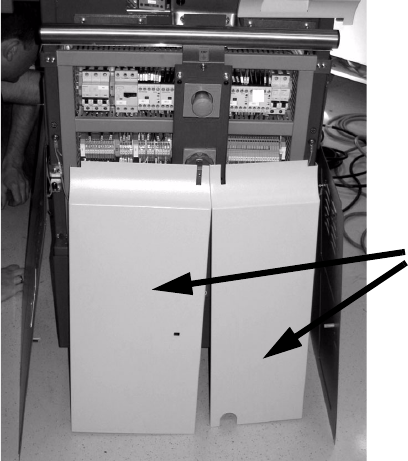
: Remove the two front covers.
2
2
: Set the MTC2 to a basic height of 950 mm (see MTC2 operating instructions).
2
2
2
2
2
Front covers
Installation of retaining clamp for lifting axis/alignment of spindle/check of gear fixing for spindle, MTC2
06/2004 Edition
26
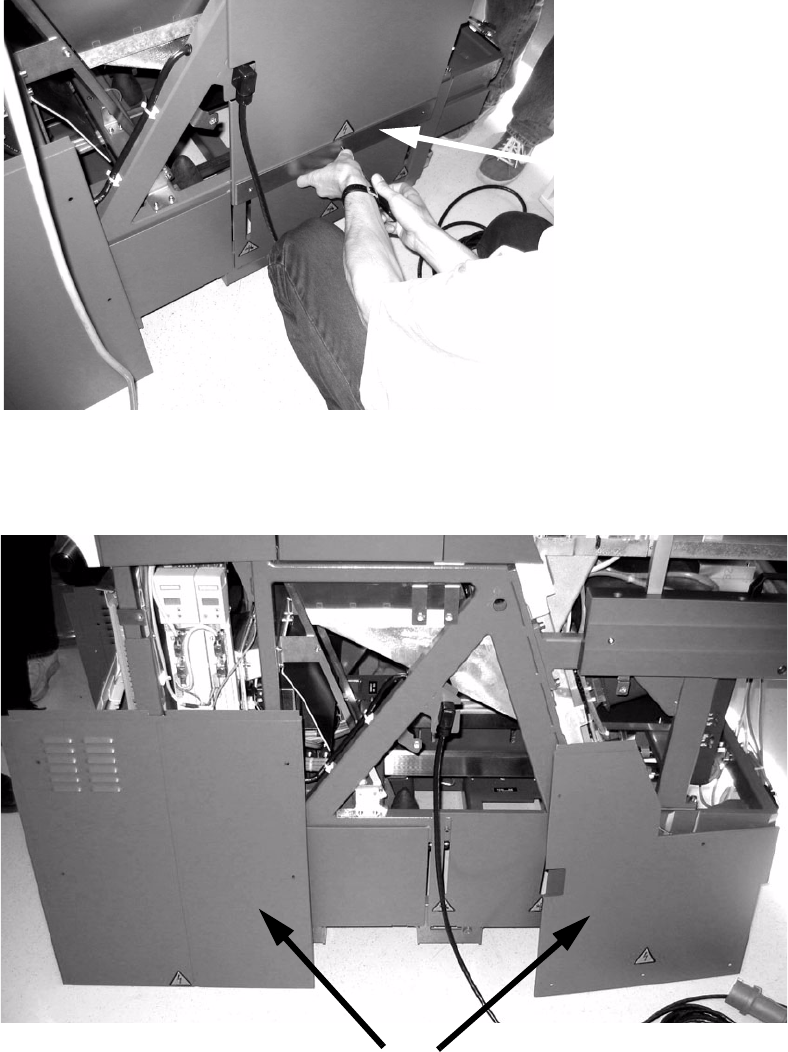
: Remove the metal rail on both sides.
2
2
: Remove the two lower cover plates on both sides.
2
Metal rail
Lower cover plates
Installation of retaining clamp for lifting axis/alignment of spindle/check of gear fixing for spindle, MTC2
06/2004 Edition
27
2
2
2
2
2
2
2
2
2
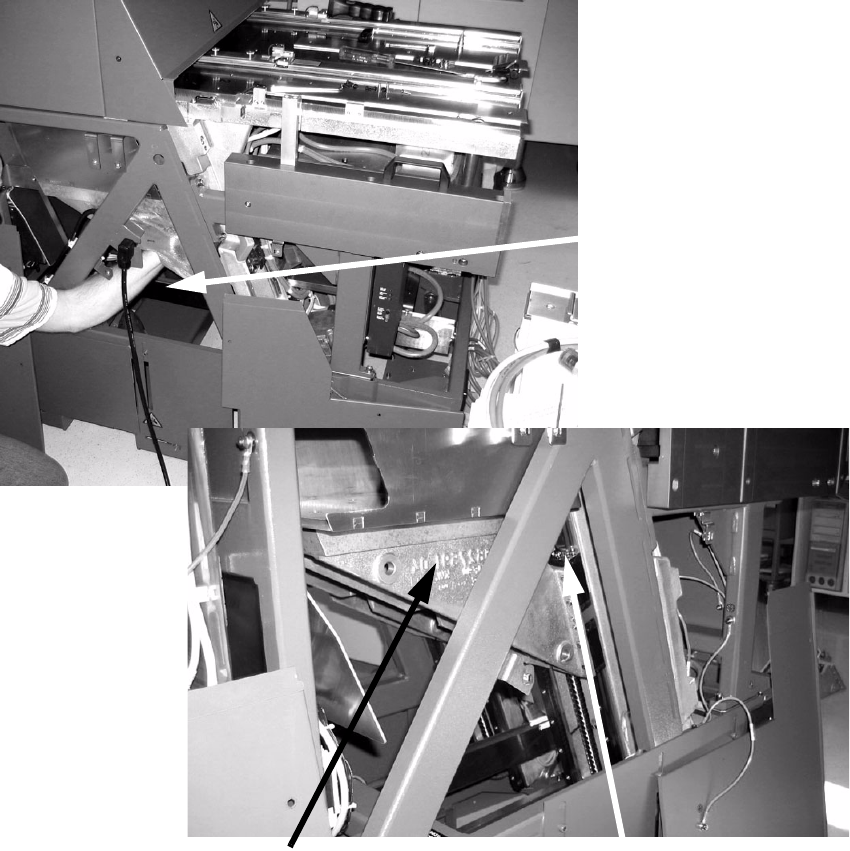
Position of the ball bearing on the supporting bracket
Supporting bracket
Reach through
this opening