SIPLACE D4-D4i 工程师手册_EN.pdf - 第235页
Settings 6.5.10 Board Clamping Functions Conveyor Service Manual SIPLACE D4/D4i 235 6.5.10.1 6 . 5 . 1 0 . 1 S e t t in g B o a r d C la m p in g Setting Board Clamping Setting actua tor 1. Setting Gauge for Actuato r [0…
Settings
Conveyor 6.5.9 Setting the Clamping Actuator
234 Service Manual SIPLACE D4/D4i
station is opened again. Then the next PCB would move into the input conveyer with the PCB still
lying in the input conveyer. The board monitoring function moves the board backwards and then
transports it forwards again, until the light barrier switches.
6.5.9
6.5.9 Setting the Clamping Actuator
Setting the Clamping Actuator
6.5.10
6.5.10 Board Clamping Functions
Board Clamping Functions
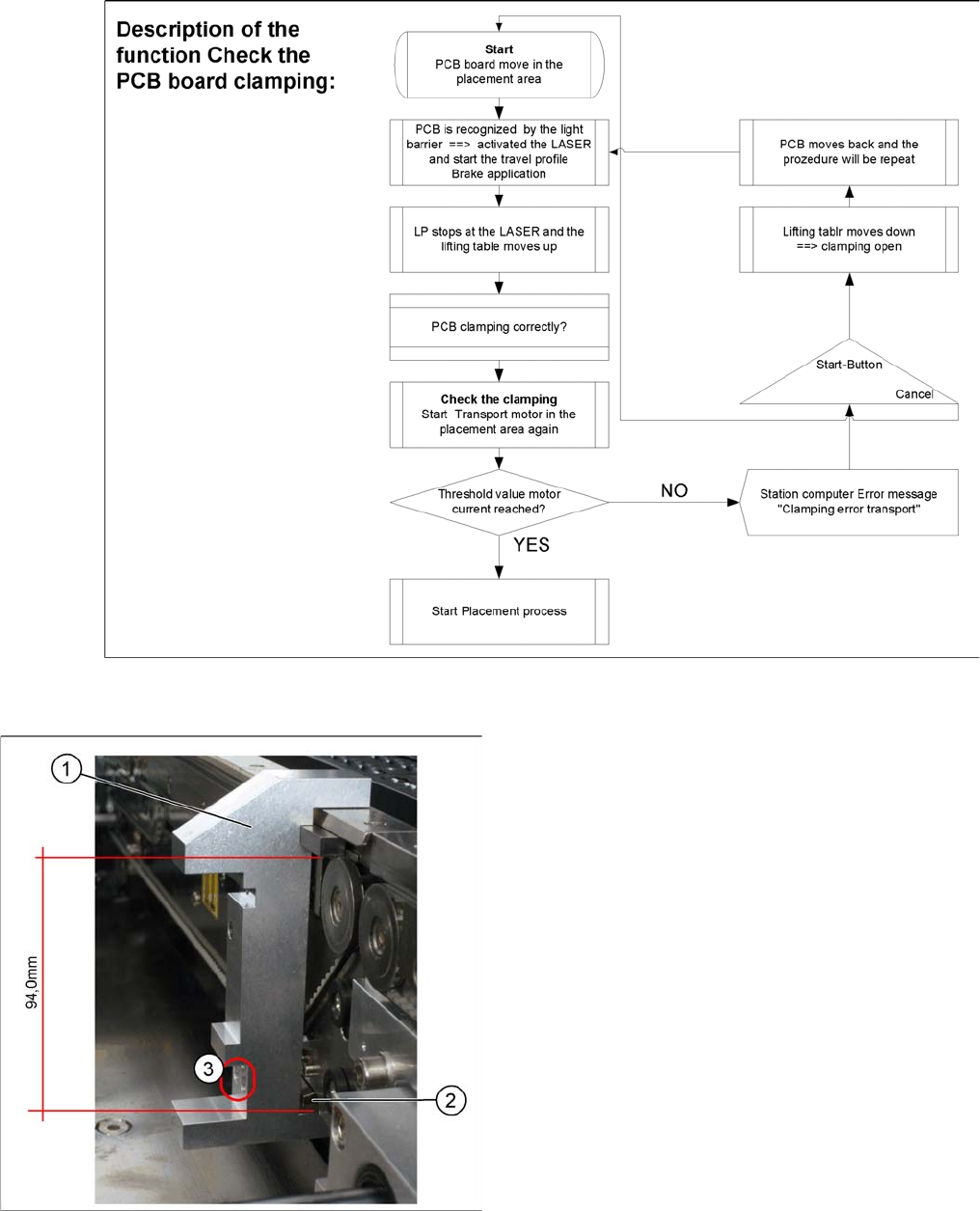
Function description:
▪ The PCB moves into the placement area, it is recognized by the light barrier, stops at the laser and
the lifting table moves up.
▪ Check PCB clamping: The transport motor in the placement area start again. If the PCB is clamped
correctly the motor current will rise up and reach a defined threshold value. Once the board has been
correctly clamped into place, the placement process will begin.
▪ If this threshold is not reached, the system assumes that the board is on its way to the intermediate
or output conveyor and has therefore not been correctly clamped into place.
▪ The station computer will issue the message "PCB not correctly clamped PA1 (PA2)". The process
can be repeated by pressing the "start button".
▪ The lifting table will move downwards, the board will be transported back and the stopper position
will be approached again.
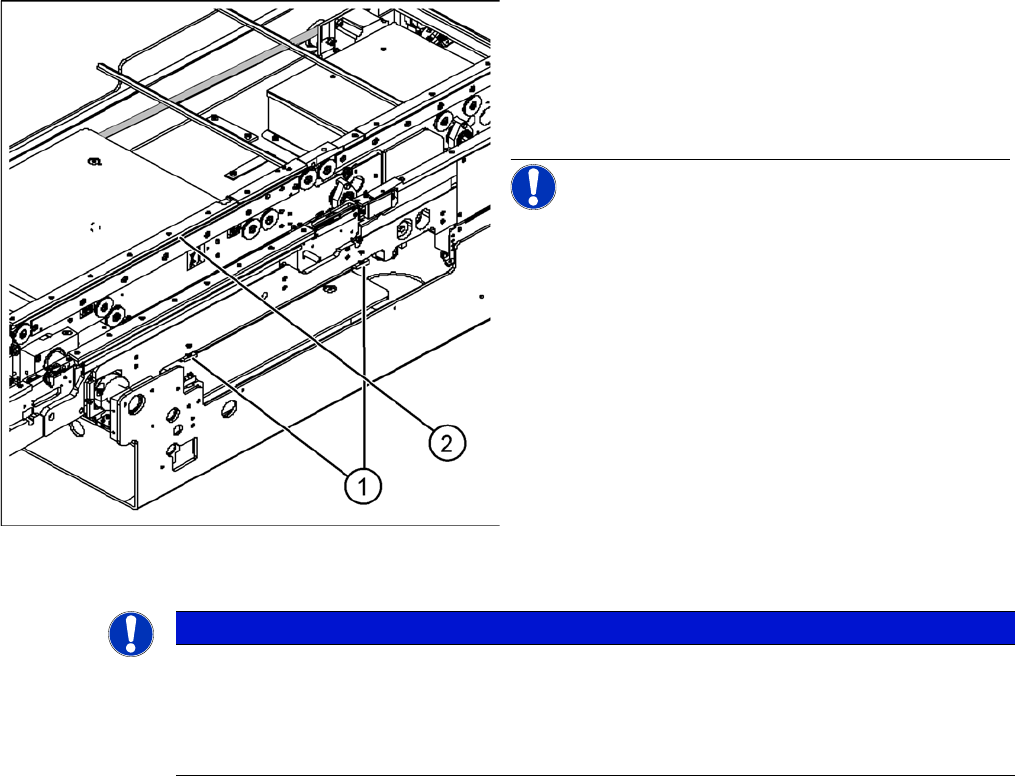
Legend
1. Actuator
2. Top edge of conveyor belt
► Set the distance between the actuator and the top
edge of the conveyor belt to 94 mm.
NOTICE! The distance between the clamping
actuator (lifting table) and the top edge of the belt must
be checked at all four contact points.
NOTICE
The check whether a PCB is clamping correctly, is controlled with a motor current check of the
transport motor if the PCB board is clamped (Lifting table up). To check the function you could
put a distance plate under the conveyor side edge, so that the lifting table can not move to the
upper position.
The check is not performed if the option "Vacuum Tooling" is installed.
Settings
6.5.10 Board Clamping Functions Conveyor
Service Manual SIPLACE D4/D4i 235
6.5.10.1
6.5.10.1 Setting Board Clamping
Setting Board Clamping
Setting actuator
1. Setting Gauge for Actuator [03049740-xx]
2. Actuator
3. Drilling, for fixing the actuator screws, when the
gauge is fitted
If the conveyor control issues the error Clamping error
conveyor, you need to check the distance from the lifting
table actuator to the upper edge of the conveyor belt.
Use the setting gauge to check and set the actuator. The
distance from the clamping actuator (lifting table) to the
top edge of the belt should be 94.0 mm at all four contact
points. (see diagram)
Settings
Conveyor 6.5.10 Board Clamping Functions
236 Service Manual SIPLACE D4/D4i
6.5.10.2
6.5.10.2 Setting the Board Clamping
Setting the Board Clamping
► To check whether the board clamping is functioning properly, clamp a board with the lifting table.
Then check whether the board is clamped tightly on the side.
Tools
Setting (single and dual conveyor)
► The terminal strip may need to be modified, depending on the machine type. As the S27 only has a
maximum clamping area of 74 mm, the terminal strip needs to be fitted on the correct side. The ter-
minal strip for X series, HS-60 and D series machines needs to be set to 94 mm. Fit the terminal
strip accordingly on the gauge.
► The gauge is inserted between the actuator and the clamp.
► The actuator can now be released, moved down and then tightened again through the holes provid-
ed.
Quad lane conveyor settings
► For initial setting, follow the procedure used for the single and dual conveyors (see above). Make
sure that the long terminal strip [03076698-xx] is fitted on the 94 mm side of the "setting gauge ac-
tuator assembly".
► As two boards are clamped with the same lifting table, you need to check the clamping play for each
of the single conveyors.
NOTICE
Only in the event of problems
This setting should only be made if there are problems with the clamping.
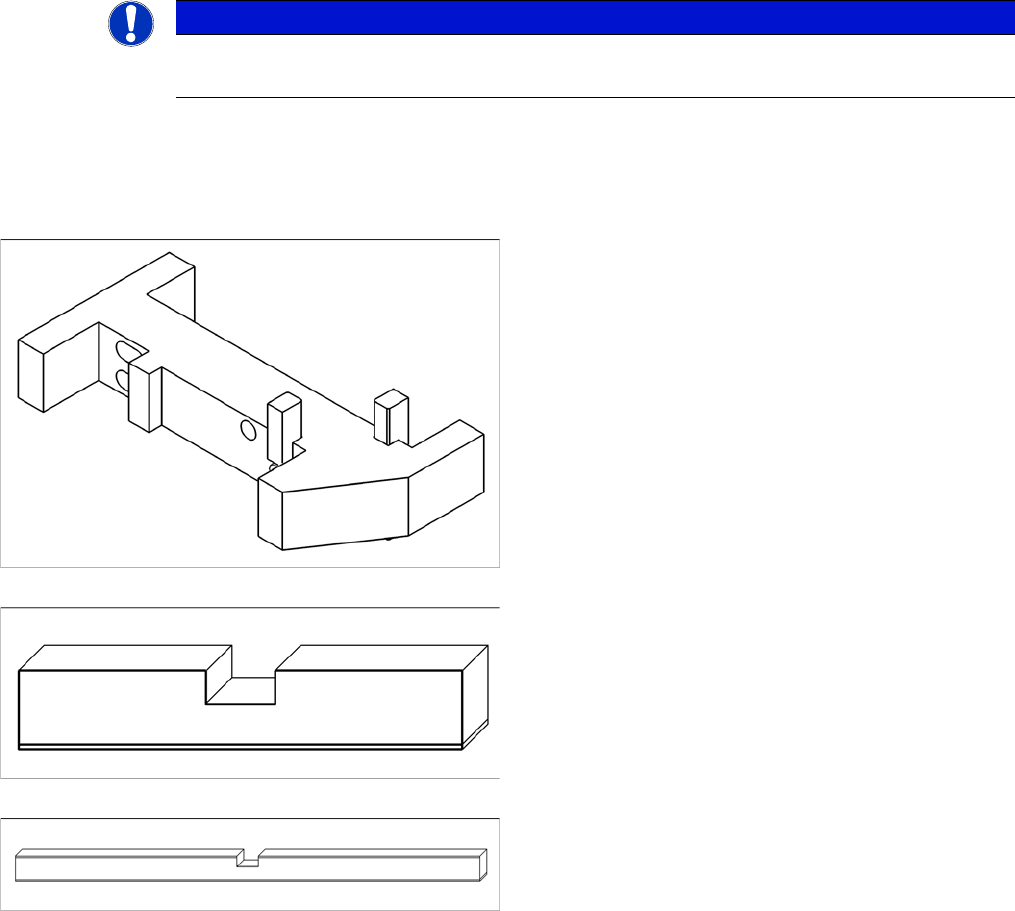
The clamping function is set with the "Adjust gauge actu-
ator cpl" [03049740-xx].
▪ Terminal strip for S27, HS-60, HF, X2, X3, X4
[03049739-xx]
▪ Long terminal strip for X4I [03076698-xx]