DECAN_S1_Troubleshooting_Guide(Eng_Ver1.3)_Print_Web.pdf - 第112页
1-88 Next Generation, Multi-Functional Plac er DECAN S1 Troubleshooting Guide $4900 Failed to find the reference fiduc ial mark on the head. [WARNING LEVEL] [Problem] Failed to find the reference fiducial ma rk on the …
1-87
System Messages of the MMI and Solutions
Check the state of the clamp of the corresponding feeder. If the clamp is opened, close
it.
If there is a problem with feeder operation, check for mechanical interference,
malfunction of sensors, etc.
When there is no problem with the feeder, click the <Feederbase IO> button in the IO
dialog box and check if the index signal of the corresponding feeder blinks while
turning the shutter on by hand.
When the IO operates abnormally, check the cleanliness of the feeder contact point in
the feeder base.
When there is no mechanical interference and the IO dialog box check finds no IO
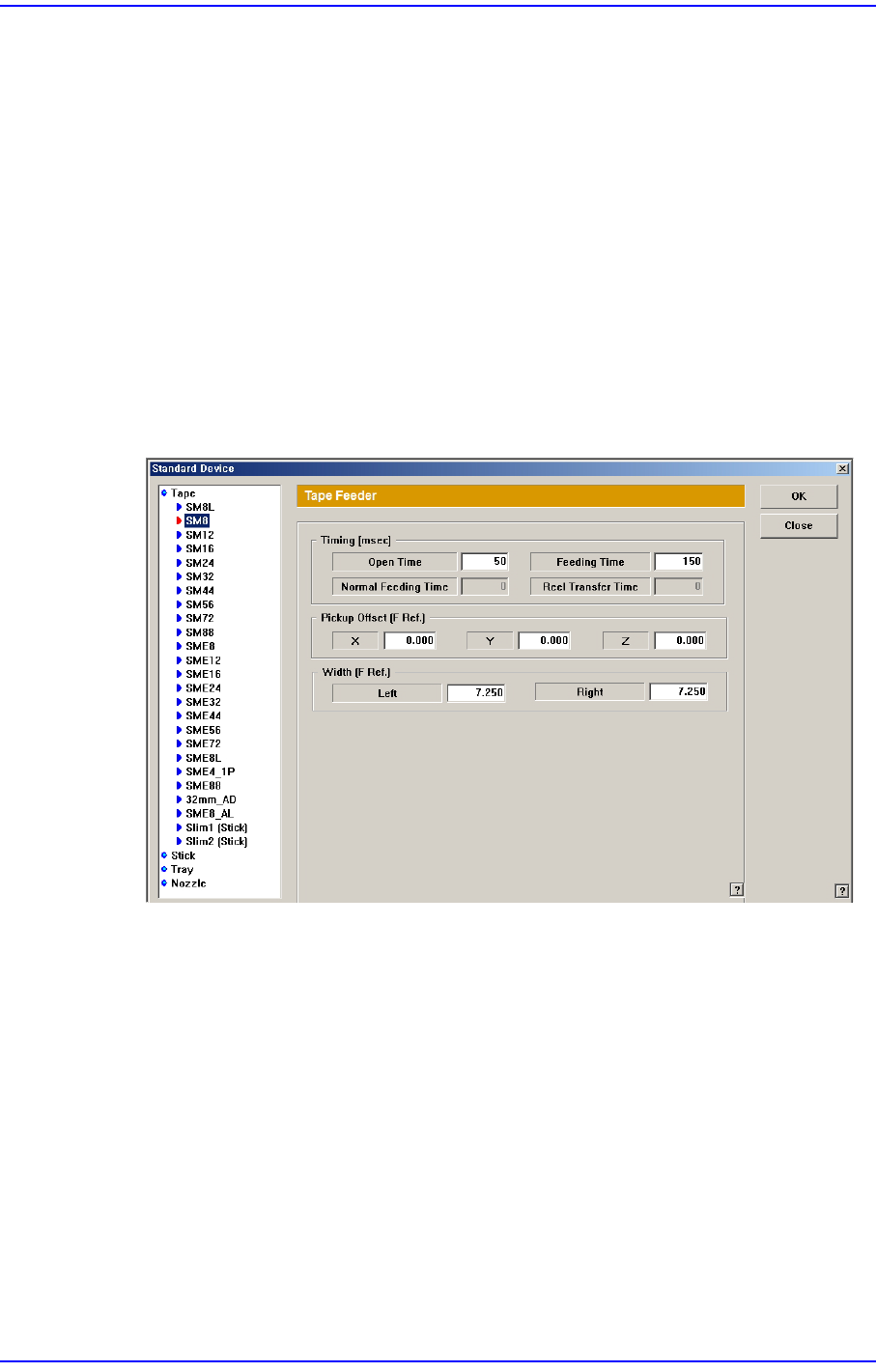
operation problem, execute the Device submenu of the System Setup Menu and select
the Tape Feeder Item. Then check the “Timing” value of the corresponding feeder and
adjust it to be greater than the current value.
If the problem occurs again, contact our designated C/S and local agent.
$4806 The head failed to pick up a part from the feeder. [WARNING LEVEL]
[Problem]
An exceptional situation occurred while picking a part.
[Solution]
Perform part dumping at the current state before production.
After turning off the machine normally, boot it to perform production again.
Despite such checks and measures, if the problem occurs again, contact our designated
C/S and local agent.

1-88
Next Generation, Multi-Functional Placer DECAN S1 Troubleshooting Guide
$4900 Failed to find the reference fiducial mark on the head. [WARNING LEVEL]
[Problem]
Failed to find the reference fiducial mark on the head during part recognition.
[Solution]
Pick up the corresponding part with corresponding head manually to check for
successful operation.
In case of failure, check the light status. If it is too dark, adjust it to be a little brighter.
If the light status cannot be adjusted smoothly, check the light mapping value of the
corresponding camera. If any problem is found there, perform the light mapping again.
If the fly camera is not in complete focus, adjust the focus by performing Z-axis offset
calibration.
If the reference fiducial mark of the head is out of the recognition range, perform the
fly camera offset calibration again.
Despite such checks and measures, if the problem occurs again, contact our designated
C/S and local agent.
$4A00 An error occurred while moving to place the part of the corresponding cycle.
[WARNING LEVEL]
[Problem]
An error occurred while moving to place the part.
[Solution]
Check whether the placement position of the corresponding cycle is within the range
of movement.
In the Step dialog box, move the corresponding head to the placement position of the
corresponding cycle.
In case of movement failure, select the ‘Fiducial Position & Mark’ dialog box of the
PCB to check if the corresponding data is correct.
Check the local fiducial information for incorrect information input.
Check the offset of the corresponding head for incorrect information input.
Check if there is any mechanical interference when moving for part placement.
Despite such checks and measures, if the problem occurs again, contact our designated
C/S and local agent.
1.4.6. Common Error Related to Feeding Device and Production [$5000~$50ff]
$5000 Undefined feeder method. [EMER LEVEL]
[Problem]
1-89
System Messages of the MMI and Solutions
Occurs when using undefined feeder type.
[Solution]
Turn off the Buzzer by pressing the “STOP” button.
Switch the machine to “IDLE” mode by pressing the “RESET” button.
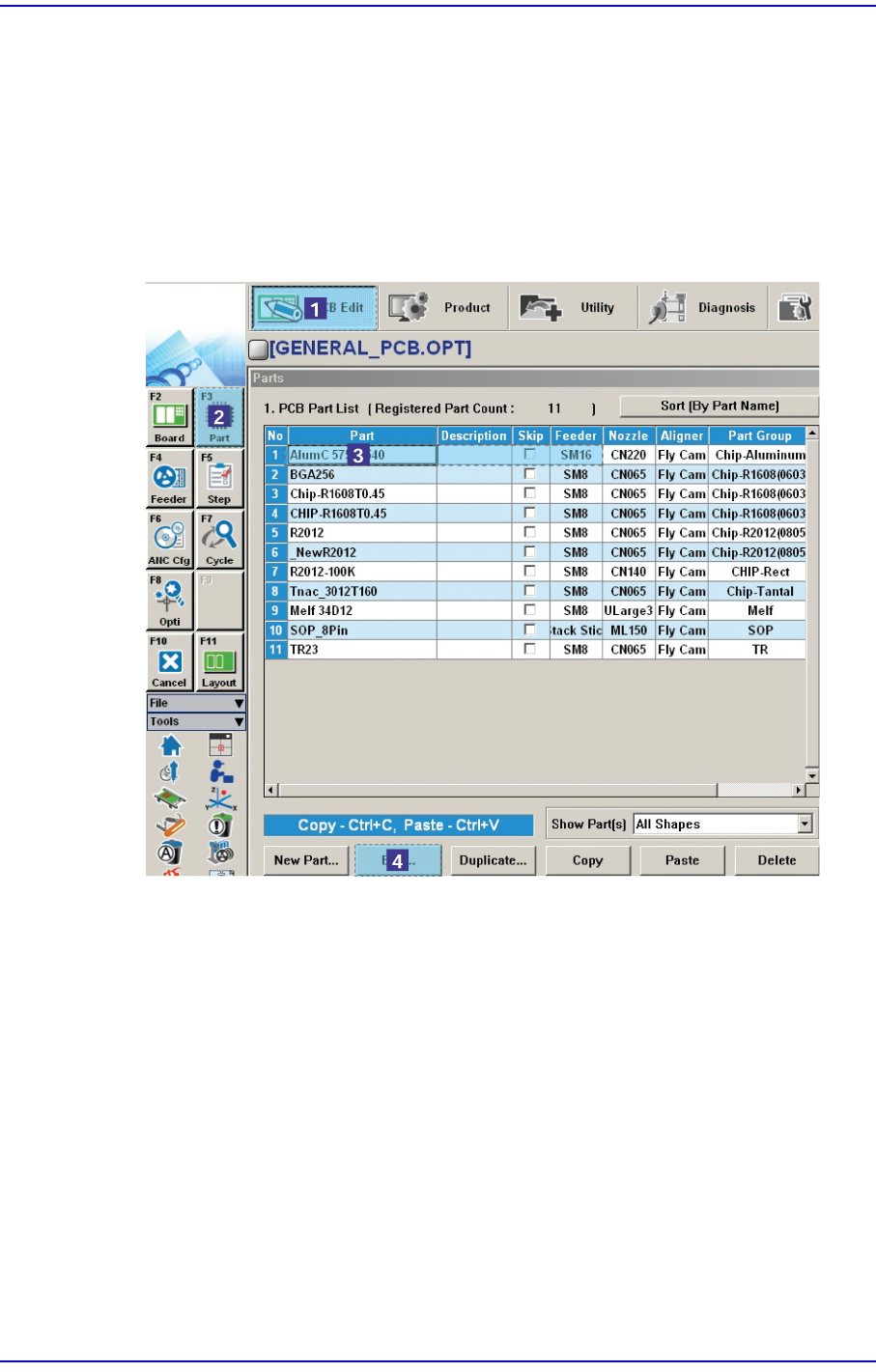
Check on the ‘Part’ dialog box of the PCB Edit menu if the feeder type of
corresponding part is correctly setup, If not correctly setup, click the <Edit> button
with the component being selected.
Then, the component editor dialog box is executed. Click <Common Data> here, and
setup the feeder again.