DECAN_S1_Troubleshooting_Guide(Eng_Ver1.3)_Print_Web.pdf - 第128页
1-104 Next Generation, Multi-Functional Plac er DECAN S1 Troubleshooting Guide Check if the supplied pneumatic pressure is as high as the set pressure (0.45 ~ 0.55 MPa) by the air pressure gaug e through air panel on t…
1-103
System Messages of the MMI and Solutions
$6021 Since a part is picked up by the head spindle nozzle, it is not possible to return the
nozzle to the ANC. [EMER LEVEL]
[Problem]
A part is picked up by the nozzle when returning the head spindle nozzle to the ANC.
[Solution]
Turn off the Buzzer by pressing the “STOP” button.
Press the “RESET” button to change the operation mode to “IDLE”.
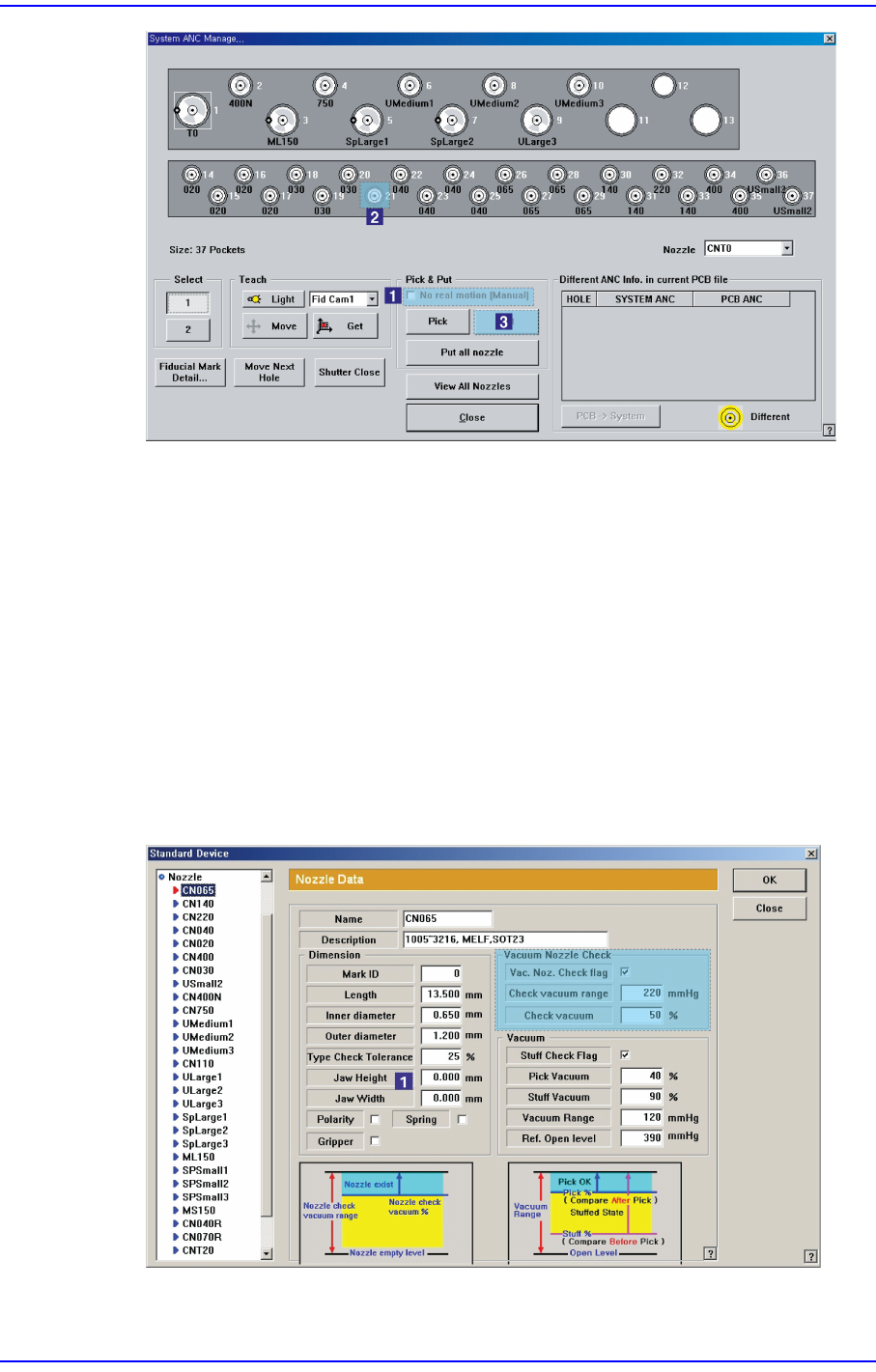
Check whether a part is picked up by the head spindle nozzle.
Select the ‘Device’ submenu of the ‘System Setup’ menu and select the ‘Nozzle’ item.
Then check the ‘Check Vacuum’ value in the ‘Nozzle’ dialog box.
1-104
Next Generation, Multi-Functional Placer DECAN S1 Troubleshooting Guide
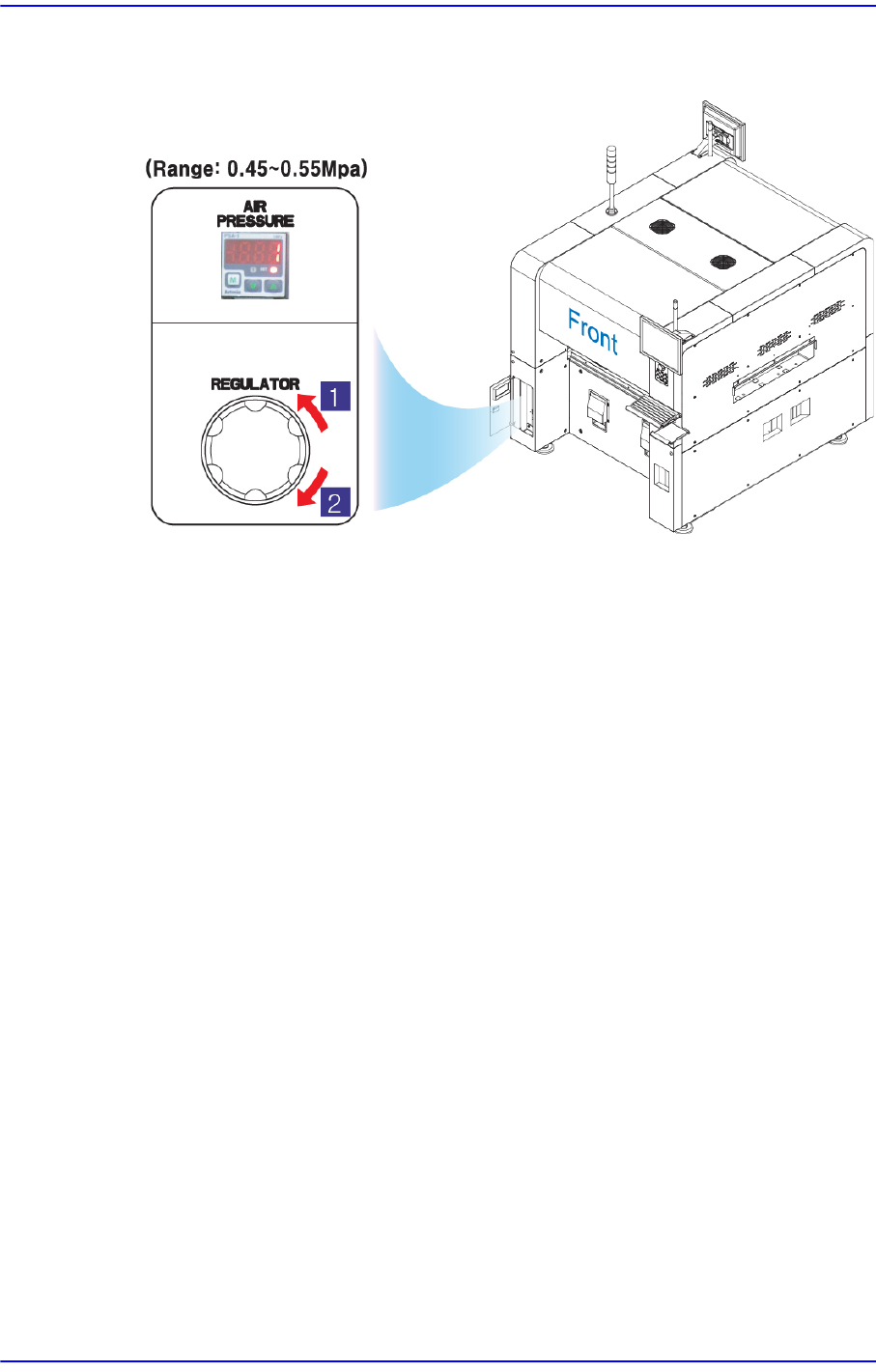
Check if the supplied pneumatic pressure is as high as the set pressure (0.45 ~ 0.55
MPa) by the air pressure gauge through air panel on the front side of the machine.
1: Pressure Decrease (Counterclockwise)
2: Pressure increase (Clockwise)
$6030 Nozzle in the head. Can't put. [FREEZE LEVEL]
[Problem]
Following the nozzle ‘PUT’ operation, if the ANC hole center is not aligned, the
nozzle put operation is performed due to inadequate height setup, or the nozzle
actually mounted on the head, etc.
[Solution]
Turn off the Buzzer by pressing the “STOP” button.
Switch the machine to “IDLE” mode by pressing the “RESET” button.
Press the “READY” button to supply power to the machine.
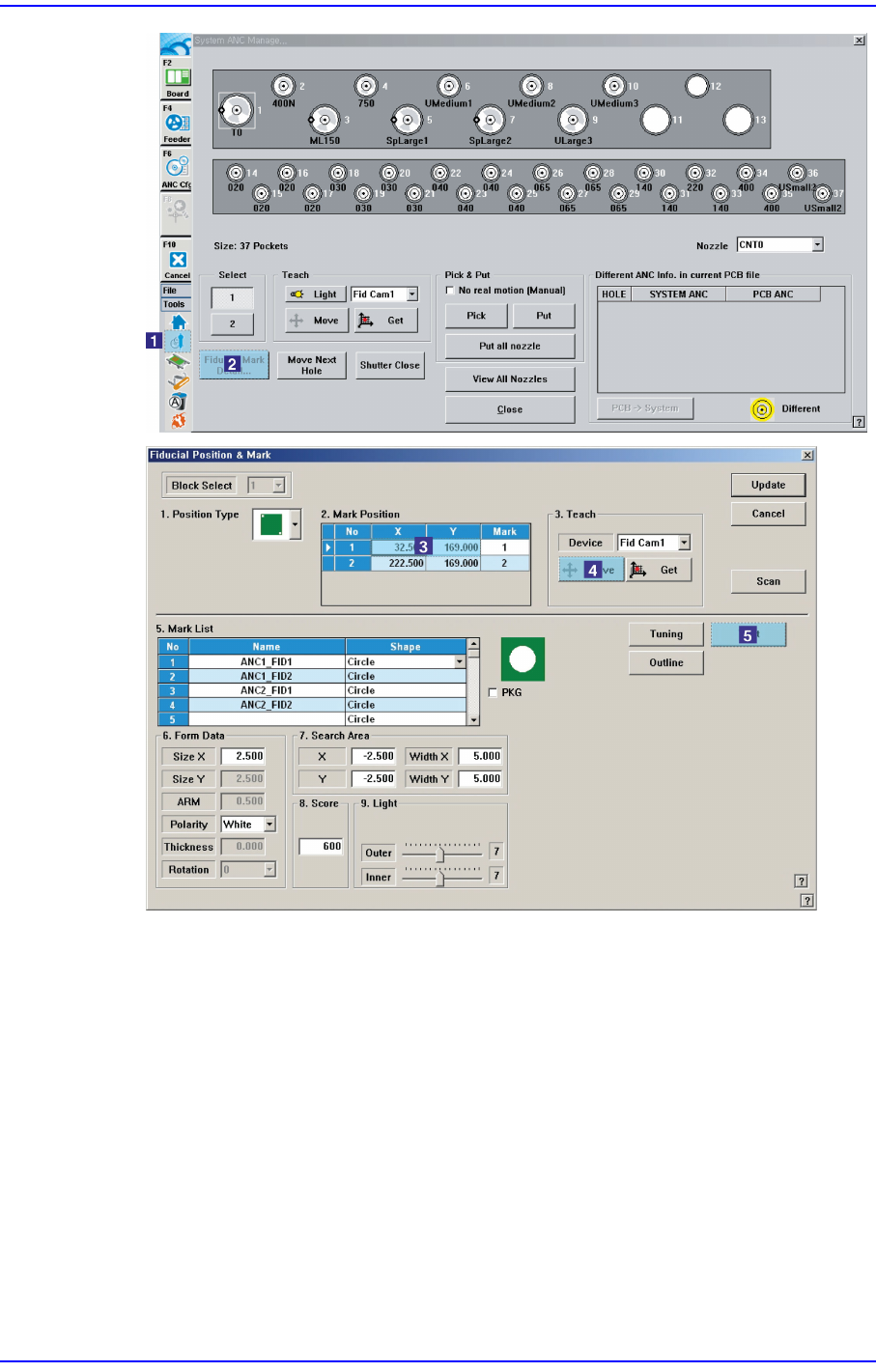
After clicking the ‘Fiducial Mark Detail…’ on the ANC dialog box, move to the
fiducial mark to check if the fiducial mark position is properly setup. If not, perform
teaching again. For details on teaching, please refer to “6.3 Fiducial Mark Setup” in
the “Administrator’s Guide”.
1-105
System Messages of the MMI and Solutions
Check if the shutter operates correctly by clicking ‘Shutter On/Off’ on the ANC dialog
box.