DECAN_S1_Troubleshooting_Guide(Eng_Ver1.3)_Print_Web.pdf - 第197页
1-173 System Messages of the MMI and Solutions $e211 PLC Monitoring I/O error. Please chec k door is firmly closed, follow PLC monitoring io check procedure. [EMER LEVEL] [Problem] The PLC is defective. [Solution] Ch…

1-172
Next Generation, Multi-Functional Placer DECAN S1 Troubleshooting Guide
[Solution]
Change the fiducial mark to a rectangular one.
$cffd The interior angle of the fiducial mark exceeded a right angle significantly. [FREEZS
LEVEL]
[Problem]
If the fiducial mark is diamond-shaped, a part is placed at a point different from the
input placement point.
[Solution]
Teach a rectangular fiducial mark.
1.4.14. DPRAM Communication Related Error [$d000~$dfff]
$d112 An error occurred during DP-RAM (MMI) communication. [WARNING LEVEL]
[Problem]
The DP-RAM board is defective.
A communication error occurred during the communication between the MMI and
VME.
[Solution]
Turn off the Buzzer by pressing the “STOP” button.
If trouble continues to occur, please contact the C/S company designated by Hanwha
Precision Machinery Co., Ltd. or the local agent.
1.4.15. Internal data related errors (Board, MPU Init Related Error, Factory, System
DB Error) [$e000~$efff]
$e200 Air pressure is not supplied to the equipment. [EMER LEVEL]
[Problem]
Air pressure is not supplied to the equipment.
Defect in the air pressure check sensor or incorrect setting.
[Solution]
Turn off the Buzzer by pressing the “STOP” button.
Press the “RESET” button to change the operation mode to “IDLE”.
Supply air pressure.
Check the setting of the air pressure supply sensor and check if it operates correctly.
1-173
System Messages of the MMI and Solutions
$e211 PLC Monitoring I/O error. Please check door is firmly closed, follow PLC monitoring
io check procedure. [EMER LEVEL]
[Problem]
The PLC is defective.
[Solution]
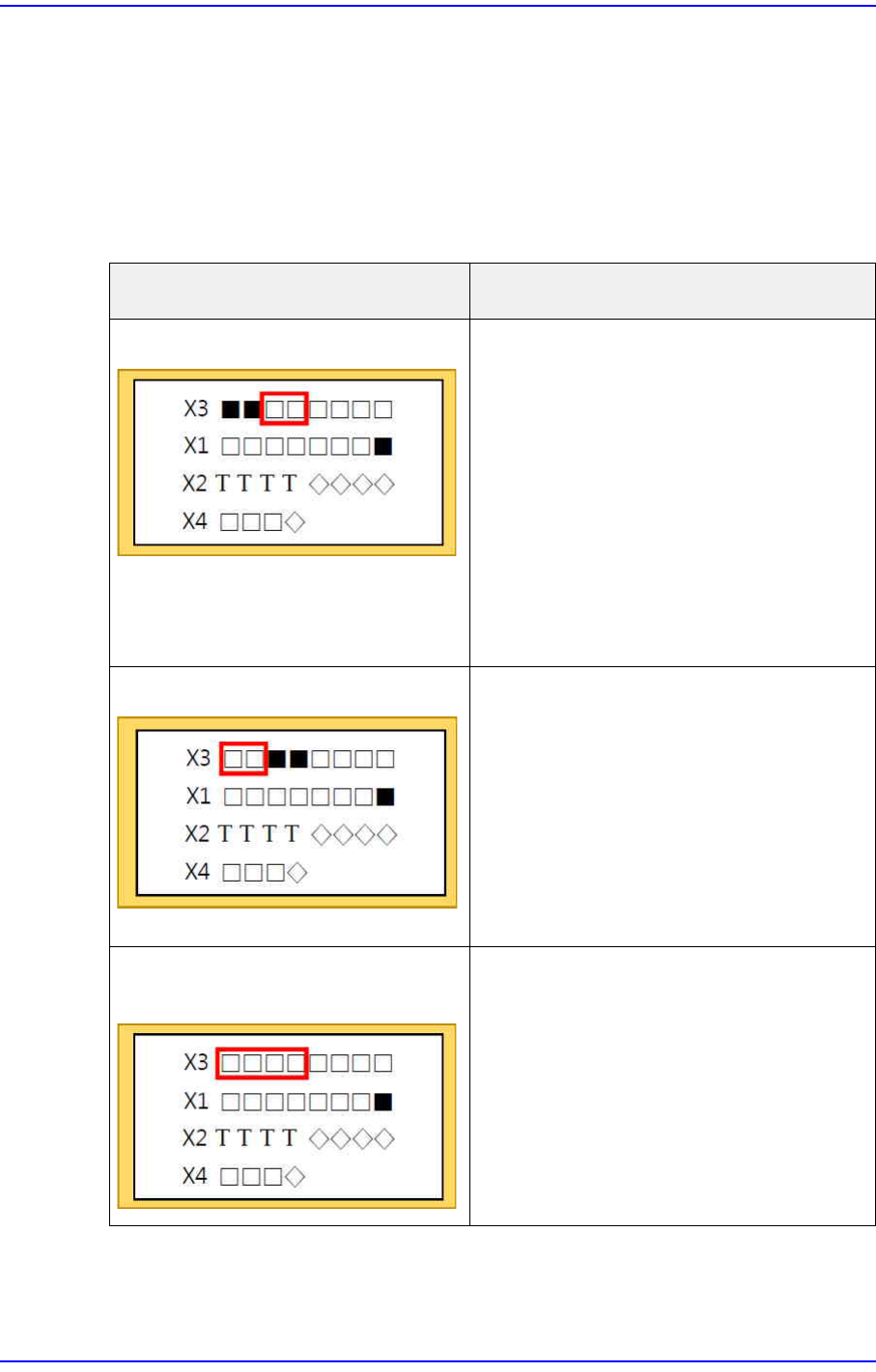
Checking the DISPLAY window (How to handle by error status)
Error status How to handle
Door Open Status Open and then close the door
(front / rear).
Push the closed door firmly.
(Front/rear)
Check with MMI whether the Door
Switch operates normally.
Reconnect the T2, T3, IM2, and
IM3 terminals.
If the problem cannot be solved,
check the Error message.
Emergency Switch operation status Confirm that the EMG SW is off.
(Front/rear)
Using MMI, check whether the
EMG SW operates normally.
Reconnect terminals T0, T1, IM0,
and IM1.
If the problem cannot be solved,
check the Error message.
Door Open & EMG Switch operation
status
Check how to handle the “Door
Open status”.
Check how to handle the “EMG
Switch operation status”.
If the problem cannot be solved,
check the Error message.
1-174
Next Generation, Multi-Functional Placer DECAN S1 Troubleshooting Guide
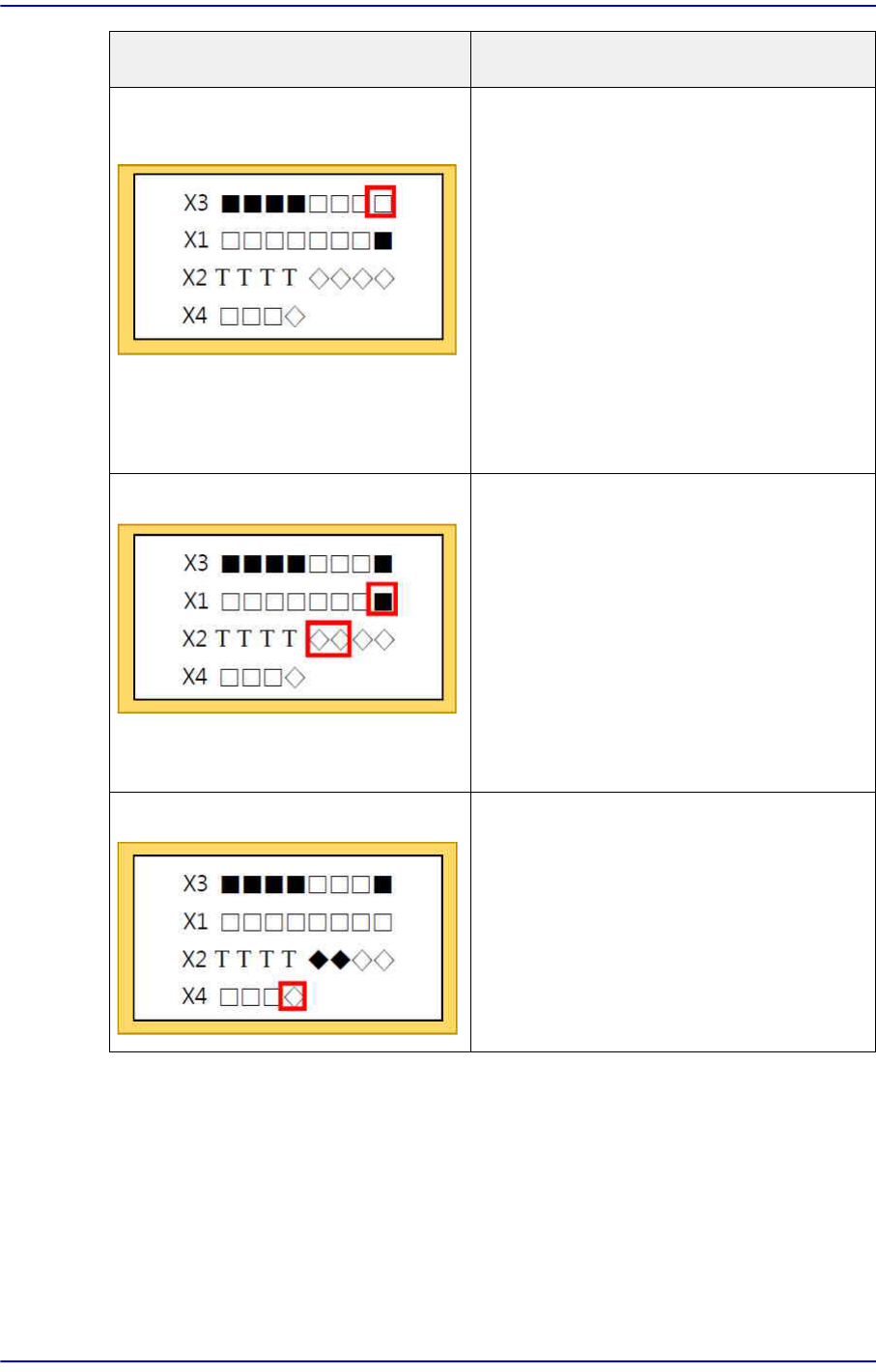
SACO-related abnormal signal
(normal input)
Reconnect the SACO board
CN18.
Check whether the READY SW
operates properly.
Reconnect the SACO board CN3
and CN30. (F-OP)
Reconnect the SACO board CN4
and CN31. (R-OP)
Reconnect the PLC I7 terminal.
If the problem cannot be solved,
check the Error message.
Abnormal MC signal (normal input) Reconnect the PLC o0, o1, and
I15 terminals.
Reconnect the TB-21D terminal.
Check the MC terminal
connection.
Check if the NC (Not Connected)
terminal is connected.
If the problem cannot be solved,
check the Error message.
Abnormal PLC Check whether the DOOR and
EMG SW operate normally.
Check whether the SACO signal
operates normally.
Check whether the MC signal
operates normally.
If all is normal, replace the PLC.
Error status How to handle