SMN-Tape Feeder Manual(Eng Ver5).pdf - 第59页
Operation of the T ape Feeder 2-29 10. Cut off excess splicing tape with splic ing vinyl tape attached on the reel. 11. Press and run with fingers so that the vinyl splicing tape adheres to the vinyl tape. New V inyl V i…
Samsung SM-Series Pneumatic Tape Feeder Users' Manual
2-28
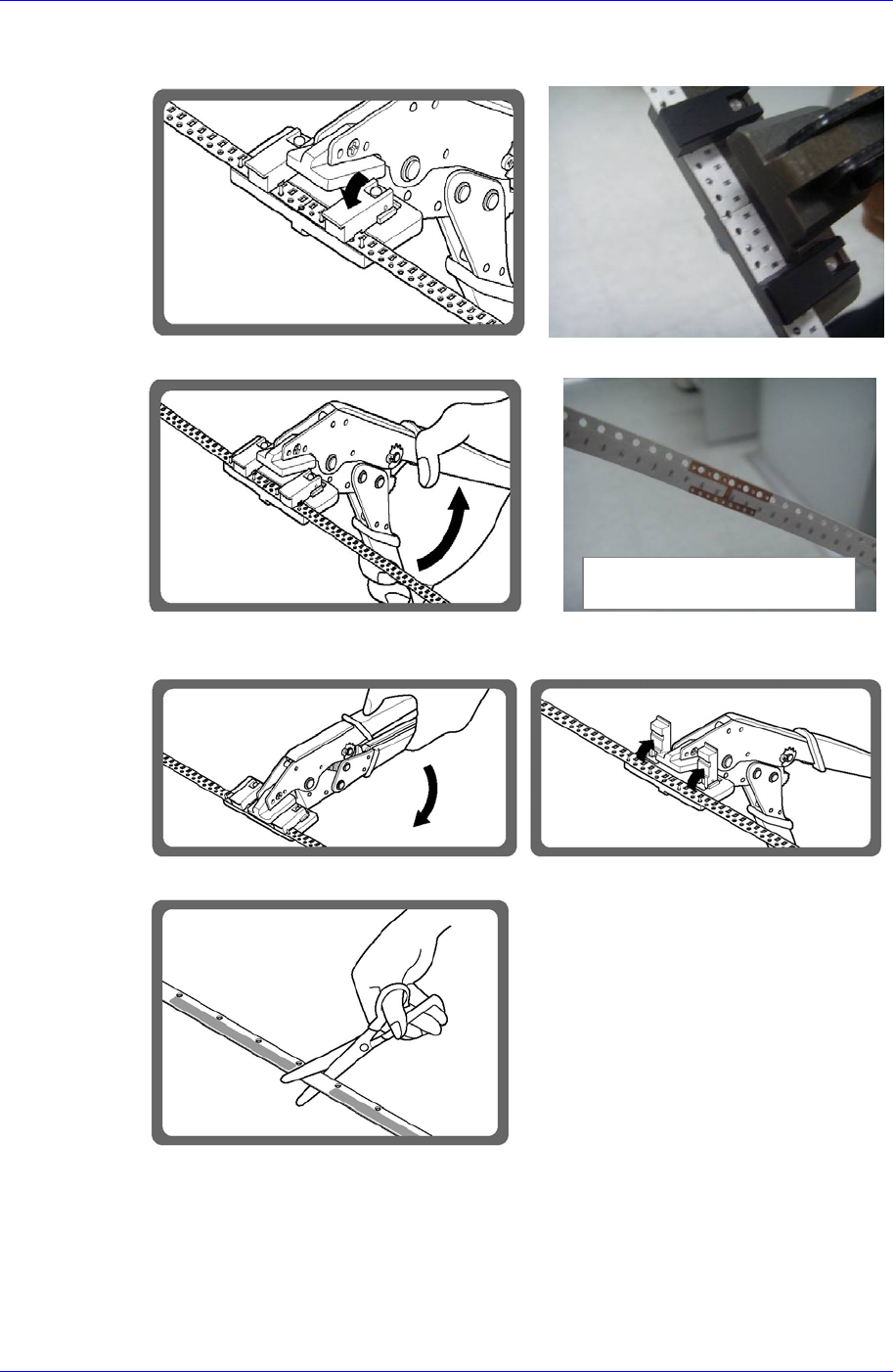
5. Place the tape to be connected on the H-Shaped tip and move the pressing device
downward.
6. Connect the tapes by manipulating the handle of the tool.
7. Move the pressing device upward. Push the handle of the tool and release it, and then
remove the connected tape from the tool.
8. Cut the vinyl connecting tape by using scissors.
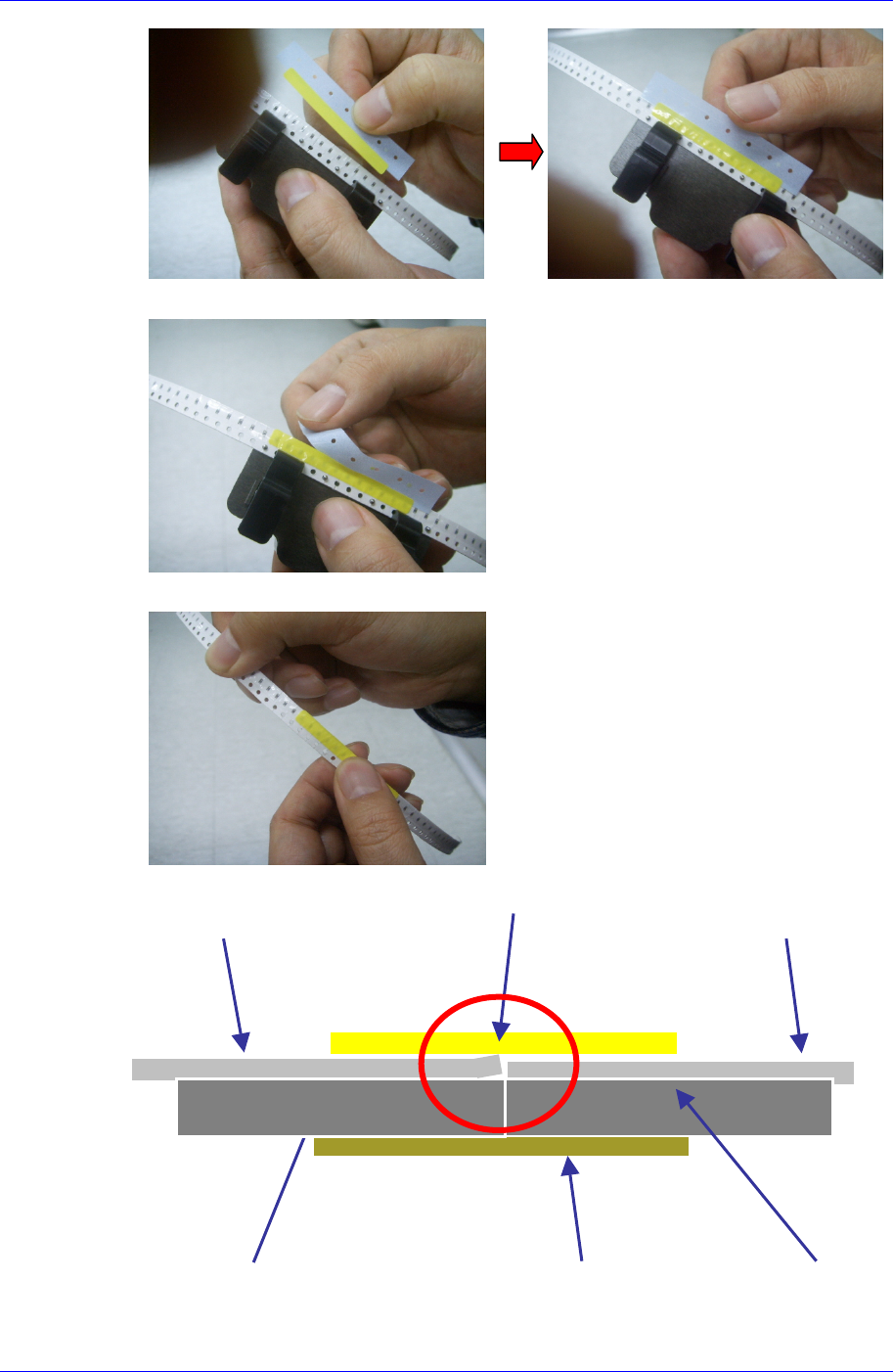
9. Attach the vinyl splicing tape as shown below by using the jig for vinyl splicing tape.
View of splicing with a tip
(Back side of tape)
Operation of the Tape Feeder
2-29
10. Cut off excess splicing tape with splicing vinyl tape attached on the reel.
11. Press and run with fingers so that the vinyl splicing tape adheres to the vinyl tape.
New Vinyl
Vinyl in use
Splicing Tip
Vinyl splicing tape
New Tape Tape in use
Samsung SM-Series Pneumatic Tape Feeder Users' Manual
2-30
2.5.3. Tape Connection Method (Emboss Type)
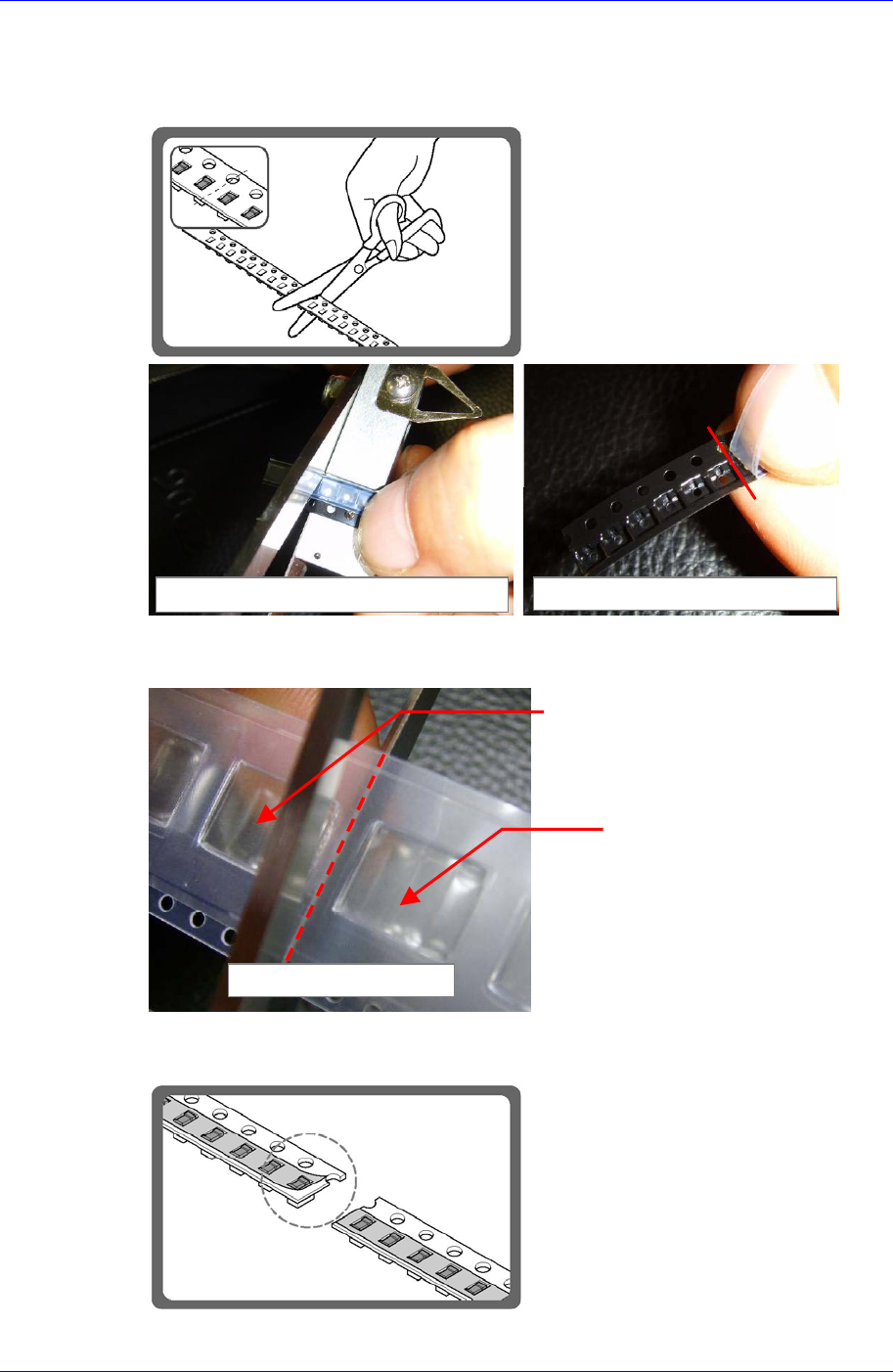
1. Cut the end part of the tape in use and the beginning part of the new tape by using
scissors.
[Greater than SM12mm]
Cut the reel at the center between pockets.
2. Peel off the vinyl tape on the leading end of the new tape (approximately 2mm).
Position for cutting with scissors Cutting the last end of the tape in use
Pocket containing a part
Pocket with no part
Tape in use