00193688-04.pdf - 第119页
Ins t a llat ion and Con figu rat i on Guid e S IPLA CE Ex plo rer 4 Co nfig ura t i on Edi tio n 12 /200 5 EN 4.2 Conf igu r in g t h e Fac tor y Con fig urat ion Uti lit y 119 → Enter t he ac cess data here and confir …
4 Configuration Installation and Configuration Guide SIPLACE Explorer
4.2 Configuring the Factory Configuration Utility Edition 12/2005 EN
118
4.2.7 DB Maintenance
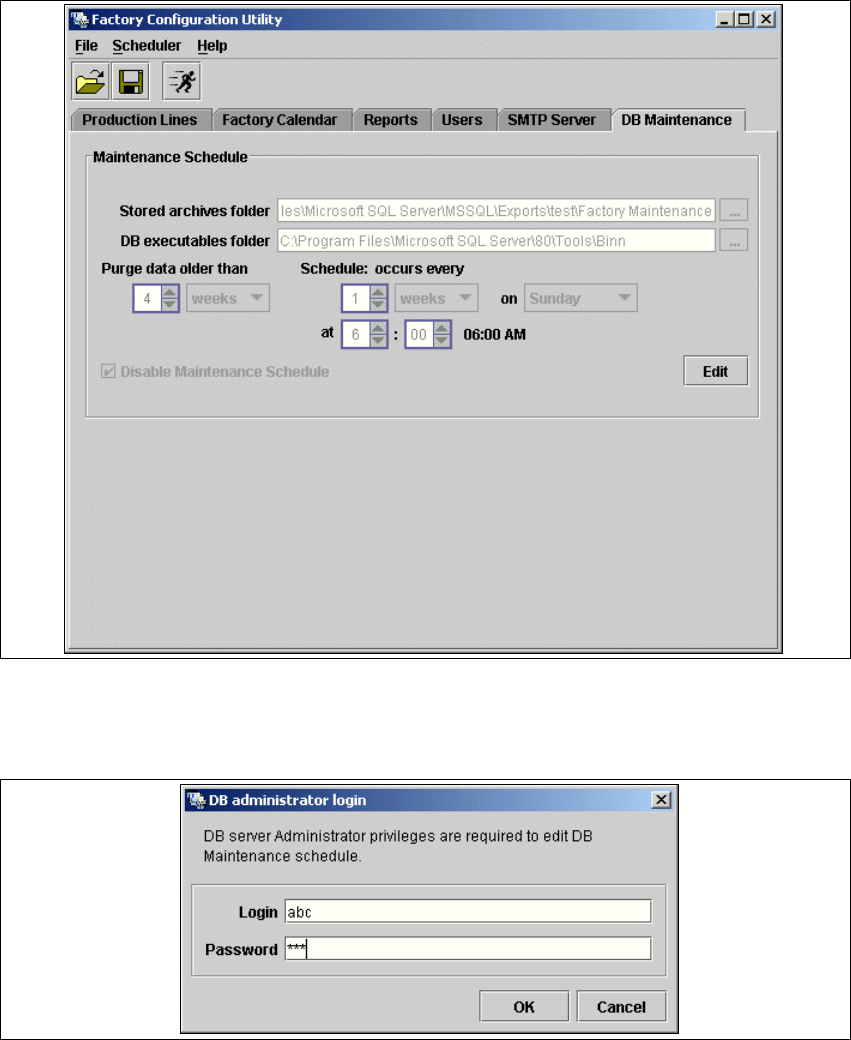
Define the maintenance schedule for the factory database, here. 4
→ Select the DB Maintenance tab.
4
Fig. 4 - 52 Factory Configuration Utility - DB maintenance
→ Before you can enter data you must log yourself in as database administrator. Click on the Edit
button to open the
DB Administrator Login dialog box.
4
Fig. 4 - 53 DB administrator login
Installation and Configuration Guide SIPLACE Explorer 4 Configuration
Edition 12/2005 EN 4.2 Configuring the Factory Configuration Utility
119
→ Enter the access data here and confirm your entries with OK.
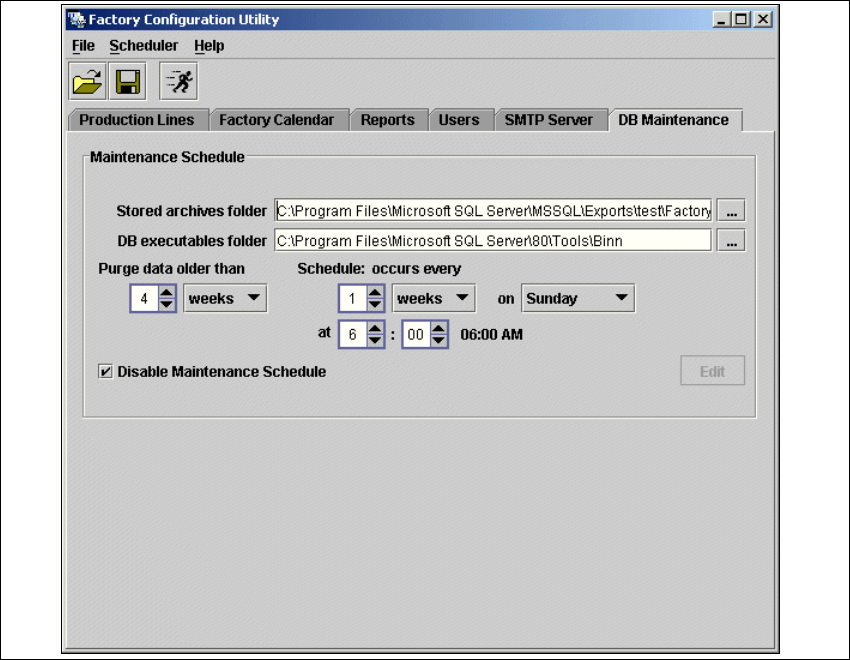
→ In the DB Maintenance dialog box, you can either create a new archiving schedule for the
factory database or edit the default maintenance schedule. The entry fields will be enabled.
4
Fig. 4 - 54 DB maintenance
→ The following details can be defined:
– The file and path for the archived data
– A schedule specifying the intervals and times when data are to be removed from the line
system database and stored in the archive.
– When to execute the archiving schedule.
– The archiving schedule defined here will be stored in the database and can be called up
when required.
4 Configuration Installation and Configuration Guide SIPLACE Explorer
4.2 Configuring the Factory Configuration Utility Edition 12/2005 EN
120
NOTE
Remember to regular perform a database backup for the factory database. This can be carried
out with the database tool on your computer e.g. with the Enterprise Manager for the MS SQL
server. 4
4.2.8 How to Generate a Website
NOTE
To generate a factory website, you require web server manager privileges (Tomcat administrator)
and the corresponding password. 4
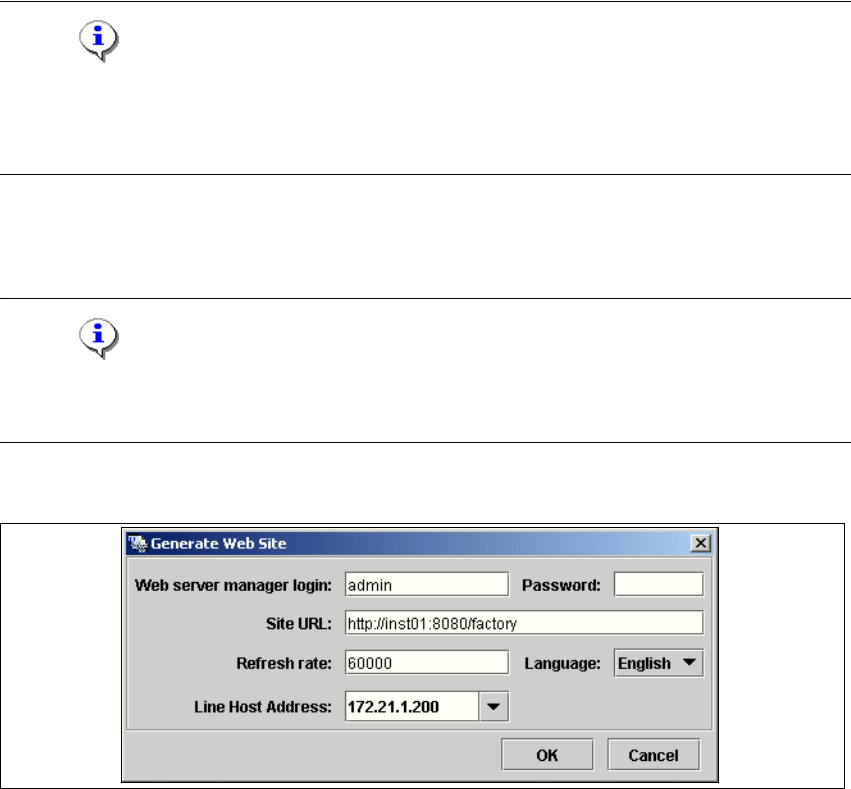
→ Select the function Generate Web Site ... from the File menu.
4
Fig. 4 - 55 Factory Configuration Utility - generate website
→ Specify the access data for the Tomcat administrator. If you entered admin and an empty
password during Tomcat configuration, this data will be automatically used as a default login.
If this is not the case, use the data you specified during Tomcat configuration.
→ Please specify the following information:
– URL site
This URL contains a port number, which applies to the web server (Tomcat 5.5) e.g. "8080".
If you change the port number here, you will also need to update the port number of the web
serversiehe “Port Configuration after Changing Tomcat Port Number” auf Seite 67.
– Refresh rate
For capacity purposes, we recommend a refresh rate of at least one minute (60000 ms).
– Factory website language
– Line host address