00193688-04.pdf - 第25页
In st alla tio n an d Co nf igur at ion G uide SI P LACE E xpl ore r 3 I ns tal li ng SIP LAC E Ex plor er Edi tio n 12 /200 5 EN 3.1 In iti al In stal la tio n of S IPL ACE E xpl ore r 2. 0 SP1 25 3 Fig. 3 - 1 Inst all …

3 Installing SIPLACE Explorer Installation and Configuration Guide SIPLACE Explorer
3.1 Initial Installation of SIPLACE Explorer 2.0 SP1 Edition 12/2005 EN
24
Hardware Requirements:
– Computer with 2.4 GHZ CPU
– 2 GB memory
– 30 GB available hard drive capacity
3.1.1.2 Server
This installation variant installs the software on N computers for up to 20 machines. These
computers (N) act as the SIPLACE Explorer hosts. An additional computer must be available as
central database/web server.
3
Software Requirements:
– System environment - one of the following versions:
– Windows 2000 Server with SP4
– Windows 2003 Server with SP1
– MS SQL-Server (not MSDE) for the computer which is used as central database server
Hardware Requirements:
– Computer with 2.4 GHZ CPU
– 2 GB memory
– 30 GB available hard drive capacity
Installation and Configuration Guide SIPLACE Explorer 3 Installing SIPLACE Explorer
Edition 12/2005 EN 3.1 Initial Installation of SIPLACE Explorer 2.0 SP1
25
3
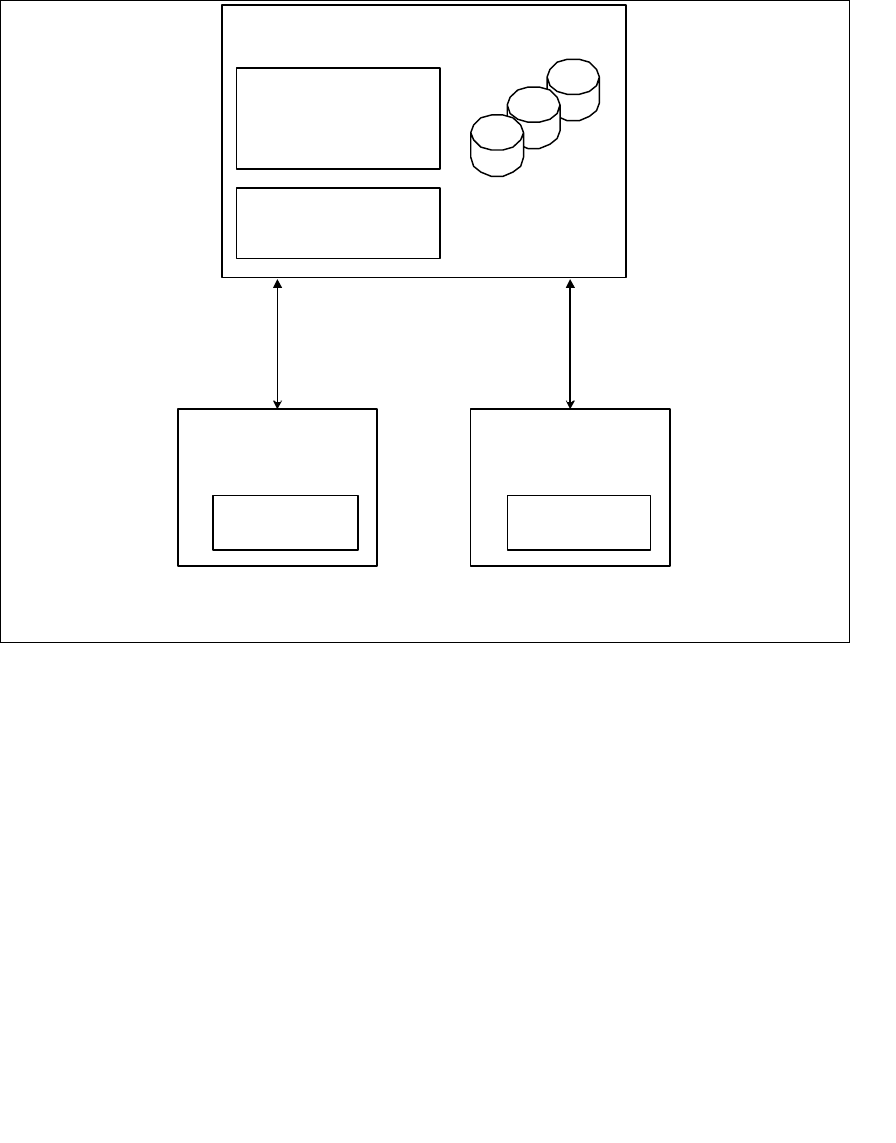
Fig. 3 - 1 Installation variants: Server
3.1.1.3 Line
In this installation variant, an existing SIPLACE line server can be used as SIPLACE Explorer
host. An additional computer must be available as central database/web server.
3
Software Requirements SIPLACE Line Server:
– System environment - one of the following versions:
– Windows 2000 Workstation with SP3 or SP4
– Windows XP Professional with SP2
– MS SQL-Server (not MSDE) for the computer which is used as central database server
– Explorer installation:
– Runtime Environment
– Java 2 JRE
5 Applications for up to
20 machines
SIPLACE
Explorer Host
- RTE
- Java 2 JR E
SIPLACE
Explorer Host
- RTE
- Java 2 JR E
Central Database/Web Server
- MS SQL
- Tomcat
- Factory Configuration
- Java 2 JRE
Report Generation:
- MSXM
- Excel
all databases, all line
databases

3 Installing SIPLACE Explorer Installation and Configuration Guide SIPLACE Explorer
3.1 Initial Installation of SIPLACE Explorer 2.0 SP1 Edition 12/2005 EN
26
Hardware Requirements SIPLACE Line Server:
– all requirements of the existing SIPLACE Line Server
– 2 GB memory
– 10 GB available hard drive capacity
3
Software Requirements Central Database/Web Server:
– System environment - one of the following versions:
– Windows 2000 Server with SP4
– Windows 2003 Server with SP1
– MS SQL-Server (not MSDE) for the computer which is used as central database server
– Explorer installation:
– Tomcat Webserver
–JAVA 2 JRE
– Factory Configuration
Hardware Requirements Central Database/Web Server:
– all requirements of the existing SIPLACE Line Server
– Computer with 2.4 GHZ CPU
– 2 GB memory
– 30 GB available hard drive capacity
NOTE
Please note that the SIPLACE Explorer host computer can only be used for one application in this
installation variant. 3