ACT - Accuracy Check Tool.pdf - 第128页
ACT with SSW 7xx / User Manual 07/2017 Edition 20 3.2.4 Importing the SIPLACE Pro Data - Procedure The import of board s and tables is des cribed below: ► Insert the ACT CD into t he appropriate drive on the SIP LACE Pro…
ACT with SSW 7xx / User Manual 07/2017 Edition
19
3.2.3 Available SIPLACE Pro Data – Overview
In the ASM AS license portal, you can download the SIPLACE Pro data for ACT for the respective
SIPLACE Pro version.
The *.zip files for the respective software contain one *.sipro file for boards and one for tables
respectively.
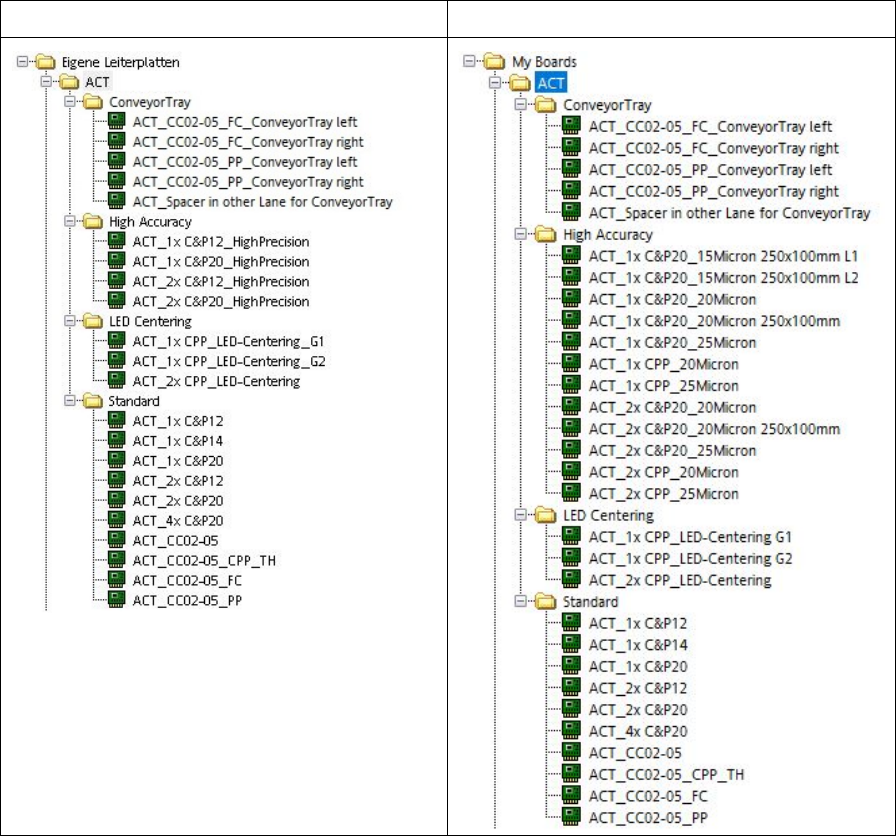
As of SIPLACE Pro Version 12.1, a new structure has also been introduced for boards.
ACT boards, SIPLACE Pro ≥ 12.1
ACT boards, SIPLACE Pro ≥ 14.1
ACT with SSW 7xx / User Manual 07/2017 Edition
20
3.2.4 Importing the SIPLACE Pro Data - Procedure
The import of boards and tables is described below:
► Insert the ACT CD into the appropriate drive on the SIPLACE Pro computer.
(Alternatively, you can provide the data from a USB stick).
► Start the SIPLACE Pro Desktop software.
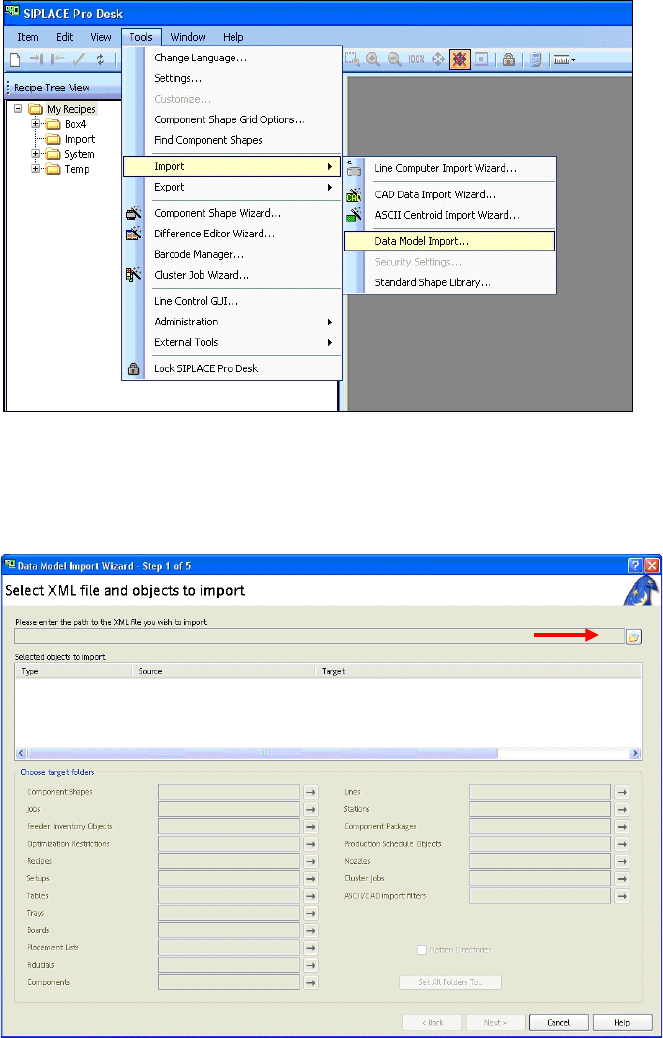
Figure 3-9: SIPLACE Pro view: Menu for importing the placement programs
► Select the Data model import function as shown in Abbildung 3-9:
Tools – Import – Data Model Iimport
View on screen:
Figure 3-10: Data import screen
► Click on the folder next to the red arrow (Figure 3-10).
ACT with SSW 7xx / User Manual 07/2017 Edition
21
3.2.5 Importing Boards in SIPLACE Pro
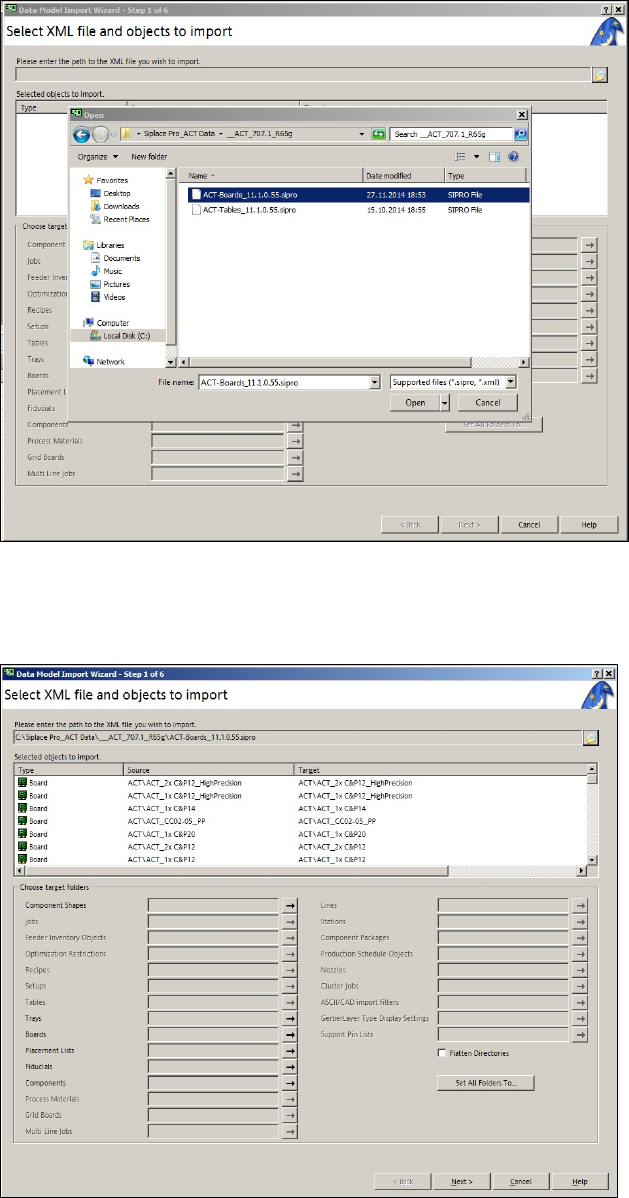
► Select the appropriate folder to your software.
► Click on the file with the board programs on the ACT CD (Figure 3-11).
Figure 3-11: ACT board import screen
► Click Open (Figure 3-11).
► Click Next (Figure 3-12).
Figure 3-12: XML file import screen