ACT - Accuracy Check Tool.pdf - 第174页
ACT with SSW 7xx / User Manual 07/2017 Edition 66 If one or more stati ons are positioned b ehind it, for which t here is no specifi cation for compo nents to be placed, the boar d is passed throug h these machines and c…
ACT with SSW 7xx / User Manual 07/2017 Edition
65
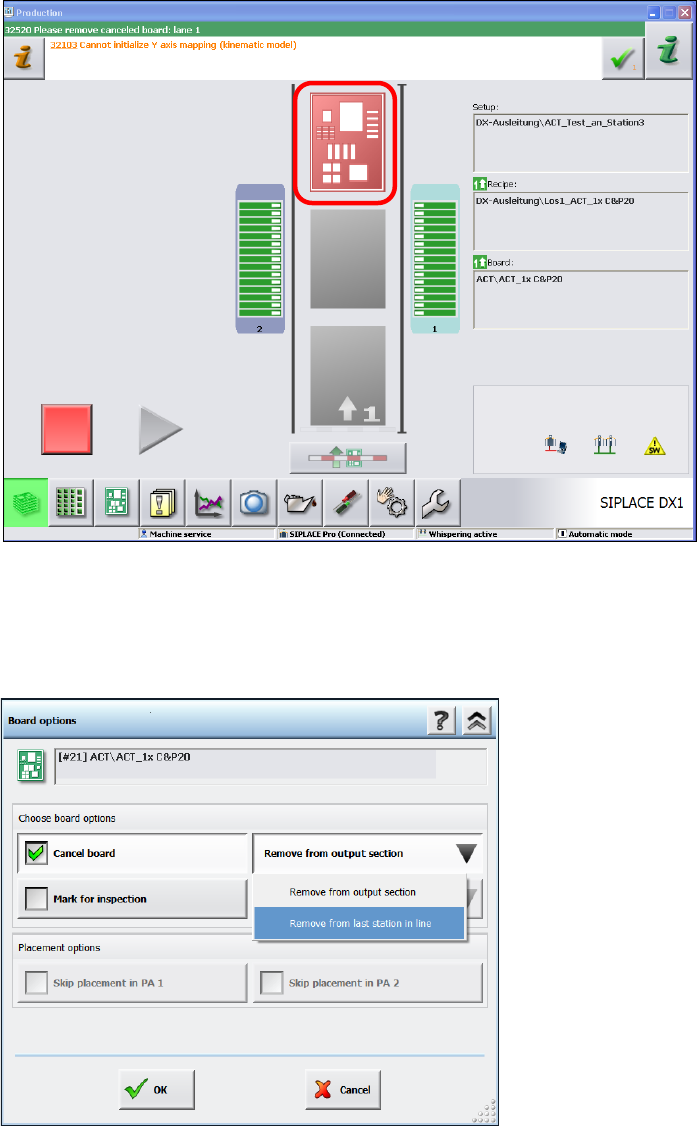
In the station main view you will now see the board highlighted in red in the output section,
from where you can remove it.
► Remove the board from the output section.
► If it is not possible to remove the board, because it is a machine of the SX- or DX-series that is
positioned in the middle of a line of several machines, then click on the red board.
Figure 4-40: State after ACT
► In the next window, select the Cancel board option.
► Select the sub-function Remove from last station of the line.
► Click OK to confirm.
Figure 4-41: Removing board from the last station of the line
► Press Start.
The board is unloaded from the station.
ACT with SSW 7xx / User Manual 07/2017 Edition
66
If one or more stations are positioned behind it, for which there is no specification for components
to be placed, the board is passed through these machines and can then be removed from the last
station of the line.
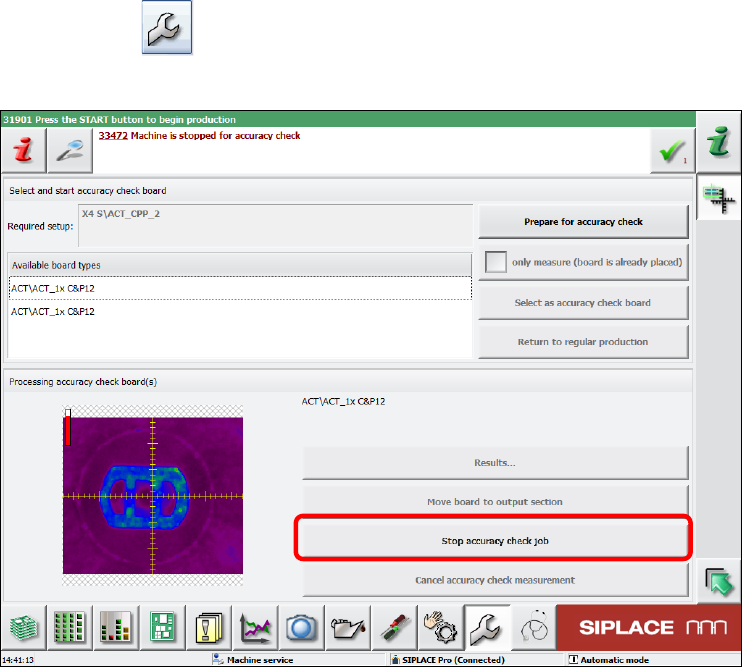
► Click on the button, to switch to the Service view.
► Click on the Stop Accuracy Check job button.
Figure 4-42: Stop Accuracy Check job
ACT with SSW 7xx / User Manual 07/2017 Edition
67
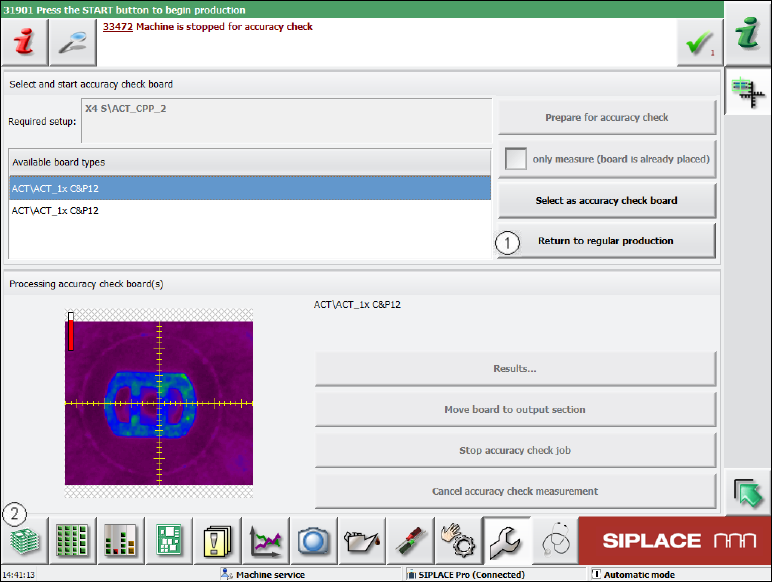
► Click the Return to regular production button (1) in the next window.
Figure 4-43: Returning to regular production
► Click on the button to the left at the bottom (2) to return to the main view of the GUI.