ACT - Accuracy Check Tool.pdf - 第190页
ACT with SSW 7xx / User Manual 07/2017 Edition 82 5 Tray in Conveyor for ACT Option When setting up t he trays with gla ss components, lar ge areas of the t able have to be cleare d (removing feeder mo dules). Further, s…
ACT with SSW 7xx / User Manual 07/2017 Edition
81
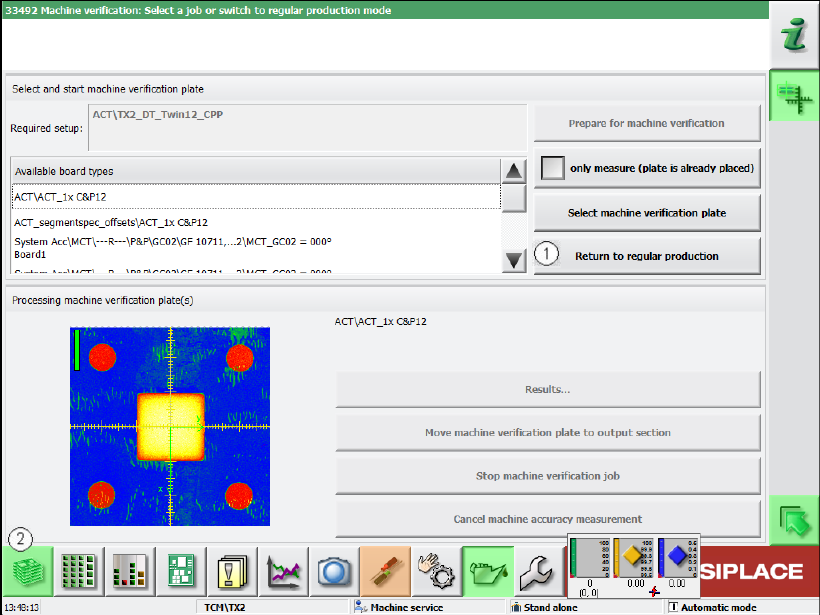
► Click the Return to regular production button (1) in the next window.
Figure 4-62: Returning to regular production
► Click on the button to the left at the bottom (2) to return to the main view of the GUI.
ACT with SSW 7xx / User Manual 07/2017 Edition
82
5 Tray in Conveyor for ACT Option
When setting up the trays with glass components, large areas of the table have to be cleared
(removing feeder modules).
Further, since the X-series machines were launched, the pickup area for tray carriers is too small at
the table to be able to pick up components from a sufficient number of rows in the trays.
To simplify the setup for ACT measurements, the Tray in Conveyor for ACT option is now offered.
With this option, it is possible to set up a tray with glass components in the PCB conveyor and pick
it up there.
5.1 Software and Hardware Requirements
Software
Station software version ≥708.0 and SIPLACE Pro ≥12.x
Hardware
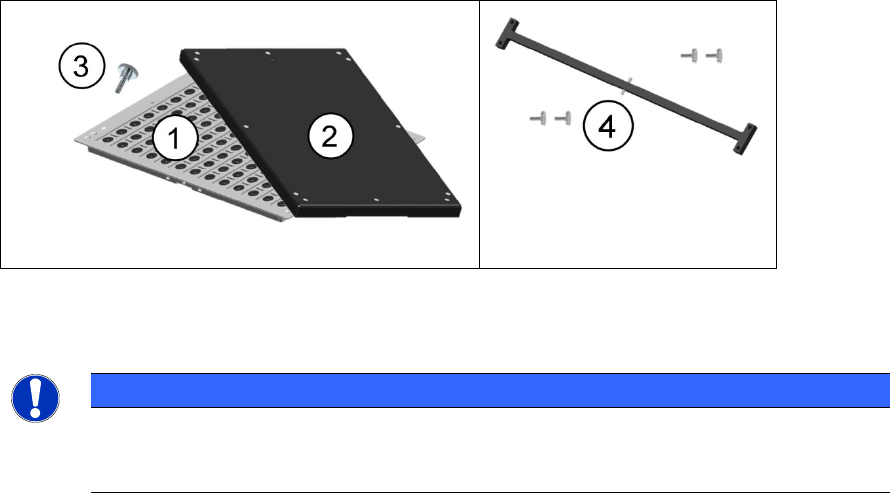
The Tray in Conveyor for ACT option, item no. [03125143-01] contains:
(1) Tray glass1, complete 03058749-01
(2) Cover for tray AVS, complete 03063446-01
(3) Knurled screw DIN 464 M4 x 12 03031103-01
(4) Long adapter (4 knurled screws included) 03056010S01
(5) Short adapter (4 knurled screws included) 03055995S01 not illustrated
(6) 50 mm TWIN adapter 03085310-01 not illustrated
Figure 5-1: Contents of Tray in Conveyor for ACT option
The tray has the same size and form as the glass plate. Thus, it can be fed into the conveyor.
NOTICE
The option package does not contain any glass components!
When using the option, the glass components in the standard ACT tray have to be
rearranged into the "Tray Glass1, complete" of the option package.
ACT with SSW 7xx / User Manual 07/2017 Edition
83
5.2 Using the Tray in Conveyor for ACT Option
5.2.1 Hardware
Feeding in dual conveyor mode
In machines with dual conveyor, the glass plate can be fed in one lane and the tray in the other
lane.
Feeding in single conveyor mode
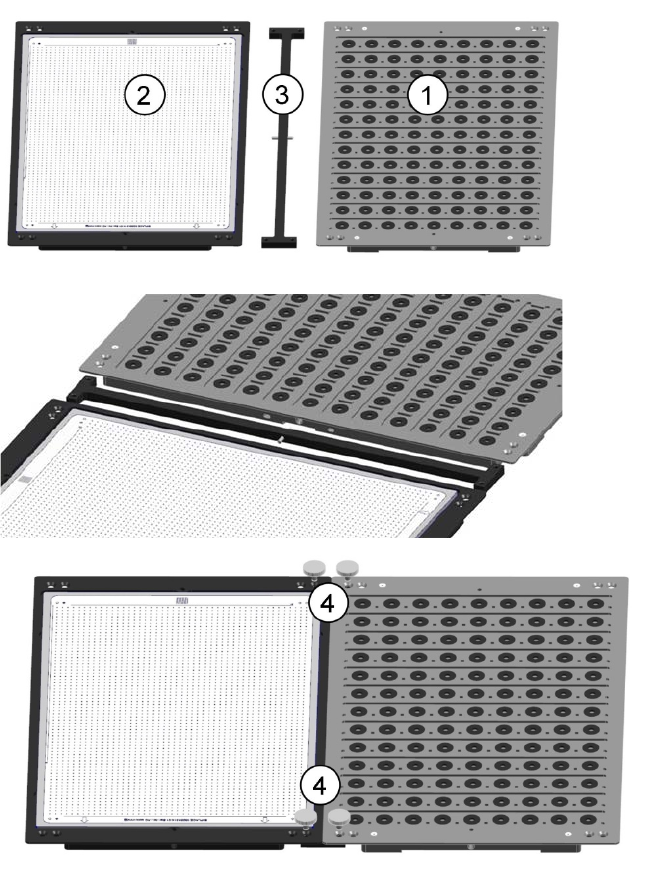
► Connect the tray (1) with the glass plate (2) using the supplied adapter (3).
► Fasten the connection with the 4 knurled screws (4) from [03031103-01].
Figure 5-2: Feeding in single conveyor mode