ACT - Accuracy Check Tool.pdf - 第195页
ACT with SSW 7xx / User Manual 07/2017 Edition 87 Figure 5-9: Selecting component For determining t he position of the tray in the convey or, the two Position on Conv eyor and Lane parameters hav e to be considered. Figu…
ACT with SSW 7xx / User Manual 07/2017 Edition
86
5.2.2.2 SIPLACE Pro – Setup (Tables)
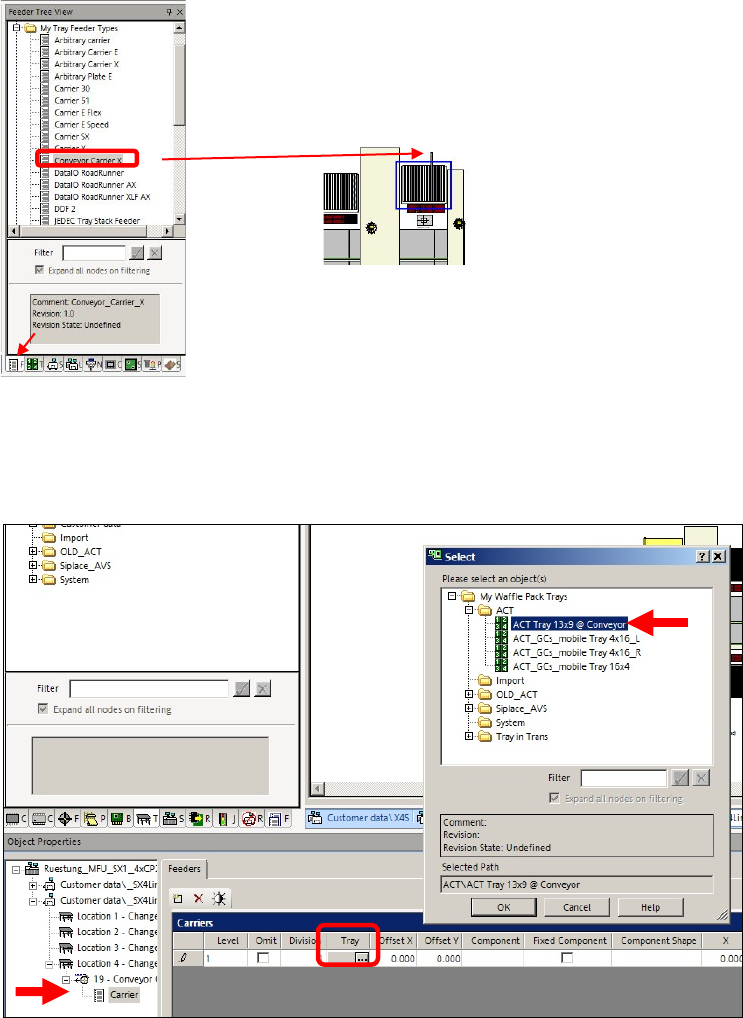
► In SIPLACE Pro, on the gantry side on which the measurement is to be performed, set up the
Conveyor Carrier X tray carrier from the My Tray Feeder Types directory.
► Draw the tray carrier to an empty track on the
corresponding table.
Figure 5-7: Selecting Conveyor Carrier X
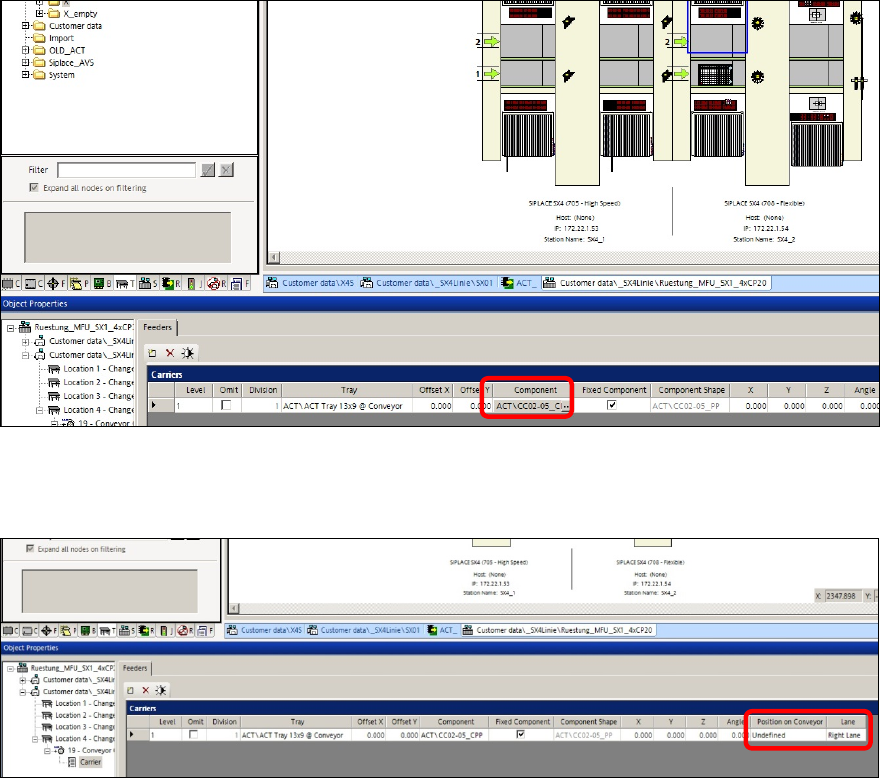
► Select the tray carrier so that it is displayed in the editor screen below.
► Click on the button in the field of the Tray column und select the ACT Tray 13x9 @ Conveyor
tray from the My trays directory.
Figure 5-8: Selecting tray
► Then select the component you want to feed in the tray.
ACT with SSW 7xx / User Manual 07/2017 Edition
87
Figure 5-9: Selecting component
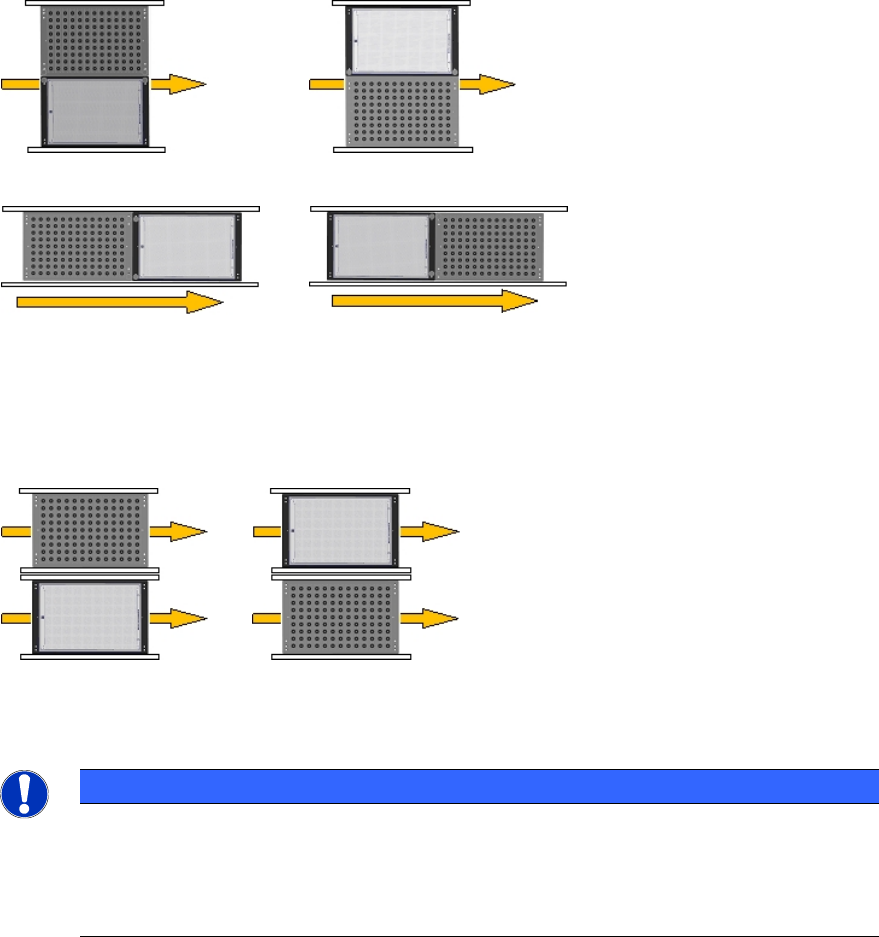
For determining the position of the tray in the conveyor, the two Position on Conveyor and Lane
parameters have to be considered.
Figure 5-10: Determining the position of the tray
ACT with SSW 7xx / User Manual 07/2017 Edition
88
Position on Conveyor
This parameter is required for the single conveyor mode.
To the left of Board To the right of Board
Behind Board In front of Board
Figure 5-11: Position in single conveyor mode
Lane
This parameter is required for the dual conveyor mode.
Left conveyor lane (2) Right conveyor lane (1)
Figure 5-12: Position in dual conveyor mode
NOTICE
Pickup position
You do not have to enter any offset values.
By using the Conveyor Carrier X tray carrier, the pickup position is automatically
specified by the board reference corner in the machine.