ACT - Accuracy Check Tool.pdf - 第209页
ACT with SSW 7xx / User Manual 07/2017 Edition 101 ► Calibrate both v acuum toolings. ► Switch over to t he Automatic calibration vi ew (1). ► Select the Vacuum tooli ng calibration step. Figure 6-15: Calibrating vacuu m…
ACT with SSW 7xx / User Manual 07/2017 Edition
100
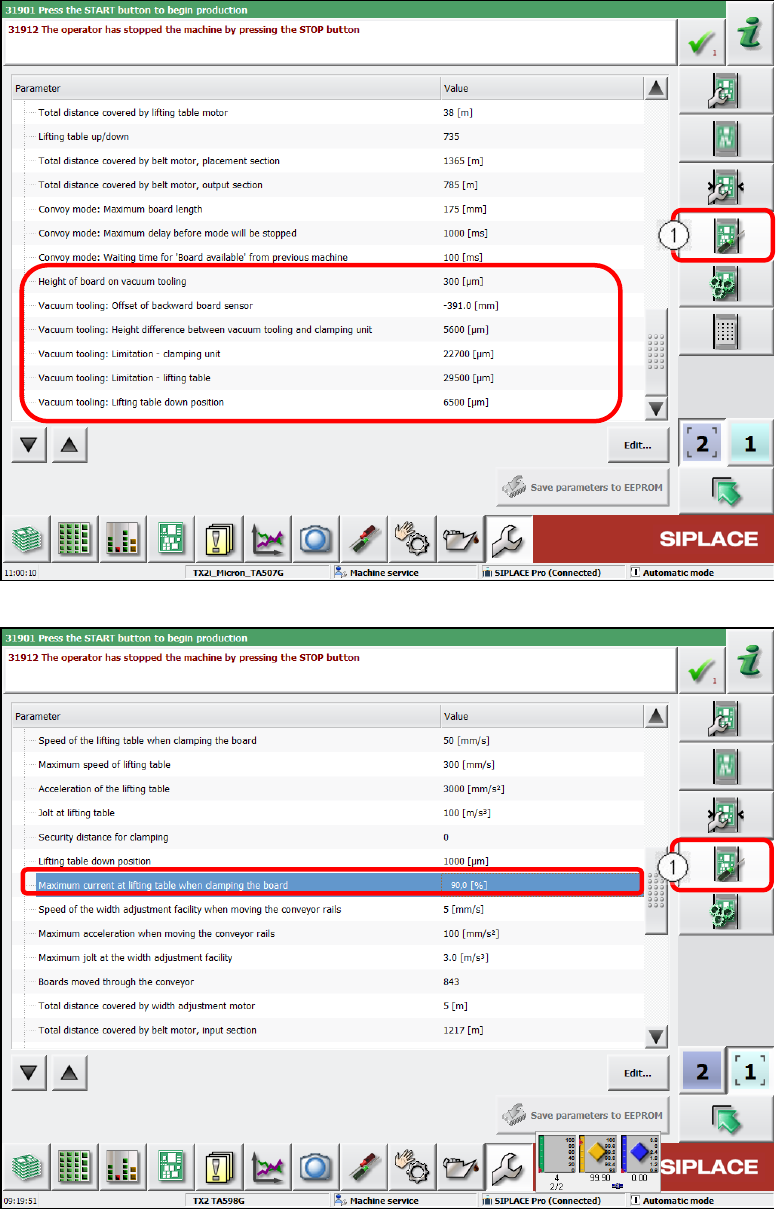
Figure 6-13: Conveyor configuration – Vacuum tooling parameter
Figure 6-14: Conveyor configuration – Maximum current at lifting table
ACT with SSW 7xx / User Manual 07/2017 Edition
101
► Calibrate both vacuum toolings.
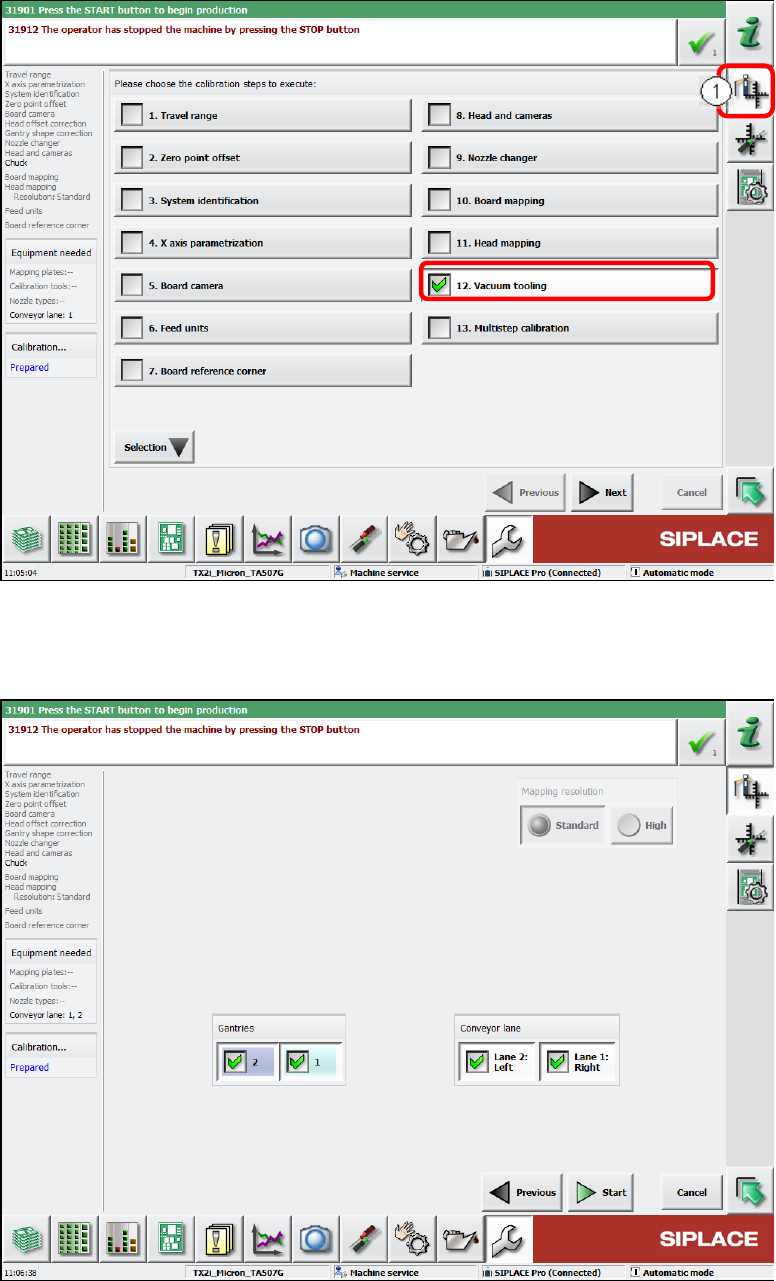
► Switch over to the Automatic calibration view (1).
► Select the Vacuum tooling calibration step.
Figure 6-15: Calibrating vacuum tooling, part 1
► Select both gantries and the conveyor lanes 1 and 2.
► Click the Start button.
Figure 6-16: Calibrating vacuum tooling, part 2
ACT with SSW 7xx / User Manual 07/2017 Edition
102
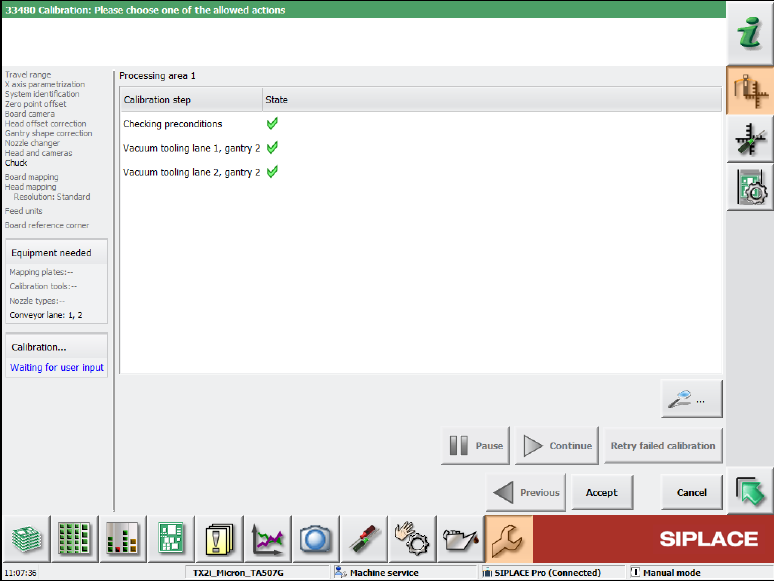
► If the calibration was successful, click the Accept button.
Figure 6-17: Vacuum tooling calibration completed
This completes the installation, configuration and calibration of the vacuum tooling.