ACT - Accuracy Check Tool.pdf - 第216页
ACT with SSW 7xx / User Manual 07/2017 Edition 108 7.3.3 Others As first step when t he ACT measurem ent is started the grid on the edge g ets measured or i s approached. Example: dirty grid Cleaning the glass plate ► Cl…
ACT with SSW 7xx / User Manual 07/2017 Edition
107
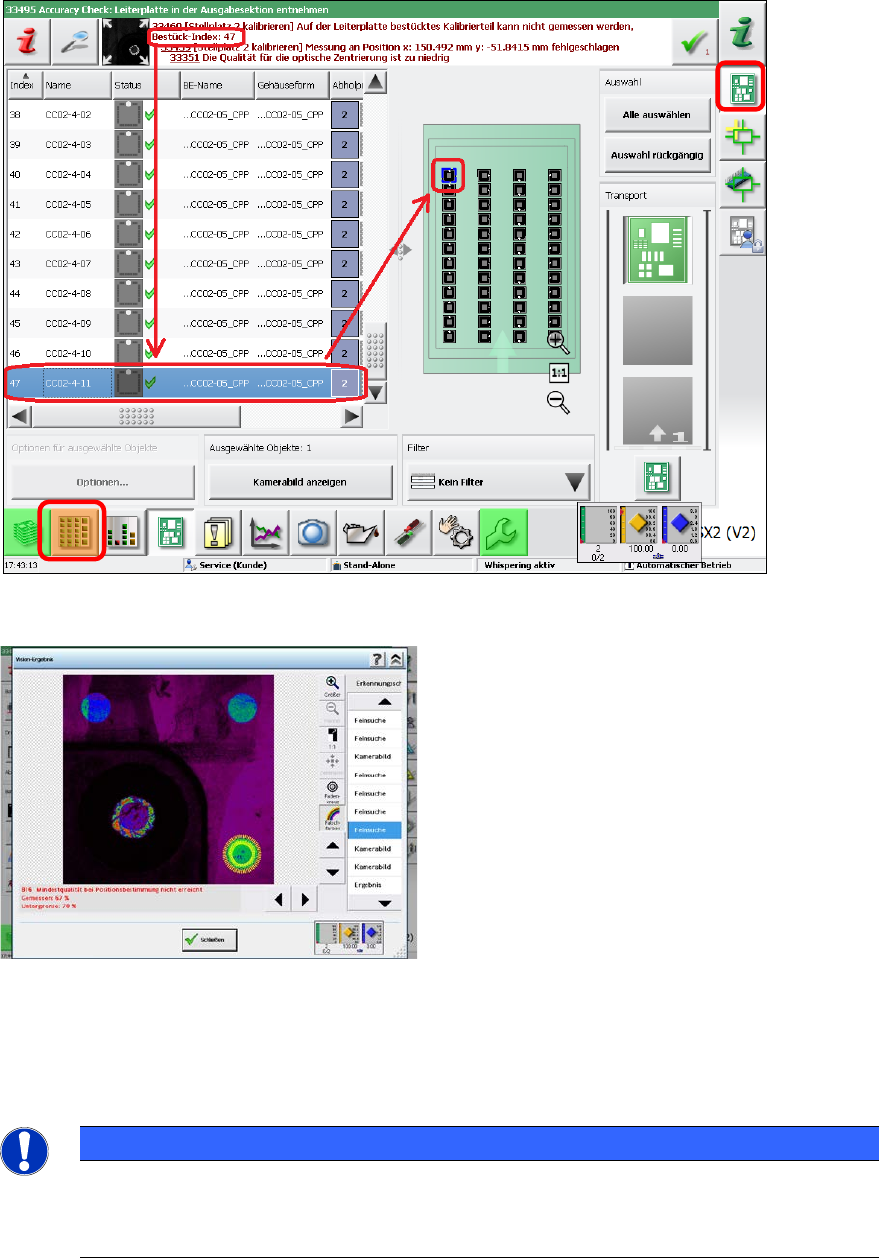
As of the 707.x station software version, an error message with Bestück-Index: Nummer
(Placement index: number) is displayed together with each error measurement.
By clicking on the icon to the left of the error message a window opens in which the details of the
optical (error) measurement are displayed.
Cleaning the glass components
The CC02-05 glass components must not be cleaned in an ultrasonic bath.
► Clean the glass side of the components with a lint-free cloth and glass cleaning agent (alcohol).
► Brush the holes at the top (with the fiducials) carefully with a fine brush.
NOTICE
The glass disk is glued into the plastic housing. The disk is only 0.2 mm thick.
► Therefore, when cleaning the fiducial holes, be careful not to pressure the brush on
the glass.
ACT with SSW 7xx / User Manual 07/2017 Edition
108
7.3.3 Others
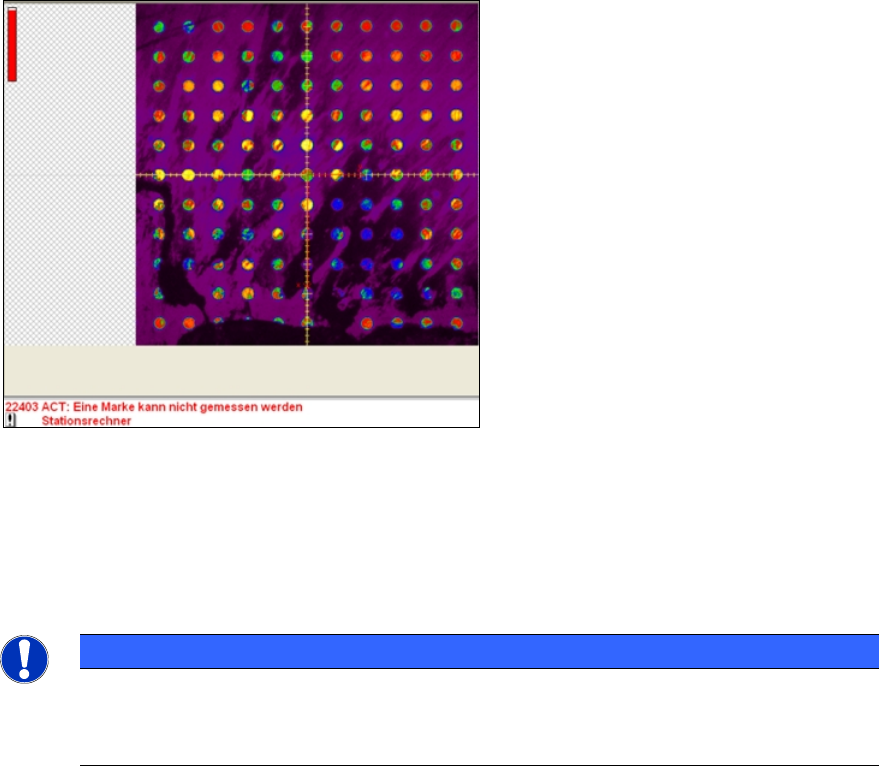
As first step when the ACT measurement is started the grid on the edge gets measured or is
approached.
Example: dirty grid
Cleaning the glass plate
► Clean the glass plate when replacing the adhesive foil.
► Use a lint-free cloth and glass cleaning agent (alcohol) for this.
► Also remove the light plate and clean the glass plate on both sides.
NOTICE
Applying the adhesive foil
► Make sure that the foil (as described in section 3.1
) is only applied up to the
boundary line and that the grid is not covered!
ACT with SSW 7xx / User Manual 07/2017 Edition
109
8 Abbreviations
ACT Accuracy Check Tool
CO Component
C&P Collect & Place
CP Cerampad
MTC Matrix Tray Changer
P&P Pick&Place
TH Twin Head
WPC Wafflepack changer