Autosite_Users_Manual.pdf - 第110页
Trans lati on Form ats B-12 AutoSite User Manual Spectrum Format, Codes 12 or 13 In this format, bytes are recorded in ASCII codes with binary digits represented by 1s and 0 s. D uring output, each byte is preceded by a …
Translation Formats
AutoSite User Manual B-11
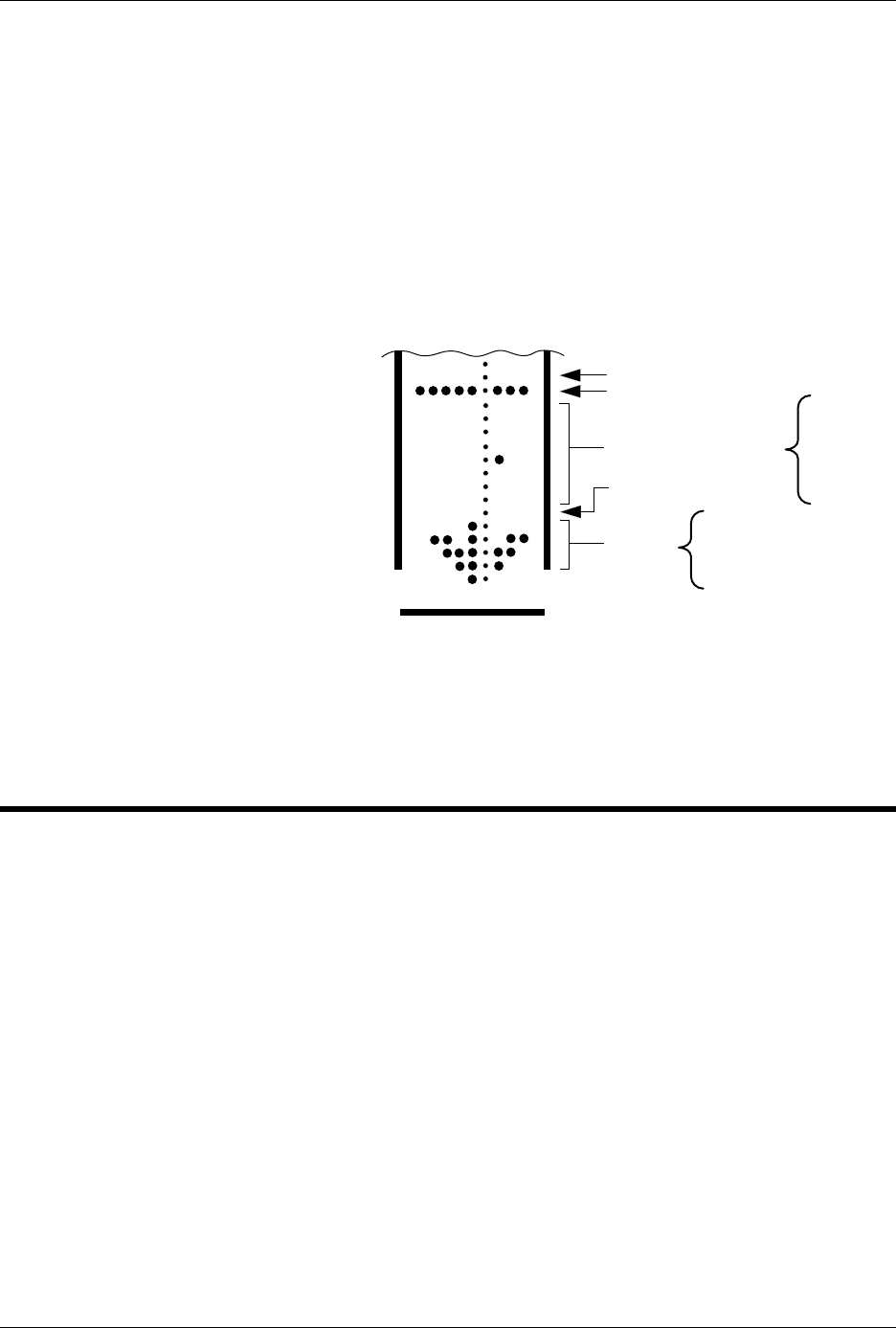
A paper tape generated by a programmer contains a 5-byte, arrow-
shaped header followed by a null and a 4-nibble byte count. The start
code, an 8-bit rubout, follows the byte count. The end of data is signaled
by two nulls and a 2-byte sumcheck of the data field. Refer to Figure B-4.
If the data output has a byte count GREATER than or equal to 64K, an
alternate arrow-shaped header is used. This alternate header (shown
below) is followed by an 8-nibble byte count, sandwiched between a null
and a rubout. The byte count shown here is 40000H (256K decimal). If the
byte count is LESS than 64K, the regular arrowhead is used instead. Data
that are input using Formatted Binary format will accept either version of
this format.
In addition, a third variation of this binary format is accepted on
download. This variation does not have an arrowhead and is accepted
only on input. The rubout begins the format and is immediately followed
by the data. There is no byte count or sumcheck.
DEC Binary Format, Code 11
Data transmission in the DEC Binary format is a stream of 8-bit data
words with no control characters except the start code. The start code is
one null preceded by at least one rubout. The DEC Binary format does
not have addresses.
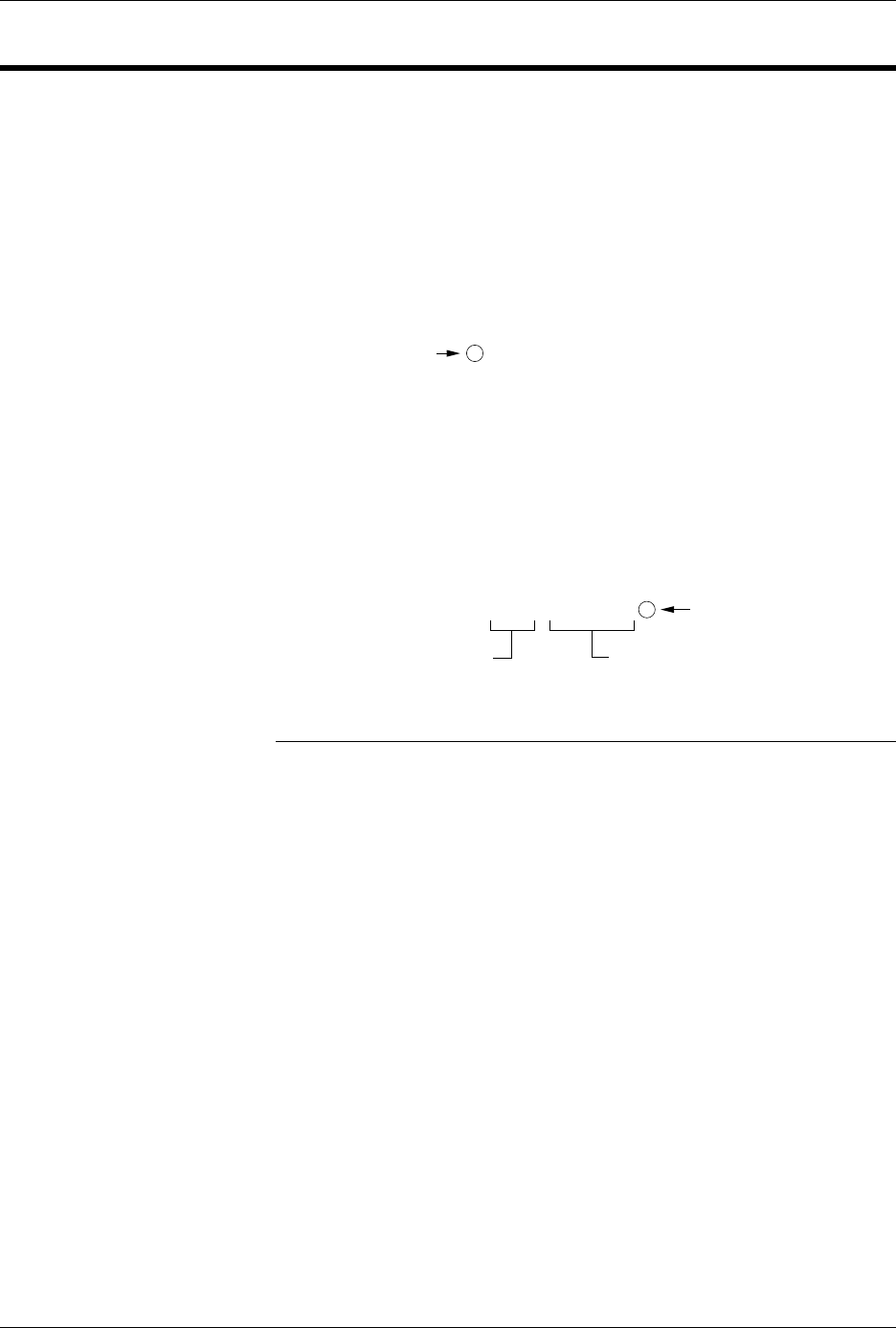
Figure B-4
An Example of Formatted Binary
Format
RUBOUT (FF)
8 NIBBLE BYTE COUNT
NULL (00)
ARROW
HEAD
08
6B
3E
1C
08
0483-2
DATA
00
00
00
00
04
00
00
00
Translation Formats
B-12 AutoSite User Manual
Spectrum Format, Codes 12 or 13
In this format, bytes are recorded in ASCII codes with binary digits
represented by 1s and 0s. During output, each byte is preceded by a
decimal address.
Figure B-5 shows sample data bytes coded in the Spectrum format. Bytes
are sandwiched between the space and carriage return characters and are
normally separated by line feeds. The start code is a nonprintable STX,
CTRL-B (or hex 02), and the end code is a nonprintable ETX, CTRL-C (or
hex 03).
Note: Data without a start or end code may be input to or output from the
programmer by use of the alternate data translation format code, 13
Figure B-5
An Example of Spectrum Format
0000 11111111
0001 11111111
0002 11111111
0003 11111111
0004 11111111
0005 11111111
0006 11111111
0007 11111111
0008 11111111
0009 11111111
0010 11111111
0011 11111111
0012 11111111
0013 11111111
0014 11111111
0015 11111111
End code is a
nonprintable EXT
4 or 8 data bits appear between the
space and the carriage return
Address Code is 4
decimal digits
Optional Start Code
is a nonprintable STX
0077-2

Translation Formats
AutoSite User Manual B-13
POF (Programmer Object File) Format, Code 14
The POF (Programmer Object File) format provides a highly compact
data format to enable translation of high bit count logic devices
efficiently. This format currently applies to MAX™ devices, such as the
Altera 5032.
The information contained in the file is grouped into “packets.” Each
packet contains a “tag,” identifying what sort of data the package
contains plus the data itself. This system of packeting information allows
for future definitions as required.
The POF is composed of a header and a list of packets. The packets have
variable lengths and structures, but the first six bytes of every packet
always adhere to the following structure.
struct PACKET_HEAD
{
short tag; /*tag number - type of packet */
long length; /*number of bytes in rest of packet */
}
A POF is read by the program examining each packet and if the tag value
is recognized, then the packet is used. If a tag value is not recognized, the
packet is ignored.
Any packet except the terminator packet may appear multiple times
within a POF. Packets do not need to occur in numerical tag sequence.
The POF reader software is responsible for the interpretation and action
taken as a result of any redundant data in the file, including the detection
of error conditions.
The POF format currently uses the following packet types.
Note: In the following packet type descriptions, one of the terms — Used,
Skipped, or Read — will appear after the tag and name.
Used: The information in this packet is used by the programmer.
Skipped: This information is not used by the programmer.
Read: This information is read by the programmer but has no direct
application.
Creator_ID
tag=1 Used
This packet contains a version ID string from the program which created
the POF.
Device_Name
tag=2 Used
This packet contains the ASCII name of the target device to be
programmed, for example, PM9129.