Autosite_Users_Manual.pdf - 第28页
Setup and Ins tallation 2-6 Aut oSi te User Manua l Converting a Contactor Set This section describes how to convert a contactor set for use wit h AutoSite . Note: If you purchase d AutoSite and the ProMa ster 200 0 at t…
Setup and Installation
AutoSite User Manual 2-5
5. Move the four rubber pads from the bottom of the control unit to the
edge of the control unit opposite the bevelled edge.
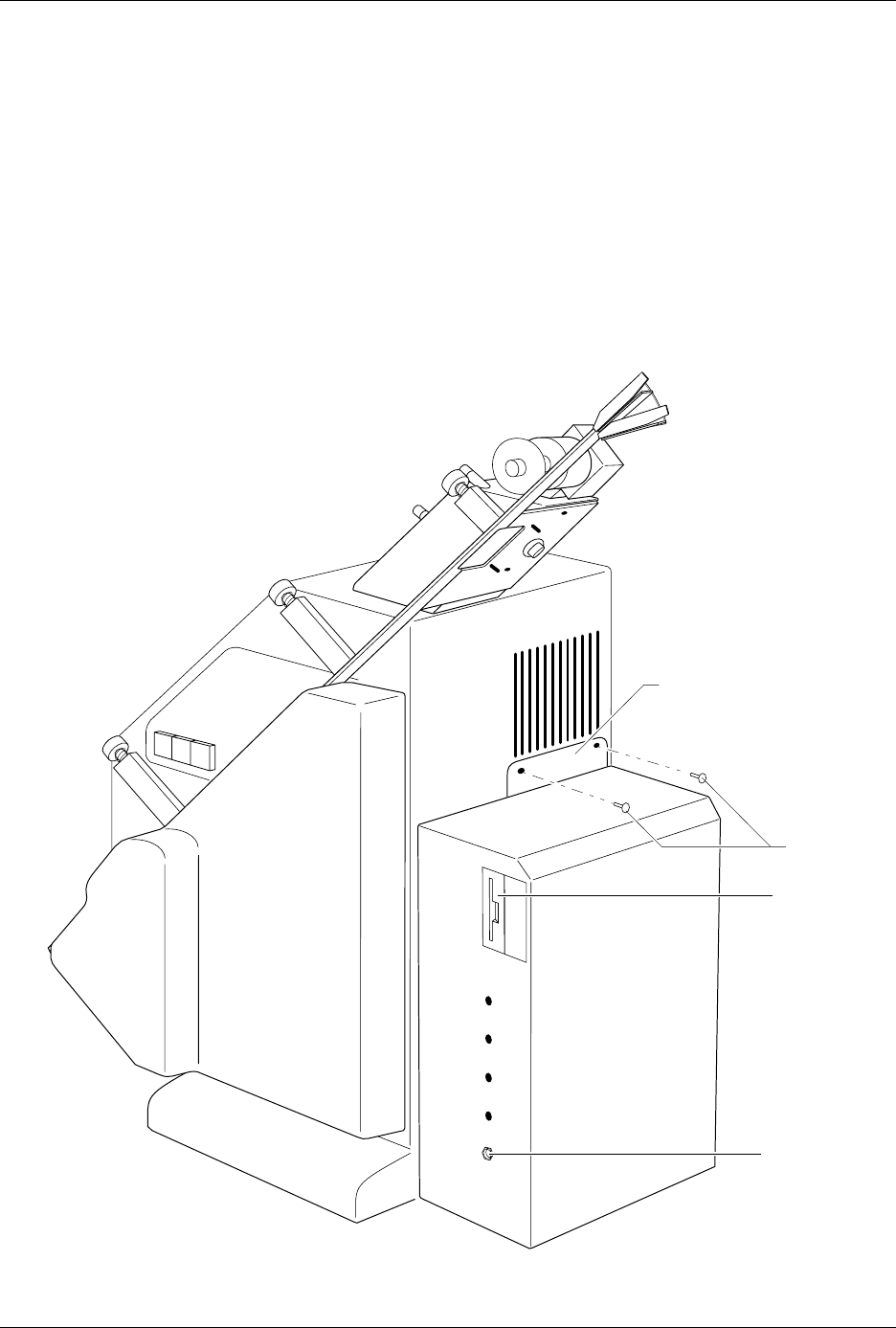
6. Locate the fan opening on the back of the 2000. Using a 5/32-inch hex
driver, remove the two screws on the bottom edge of the fan opening.
Discard these screws; you will not need them later. Position the
control unit against the back of the handler as shown in Figure 2-3.
The control unit should be sitting on its four rubber pads.
7. Attach the control unit to the handler with the two buttonhead
screws provided. Tighten the screws with a 5/32-inch hex driver. Do
not overtighten the screws.
Figure 2-3
Attaching the Control Unit to the ProMaster 2000
1345-1
CONTROL UNIT
MOUNTING PLATE
DISK DRIVE
GROUND
WRIST STRAP
CONNECTOR
SCREWS
Setup and Installation
2-6 AutoSite User Manual
Converting a
Contactor Set
This section describes how to convert a contactor set for use with
AutoSite.
Note: If you purchased AutoSite and the ProMaster 2000 at the same time, each
contactor set sent with the 2000 is ready for use with AutoSite. Go to step
6 to continue with the setup and installation.
If you purchased AutoSite and the 2000 separately (i.e., you are
connecting AutoSite to an existing 2000), you must convert each
contactor set you have before you can use it with AutoSite.
Follow the steps below to convert a contactor set for use with AutoSite:
1. Unplug the power cord from the AutoSite control unit.
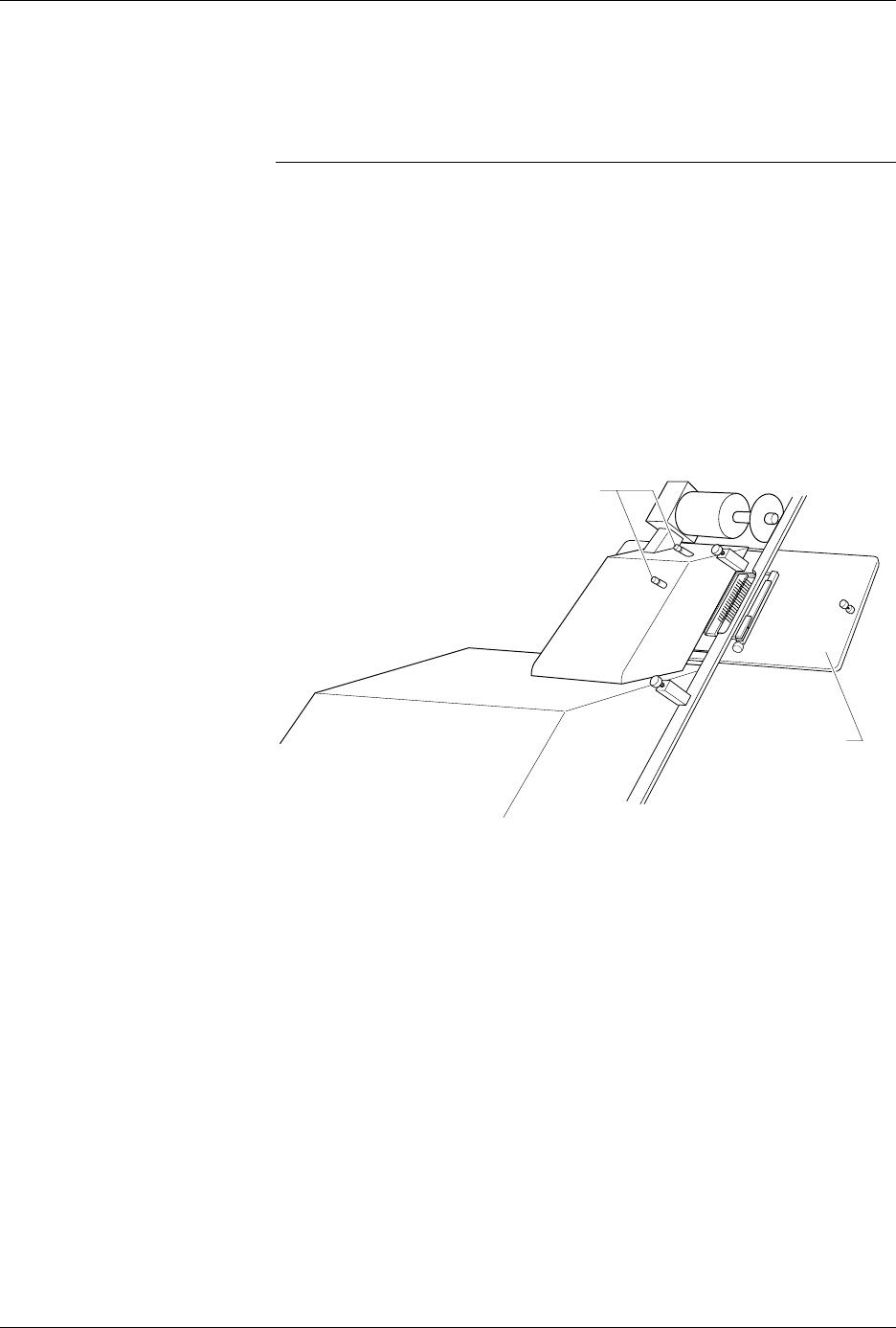
2. Remove the contactor set from the 2000 by loosening the two
thumbscrews shown in Figure 2-4. With the thumbscrews loosened,
lower the contactor set from the 2000.
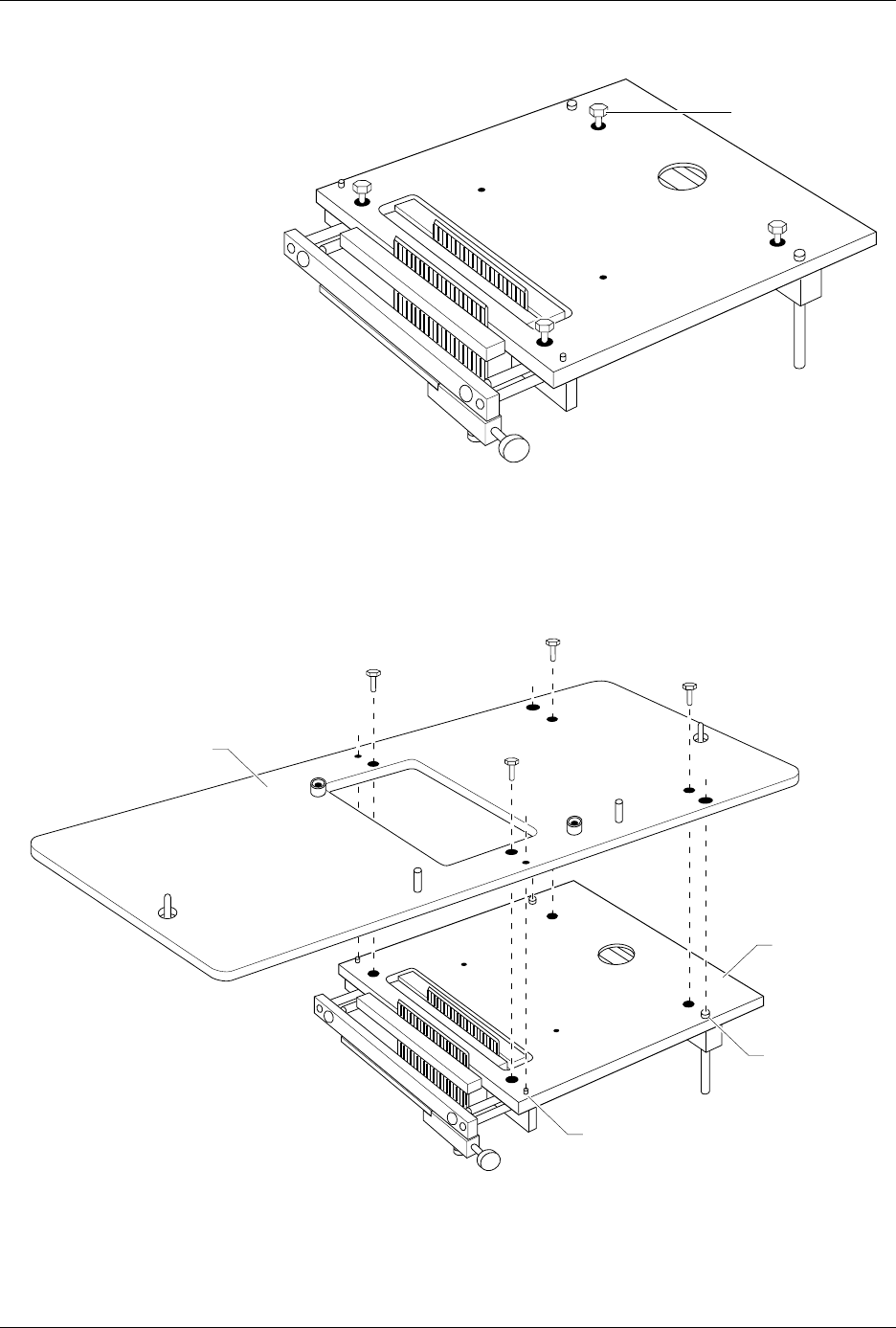
3. Using a 5/32-inch hex driver, remove the four hex head screws
shown in Figure 2-5. Discard these screws; you will not need them
later.
Figure 2-4
Removing the Contactor Set from
the ProMaster 2000
1346-1
CONTACTOR SET
THUMBSCREWS
Setup and Installation
AutoSite User Manual 2-7
4. Position the pin driver head mounting plate on the contactor set as
shown in Figure 2-6. Make sure the guide pins on the contactor set
align with the proper guide holes on the pin driver head mounting
plate.
Figure 2-5
Removing Four Hexhead Bolts from
the Contactor Set
Figure 2-6
Attaching the Contactor Set to the Mounting Plate
1347-1
HEX HEAD SCREW
(1 of 4)
1348-1
PIN DRIVER HEAD
MOUNTING PLATE
CONTACTOR
SET
LARGE GUIDE
PIN (1 of 2)
SMALL GUIDE PIN (1 of 2)