Autosite_Users_Manual.pdf - 第40页
Setup and Ins tallation 2-18 Auto Site Us er Man ual 5. Locate the test site reader optic, which is sh own in Fig ure 2-16. 6. Using a 5/64 -inch hex driver, remove the lower opt ic from the lower plate. Discard the hex …
Setup and Installation
AutoSite User Manual 2-17
12. Using a 5/32-inch hex driver, remove the eight hex head screws on
the left side of the programmer shelf. Set these screws aside; you will
need them later.
Note: Support the shelf before you remove the last few screws. The shelf will fall
from the 3000 when you remove the last screw.
13. After you have removed all eight screws, remove the programmer
shelf and discard it. You will no longer need the programmer shelf.
Reroute the Optics
Follow the steps below to reroute the optics on the 3000 (or 7000):
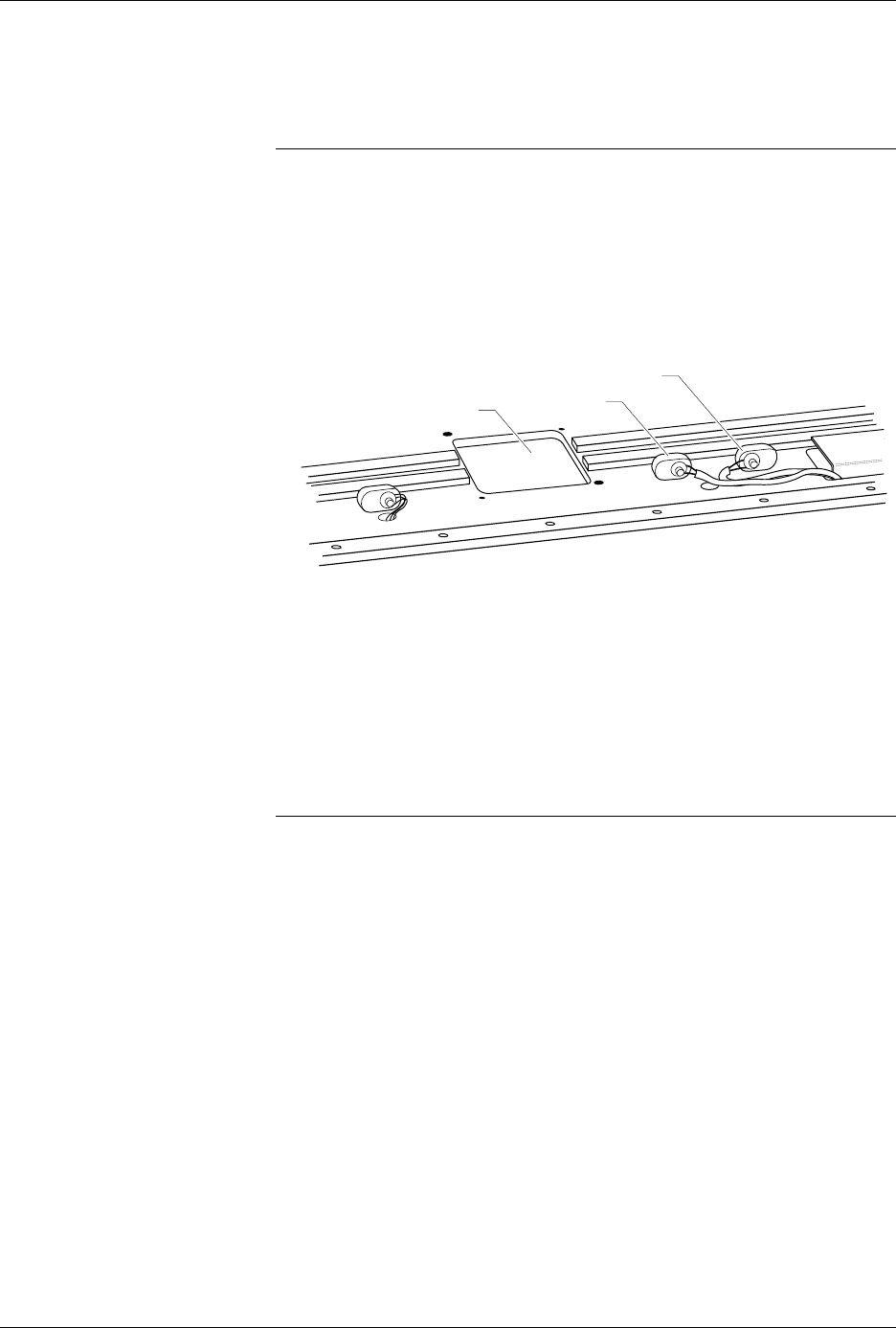
1. Locate the two optics shown in Figure 2-15.
2. Working with one optic at a time, follow the steps below:
a. Trace the optic wire back to its connector.
b. Disconnect the connector.
c. Feed the optic wire back through the hole so the optic wire is
above the programming track.
d. Feed the optic wire down through the new opening.
e. Reconnect the optic wire to the connector.
Note: You may have to cut a cable tie to free up enough of the optic wire to allow
you to reroute the optic through the new opening.
3. Repeat the procedure described in step 2 with the other optic shown
in Figure 2-15.
4. Using a cable tie, secure the rerouted optic wires to an adjacent wire
bundle.
Figure 2-15
Rerouting Two Optics
OPTIC 1
1409-1
OPTIC 2
PROGRAMMING STATION
Setup and Installation
2-18 AutoSite User Manual
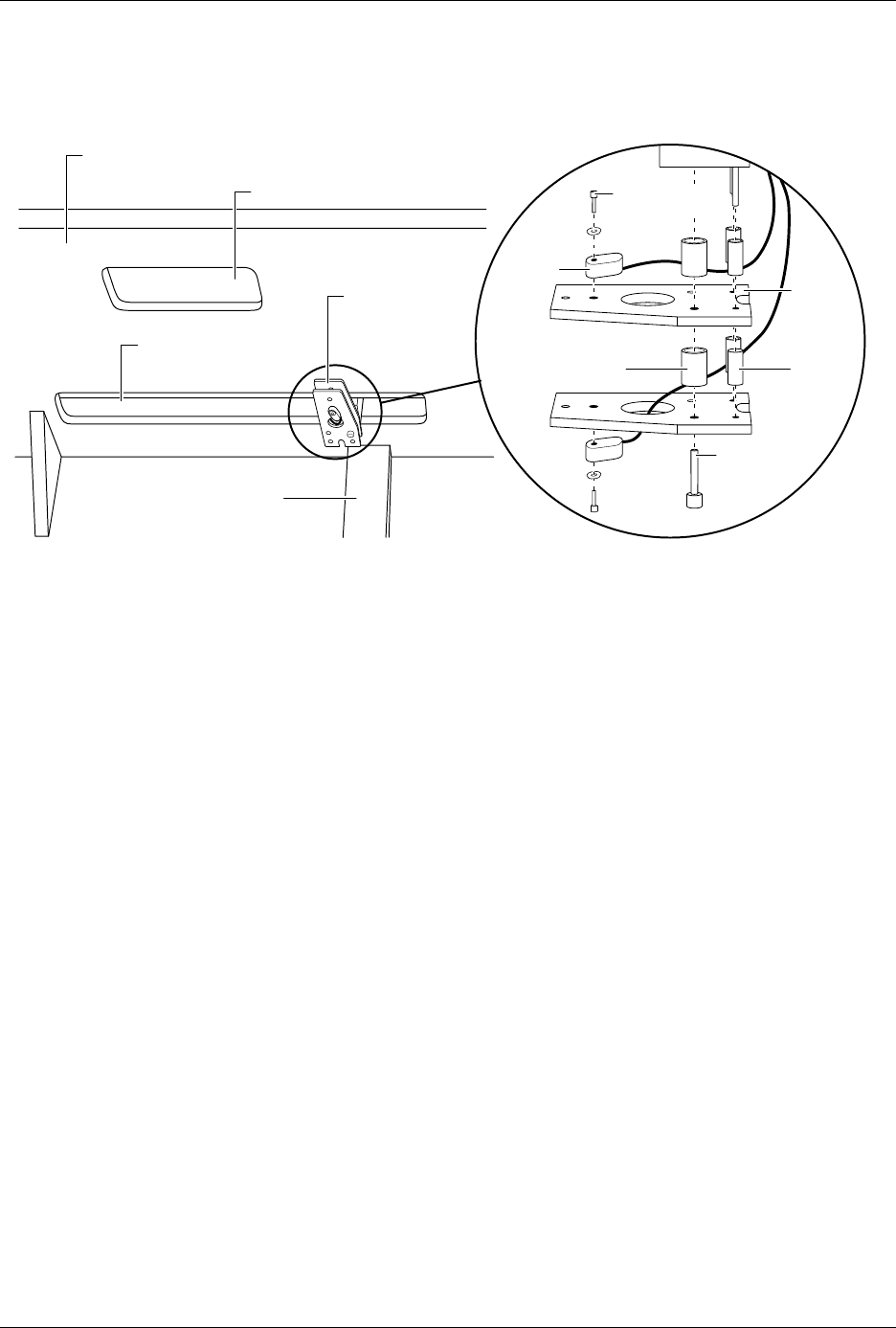
5. Locate the test site reader optic, which is shown in Figure 2-16.
6. Using a 5/64-inch hex driver, remove the lower optic from the lower
plate. Discard the hex head screw and the washer; you will not need
them later.
7. Using a hex driver, loosen, but do not remove, the large hex screw
shown in Figure 2-16.
8. Hold the lower plate in place while you remove the hex screw from
the handler. When you remove the screw, remove the plate and the
three lower standoffs from the handler. Discard the lower plate and
the lower standoffs; you will not need them later.
9. Remove the upper plate and the three upper standoffs from the
handler. Discard the upper standoffs; you will not need them later.
10. Using a 5/64-inch hex driver, remove the upper optic from the upper
plate. Discard the upper plate, the hex head screw, and the washer;
you will not need them later.
11. Using a cable tie, secure the two optic read heads together.
12. Make certain that you secure the optics so they do not interfere with
the full travel of beam 1 to both ends of its run. Push beam 1 all the
way to the right and left to check the optics do not interfere with the
full travel of the beam.
Figure 2-16
The Location of the Test Site Reader Optic
1410-1
SMALL
SPACER
(1 of 4)
LARGE SPACER
(1 of 2)
LARGE HEX
HEAD
SCREW
PLATE
(1 of 2)
PROGRAMMING STATION
UNDER SIDE OF HANDLER
SMALL HEX
HEAD SCREW
(1 of 2)
OPTIC
( 1 of 2)
TRACK
TEST SITE
READER OPTIC
OPENING FOR
BEAM 1
Setup and Installation
AutoSite User Manual 2-19
Install the Control
Unit
Follow the steps below to install the control unit into the 3000. This
section does not apply to a 7000. If you are installing AutoSite into a 7000,
set the control unit in the programmer shelf and continue with the section
titled “Convert a a Test Site to a Programming Module.”
CAUTION: In this section, you will be working with the programmer
shelf on the 3000. The shelf is supported by an air shock and
can spring up when you turn the knob or when you detach
the shock from the programmer shelf.
Use caution when adjusting the programmer shelf or
working with the air shock.
1. Using the eight new 5/32-inch screws supplied in the installation kit,
fasten the new control unit mounting plate to the handler. Position
the mounting plate so the beveled edge points to the left.
Note: For best results, we suggest that you fasten one screw half way. Then, lift
the mounting plate up a few inches and fasten the remaining seven screw.
2. Insert the threaded end of the new, shorter shaft into the control unit
mounting plate. Thread the shaft into the shelf lock, which is visible
through the oval cutout in the mounting plate.
3. Position the conversion plate onto the shelf guide so the three-holed
side of the plate lines up with the three holes in the shelf guide. Also,
check that the two-holed side of the conversion plate is on the same
side of the shelf guide as the air shock. Finally, make sure the three
counter-sunk holes on the conversion plate are facing away from the
air shock.
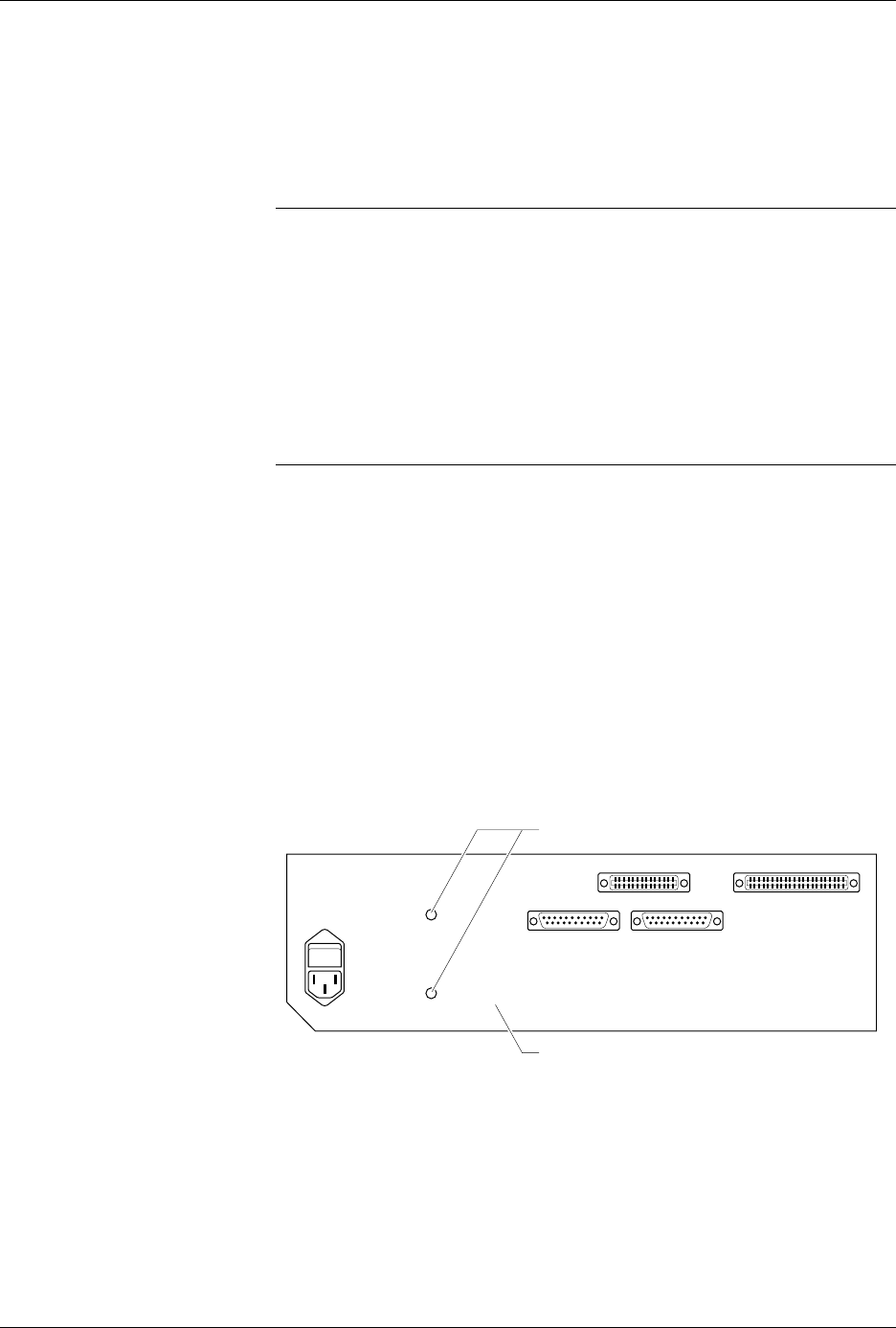
4. Using a #2 Phillips screwdriver and the three flathead screws
provided, fasten the conversion plate to the shelf guide.
Figure 2-17
The Location of the Two
Conversion Plate Screw Holes
1411-1
SCREW LOCATIONS
CONTROL UNIT