Autosite_Users_Manual.pdf - 第44页
Setup and Ins tallation 2-22 Auto Site Us er Man ual Note : Se e the section in th is chapter titled “Mo re About Ca bles” if yo u are using a serial port wit h nonstandard pinouts or if you want to build y our own seria…
Setup and Installation
AutoSite User Manual 2-21
Connect the Pin
Driver Head
Connect the AutoSite pin driver head to a ProMaster 3000 handler as
follows:
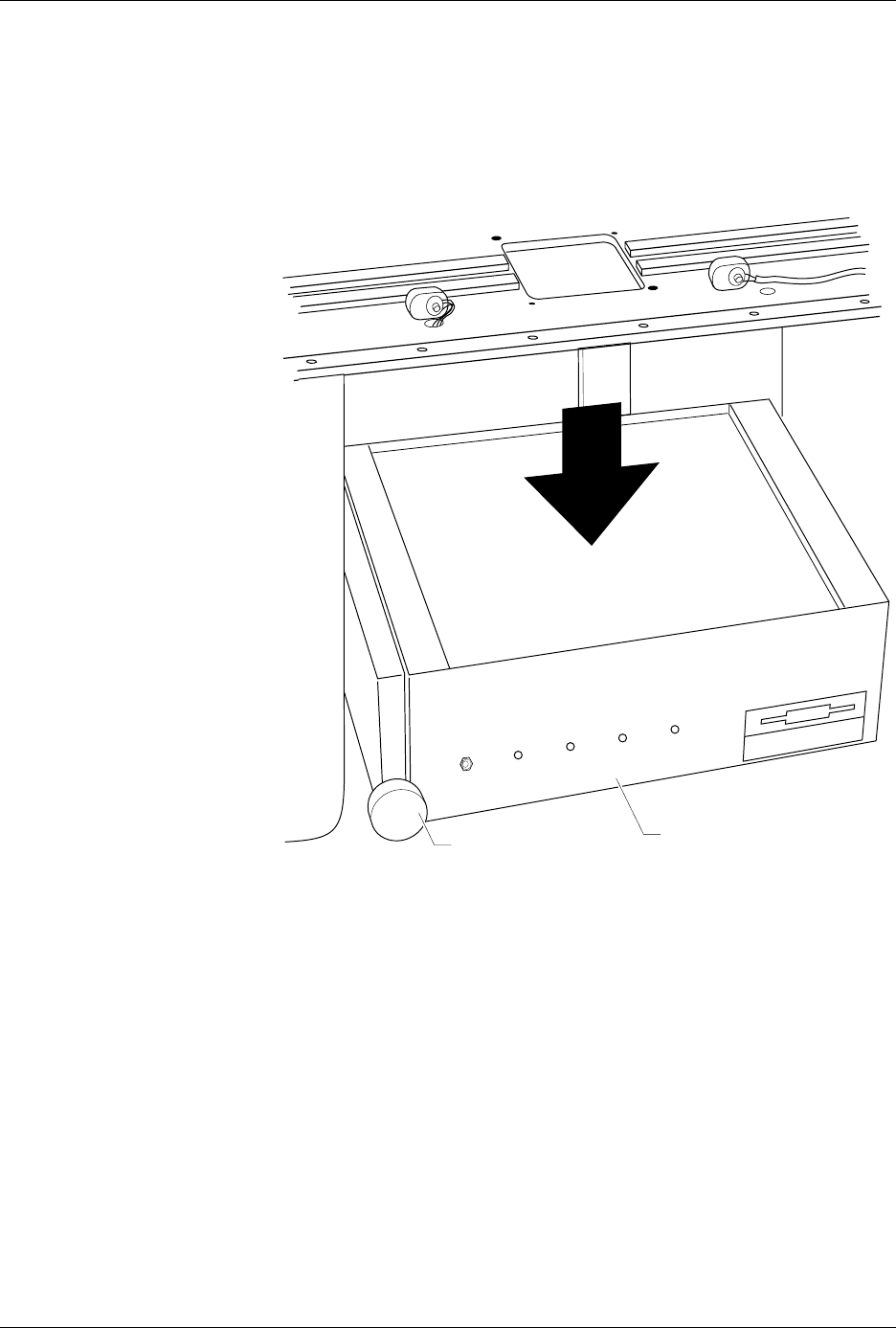
1. Loosen the knob and move the control unit down, giving you more
room to work.
2. Remove any test site from the programming station on the 3000.
3. Verify that the 50-pin cable and the 68-pin cable are connected and
properly fastened to the AutoSite control unit. Do not connect the
other end of the 50-pin and 68-pin cables yet. The 50-pin cable and 68-
pin cable and the ports they connect to are shown in Figures 1-1 and
1-3.
4.
(For control units without connector brackets at ports J1 and J2.)
The
50-pin and 68-pin cables click when properly connected.
5. Connect a 25-pin RS-232C serial cable to the Handler port on the
AutoSite control unit. Refer to Figure 1-3 for the location of the
Handler port.
6. Connect the other end of the serial cable to a serial port on the PC.
Figure 2-18
Lowering the Control Unit
1416-1
CONTROL UNIT
KNOB
POWER
AUXILIARY
HANDLER
SELF TEST
Setup and Installation
2-22 AutoSite User Manual
Note: See the section in this chapter titled “More About Cables” if you are using
a serial port with nonstandard pinouts or if you want to build your own
serial cable.
7. If the clamp ring is installed on the pin driver head, slide the clamp
ring off and set it aside; you will need it later. The clamp ring is
shown in Figure 2-10.
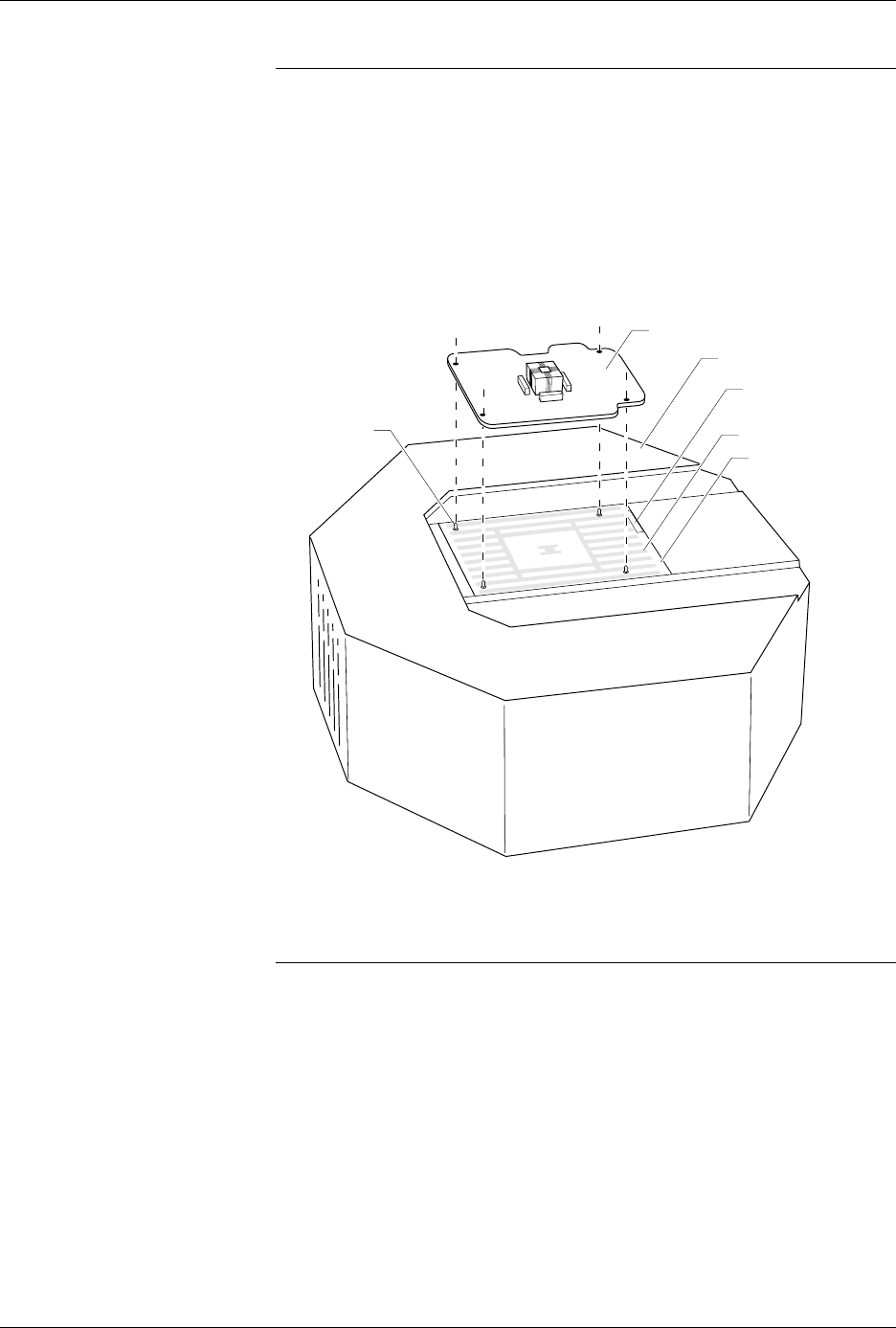
8. As shown in Figure 2-19, set a programming module onto the pin
driver head, making sure the guide pins on the pin driver head line
up with the guide holes in the programming module.
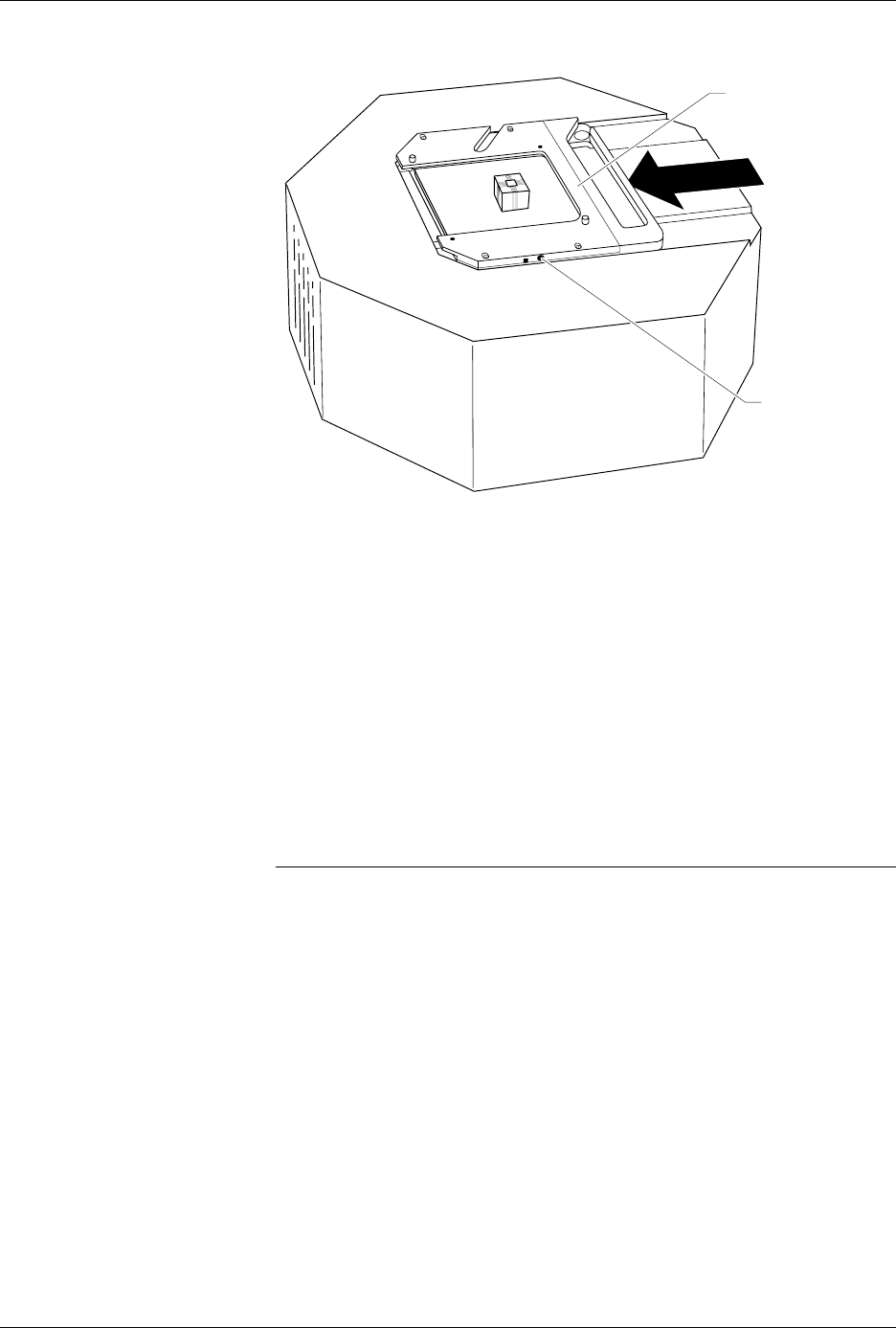
9. As shown in Figure 2-20, slide the clamp ring onto the pin driver
head, securing the new programming module in place.
CAUTION: You may have to push down on the programming module
while sliding the clamp ring onto the pin driver head.
Do not use the device socket on the programming module as
a leverage point. You can damage the device socket by
applying any sort of force to it.
You will feel and hear a “click” from the clamp ring when the
programming module is properly secured to the pin driver head.
Figure 2-19
Aligning a Programming Module
on the Pin Driver Head
1360-3
PROGRAMMING MODULE
GUIDE PIN
(1 of 4)
PIN DRIVER HEAD
SPA BLOCK
SQUIRT PINS
PART NUMBER
LABEL
Setup and Installation
AutoSite User Manual 2-23
10.
(For pin driver heads without connector brackets at ports J1 and J2.)
Connect the other end of the 50-pin and 68-pin cables to the pin
driver head. The 50-pin and 68-pin cables click when properly
connected to the pin driver head.
(For pin driver heads with connector brackets at ports J1 and J2.)
Remove the two screws that hold the connector shell together at the
unconnected end of the 50-pin cable. Plug the 50-pin cable into the
appropriate port on the pin driver head and fasten it to the connector
bracket by aligning the holes in the bracket with the holes on the
connector shell and reinserting the screw through the holes. Tighten
the screws.
Repeat the procedure for the 68-pin cable.
11. Lift up the hood on the handler.
Note: Read the next two steps before proceeding with either step.
12. Position the pin driver head below the programming station with the
clamp ring to the right. Line up the guide pins on the programming
module with the guide pin holes in the handler.
13. Using the two pin driver head thumbscrews provided, secure the pin
driver head to the handler. See Figure 2-21 for the location of the
holes for the thumbscrews.
Figure 2-20
Securing a Programming Module
to the Pin Driver Head
1361-2
PROGRAMMING
MODULE CLAMP RING
ADJUSTMENT
SCREW