00196504-02_UM_X-Serie_SR70X_EN.pdf - 第259页
User manual SIPLACE X-series Setting up and commissioning From software version SR.70x.xx 01/2011 EN edition Setting up the machine 259 4.3.1 1 Installing the box PC unit on the SIPL ACE X4/ X3/X2 4.3.1 1.1 Box PC unit -…
Setting up and commissioning User manual SIPLACE X-series
Setting up the machine From software version SR.70x.xx 01/2011 EN edition
258
4.3.10.7 Fitting the "bottom" hand guard
The machines are supplied with just one "bottom" hand guard. If the machines are installed within
a line, then no hand guard is required between immediately adjacent output and input conveyors.
WARNING 4
Always fit the "bottom" hand guard (item no. 03045426-01) on the input side of the first machine
and on the output side of the last machine of a line using 4 hexagon socket head screws M4x12.
This will prevent your personnel reaching into the machine without authorization.
4
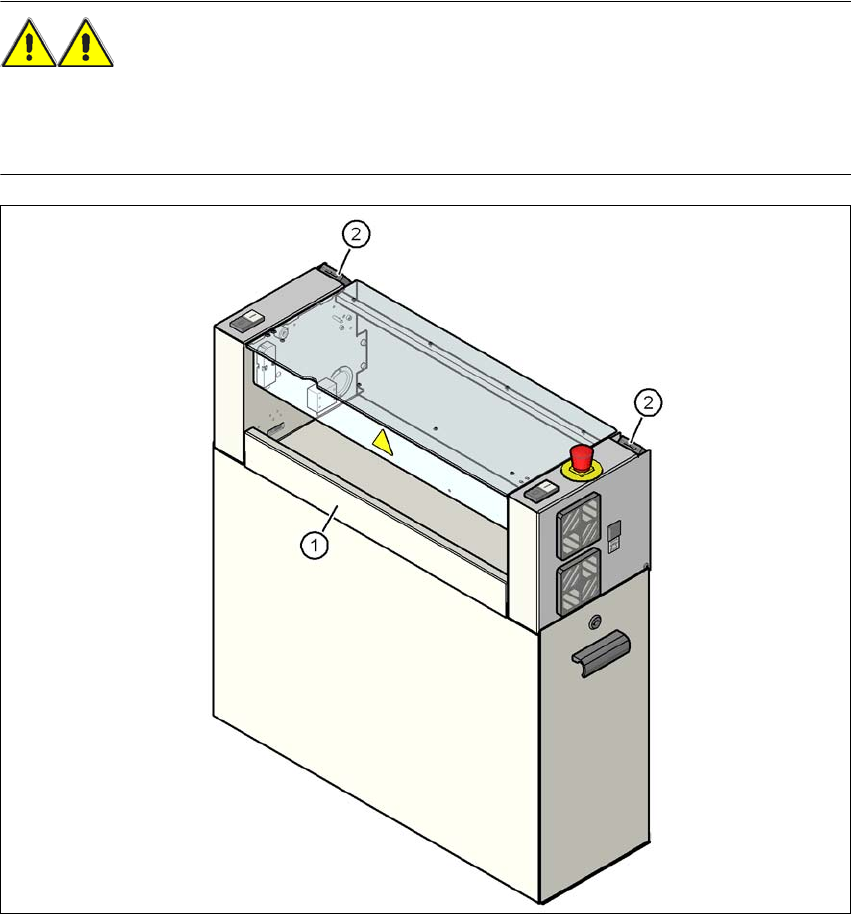
Fig. 4.3 - 17 Fitting the "bottom" hand guard on the PCB output side
(1) "Bottom" hand guard, item no. 03045426-xx
(2) Protective cover switch
User manual SIPLACE X-series Setting up and commissioning
From software version SR.70x.xx 01/2011 EN edition Setting up the machine
259
4.3.11 Installing the box PC unit on the SIPLACE X4/X3/X2
4.3.11.1 Box PC unit - electrical connection points
4
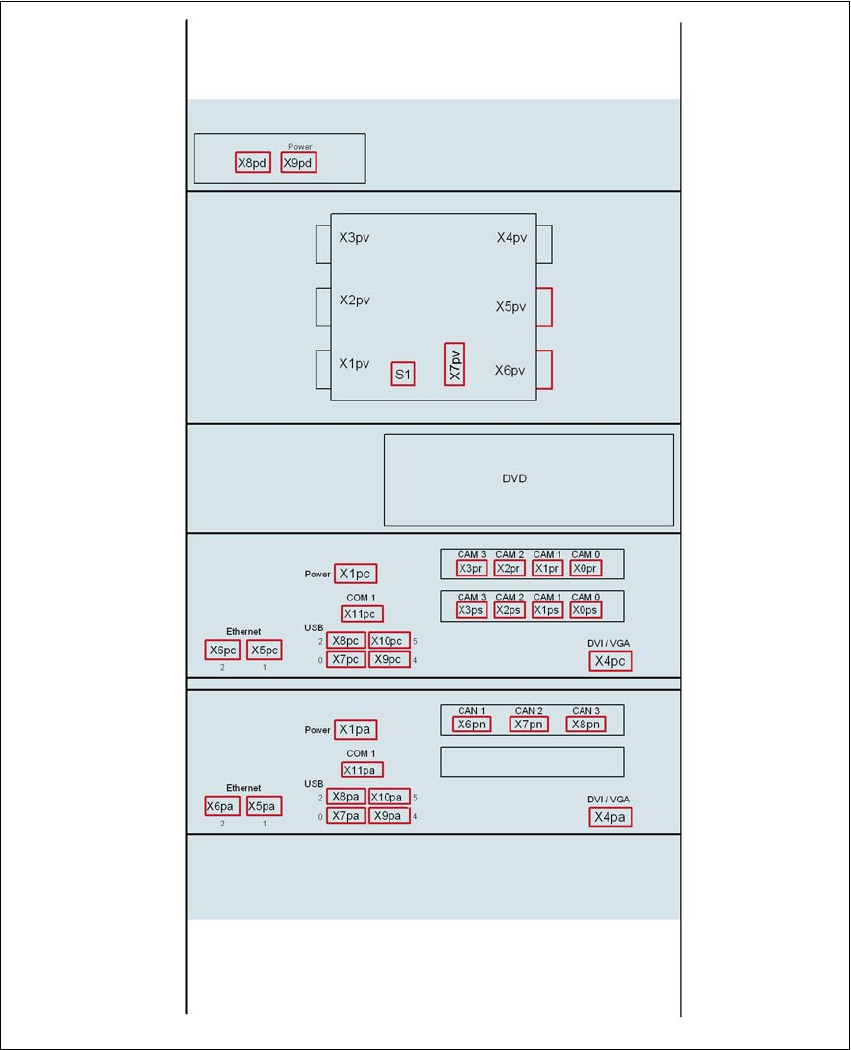
Fig. 4.3 - 18 Box PC unit for SIPLACE X4/X3/X2, front panel - connecting the plugs
USB hub
Video multiplexer
Control computer
Machine controller
Setting up and commissioning User manual SIPLACE X-series
Setting up the machine From software version SR.70x.xx 01/2011 EN edition
260
4
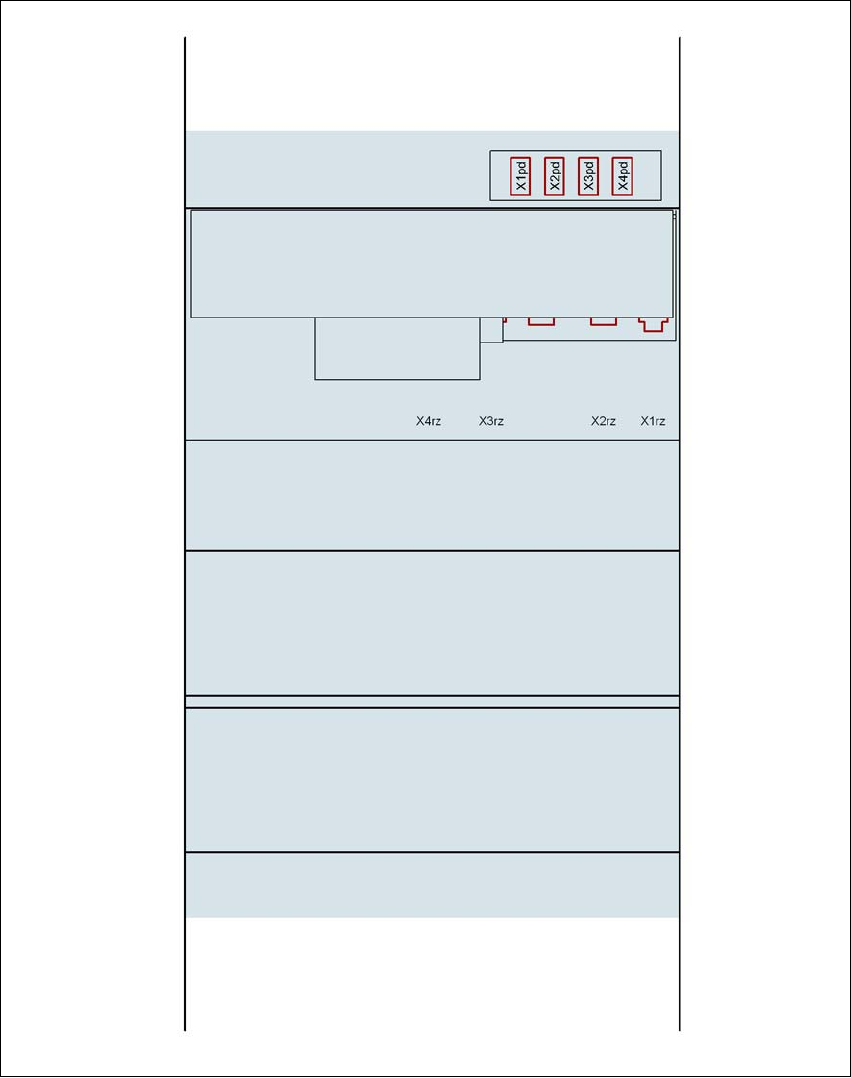
Fig. 4.3 - 19 Box PC unit for SIPLACE X4/X3/X2, rear panel - connecting the plugs
USB hub
DC/DC converter
Control computer
Machine controller
Box PC voltage distributor