00196504-02_UM_X-Serie_SR70X_EN.pdf - 第270页
Setting up and commissioning User manual SIPLACE X-series Setting up the machine From software version SR.70x.xx 01/2011 EN edition 270 4.3.16 Machine foot clearances and the st ationary PCB conveyor edges 4.3.16.1 Machi…
User manual SIPLACE X-series Setting up and commissioning
From software version SR.70x.xx 01/2011 EN edition Setting up the machine
269
4
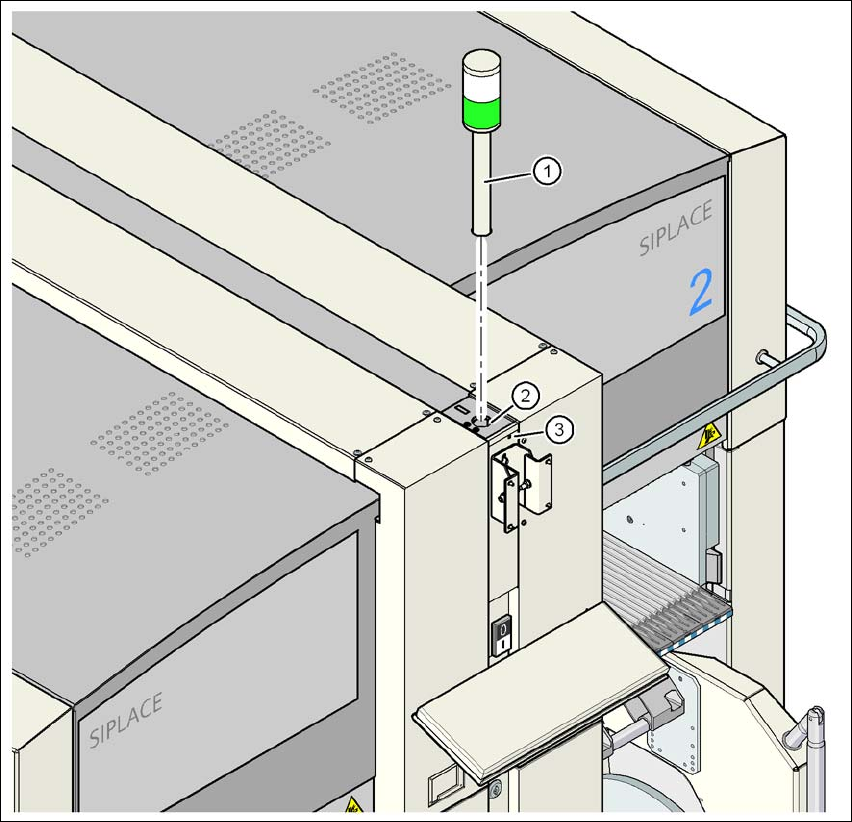
Fig. 4.3 - 22 Fitting the indicator lamp
(1) Indicator lamps
(2) Hole for the indicator lamp
(3) Hole for the locking screw
4.3.15 Fixing the monitors
→ Fix the monitors and connect the cables.
→ Check the cable connections
Setting up and commissioning User manual SIPLACE X-series
Setting up the machine From software version SR.70x.xx 01/2011 EN edition
270
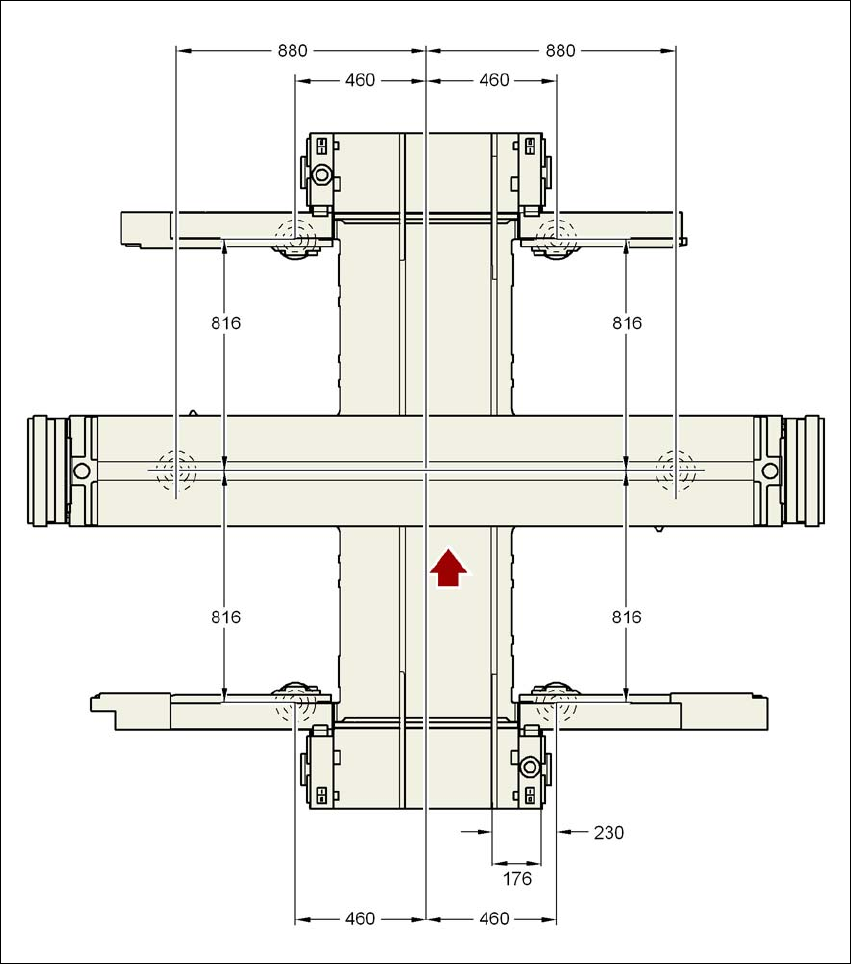
4.3.16 Machine foot clearances and the stationary PCB conveyor edges
4.3.16.1 Machine foot clearances and the stationary right conveyor edge for the
PCB single conveyor
4
Fig. 4.3 - 23 Machine foot clearances and the stationary right conveyor edge for the PCB single conveyorin millime-
ters - standard transport width
User manual SIPLACE X-series Setting up and commissioning
From software version SR.70x.xx 01/2011 EN edition Setting up the machine
271
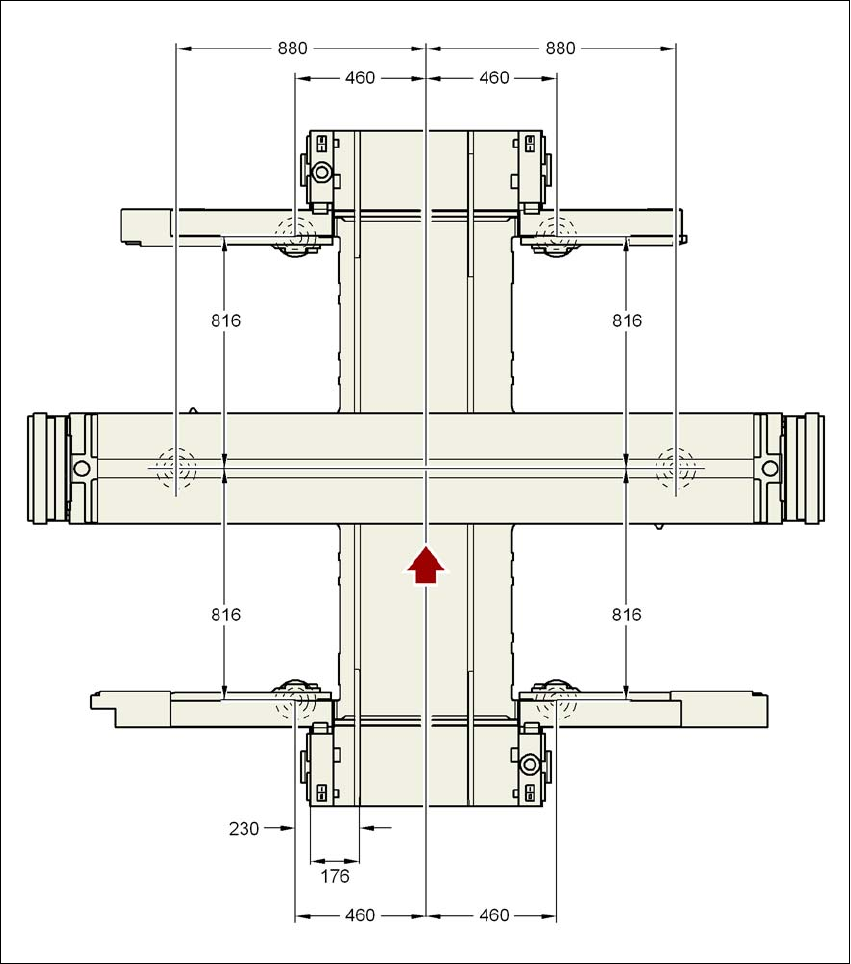
4.3.16.2 Machine foot clearances and the stationary left conveyor edge for the
PCB single conveyor
4
Fig. 4.3 - 24 Machine foot clearances and the stationary left conveyor edge for the PCB single conveyor
in millimeters - standard transport width