00196504-02_UM_X-Serie_SR70X_EN.pdf - 第348页
Tasks on the machine User manual SIPLACE X-series Docking the component trolley in or out From software version SR.70x.xx 01/2011 EN edition 348 5 Fig. 5.15 - 4 Co mponent trolley X-series - swivel handles down (1) Push …
User manual SIPLACE X-series Tasks on the machine
From software version SR.70x.xx 01/2011 EN edition Docking the component trolley in or out
347
CAUTION 5
Be careful when you push the CO trolley into the machine and make sure that the locking latches
(item 3 in Fig. 5.15 - 3, page 346) do not bump into obstacles.
PLEASE NOTE 5
Cut the component tapes off flush with the front end of the X feeder modules before you dock in
the component trolley.
CAUTION 5
Check that the placement head is outside the range of the component trolley.
→ Carefully push the component trolley into machine as far as the stop.
PLEASE NOTE 5
Close the protective covers since the component trolley can only be docked in if the covers are
closed.
→ Press the relevant button on the input or output side of the machine (item 1, 2, 3 or 4 in Fig.
5.15 - 1
, page 344), until the trolley is docked in fully.
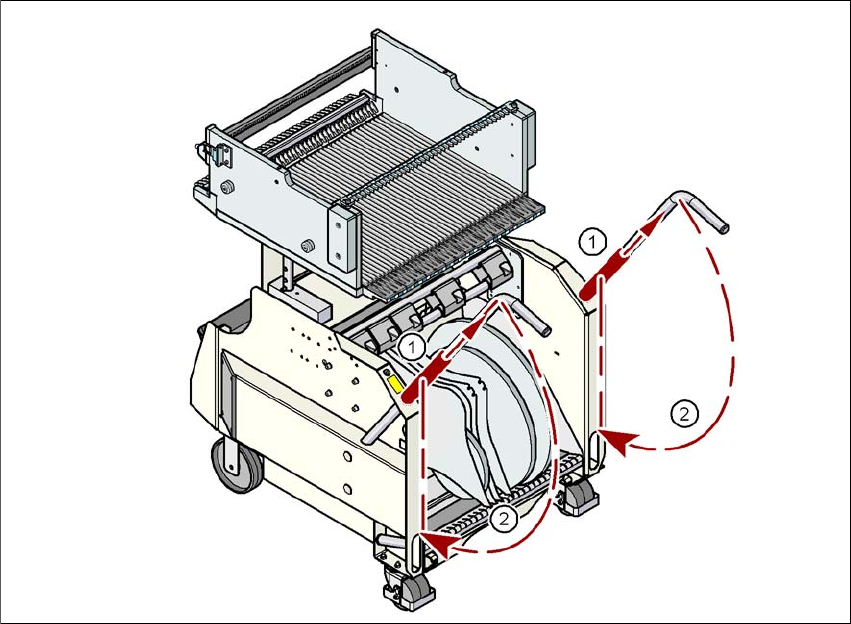
→ Push the sleeve (item 1 in Fig. 5.15 - 4
, page 348) up using both handles and swivel the han-
dle down (item 2 in Fig. 5.15 - 4
, page 348).
Tasks on the machine User manual SIPLACE X-series
Docking the component trolley in or out From software version SR.70x.xx 01/2011 EN edition
348
5
Fig. 5.15 - 4 Component trolley X-series - swivel handles down
(1) Push sleeve up
(2) Fold handle down
User manual SIPLACE X-series Tasks on the machine
From software version SR.70x.xx 01/2011 EN edition Docking the component trolley in or out at the docking station
349
5.16 Docking the component trolley in or out at the
docking station
5
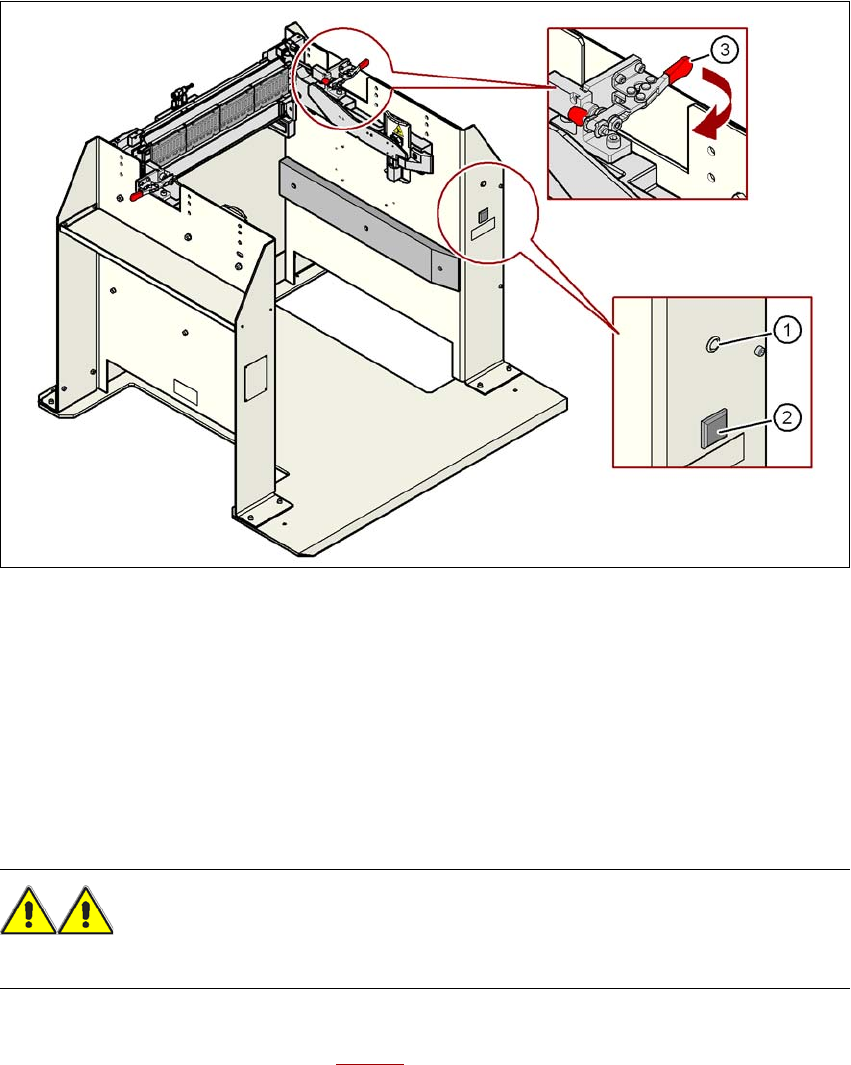
Fig. 5.16 - 1 Component trolley X-series - swivel handles down
(1) Main power supply indicator lamp
(2) Button for locking and releasing all the feeder modules on the component trolley
(3) Horizontal tensioner for fixing the component table lever in the "closed" position
5
5
5.16.1 Docking the SIPLACE X-series component trolley into the docking station
WARNING 5
→ While docking, do not reach into the areas between component trolley and docking station.
→ Release the two horizontal tensioners at the same time by moving them in the direction indi-
cated by the arrow (item 3 in Fig. 5.16 - 1
).