00193697-01.pdf - 第71页
SIPLACE S oftware Guide S R.504.xx 7 Station extensions/software Issue 01/03 E N 7.1 "Remote Support" option 71 7.1.5.2 Connecting the I SDN router to t he customer ’ s site LAN The adv antage of this alternat …
7 Station extensions/software SIPLACE Software Guide SR.504.xx
7.1 "Remote Support" option Issue 01/03 EN
70
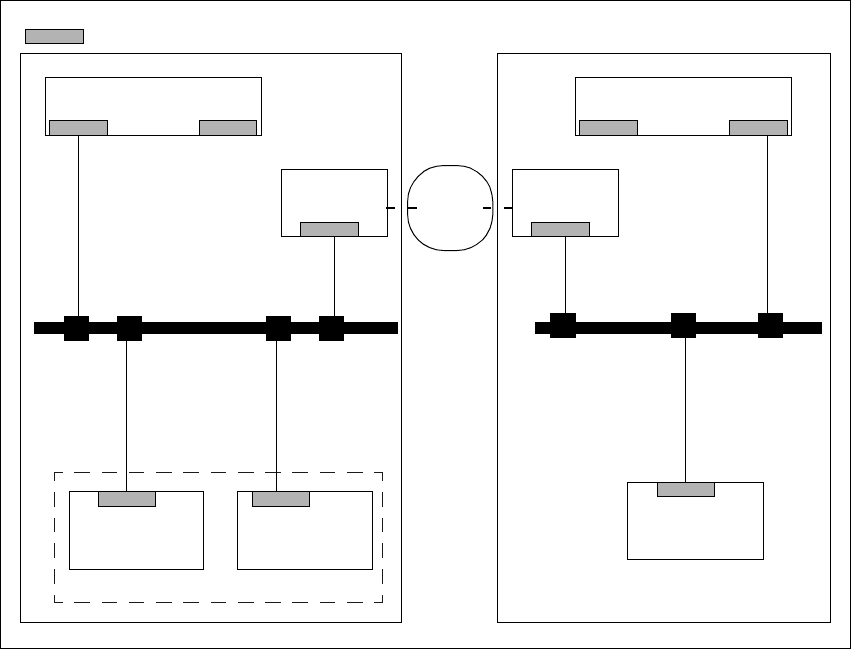
7.1.5.1 Connecting the ISDN router to the local SIPLACE-LAN
This option is used when there is no site LAN available at the customer’s premises.
The customer will not need to implement any additional data security measures. 7
7
Fig. 7.1 - 1 Connecting the ISDN router to the local SIPLACE-LAN
SIPLACE Pro Server
Router
Station
computer
Machine
controller
SIPLACE
LAN
Router
Station
computer
LAN
SIPLACE Pro Server
Customer placement line Service dept.
ISDN
Network
= LAN card
SIPLACE Software Guide SR.504.xx 7 Station extensions/software
Issue 01/03 EN 7.1 "Remote Support" option
71
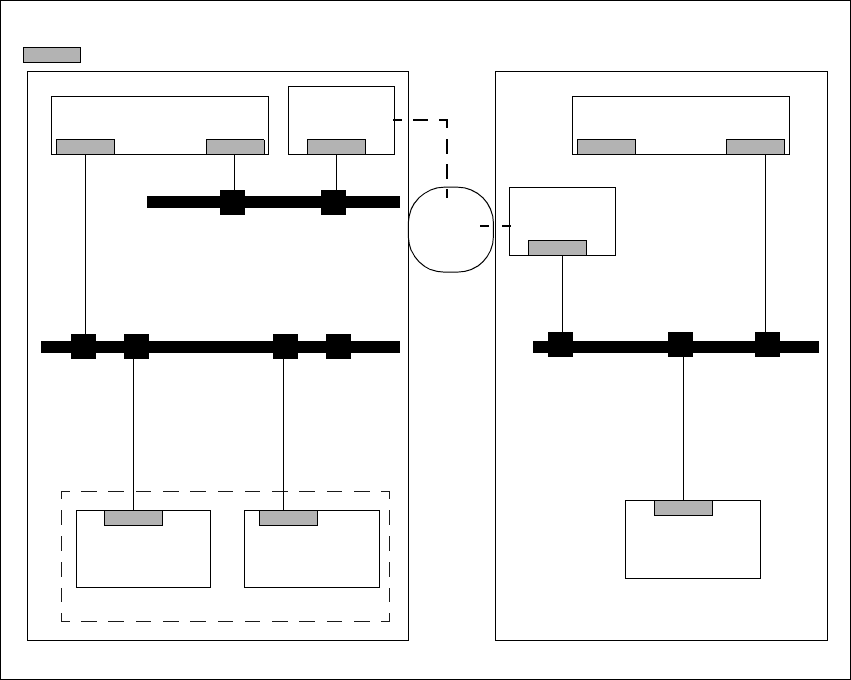
7.1.5.2 Connecting the ISDN router to the customer’s site LAN
The advantage of this alternative is that several placement lines can be addressed via a single
router. 7
7
Fig. 7.1 - 2 Connection to the customer’s site LAN
7.1.6 Procedure and Operation
Å Contact the appropriate service center (Munich, Norcross or Singapore).
Å Follow the instructions given by the engineer.
SIPLACE Pro Server
Router
Station
computer
Machine
controller
SIPLACE
LAN
Router
Station
computer
LAN
SIPLACE Pro Server
Service point
Central customer site network
= LAN card
Customer placement line
ISDN
Network

7 Station extensions/software SIPLACE Software Guide SR.504.xx
7.2 Test program "SITEST" Issue 01/03 EN
72
7.2 Test program "SITEST"
7.2.1 Purpose
This test program is used to calibrate or set up SIPLACE machines. 7
7.2.2 Description
NOTE
Please refer to the SITEST Software Guide and the online Help for a detailed description. 7