00193697-01.pdf - 第82页
SIPLACE Sof tware Guide SR.504.xx 7.7 "Long printed circuit board" opti on Issue 01/03 EN 82 7.7 "Long p rinted circui t board" opt ion 7.7.1 Purpose The "Long printed ci rcuit boar d" optio…
SIPLACE Software Guide SR.504.xx
Issue 01/03 EN 7.6 "Traceability" option
81
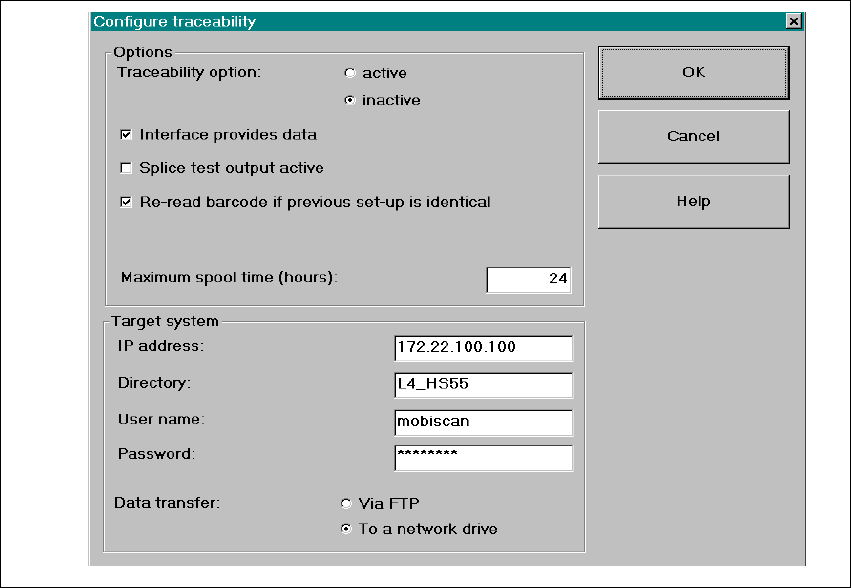
7.6.3.2 Settings in "Configure traceability" menu
In the menu Options => Configure traceability of the SIPLACE user interface, the operator can
change the traceability settings. Refer to the online Help for a description of the parameters. 7
Fig. 7.6 - 2 Dialog: Configure traceability

SIPLACE Software Guide SR.504.xx
7.7 "Long printed circuit board" option Issue 01/03 EN
82
7.7 "Long printed circuit board" option
7.7.1 Purpose
The "Long printed circuit board" option allows you to process overlength printed circuit boards (up
to a length of 610mm). This setting must be activated in the Setup Properties - Options dialog box
in the SIPLACE Pro programming system. 7
7.7.2 Description
NOTE
Please refer to the "Online Help system for SIPLACE Pro" and the Operating Guide for the
respective machine for a detailed description. 7
7
SIPLACE Software Guide SR.504.xx 8 New functionality in 504.01
Issue 01/03 EN 8.1 SIPLACE Twin Head
83
8 New functionality in 504.01
8.1 SIPLACE Twin Head
The Twin Head is the successor to the IC head for the SIPLACE F machines. It will first be used
with the SIPLACE HF as of software version 504.01. 8
8
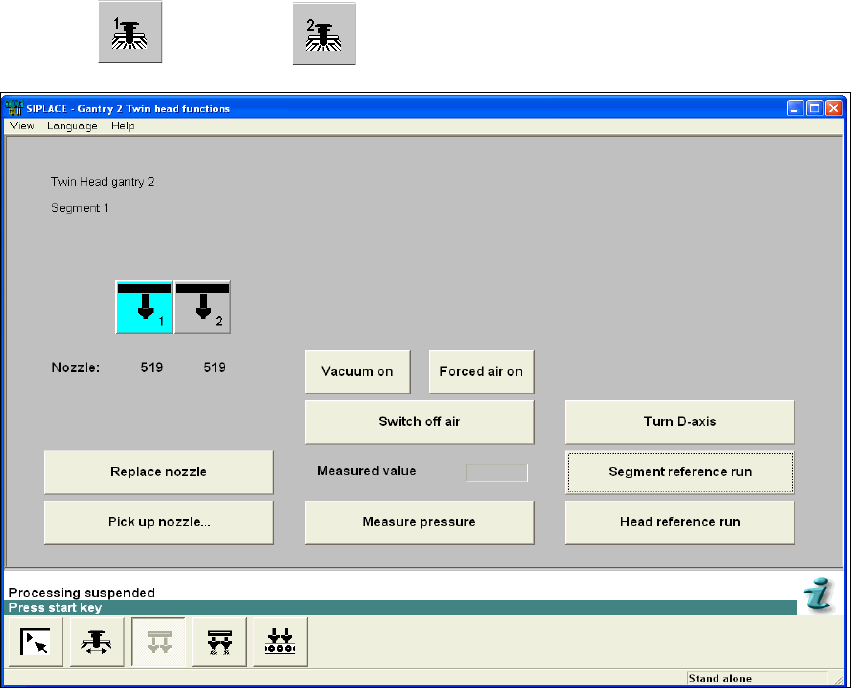
The Twin Head functions, the Twin Head compressed air values and the Twin Head nozzle
changer configuration can be called up using the
"Gantry 1" or " Gantry 2" view. 8
8
Fig. 8.1 - 1 "Gantry 2, Twin Head functions" view