00193697-01.pdf - 第84页
8 New functionality in 504.01 SIPLACE Software Guide SR.504.xx 8.2 RV head nozzle changer Issue 01/03 EN 84 8.2 R V head nozzl e changer 8.2.1 Nozzle changer for 6- nozzle head The nozz le chan ger for a 6-nozz le he ad …
SIPLACE Software Guide SR.504.xx 8 New functionality in 504.01
Issue 01/03 EN 8.1 SIPLACE Twin Head
83
8 New functionality in 504.01
8.1 SIPLACE Twin Head
The Twin Head is the successor to the IC head for the SIPLACE F machines. It will first be used
with the SIPLACE HF as of software version 504.01. 8
8
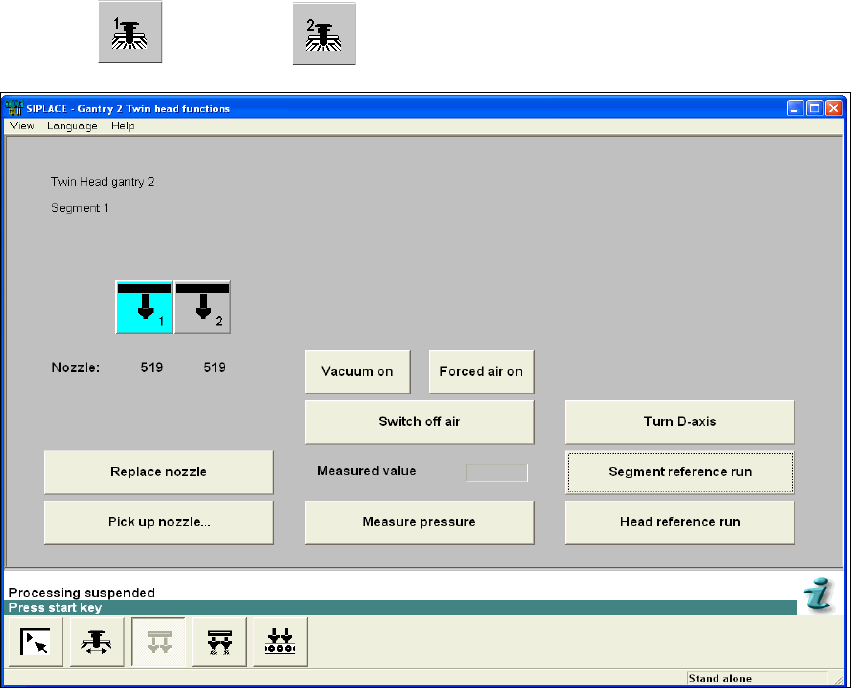
The Twin Head functions, the Twin Head compressed air values and the Twin Head nozzle
changer configuration can be called up using the
"Gantry 1" or " Gantry 2" view. 8
8
Fig. 8.1 - 1 "Gantry 2, Twin Head functions" view
8 New functionality in 504.01 SIPLACE Software Guide SR.504.xx
8.2 RV head nozzle changer Issue 01/03 EN
84
8.2 RV head nozzle changer
8.2.1 Nozzle changer for 6-nozzle head
The nozzle changer for a 6-nozzle head was adapted for the SIPLACE HF machine as follows:
The magazines have now been rotated by 90 degrees. This enables 6 magazines to fit on a single
bar. The software has not changed apart from the rotation of the 6-nozzle magazines and the
change in coordinates that results from this. 8
8.2.2 Nozzle changer for 12–nozzle head
The nozzle changer for the 12-nozzle head now has 5 magazines. These are mounted in the same
horizontal orientation as before,
and in each sector, if no MTC is mounted. The nozzles can be defined for each magazine on the
SIPLACE Pro computer in the normal manner. 8
SIPLACE Software Guide SR.504.xx 8 New functionality in 504.01
Issue 01/03 EN 8.3 Matrix tray changer MTC2
85
8.3 Matrix tray changer MTC2
The MTC2 supports the use of trays with flexible dimensions of up to 240 x 340 mm. The MTC2
is capable of accommodating 100 Jedec trays. 8
The MTC records the operating hours and the number of level changes for component provision
processes. This data can be called up in SITEST. 8
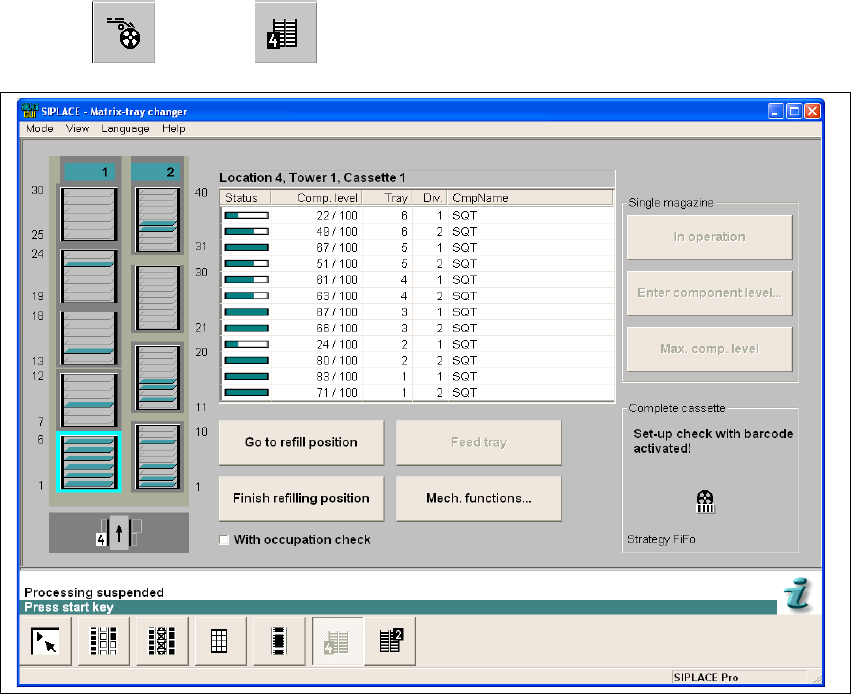
The 504.01 software has been adapted as follows. Tower 1 is wider and accommodates 5
magazines in each of the 6 levels. The functionality is unchanged. 8
8
The MTC functions can be called up using the
"Feeders" --> "MTC" view. 8
8
Fig. 8.3 - 1 "Matrix tray changer" view