Maintenance Reference(CP45FV) Eng.pdf - 第55页
W eekly Inspection 3-17 Reassemble the tray . 3.2.7.3. Gauge and Pressure Switch Inspection Check to see if the pressure switch has been automatically activated by low pressure. T o reduce pressure, turn the pressure…
Samsung Component Placer CP45FV Series Maintenance Reference
Solution
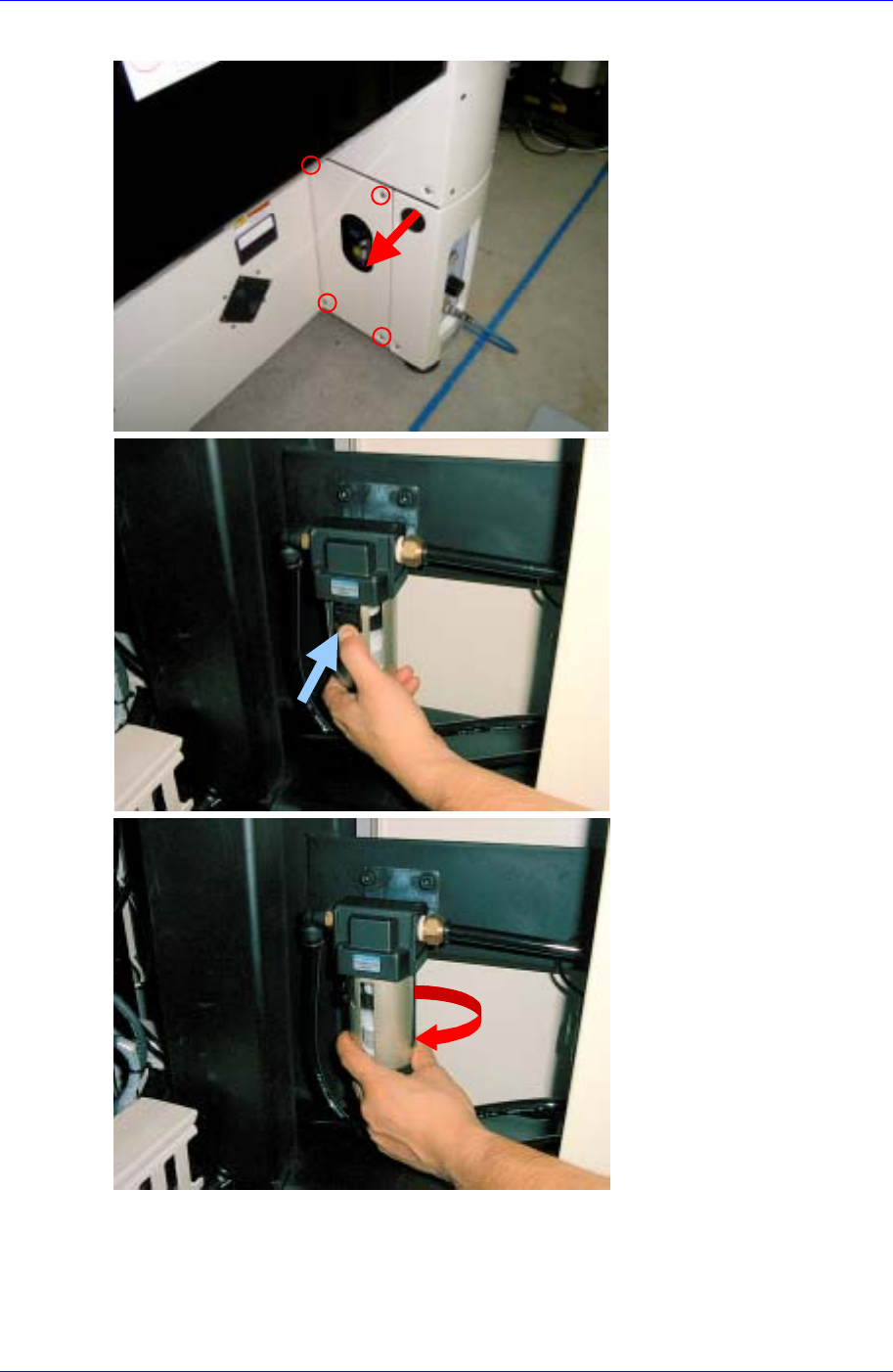
Lower the locking mechanism or handle for the air filter tray and turn it sideways to
remove the tray.
Remove the contaminated filter.
Install the new filter reversing the above procedures.
3-16
Weekly Inspection
3-17
Reassemble the tray.
3.2.7.3. Gauge and Pressure Switch
Inspection
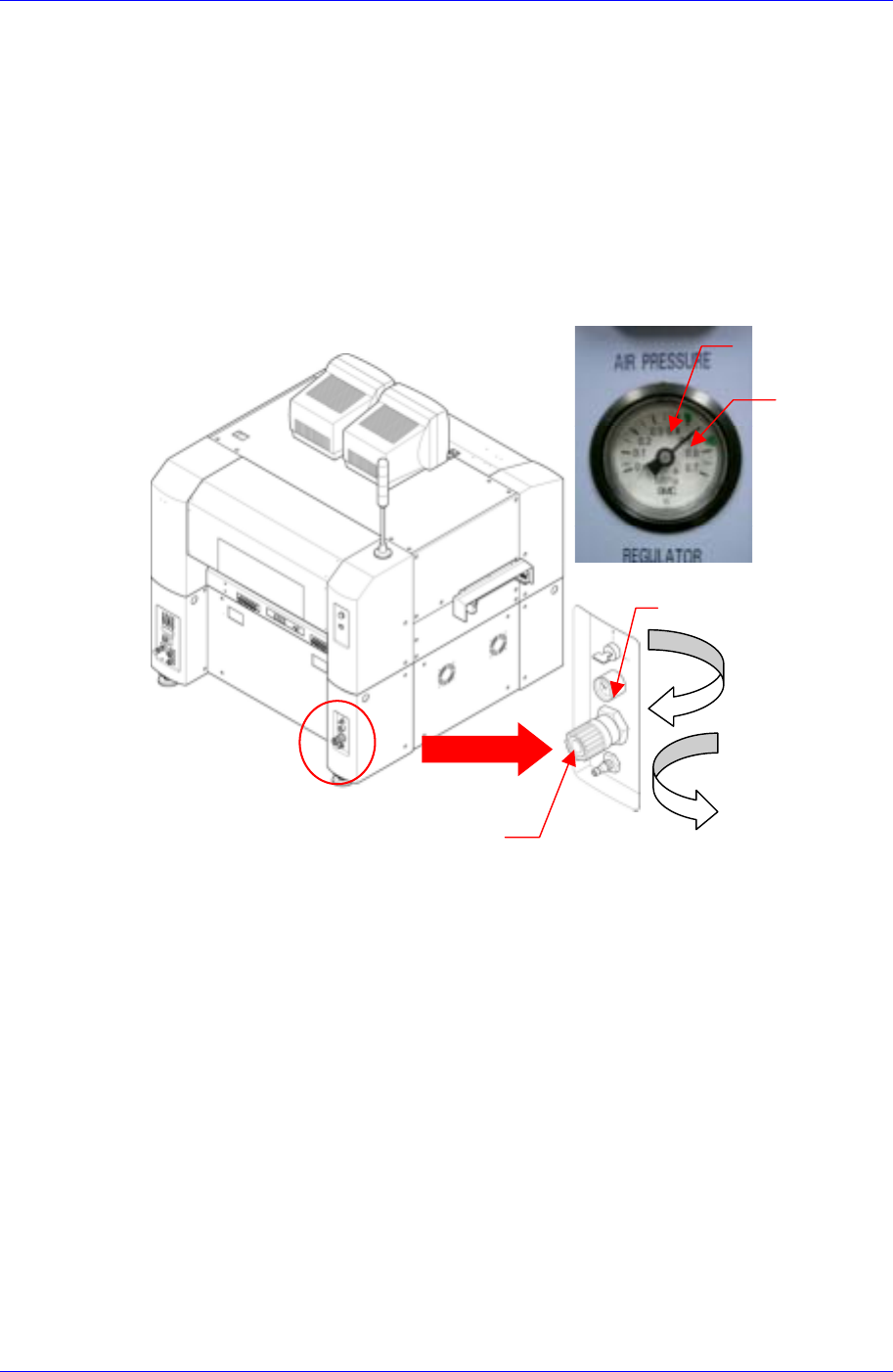
Check to see if the pressure switch has been automatically activated by low pressure.
To reduce pressure, turn the pressure regulating handle counterclockwise while
watching the pressure gauge located on the bottom right of the rear side of the
machine.
Pressure Gauge
Pressure Increase (+)
Clockwise
Pressure Decrease (-)
Counter clockwise
Pressure Regulating Handle
Upper Pressure
scale
Lower Pressure
scale
Solution
If the pressure switch does not work even when the pressure is reduced below the set
range (the area between green scales), contact our C/S company (STS) for after sales
service.
3.2.8. Connections and Fittings
Inspection
Check for unusual wear in the tubes.
Check to see if any tubes and fittings are loose, and make sure there are no leaks.
Solution
Replace the tube if unusual wear is discovered.
Tighten any loose fitting.
3.2.9. Lubrication and Grease Application
For details relating to the lubrication and grease application, refer to “4-1Lubricant
Method” (page 4-1).

Samsung Component Placer CP45FV Series Maintenance Reference
Caution
Since the lubrication and grease application for the
machine is critical to the lifetime of the machine, ensure
that periodical lubrication and grease application are
performed.
3-18