00198374-01_UG_OSC_Package_DE_EN.pdf - 第60页
4 Working with the OSC Features 4.3 Customer-specific Pattern Features 60 Bedienungsanleitung OSC Package User Guide OSC-Paket - 06/2017 4.3 Customer-specific Pattern Features Odd shape components do not always have a sh…
4 Working with the OSC Features
4.2 Stereo Measurement for THT Pins
Bedienungsanleitung OSC Package User Guide OSC-Paket - 06/2017 59
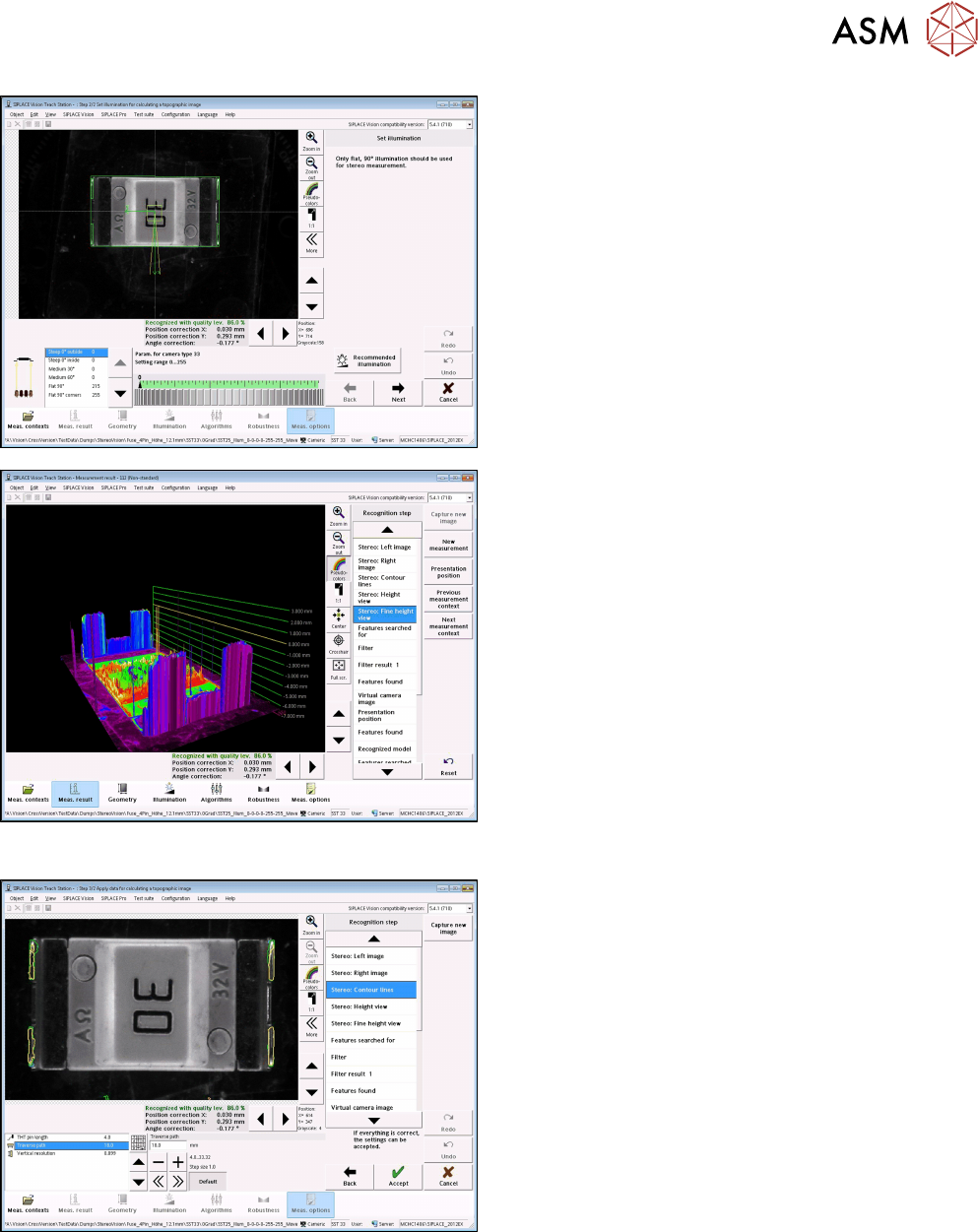
► With the Set illumination option you may check
the illumination setting.
Normally, the pre-set values should not be
changed!
► Under Stereo: Fine Height View you may check
the result of the stereo measurement.
Ensure that the THT pins are in the focal plane
(yellow height line)
This is the case, if component height (overall
height) and nozzle height have been defined
correctly.
Step 5: SIPLACE Vision
► If necessary, change the traverse path to modify
the vertical resolution.
► Under Stereo: Contour lines the measured height
lines are displayed in the 2D images.
This allows you to verify that exactly the THT pin
tips have been detected at the focal plane.
4 Working with the OSC Features
4.3 Customer-specific Pattern Features
60 Bedienungsanleitung OSC Package User Guide OSC-Paket - 06/2017
4.3 Customer-specific Pattern Features
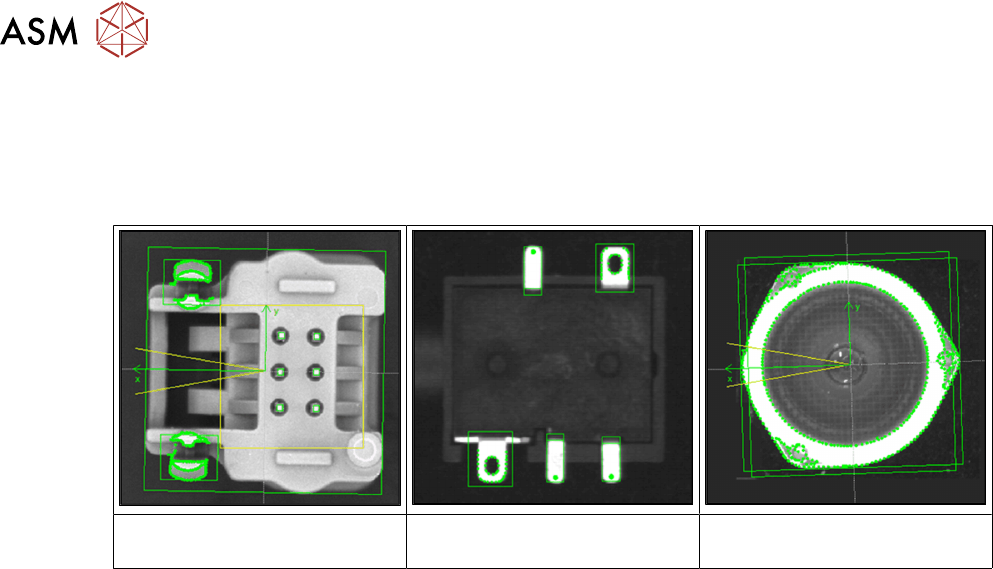
Odd shape components do not always have a shape or other structures such as leads which can
be used for identifying the component center and its orientation.
Examples
Component with board locks Specially shaped leads Component with curved shape,
e.g. lenses
The new Pattern Feature lead group type allows the user to describe arbitrary abstract patterns on
a component. These patterns can only be created and changed in the SIPLACE Vision Editor
during teaching at the station. This type of lead group can be renamed or deleted but not created,
edited or copied in SIPLACE Pro.
The camera captures an image of the component and the user can now simply draw a frame
around single features or attributes and mark them for the Vision system. A special algorithm will
then extract a model out of the marked areas which can be used to later measure and align all
components of the same type. Structures that are not needed can be deleted easily.

4 Working with the OSC Features
4.3 Customer-specific Pattern Features
Bedienungsanleitung OSC Package User Guide OSC-Paket - 06/2017 61
4.3.1 Procedure
The following overview lists the single work steps that have to be performed in the specified order
to describe pattern features.
Describing a Pattern Feature
Step Action SIPLACE program
1) Enabling OSC package SIPLACE Pro
2) Selecting the pattern type and marking the area to be taught in
the image
SIPLACE Vision
3) Marking and deleting not needed points SIPLACE Vision
4) Aligning the component for the correct position SIPLACE Vision
5) Option: Renaming or deleting the pattern feature SIPLACE Pro