00198374-01_UG_OSC_Package_DE_EN.pdf - 第72页
4 Working with the OSC Features 4.5 Finding best acceleration 72 Bedienungsanleitung OSC Package User Guide OSC-Paket - 06/2017
4 Working with the OSC Features
4.5 Finding best acceleration
Bedienungsanleitung OSC Package User Guide OSC-Paket - 06/2017 71
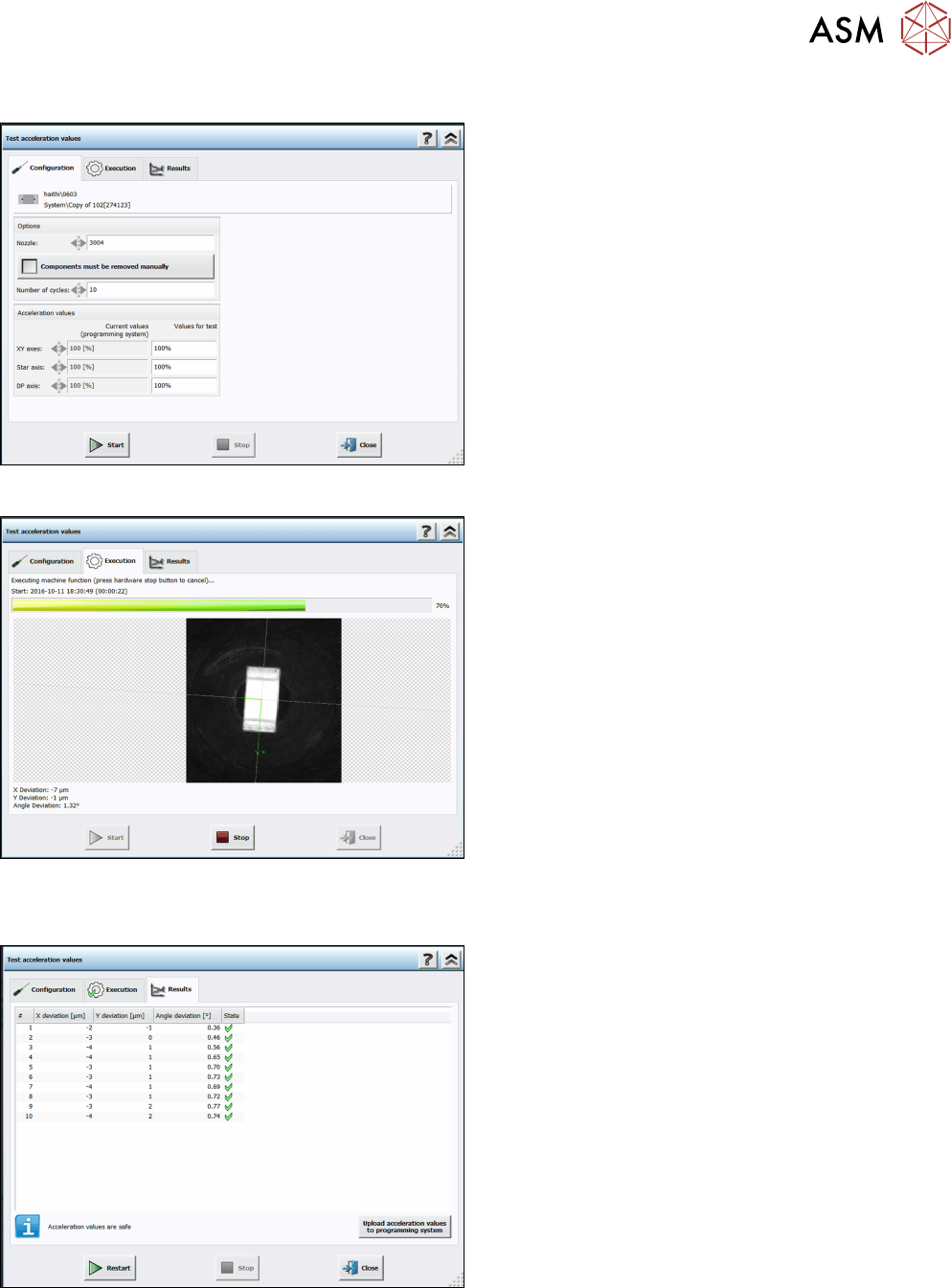
Step 6: Station software
► Set the recommended acceleration values from
the teach function.
► Click on Start.
The test is automatically performed and the Execution test dialog displayed.
The results are displayed in the Results test dialog.
Step 7: Station software
► Check the results.
► Click on Upload acceleration values to
programming system.
The upload to SIPLACE Pro is not available until the recommended values have been tested.

4 Working with the OSC Features
4.5 Finding best acceleration
72 Bedienungsanleitung OSC Package User Guide OSC-Paket - 06/2017

5 Restrictions
4.5 Finding best acceleration
Bedienungsanleitung OSC Package User Guide OSC-Paket - 06/2017 73
5 Restrictions
The increased placement force to 100 N is only possible for the Twin VHF placement head, item
no. [03096701-03]. Placements with a force greater than 70 N are not supported on stations with
software versions < 710 and Twin VHF placement heads with a functional status < [-03]. Such
placements will be forced onto stations with station software version >= 710 by SIPLACE Pro.