Gemini Semi Appendix Manual.pdf - 第28页
INSTALLATION APPENDIX COVERS 2.10 Appendix to Micron Technical Manuals Chapter Issue 1 Feb 15 COVERS Rear Corner Panels T o remove the rear corner p anels, carry out the follo wing: 1. Remove the Lef t and Right Hand Saf…
INSTALLATION APPENDIX
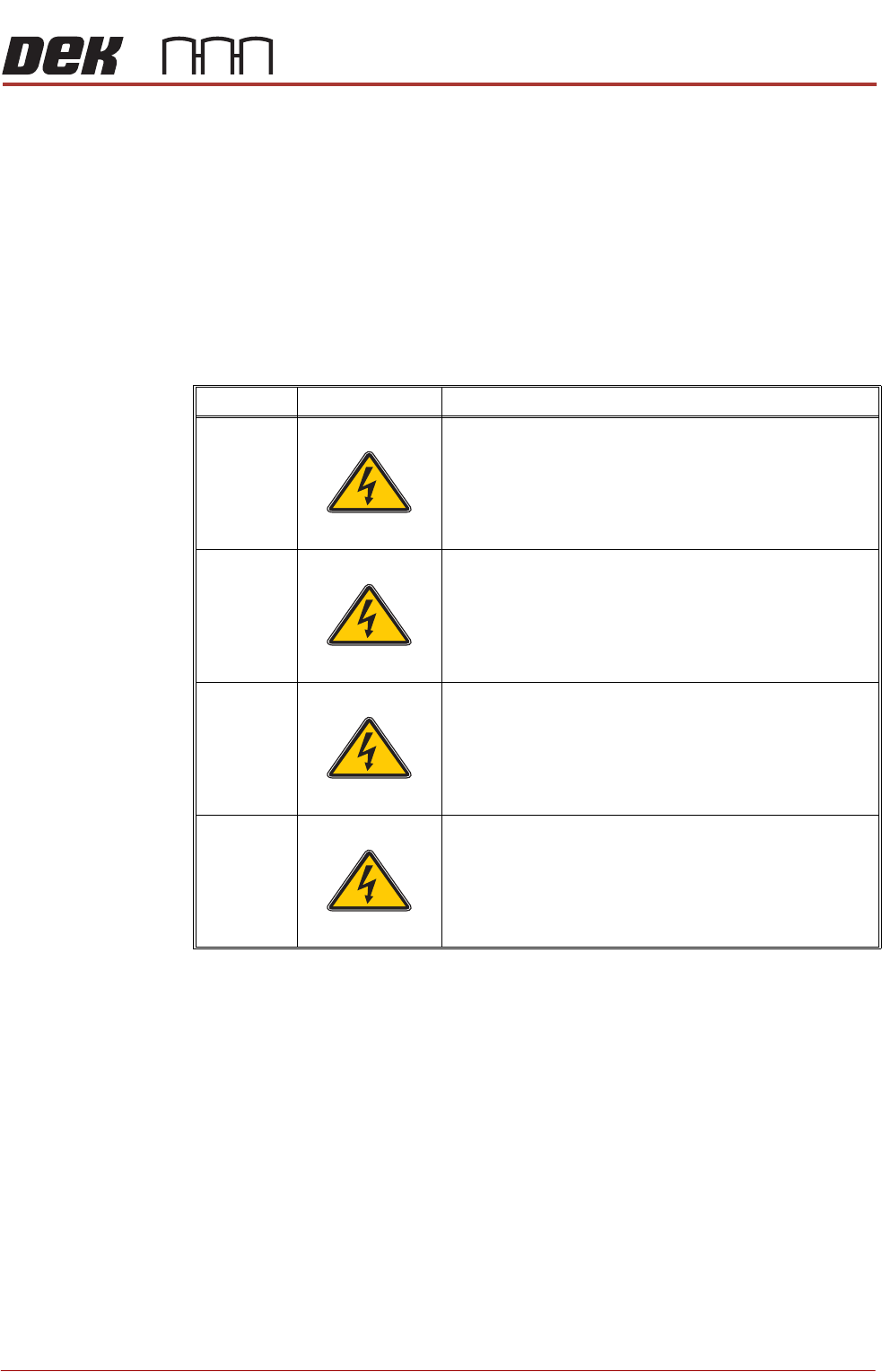
SEMI - LEVELS OF ELECTRICAL WORK
Chapter Issue 1 Feb 15 Appendix to Micron Technical Manuals 2.9
SEMI - LEVELS OF ELECTRICAL WORK
The table below show the four levels of energized electrical work carried out on
electrical equipment and its associated circuits, as defined by the SEMI S2-
0200 Standard.
Throughout all the ASM manuals when a maintenance or calibration procedure
falls within any of these four levels of energized electrical state, the appropriate
symbol is represented in the margin alongside that procedure.
A full definition can be found in the SEMI S2-0200 Safety Guidelines for
Semiconductor Manufacturing Equipment. See also NFPA 79-14.3, BS
EN60204, BS EN60950 and UL 1950.
Type Symbol Definition
1 Equipment is fully de-energized
2 Equipment is energized. Energized circuits are covered or
insulated. Work is performed at a remote location to pre-
clude accidental shock
3 Equipment is energized. Energized circuits are exposed and
accidental contact is possible. Potential exposures are less
than 30 volts rms, 42.4 volts peak to peak, 60 volts dc, or 240
volt-amps in dry locations
4 Equipment is energized. Energized circuits are exposed and
accidental contact is possible. Potential exposures are
greater than 30 volts rms, 42.4 volts peak to peak, 60 volts
dc, 240 volt-amps in dry locations, or radio frequency (rf) is
present
SEMI 1
SEMI 2
SEMI 3
SEMI 4
INSTALLATION APPENDIX
COVERS
2.10 Appendix to Micron Technical Manuals Chapter Issue 1 Feb 15
COVERS
Rear Corner
Panels
To remove the rear corner panels, carry out the following:
1. Remove the Left and Right Hand Safety Covers.
2. Using a 4mm Allen key, undo the appropriate captive screws.
3. Lift the panel clear of the location pins that locate the panel to the printer
frame, taking care not to damage the earth cable.
4. Gain access to the rear of the EMO switch.
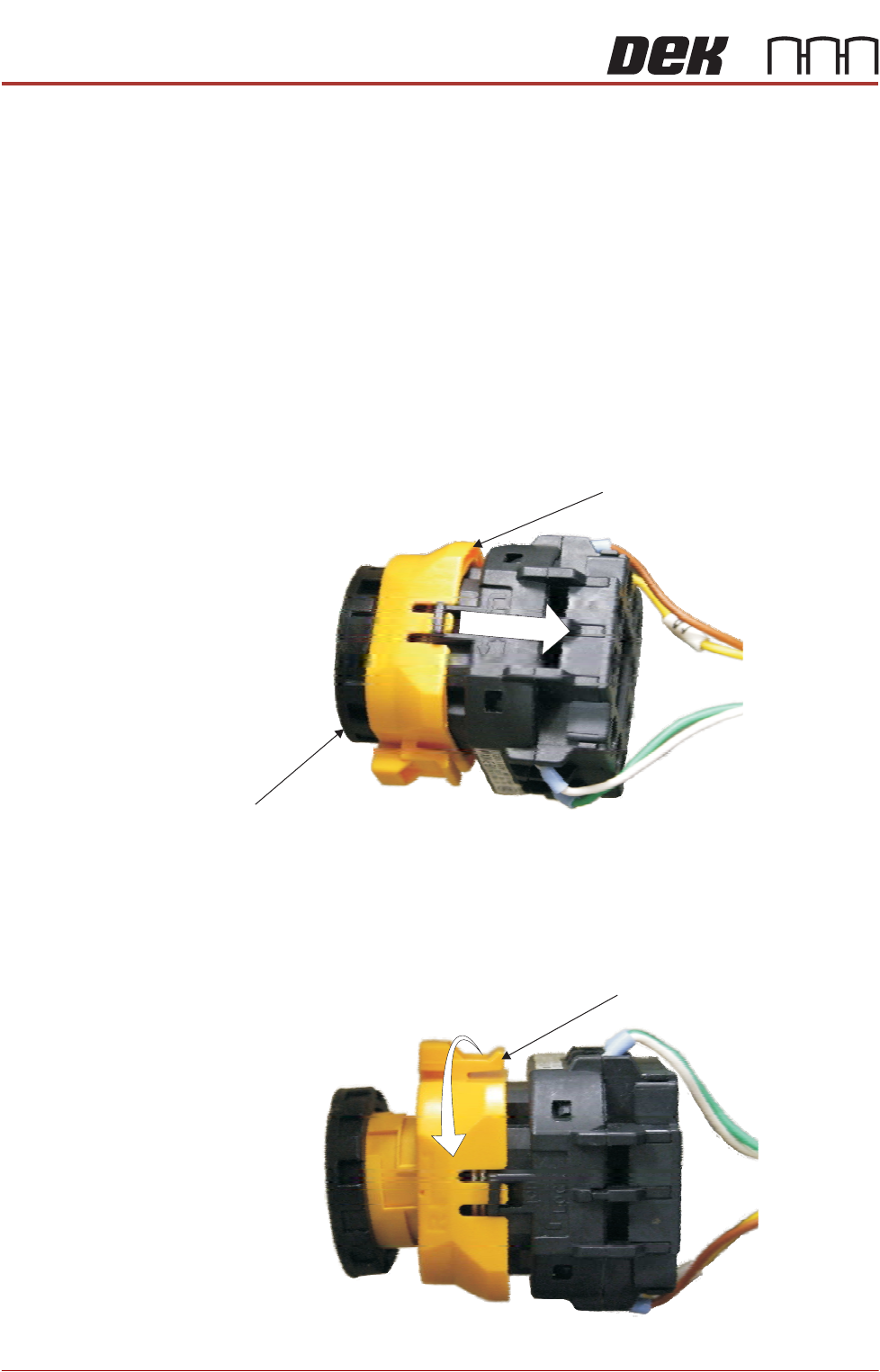
5. To disconnect the EMO carry out the following:
a. Locate the yellow locking collar at the rear of the switch.
b. Slide the collar rearwards towards the switch contact assembly against
spring pressure.
c. Viewed from the rear of the switch, rotate the locking collar anticlockwise
to release the contact assembly from the switch body.
Locking Collar
EMO Switch
View on Rear EMO Switch
View on Rear EMO Switch
Locking Collar
INSTALLATION APPENDIX
COVERS
Chapter Issue 1 Feb 15 Appendix to Micron Technical Manuals 2.11
MMI Arm Panels To remove the MMI arm panels, carry out the following:
1. Remove the Upper and Lower Front Corner Panels.
2. Using a 4mm Allen key, undo the appropriate captive screws.
3. Remove the panel clear of the machine, taking care not to damage the earth
cable.
4. Gain access to the rear of the EMO switch.
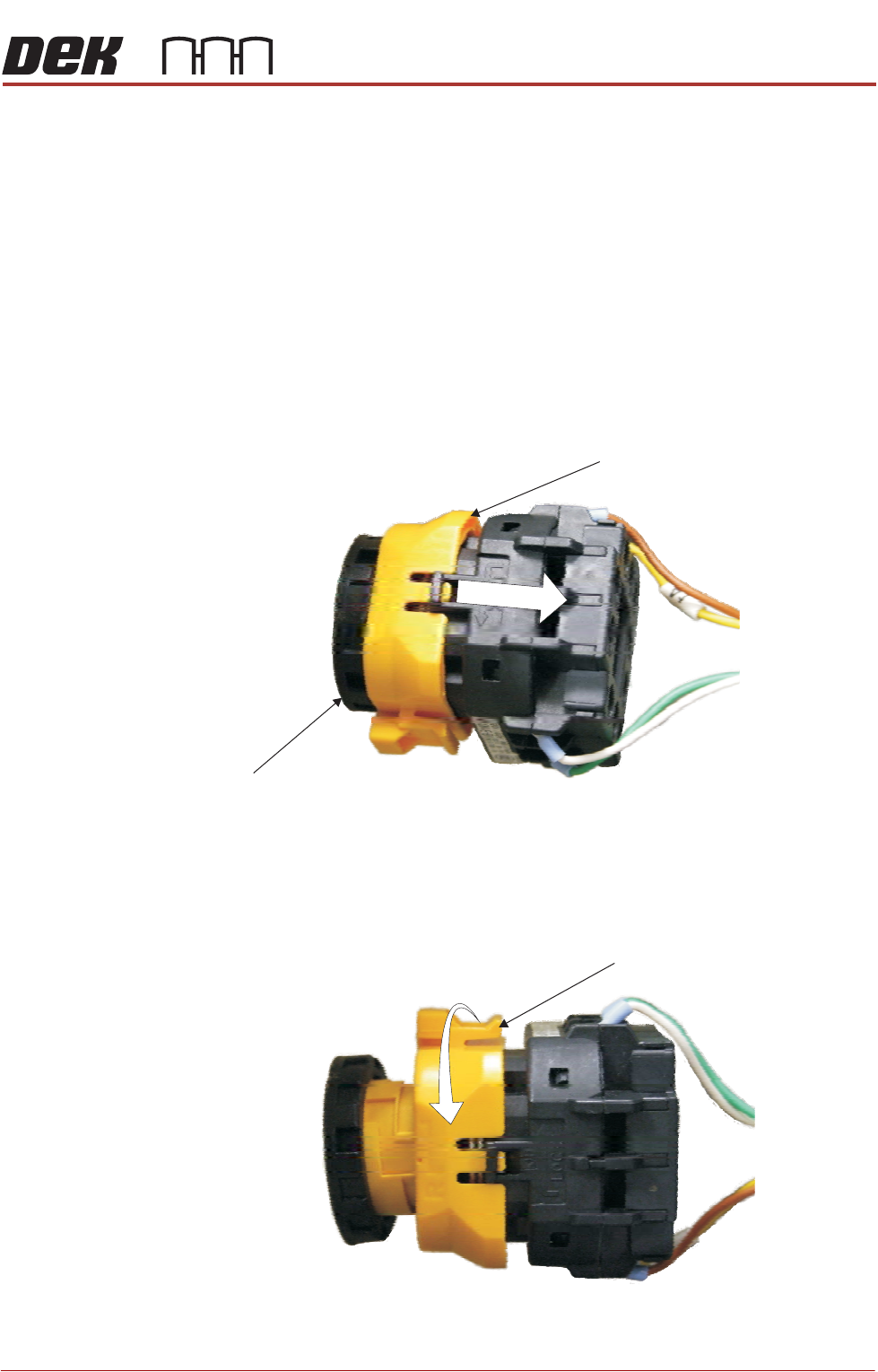
5. To disconnect the EMO carry out the following:
a. Locate the yellow locking collar at the rear of the switch.
b. Slide the collar rearwards towards the switch contact assembly against
spring pressure.
c. Viewed from the rear of the switch, rotate the locking collar anticlockwise
to release the contact assembly from the switch body.
Locking Collar
EMO Switch
View on Rear EMO Switch
View on Rear EMO Switch
Locking Collar