Transport Rails Module.pdf - 第32页
TRANSPORT RAILS MODULE REPLACEMENT PROCEDURES 16.32 Technical Reference Manu al Chapter Issue 4 Jan 10 10. Close the front printhead cover . 1 1. Press the System button. 12. Select Load Screen . 13. Select Back . Board …
TRANSPORT RAILS MODULE
REPLACEMENT PROCEDURES
Chapter Issue 4 Jan 10 Technical Reference Manual 16.31
REPLACEMENT PROCEDURES
Board Clamp Replacement
WARNING
BOARD CLAMPS. EXTREME CARE MUST BE EXERCISED WHEN WORKING IN
THE TOOLING AREA OF THE MACHINE TO AVOID INJURY. THE FOILS ON THE
FRONT AND REAR BOARD CLAMPS ARE VERY SHARP.
1. Select Open Cover Commands.
2. Select Carriage To Rear.
3. Select Unload Screen.
4. Open the front printhead cover.
5. Remove the screen from the machine.
6. Remove the board clamp securing screws and remove the board clamp.
7. Place the new board clamp in position on the location plates.
8. Secure the board clamp in position with the screws removed in Step 6.
NOTE
The Board Clamp Setting procedure is not required after board clamp
replacement.
9. Refit the screen.
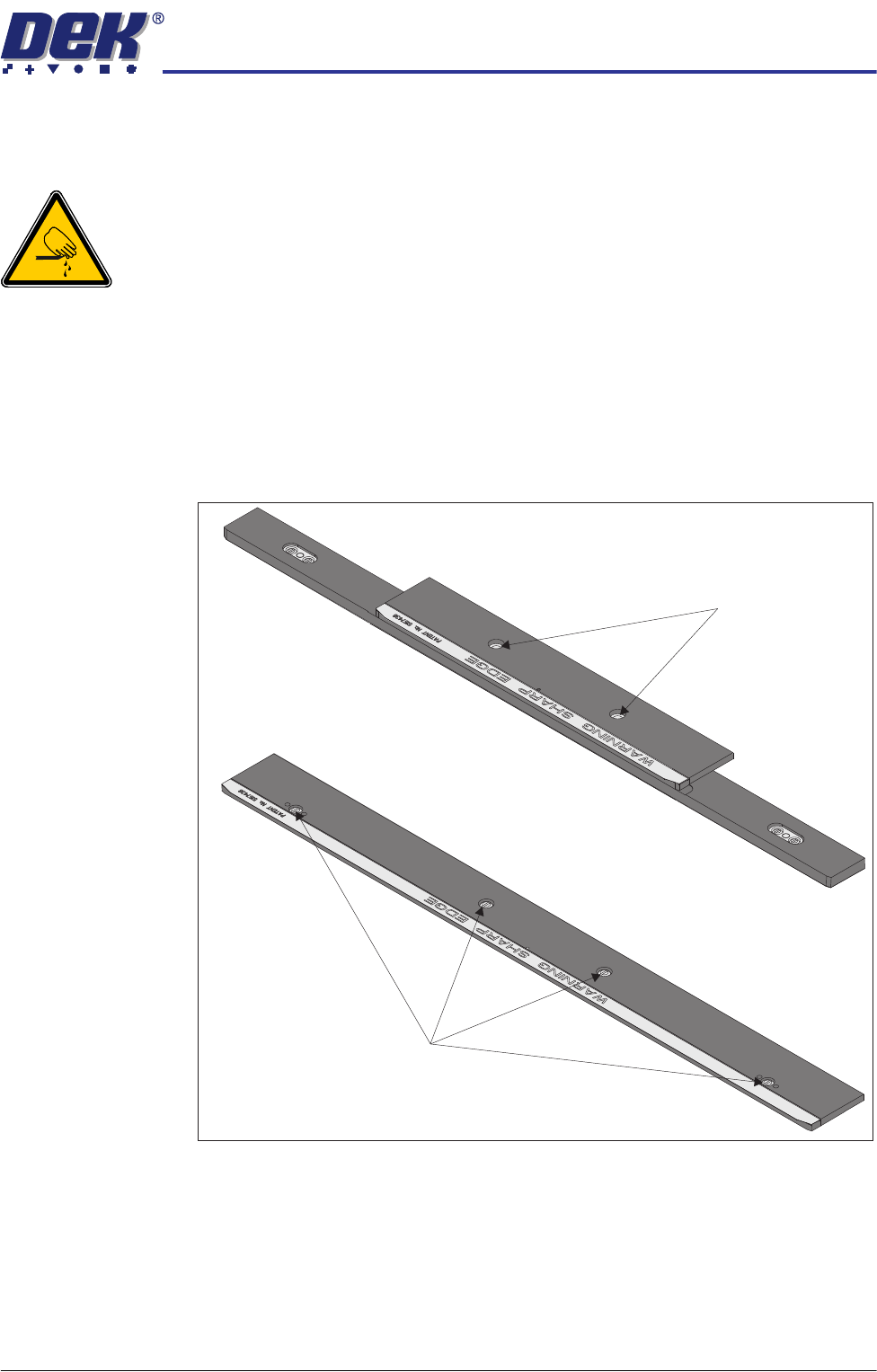
500mm Board Clamp Mechanism
Board Clamp Securing Screws
250mm Board Clamp Mechanism
Board Clamp Securing Screws
TRANSPORT RAILS MODULE
REPLACEMENT PROCEDURES
16.32 Technical Reference Manual Chapter Issue 4 Jan 10
10. Close the front printhead cover.
11. Press the System button.
12. Select Load Screen.
13. Select Back.
Board Clamp Foil Replacement
WARNING
BOARD CLAMPS. EXTREME CARE MUST BE EXERCISED WHEN WORKING IN
THE TOOLING AREA OF THE MACHINE TO AVOID INJURY. THE FOILS ON THE
FRONT AND REAR BOARD CLAMPS ARE VERY SHARP.
If the board clamp is fitted to the machine, use the Board Clamp Replacement
procedure to remove and refit the board clamps.
1. Remove the M2.5 x 6mm pan headed slotted screws securing the foil to the
board clamp. Discard the foil and retain the screws.
2. Fit the new foil with the screws removed in Step 1.
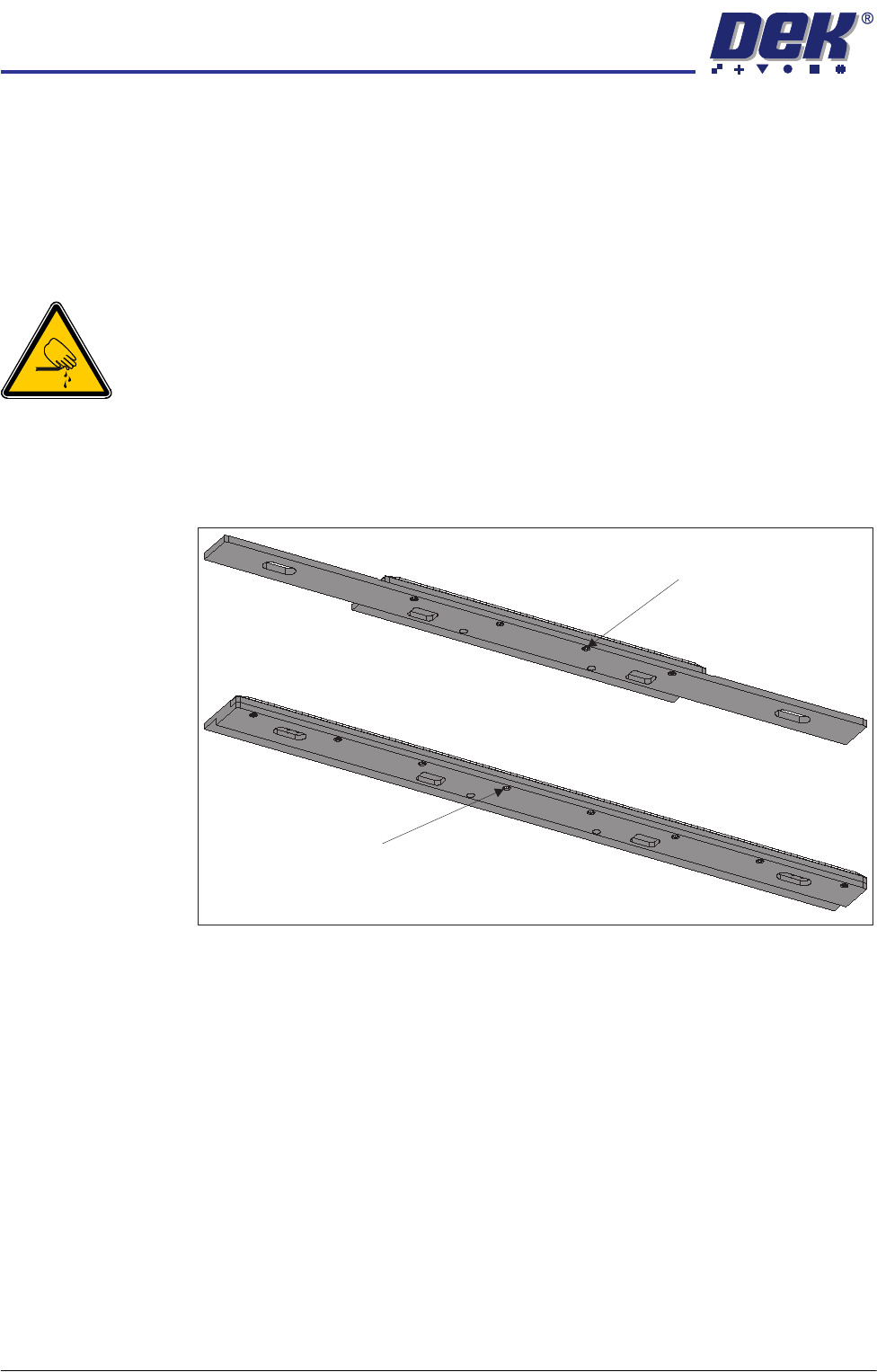
Board Clamp Foil Securing Screw (in 4 positions)
Board Clamp Foil Securing Screw (in 8 positions)
View on Underside of
250mm Board Clamp Mechanism
View on Underside of
500mm Board Clamp Mechanism
TRANSPORT RAILS MODULE
REPLACEMENT PROCEDURES
Chapter Issue 4 Jan 10 Technical Reference Manual 16.33
Clamps to Snuggers
WARNING
BOARD CLAMPS. EXTREME CARE MUST BE EXERCISED WHEN WORKING IN
THE TOOLING AREA OF THE MACHINE TO AVOID INJURY. THE FOILS ON THE
FRONT AND REAR BOARD CLAMPS ARE VERY SHARP.
NOTE
This procedure is valid when converting from either board clamps or foil-less
clamps.
1. Select Open Cover Commands.
2. Select Carriage To Rear.
3. Select Unload Screen.
4. Open the front printhead cover.
5. Remove the screen from the machine.