00197197-02-IM SetupCenter 5.1.pdf - 第100页
Uninstalling Optional: Uninstalling the SIE MultiThread API SIECA 132 Softwa re Package Uninstalling SQL S erver Express Installations 100 Installation Manual SIPLACE Setup Center 5.1 6.5 Optional: Uninstalling the SIE M…
Uninstalling
Uninstalling SQL Server Express Installations Uninstalling Forced Setup Verification
Installation Manual SIPLACE Setup Center 5.1 99
6.4 Uninstalling Forced Setup Verification
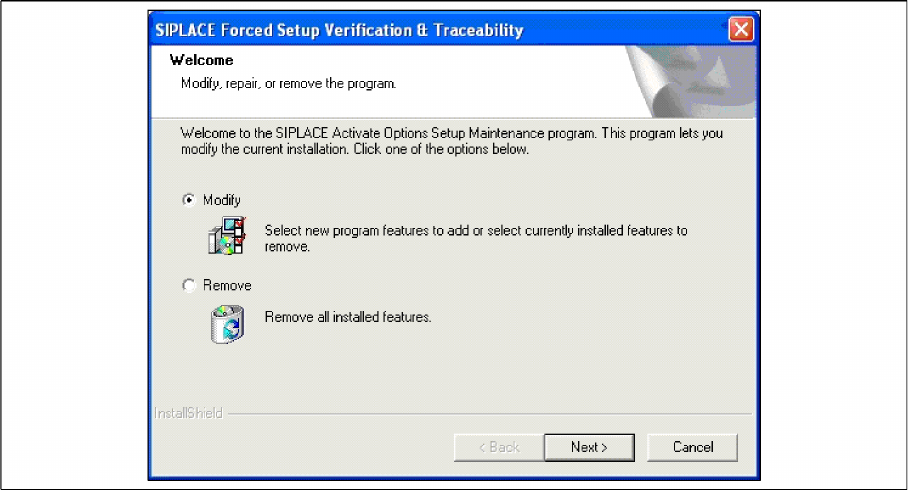
If the Setup at the software CD "SIPLACE Setup Center 3.0" is called up at the SIPLACE station again,
the following dialog appears.
► If Remove is selected, the option Forced Setup Verification and Traceability will be deactivated.
Uninstalling
Optional: Uninstalling the SIE MultiThread API SIECA 132 Software Package Uninstalling SQL Server Express Installations
100 Installation Manual SIPLACE Setup Center 5.1
6.5 Optional: Uninstalling the SIE MultiThread API SIECA 132
Software Package
► Click Start in the Windows start menu.
► Click Settings.
► Click Control Panel.
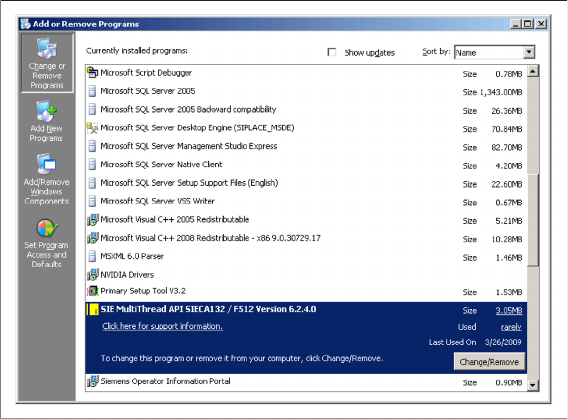
► Double-click Add / Remove Programs.
A list appears with the names of the software packages installed on the computer.
► Select SIE MultiThread API SIECA 132.
► Click the Remove button.
► Confirm the deletion of the application.
acpage