00197197-02-IM SetupCenter 5.1.pdf - 第41页
Installation Optional: Docking Station Hardware Installation Installation Manual SIPLACE Setup Center 5.1 41 Step 7 ► The “Systemcheck” window displa ys the status of all checks they have carried out . ► Click Install . …
Installation
Hardware Installation Optional: Docking Station
40 Installation Manual SIPLACE Setup Center 5.1
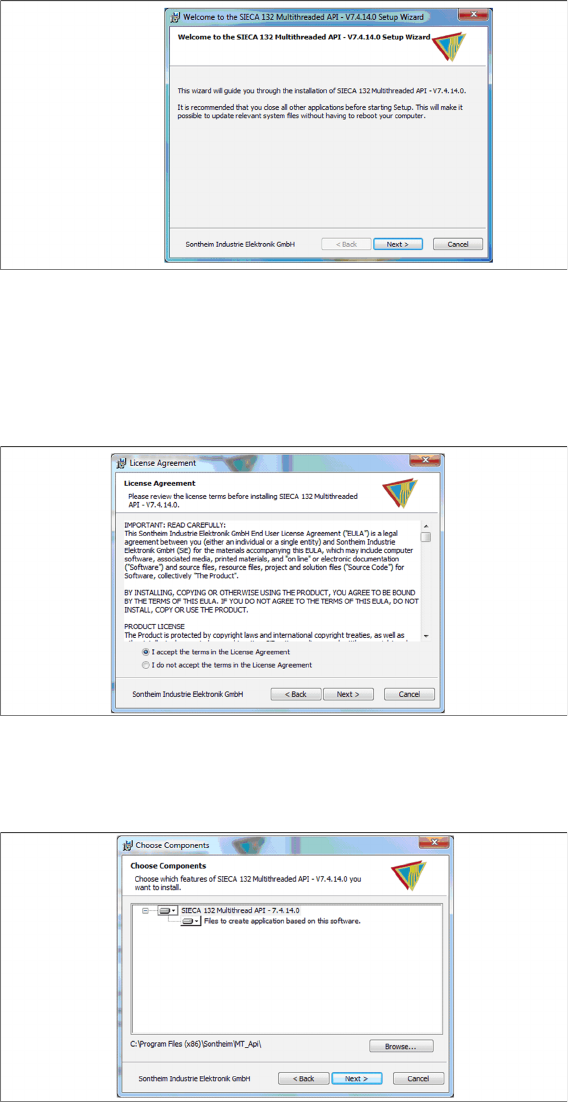
Step 4
► Click Next.
Step 5
► Read the license agreement relating to use of this software and select I accept the terms in the Li
-
cense Agreement to accept the license agreement.
► Click Next.
Step 6
► Click Next.
Installation
Optional: Docking Station Hardware Installation
Installation Manual SIPLACE Setup Center 5.1 41
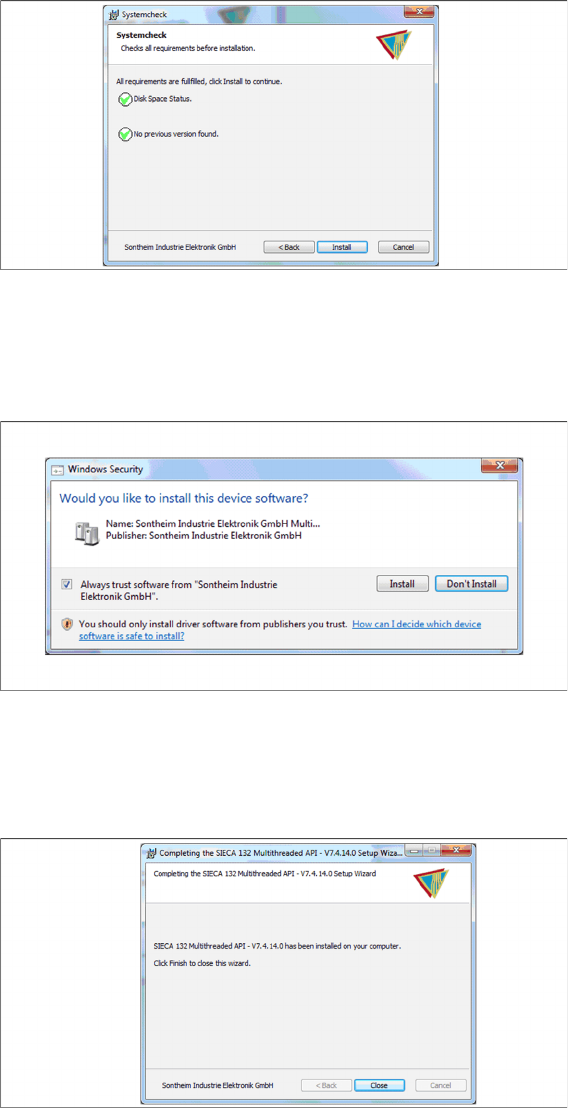
Step 7
► The “Systemcheck” window displays the status of all checks they have carried out.
► Click Install.
Step 8
► Select Always trust software from “Sontheim Industrie Elektronik GmbH”.
► Click Install.
Step 9
The "Installation Complete" window appears if the installation has been completed successfully.
► Click Close.
Installation
Hardware Installation Optional: Docking Station
42 Installation Manual SIPLACE Setup Center 5.1
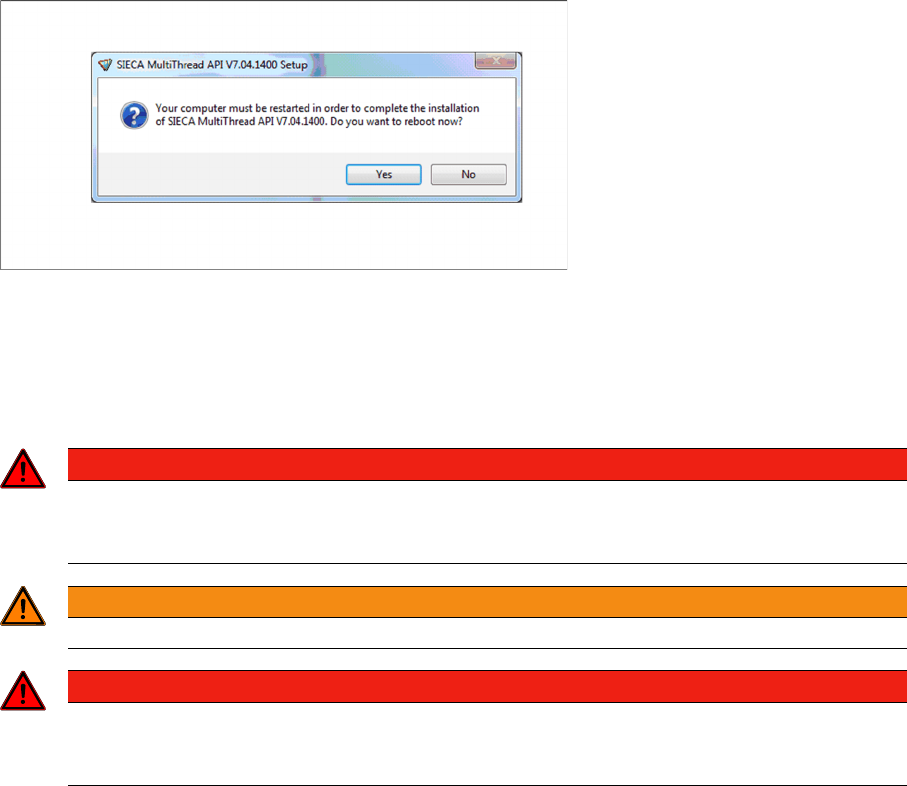
Step 10
If a restart of the PC is required, the following window appears.
► Click Yes.
4.2.5.3 Installing Docking Station
Safety Instructions
DANGER
Make sure that nobody is using the connected change over table, when you switch the power
on.
The device must not be opened or tampered with.
WARNING
Do not connect the device during placement or when installed inside the placement machine.
DANGER
Never cover the air discharge opening in the integrated fan and the ventilation slits on the side
of the device!
Covering these could lead to overheating and destruction of the power pack.