00197197-02-IM SetupCenter 5.1.pdf - 第84页
Installation Steps to Perform After Installation Datalogic Scanner Connection 84 Installation Manual SIPLACE Setup Center 5.1 Changing the Cradle Address If you want to change the cra dle address in the future, you sho u…
Installation
Datalogic Scanner Connection Steps to Perform After Installation
Installation Manual SIPLACE Setup Center 5.1 83
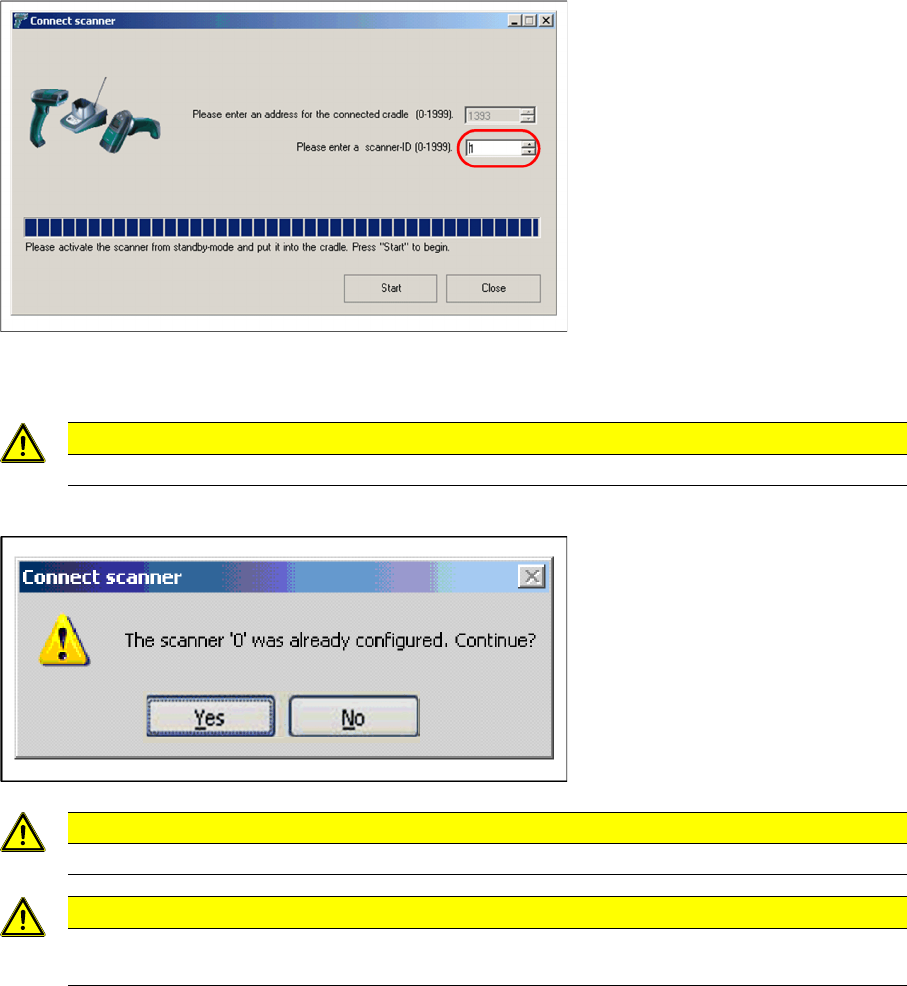
► The scanner-ID is now incremented to the next unused address. Activate the next Scanner from
standby, put it into cradle and click “Start”.
If you manually enter an already used address, Setup Center will warn you by following.
CAUTION
Do not scan or press keys at an already connected scanner, while configuring a new one.
CAUTION
Make sure that the cradle address and scanner-ID are unique in a factory.
CAUTION
It’s not recommended to move a cradle from one Setup Center Computer to another. In this
case, please configure each scanner again.
Installation
Steps to Perform After Installation Datalogic Scanner Connection
84 Installation Manual SIPLACE Setup Center 5.1
Changing the Cradle Address
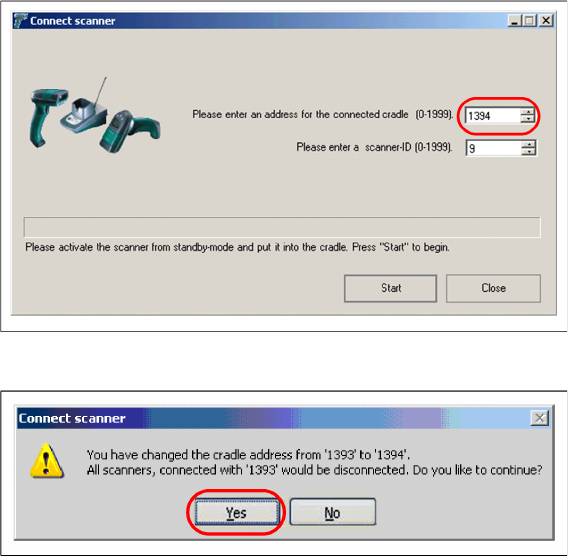
If you want to change the cradle address in the future, you should notify that all previously connected
scanners will be disconnected. You have to reconfigure them again.
► Click “Start” to continue.
► Click “Yes” to confirm the change.
Installation
Datalogic Scanner Connection Steps to Perform After Installation
Installation Manual SIPLACE Setup Center 5.1 85
4.4.4.2 Bluetooth Scanner
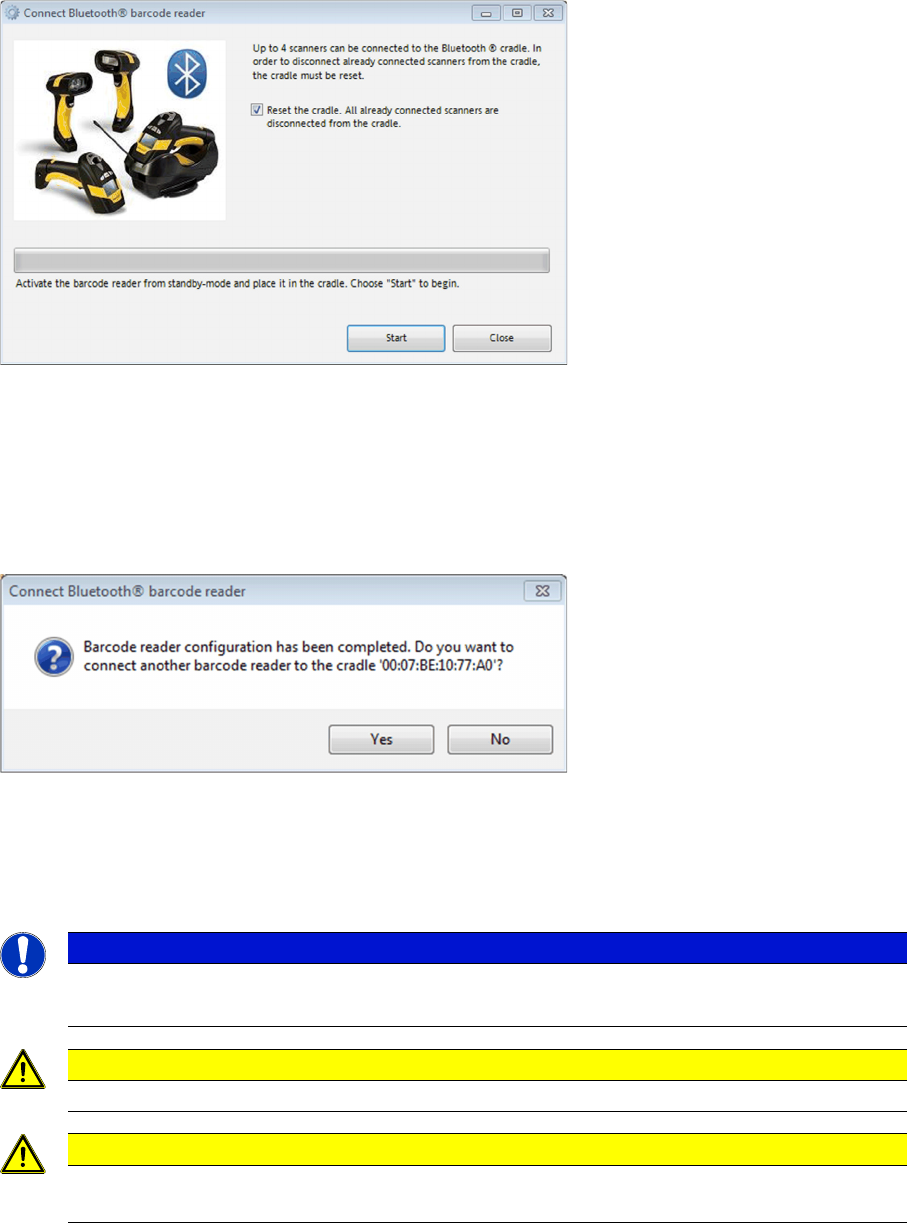
During the initial configuration of a bluetooth scanner the Reset the cradle……. checkbox is automati
-
cally enabled. This means that the cradle is reset and all bluetooth scanners that are possibly registered
at the cradle are deleted from the configuration.
► Click the barcode trigger-key on scanner one time to activate it from standby-mode.
► Put the scanner into the cradle and click Start to set up the scanner.
⇨ The scanner is being configured.
► Remove the scanner from cradle and press the “Enter”-key on scanner to check the connection to
Setup Center.
► Click Yes to connect another scanner with Setup Center.
► Activate the next Scanner from standby, put it into cradle and click Start.
NOTICE
4 scanners as maximum
A maximum of 4 scanners can be operated at the bluetooth cradle.
CAUTION
Do not scan or press keys at an already connected scanner, while configuring a new one.
CAUTION
It’s not recommended to move a cradle from one Setup Center Computer to another. In this
case, please configure each scanner again.