4OM-996-007.pdf - 第142页
1.4 Maintenance Method (16-3) Press the [ON] button entitled "MOVE". In 2 seconds, press the [ENABLE] button on the operation panel. Feeder Carriages #3 and #4 move to the F1 side and the following sheet appear…
1.4 Maintenance Method
(16) Confirm whether the reference mark on the linear scale can be
detected or not.
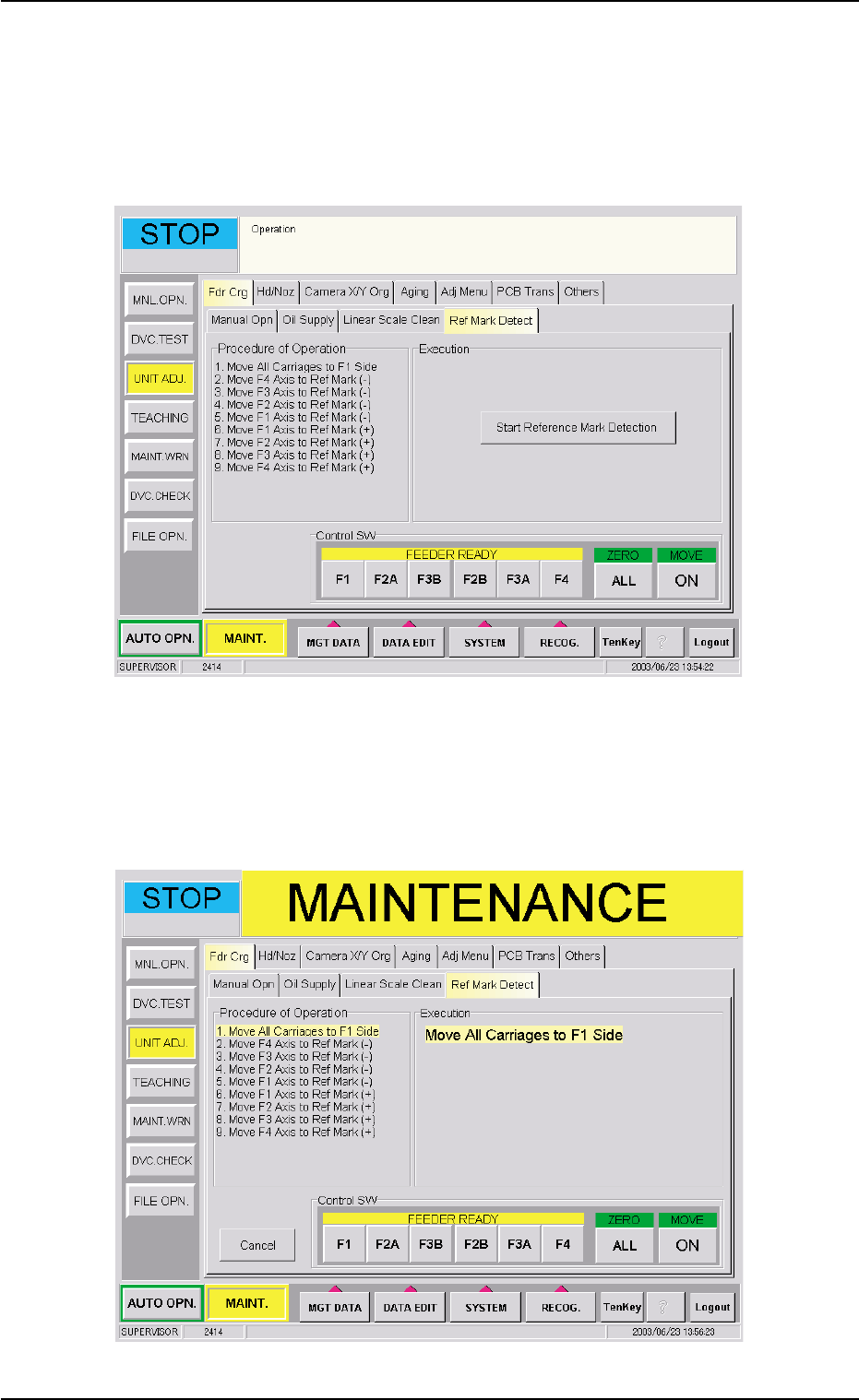
(16-1) When the [Ref Mark Detect] tab is pressed in the "Fdr
Crg" tab sheet, the following tab sheet appears.
Fig. 4A85-11 "Ref Mark Detect" Tab Sheet
(16-2) When the [Start Reference Mark Detection] button is
pressed in the "Ref Mark Detect" tab sheet, the following
sheet appears.
Fig. 4A85-12
0309-002 1-75
AIM01ETRP
1.4 Maintenance Method
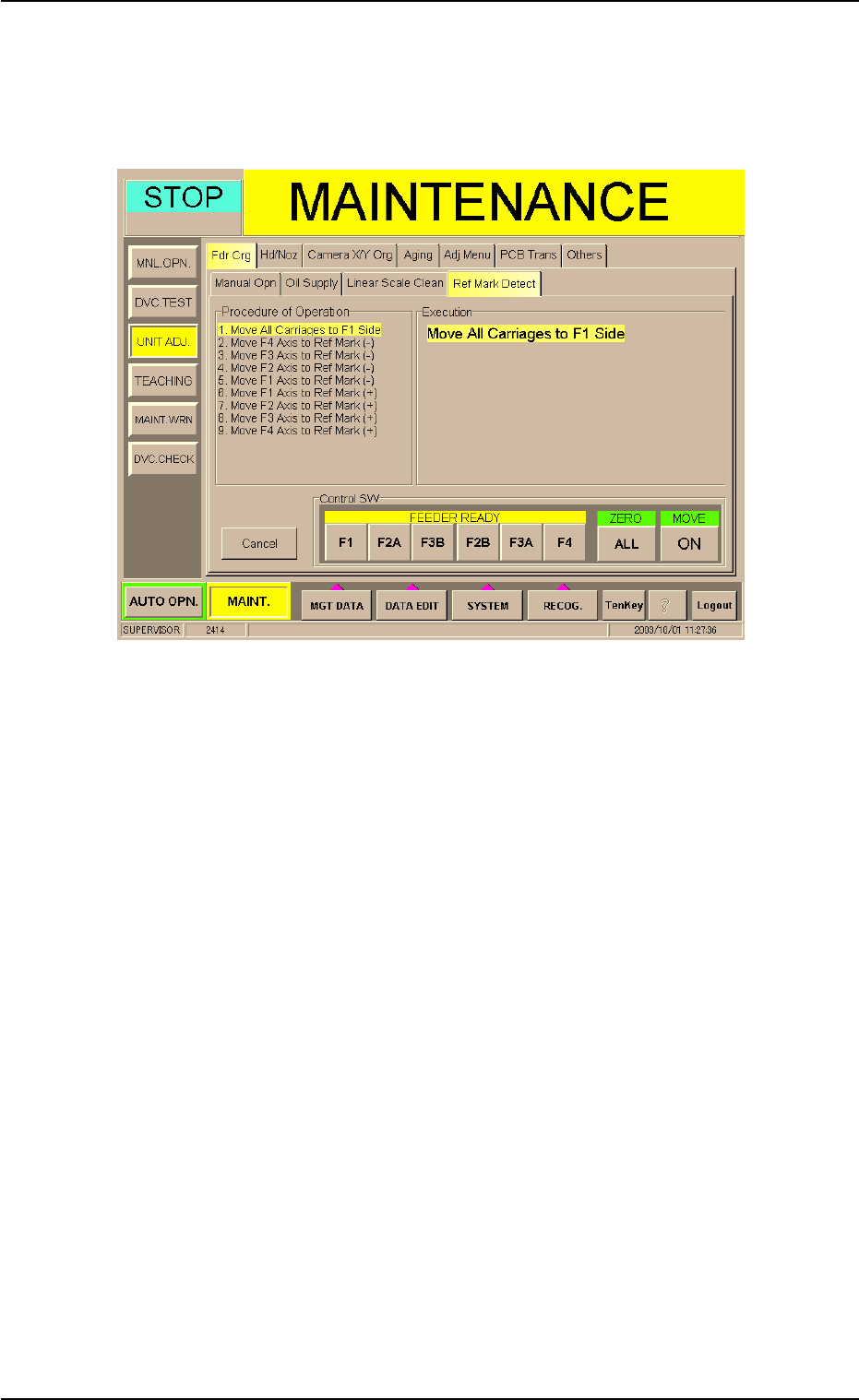
(16-3) Press the [ON] button entitled "MOVE". In 2 seconds,
press the [ENABLE] button on the operation panel.
Feeder Carriages #3 and #4 move to the F1 side and the
following sheet appears.
Fig. 4A85-13
(16-4) Press the [Next] button.
When the [ENABLE] button on the operation panel is
pressed in 2 seconds after the [ON] button (entitled
"MOVE"), "2. Move F4 Axis to Ref Mark (-)" is executed.
Follow the same procedure repeatedly and confirm that
the reference marks (Procedure of Operation: 3 through
9) are detected.
0309-002 1-76
AIM01ETRP
1.4 Maintenance Method
1.4.10 Cleaning of Linear Scale Sections
To avoid any malfunction of the feeder carriages, the linear scales and
the linear scale encoder heads must be cleaned every three months
or whenever the linear guides are lubricated.
It is also required to check how the device (the device for which a
reference mark detection is made) works.
••
••
• Cleaning of Linear Scales
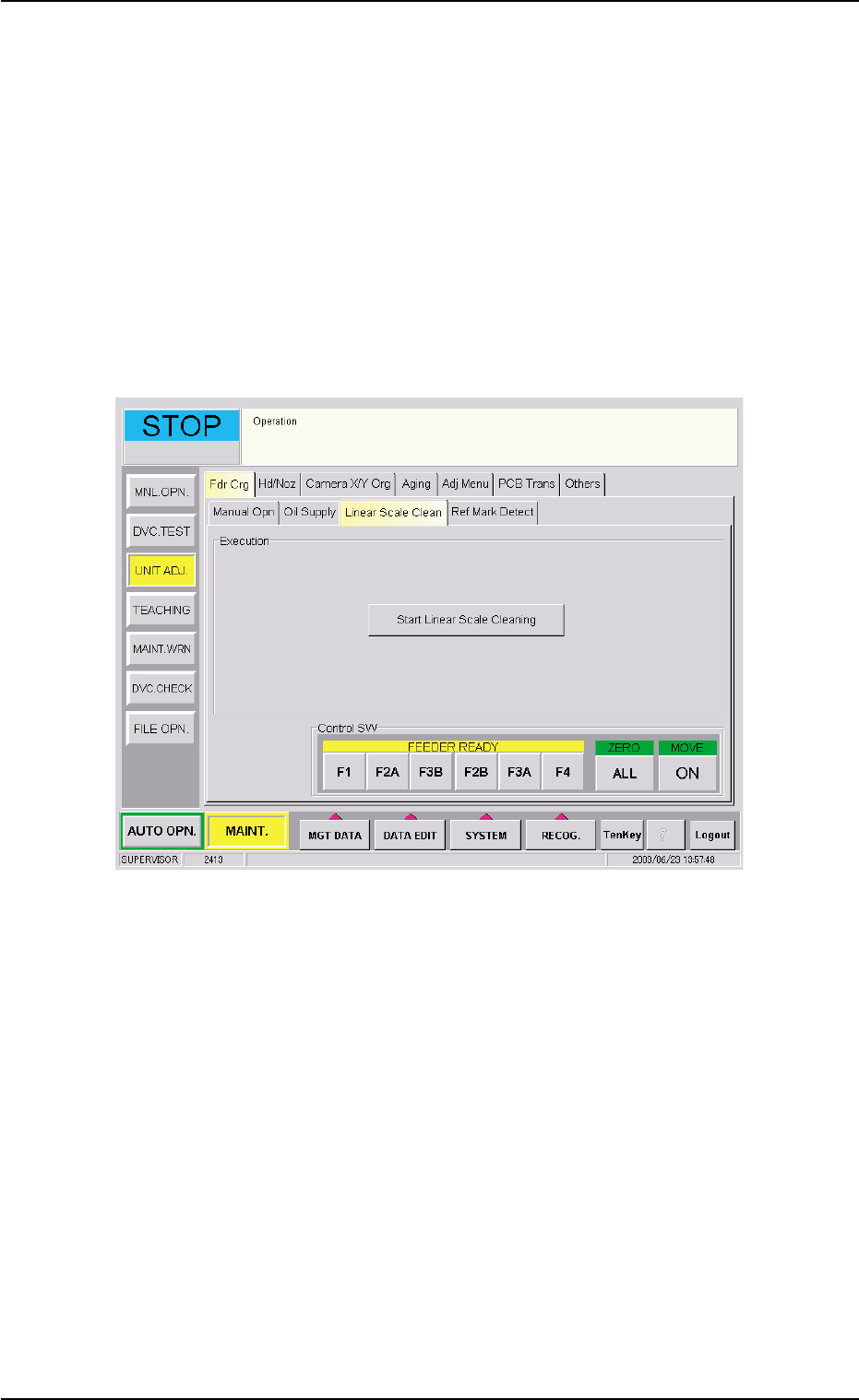
(1) When the [Linear Scale Clean] tab is pressed in the "Fdr Crg" tab
sheet, the following tab sheet appears.
Fig. 4A86-1 "Linear Scale Clean" Tab Sheet
0509-003 1-77
AIM01ETRP