00195377-0102.pdf - 第24页
Retrofit instructions: Flexible dual conveyo r, SIPLACE D4 04/2007 Edition 24 : Remove all the clamping rings fro m the conveyor (20x). : Remove all the hexagonal shaf ts from the conveyor . T o do this, displa ce the co…
Retrofit instructions: Flexible dual conveyor, SIPLACE D4
04/2007 Edition
23
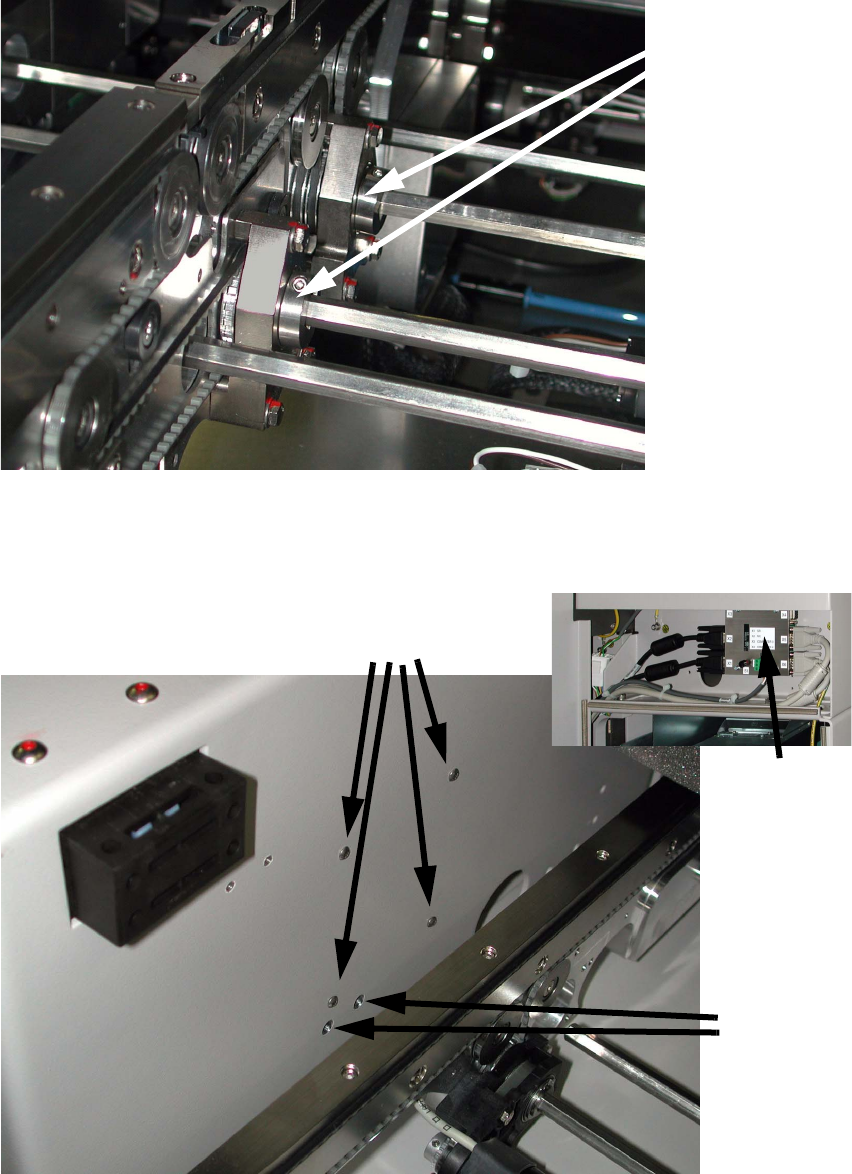
: Loosen the screws of all clamping rings on the conveyor, so that the clamping rings can be
moved on the hexagonal shafts.
2
: Loosen the four screws on the video multiplexer and remove the multiplexer.
Do NOT remove the two screws underneath.
2
2
Clamping rings
Loosen these four screws
DO NOT
loosen
these
screws.
Video
multiplexer
Retrofit instructions: Flexible dual conveyor, SIPLACE D4
04/2007 Edition
24
: Remove all the clamping rings from the conveyor (20x).
: Remove all the hexagonal shafts from the conveyor.
To do this, displace the conveyor rails. You can take out the hexagonal shafts via the non-motor
side.
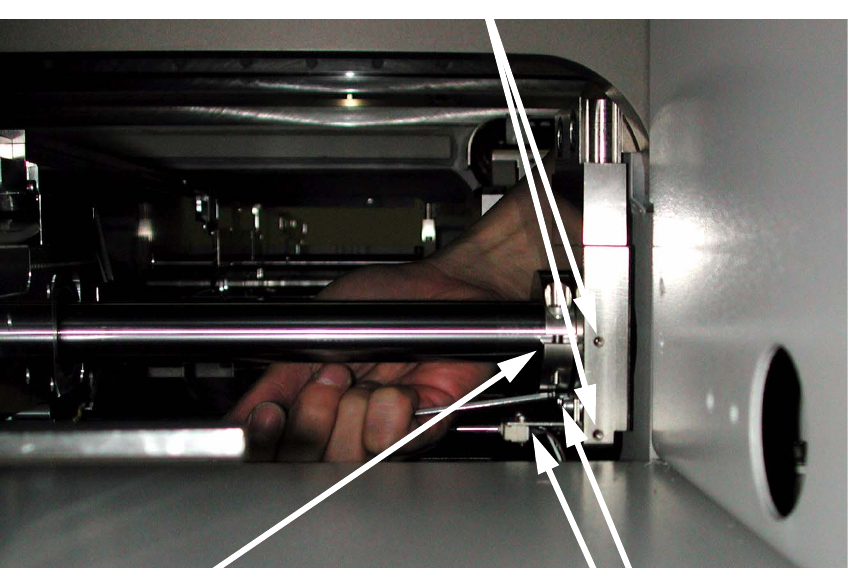
: Loosen the two screws on the conveyor rail limit switch on the input side and push the limit
switch aside. If the limit switch is directly mounted (without a bracket) onto the flange, you can
skip this step (see photo).
: Remove the stop ring (if present).
2
2
2
2
2
2
2
Loosen two screws (viewing the PCB input side)
Stop ring
2 screws for the conveyor rail limit switch (without bracket)
Retrofit instructions: Flexible dual conveyor, SIPLACE D4
04/2007 Edition
25
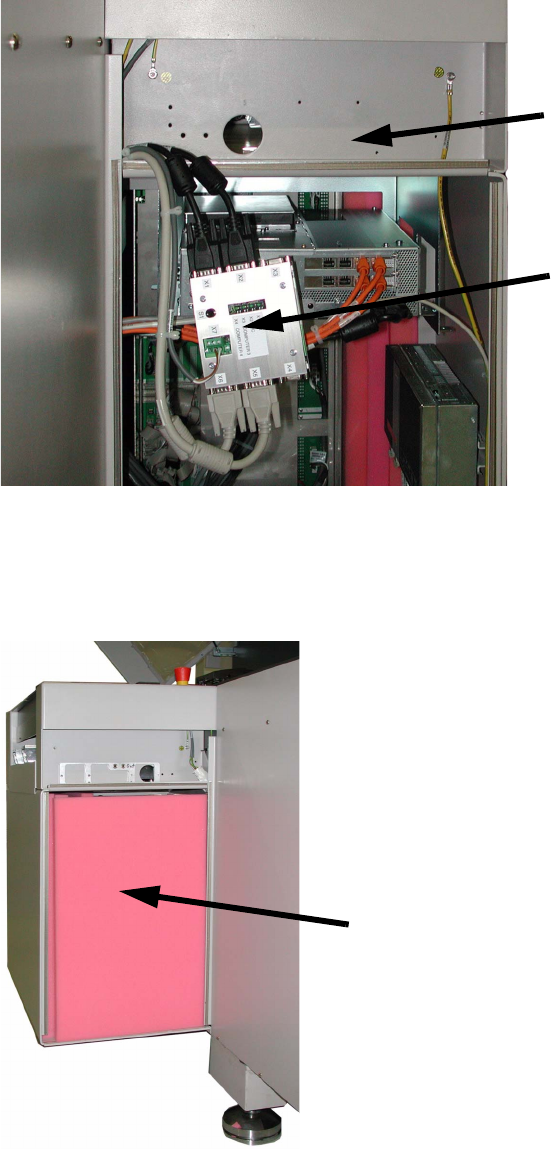
: Fold down the video multiplexer carefully in order to reach the drilling position.
2
2
: Before you continue drilling the holes cover up the units and all sensitive parts in order to pro-
tect them agaist drilling dust.
2
2
Video multiplexer
Drilling position
Cover against drilling swarf