4OM-1505-004_w.pdf - 第100页
4OM-1505 1-49 4. Maintenance Method : Chap.1 (9) Set the roller on the feed (take-up) side, supporting it so that the left adaptor can be inserted into the hole on the left side of the cleaning unit. Set it up by pressin…
4OM-1505
1-48
4. Maintenance Method : Chap.1
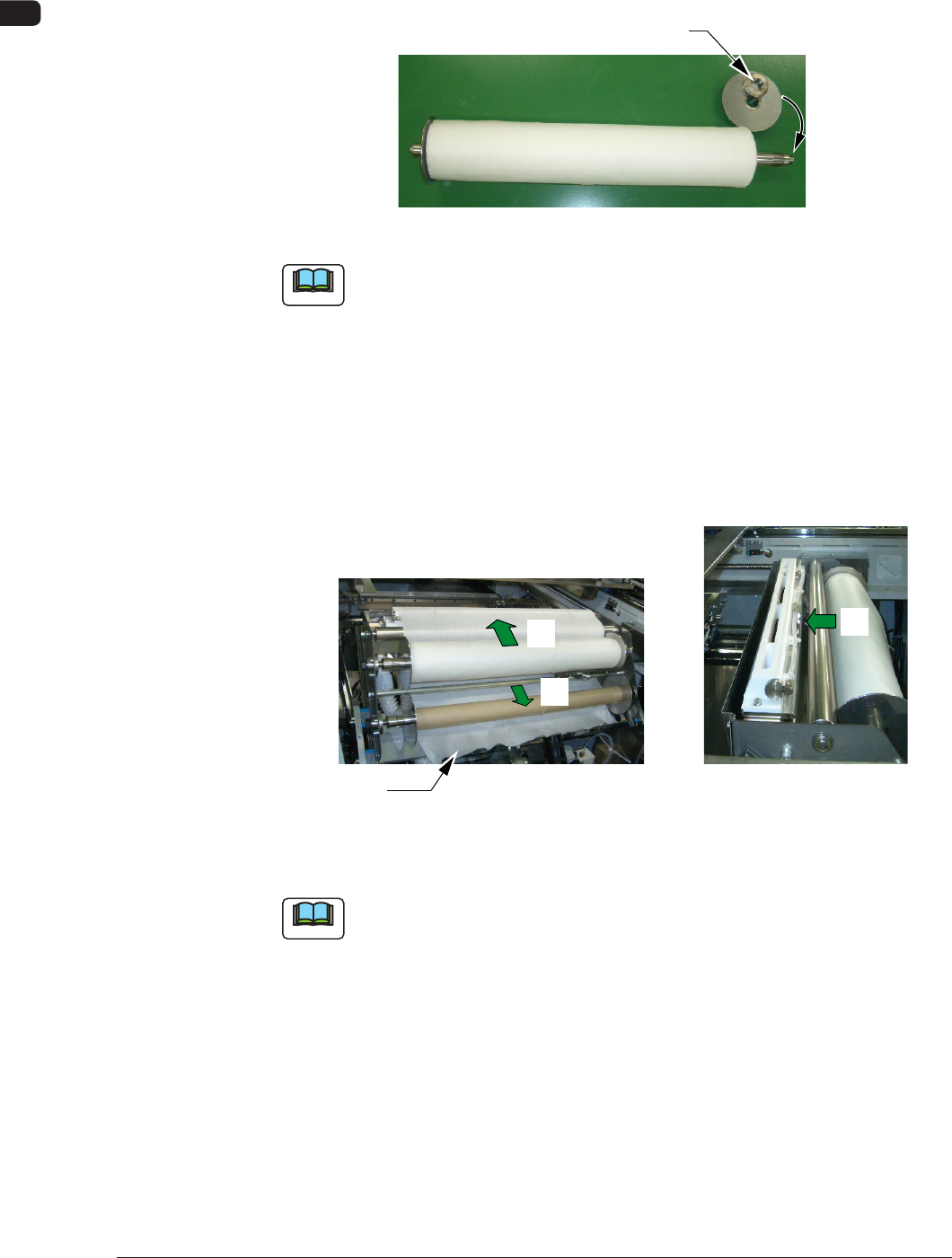
(5) Remove the right adaptor and replace the roller with a new one.
(6) After pressing-in the roller so that the roll end closely contacts the left
adaptor ring, attach the right adaptor.
Right Adaptor
F4A44
Note
(a) The left adaptor is integrated with the shaft.
(b) When the right adaptor is attached, attach the ring rst.
(7) Set the new roller on the supply side, supporting it so that the left adaptor
can be inserted into the hole on the left side of the cleaning unit. Set it up
by pressing the roller against the left adaptor and aligning the right ange
groove with the right adaptor.
(8) Thread the cleaning paper in the order of "*1" to "*3".
*3
*2
*1
Paper End
Front View of Cleaning Section Top View of Cleaning Section
F4A45
Note
Note the rolling direction of the paper.
1002-002
4OM-1505
1-49
4. Maintenance Method : Chap.1
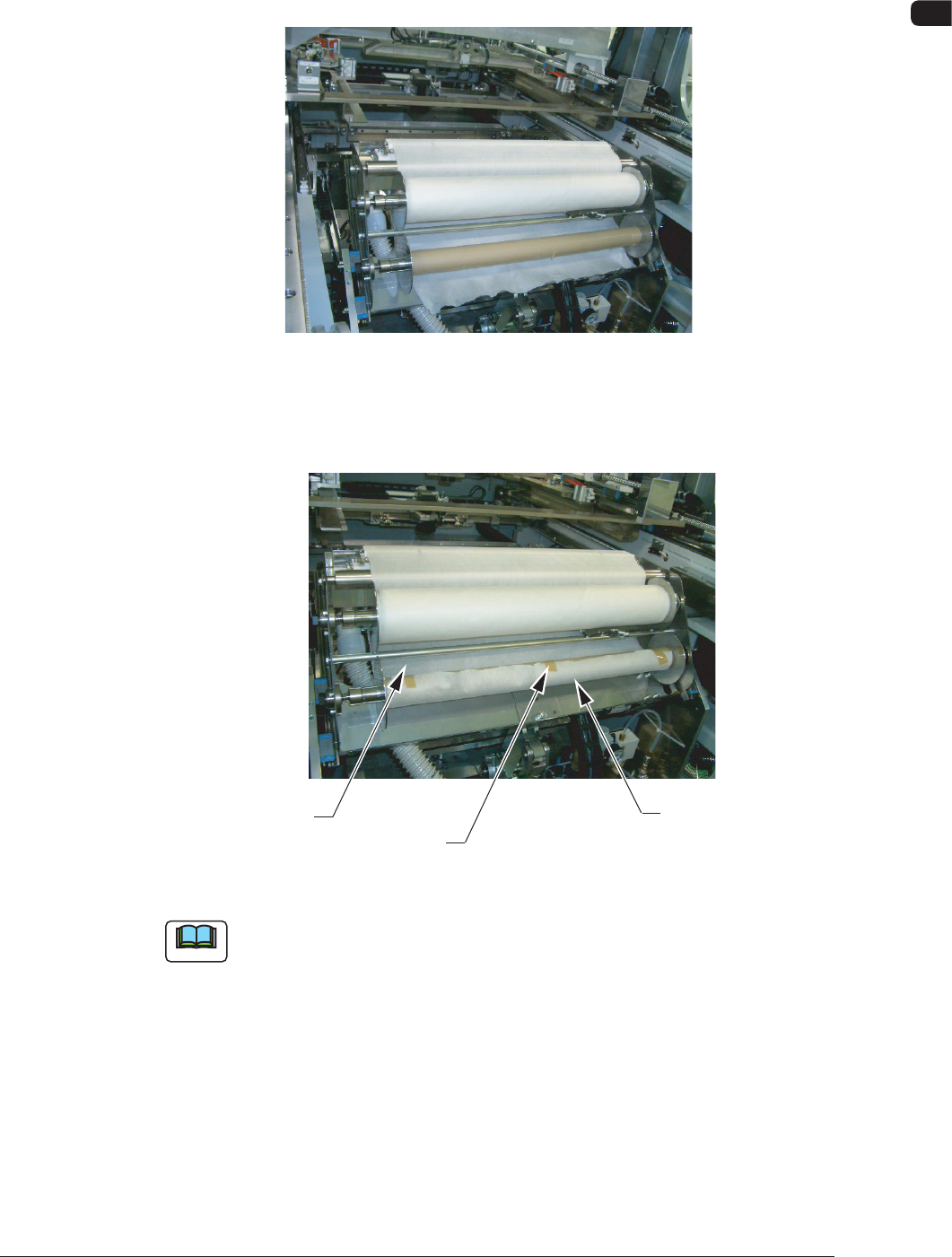
(9) Set the roller on the feed (take-up) side, supporting it so that the left adaptor
can be inserted into the hole on the left side of the cleaning unit. Set it up
by pressing the roller against the left adaptor and aligning the right ange
groove with the right adaptor.
F4A46
(10) Attach the paper end securely to the roll core on the feed (take-up) side,
using a gummed cloth tape.
Roll Core Shaft
Gummed Cloth Tape, etc.
Paper Side End
F4A47
Note
To prevent the paper from being taken up diagonally, the paper side end must be
secured at right angles to the roll core shaft.
1002-002
4OM-1505
1-50
4. Maintenance Method : Chap.1
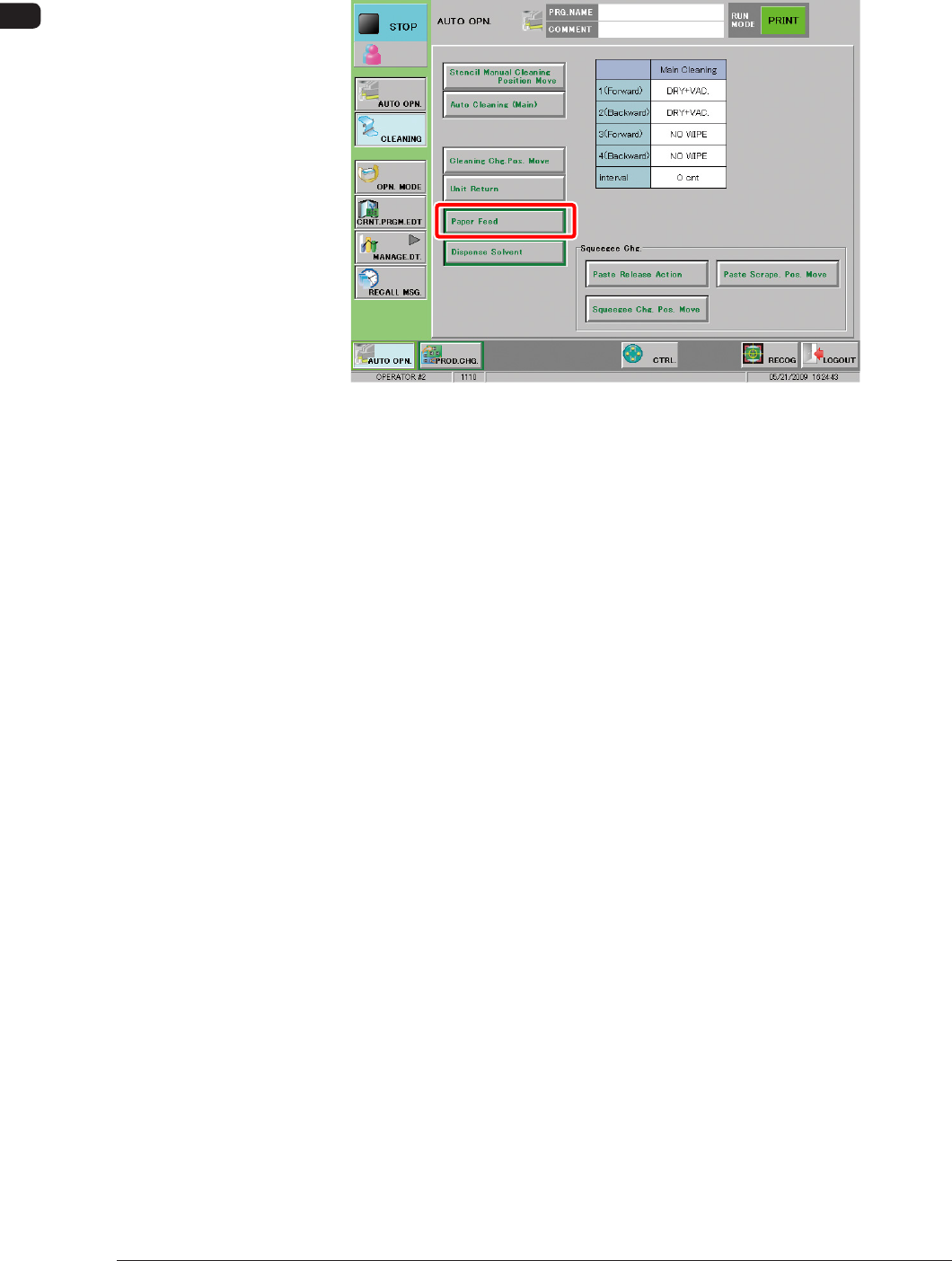
(11) Press the [Paper Feed (take-up)] button in the "CLEANING" window and
press the [START] button on the operation panel to roll the paper once
around the roller shaft.
F4A48
1002-002