4OM-1505-004_w.pdf - 第108页
4OM-1505 1-57 4. Maintenance Method : Chap.1 4.7 Cleaning Procedure for the PCB W arpage T op Holder (Plunger End Section) Procedure (1) Press the [Control] button in the common menu. F4A52-1 (2) Press the [All Zero] but…
4OM-1505
1-56
4. Maintenance Method : Chap.1
Procedure
(1) Press the [Cleaning Chg. Pos. Move] button in the "CLEANING" window.
(The button ashes in green.)
(2) Press the [START] button on the operation panel while the button is ashing,
and move the PEC recognition section and stencil holder to the rear of the
machine.
(3) Press the Cover Lock switch on the front of the machine and open the
transparent cover on the front of the machine.
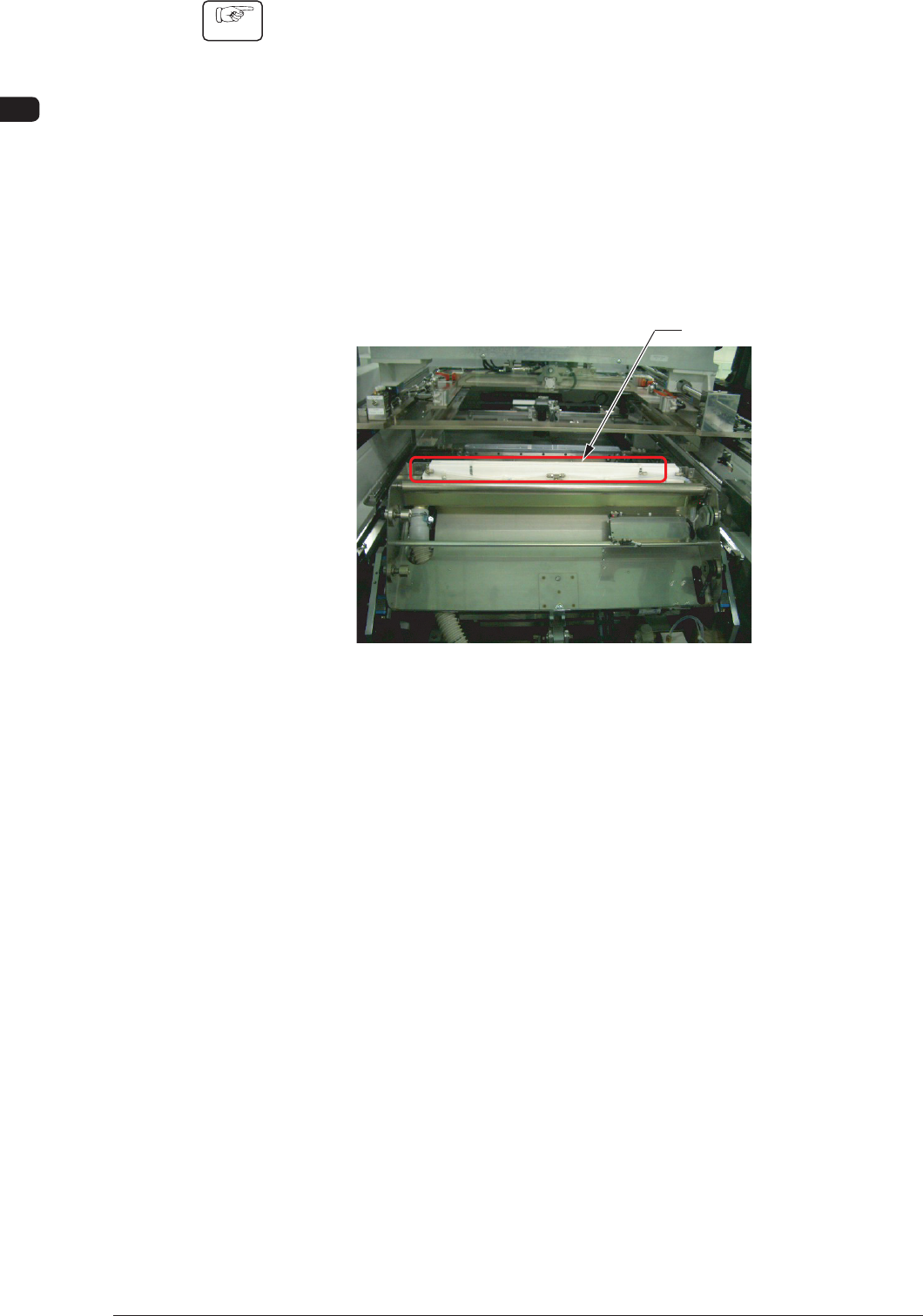
(4) Clean the cleaning nozzle.
Cleaning Nozzle
F4A53
1002-002
4OM-1505
1-57
4. Maintenance Method : Chap.1
4.7 Cleaning Procedure for the PCB Warpage Top Holder
(Plunger End Section)
Procedure
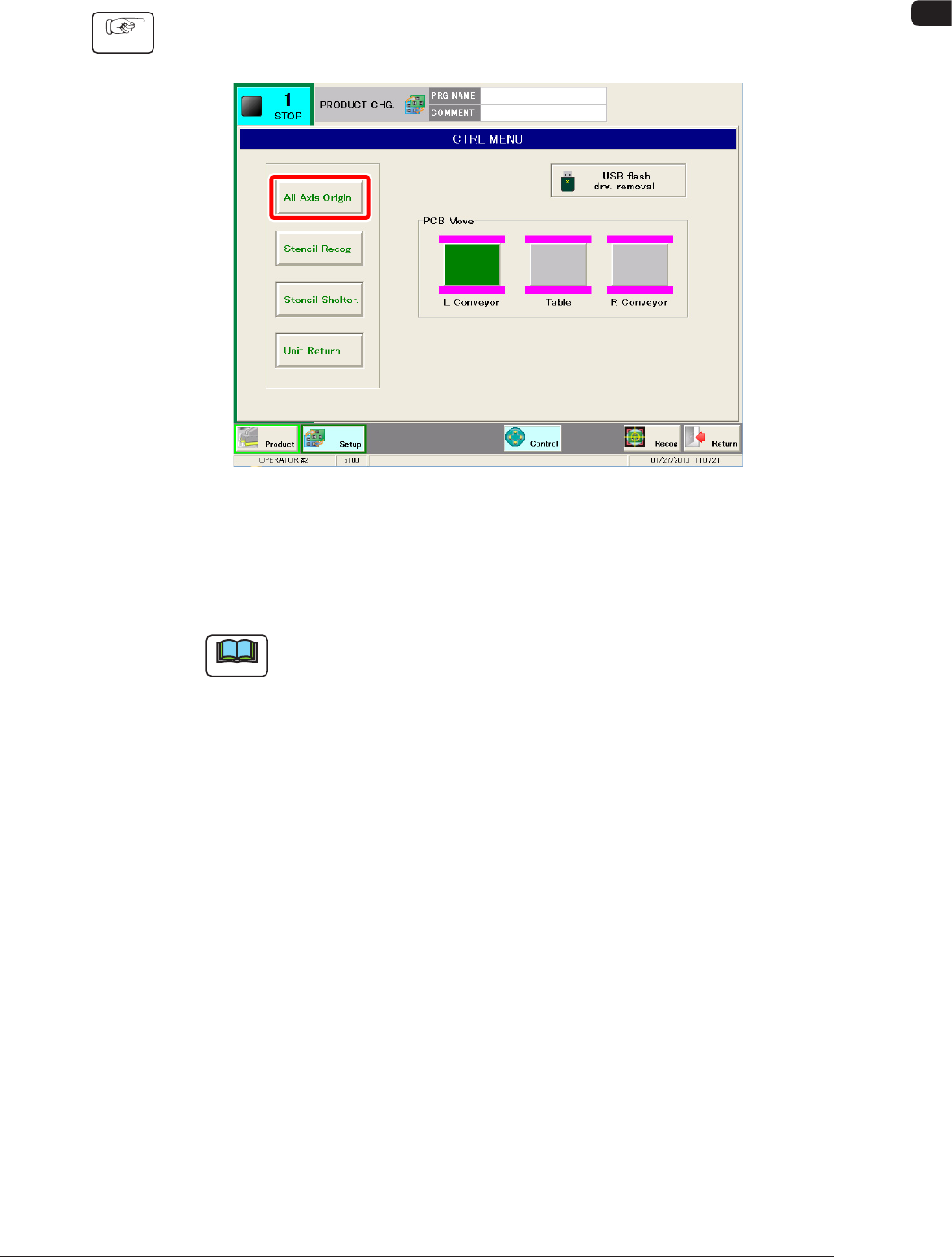
(1) Press the [Control] button in the common menu.
F4A52-1
(2) Press the [All Zero] button in the window and within 10 seconds, press the
[START] button on the operation panel. (The PEC recognition unit will move
to the rear section).
Note
While the automatic operation is stopped, the PEC recognition unit is in
the stand-by mode on the rear side, so the zeroing operation is not required.
(3) Move to the rear side of the machine.
(4) Press the cover lock switch on the rear side of the machine and open the
transparent covers.
1002-001
4OM-1505
1-58
4. Maintenance Method : Chap.1
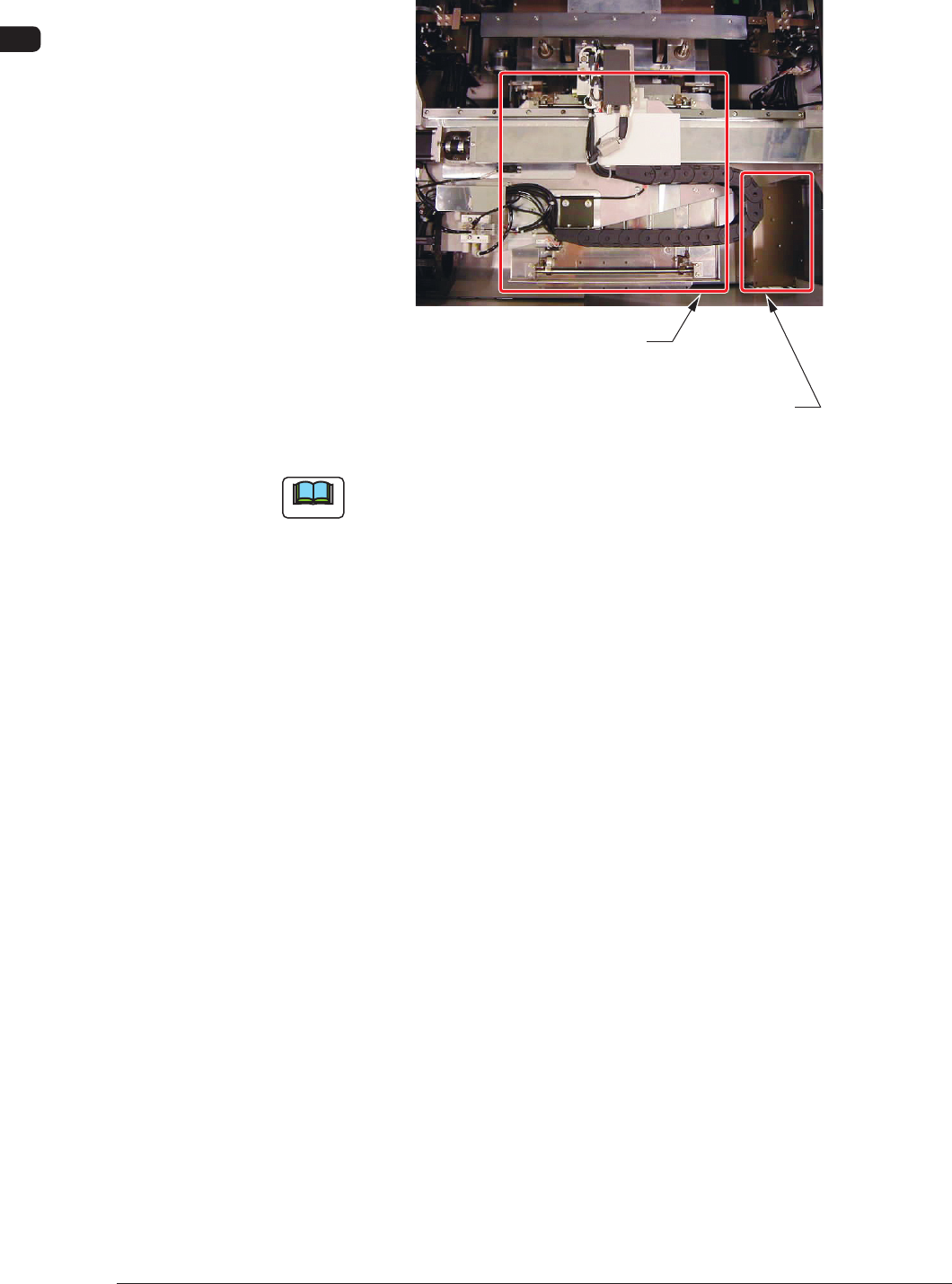
(5) Clean the PCB warpage top holder and plunger mounted on the bottom of
the PEC recognition unit, using a rag, etc.
PCB Warpage Top Holder Plate
Put your hand into this space and
clean the bottom side of the plate.
F4A52-2
Note
Use the automatic cleaning solvent (Solmix) for the cleaning.
1002-001