4OM-1505-004_w.pdf - 第178页
4OM-1505 2-63 2. T roubleshooting on Each Section : Chap.2 0906-001 T4B60 Error ID Error Name, Description, Cause, and Remedy 2121000 Illegal Operation Not printed PCB exist on the table. (Cause 1) An unprinted PCB was d…
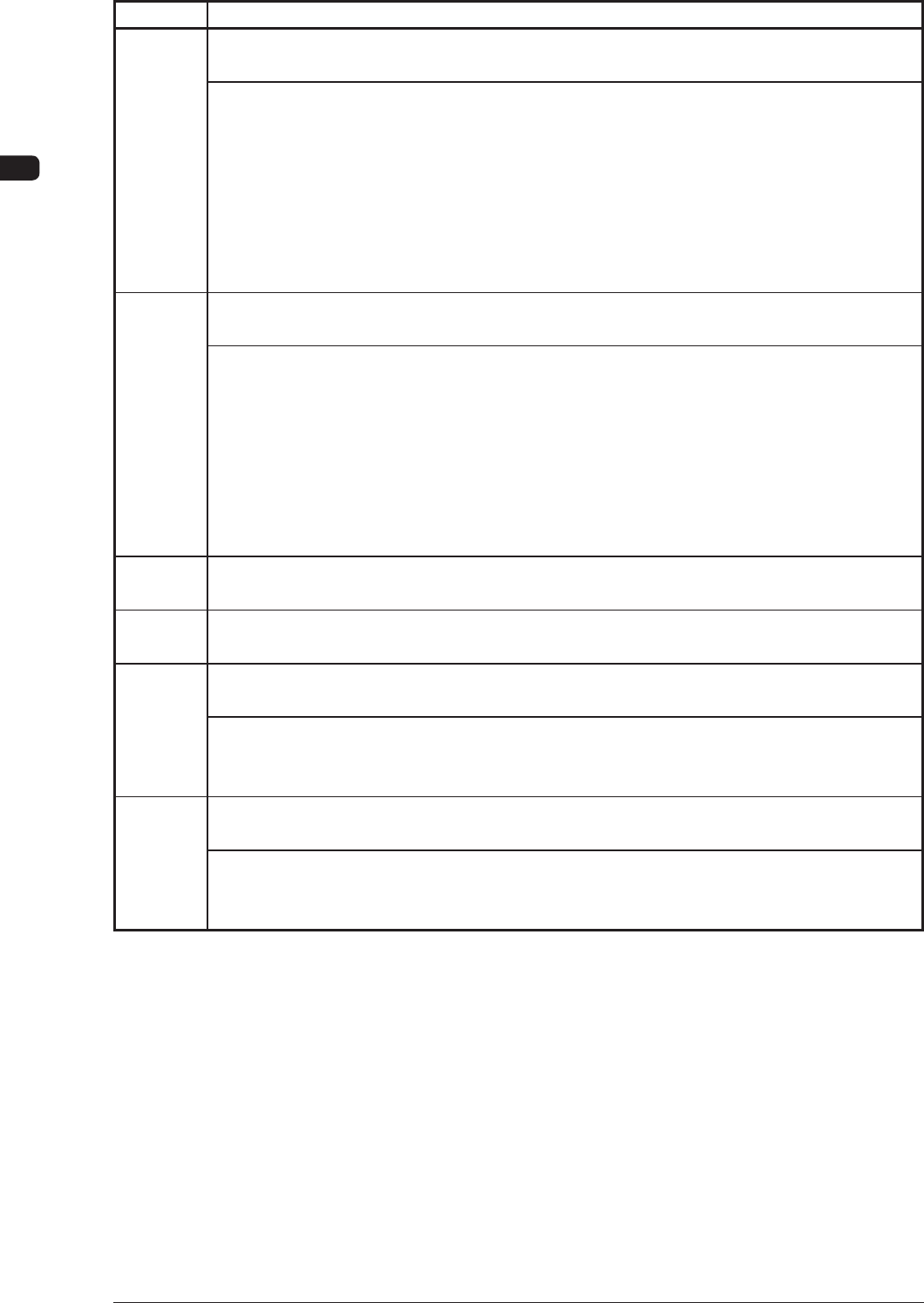
4OM-1505
2-62
2. Troubleshooting on Each Section : Chap.2
0906-001
T4B59
Error ID Error Name, Description, Cause, and Remedy
2113000 Illegal Operation
Vacuum cleaning can not use in vacuum plate chuck on.
(Cause 1) The operation timing is shifted from the normal one.
(Cause 2) A cleaning suction operation was performed during the vacuum cleaning (chuck
suction). (during the manual operation)
(Remedy 1) Shut down the power of the machine once and power up the machine again.
After that, restart the operation. When the same error still occurs, contact our
service personnel for details.
(Remedy 2) Cancel the cleaning suction operation through the manual operation and
restart the operation.
2114000 Illegal Operation
Vacuum plate can not use at vacuum cleaning on.
(Cause 1) The operation timing is shifted from the normal one.
(Cause 2) A
chuck suction operation was performed during the vacuum cleaning (chuck
suction). (during the manual operation)
(Remedy 1) Shut down the power of the machine once and power up the machine again.
After that, restart the operation. When the same error still occurs, contact our
service personnel for details.
(Remedy 2) Cancel the cleaning suction operation through the manual operation and
restart the operation.
2115000 Illegal Operation
Input conveyor width was out of specied range.
2116000
Illegal Operation
Table chute width was out of specied range.
2117000 Illegal Operation
Output conveyor width was out of specied range.
(Cause 1) The PCB dimension (Y) in the current pattern program differs extremely from
the input conveyor width.
(Remedy 1) Open the "COLLCTVE. SETUP" window and change the conveyor width.
2118000 Illegal Operation
Stencil recog. was not nished.
(Cause 1) An operation was performed to check the results of the stencil recognition
although no stencil recognition operation is performed yet.
(Remedy 1) Perform the stencil recognition.
4OM-1505
2-63
2. Troubleshooting on Each Section : Chap.2
0906-001
T4B60
Error ID Error Name, Description, Cause, and Remedy
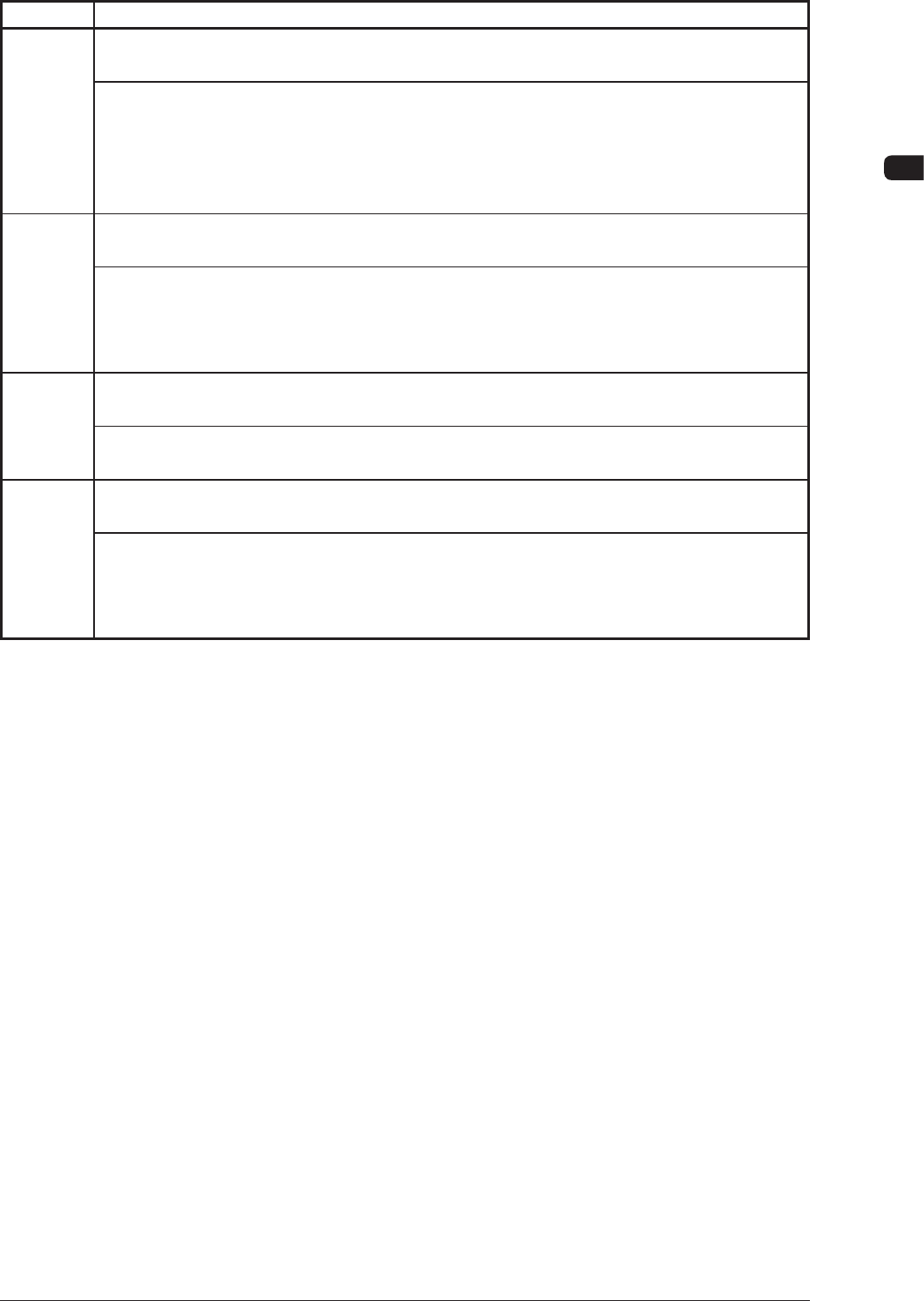
2121000 Illegal Operation
Not printed PCB exist on the table.
(Cause 1) An unprinted PCB was discharged during the automatic operation after an error
was canceled.
(Remedy 1) Remove the unprinted PCB on the table and restart the operation. Click the
table section (illustrated) in the "AUTO OPN." window to remove the PCB
from the memory of the machine whenever necessary.
2122000 Illegal Operation
Stencil was not found.
(Cause 1) The stencil clamping cancel check sensor (B6F) is turned OFF
.
(Remedy 1) Ins
tall the stencil and restart the operation. When an error occurs even though
the stencil is installed, it is required to adjust the sensor position or replace
the sensor with a new one. Contact our service personnel for details.
2123000 Illegal Operation
Reference position was not identied.
(Cause 1) Self-Diagnostics Error Message
(Remedy 1) Perform the teaching operation again from the beginning.
2124000 Illegal Operation
Stencil was on the holder.
(Cause 1) The stencil clamping cancel check sensor (B6F) is turned ON.
(Remedy 1)
Detach the stencil and restart the operation. When this error still occurs even
though the stencil is detached, it is required to adjust the sensor position or
replace the sensor with a new one. Contact our service personnel for details.
4OM-1505
2-64
2. Troubleshooting on Each Section : Chap.2
(22 Others)
T4B61
Error ID Error Name, Description, Cause, and Remedy
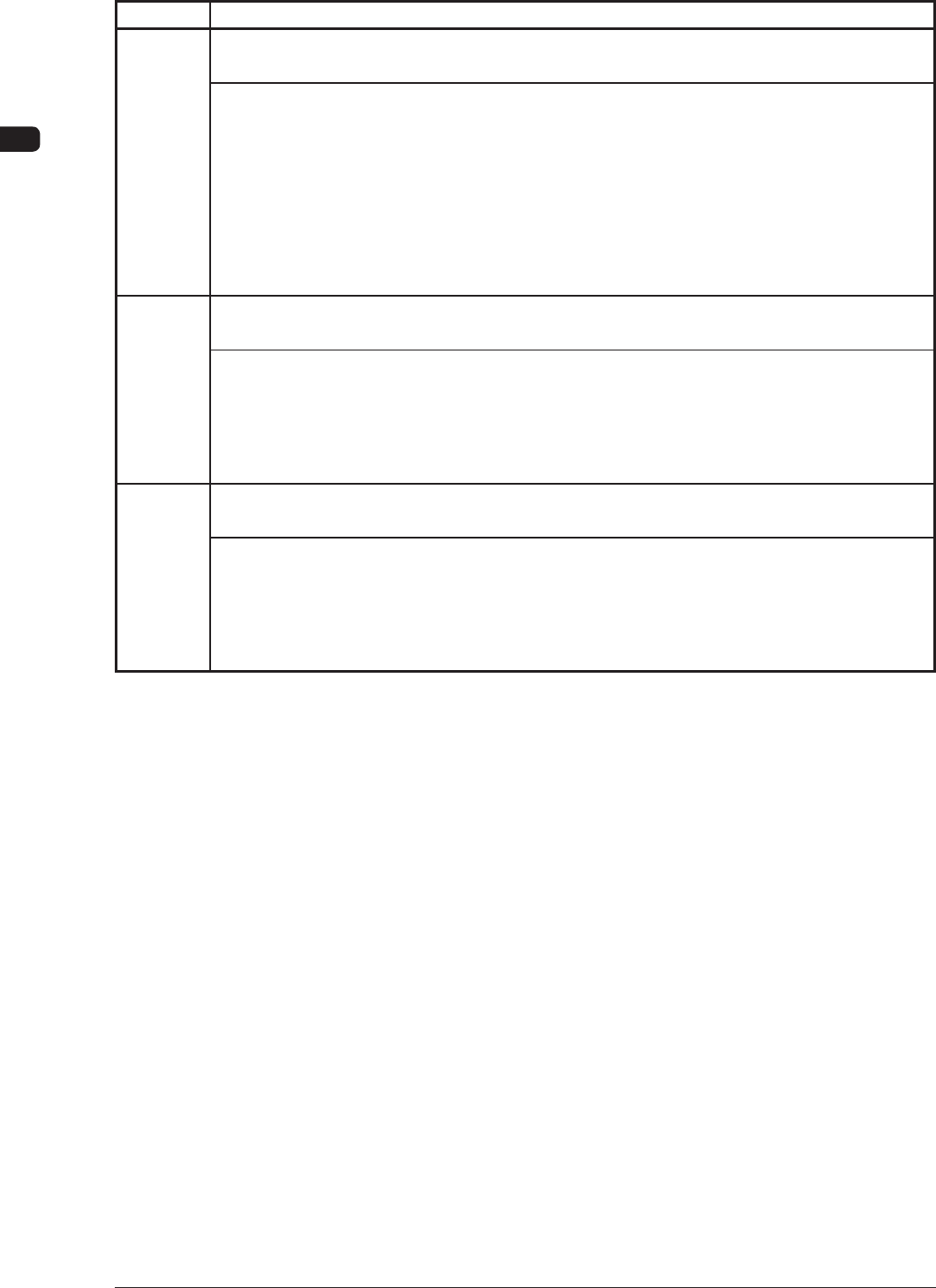
2201000 Vacuum Blower Motor.
Vacuum sw was not ON, within specied time.
(Cause 1) The vacuum jig is not used.
(Cause 2) Vacuum Leakage
(Cause 3) The vacuum switch is defective.
(Remedy 1) When the vacuum jig is not used, specify the vacuum jig in the pattern
program.
(Remedy 2) Check for vacuum leakage between the PCB and the vacuum jig.
(Remedy 3) The vacuum switch might be set incorrectly or the main body of the vacuum
switch might be defective. Contact our service personnel for details.
2202000
Vacuum Blower Motor.
Cleaning side change timeover
(Cause 1) The suction changeover cylinder might be malfunctioning or the cylinder sensor
might be defective.
(Remedy 1) Shut down the power of the machine once and power up the machine again.
After that, restart the operation. When the same error still occurs, contact our
service personnel for details.
2203000
Vacuum Blower Motor.
V
acuum plate side change timeover.
(Cause 1) The suction changeover cylinder might be malfunctioning or the cylinder sensor
might be defective.
(Remedy 1) Shut down the power of the machine once and power up the machine again.
After that, restart the operation. When the same error still occurs, contact our
service personnel for details.
0906-001