4OM-1505-004_w.pdf - 第96页
4OM-1505 1-45 4. Maintenance Method : Chap.1 4.2 Adjustment of PCB Horizontal Clamping The PCB clamp adjustment is performed using the pressure reducing valve. Note Perform the adjustment of the pressure reducing value a…
4OM-1505
1-44
4. Maintenance Method : Chap.1
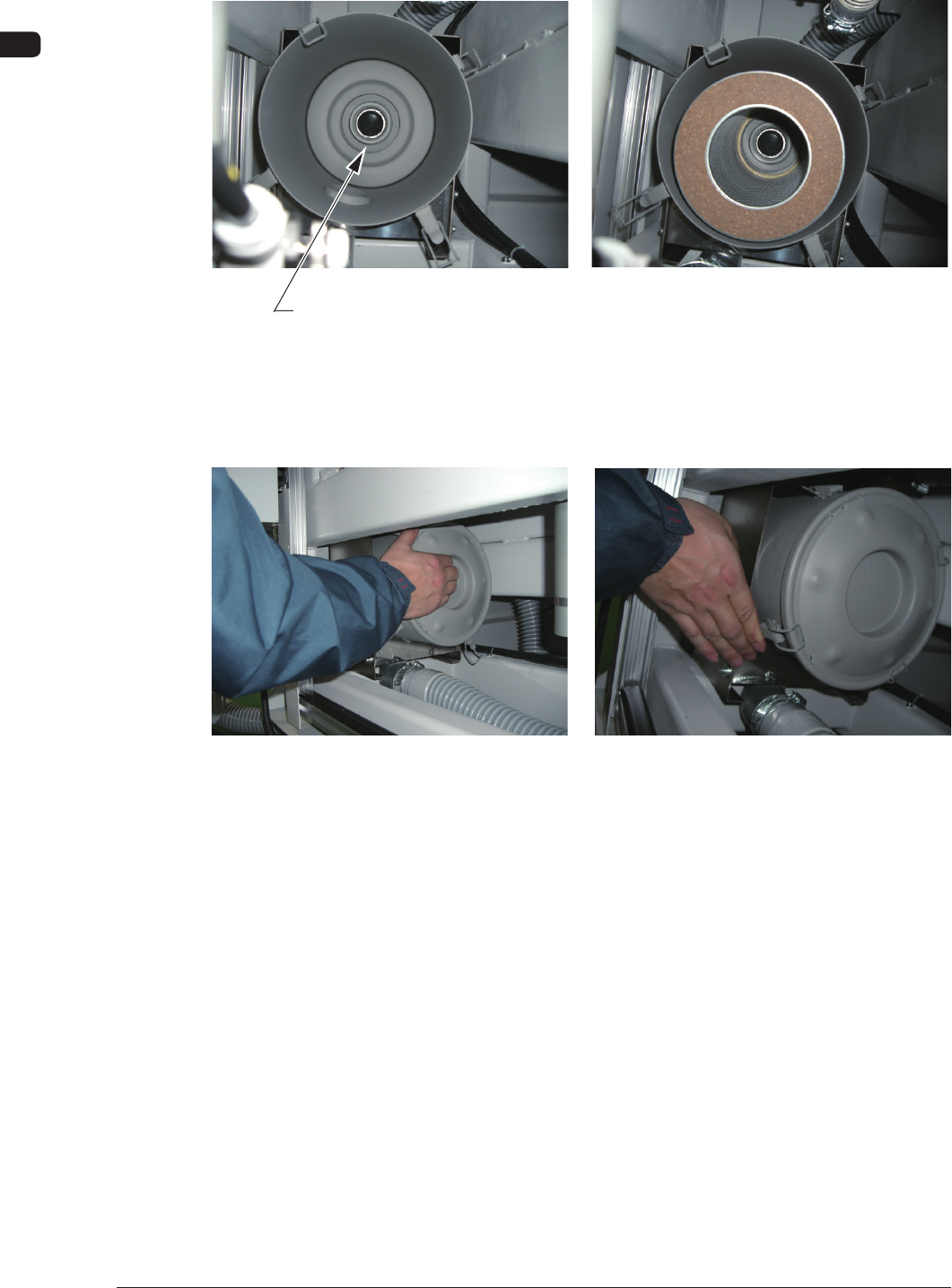
(4) Set the lter such that the center hole of the lter can t into the ange
located at the rear side of the lter cover.
Flange Section
F4A38
(5) While holding the lid, engage the clip securely such that the ange (located
at the center of the lid) can t into the center hole of the lter.
F4A39
0906-001
4OM-1505
1-45
4. Maintenance Method : Chap.1
4.2 Adjustment of PCB Horizontal Clamping
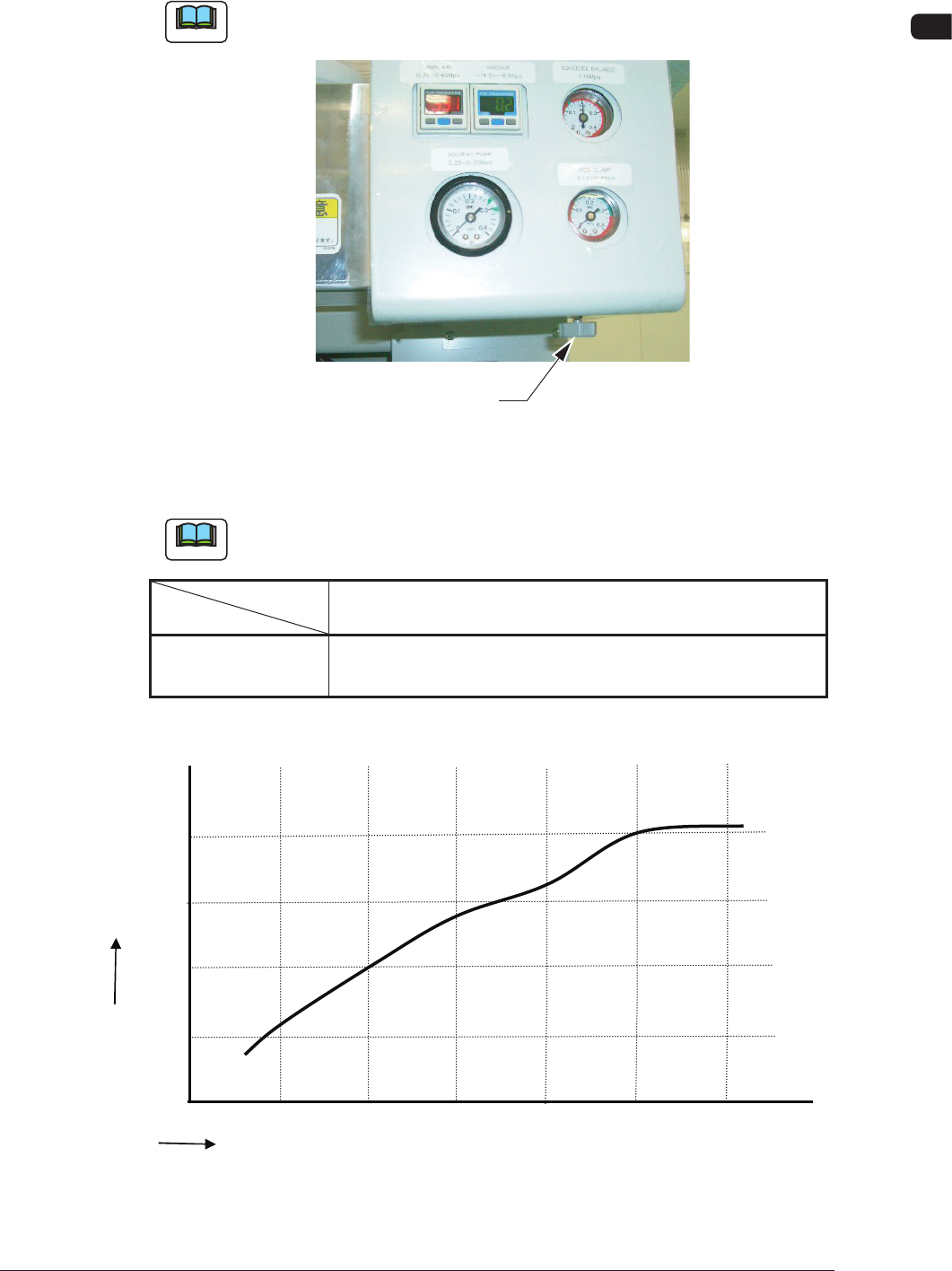
The PCB clamp adjustment is performed using the pressure reducing valve.
Note
Perform the adjustment of the pressure reducing value appropriately depending
on the change in the PCB thickness.
Pressure Reducing Valve
F4A40
•
Target Air Pressures Related to PCB Thickness
Example
: The values were obtained when the PCB size is "150 × 100".
Note
Refer to the following table for the standard for the air pressure based on the
PCB thickness.
PCB Thickness
Air Pressure
0.3 0.5 1.0 1.5 2.0 2.5 (mm)
MPa 0.1 0.12 0.2 0.3 0.3 0.4
(kgf/cm
2
) (1.0) (1.2) (2.0) (3.0) (3.0) (4.0)
T4A13
Relationship between the PCB Thickness and Clamp Pressure
Air
Pressure
MPA
PCB Thickness
mm
0.5 1.0 1.5
2.0
0.1
0.2
0.3
0.4
★
★
★
★
0.0
0.3
2.5
3.0
★
★
F4A40-1
1105-002
4OM-1505
1-46
4. Maintenance Method : Chap.1
4.3 Replacement of Cleaning Paper
(How to change the cleaning paper width)
CAUTION
Press the cover lock switch and open the transparent
cover to work.
Only the person in charge of maintenance should
perform this work.
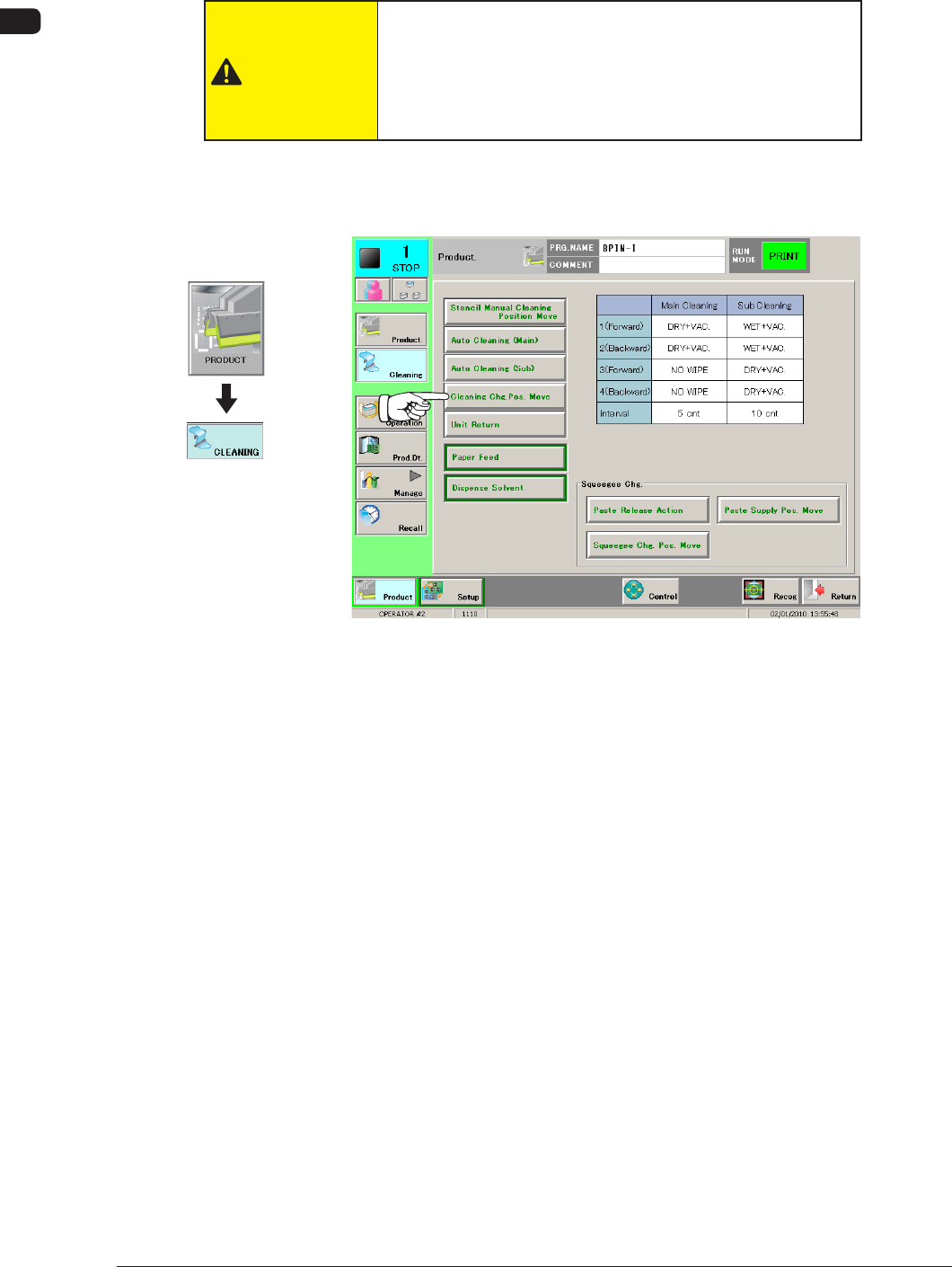
(1) Press the [Cleaning Chg. Pos. Move] button in the "CLEANING" window.
When it is selected, the button ashes green.
F4A41
1002-002
Graphic
Development